Best Data Migration Tools in 2026, Picked by Job
30 min read
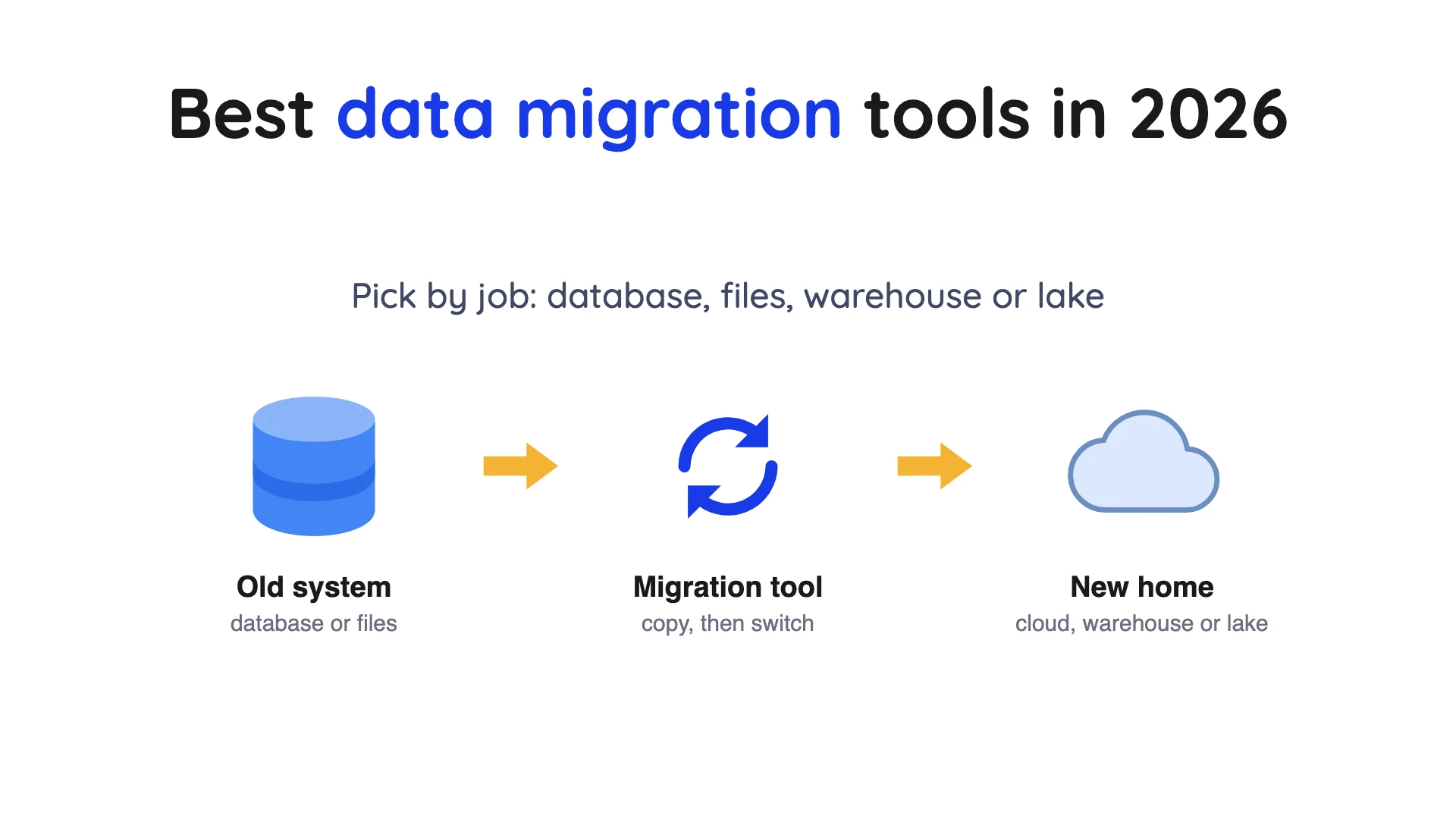
There is no single best pick among data migration tools, because "migration" covers four different jobs. This post sorts twelve tools by job, with dated prices and what each one cannot do.
Key takeaways
- Pick by job first. For a database, start with your target cloud's own service (AWS Database Migration Service (DMS), Azure Database Migration Service or Google Database Migration Service); for Oracle or mixed estates, look at Oracle GoldenGate or Qlik Replicate.
- For files, split the job. Copying files between storage systems is AWS DataSync. Loading CSV, JSON or Parquet files from S3 into Iceberg tables is OLake Go (S3 source docs). Warehouse tables and business apps go to Fivetran, Airbyte, Hevo or Skyvia.
- Some cloud moves list no charge. Google says native moves to Cloud SQL or AlloyDB for PostgreSQL carry no additional charge.
- Check for retirements first. Microsoft's retirement notice says Azure Database Migration Service (classic) for SQL Server scenarios is not supported after 15 March 2026.
- Few tools write Apache Iceberg. The AWS DMS targets page, the Azure DMS overview and the Google DMS overview do not list it as a destination.
What data migration means
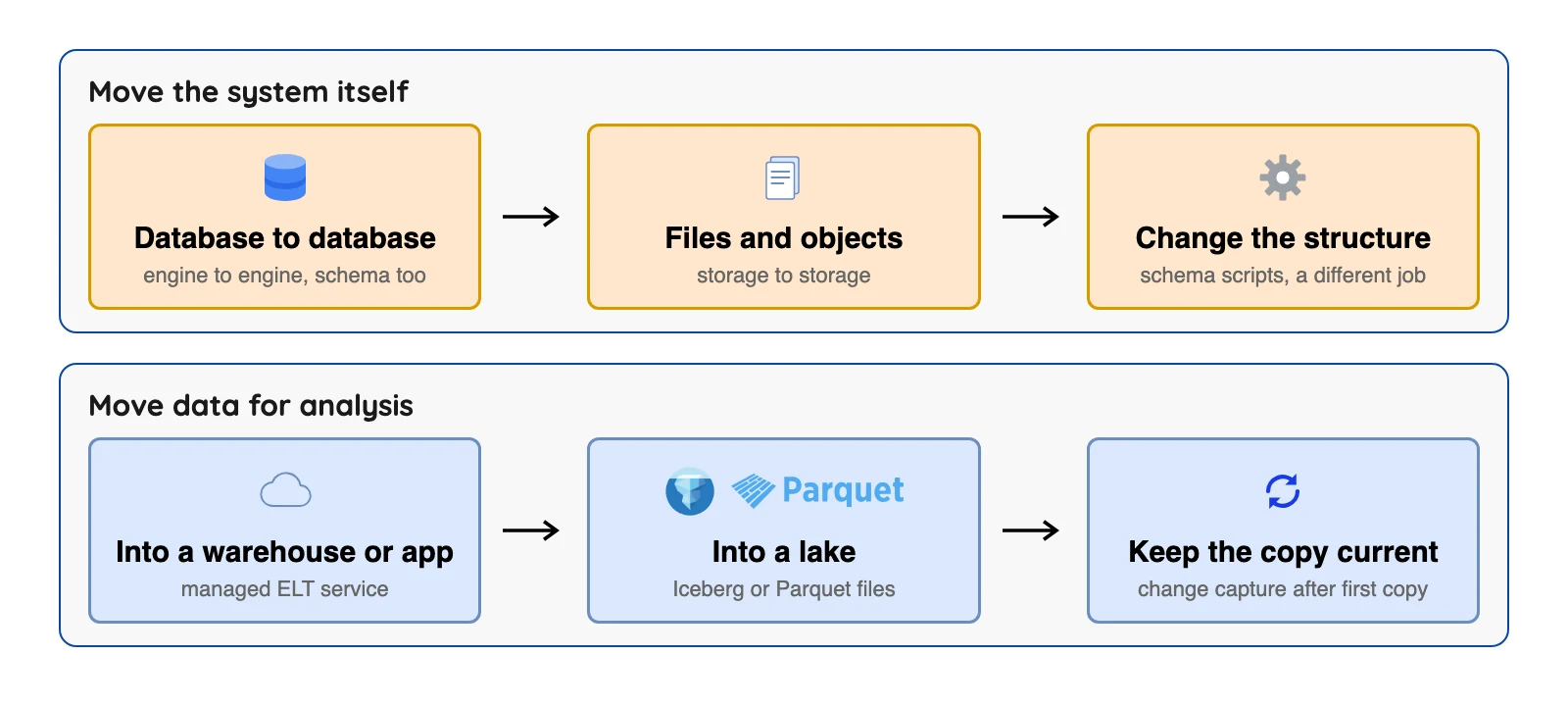
AWS defines data migration as moving data from one computing environment or storage system to another, and lists storage, database and application migration among the types. In this post, "source" is where data starts and "target" is where it ends up.
Migration is a one-time move with an end date. Replication keeps a copy current for as long as you need it, which is a different job.
| Job | What it does | Ends when | Example tools in this post |
|---|---|---|---|
| Database migration | Moves a database to a new server, cloud or engine | You switch the app to the new database | AWS DMS, Azure DMS, Google DMS |
| Storage migration | Moves files and objects between storage systems | The files are copied and checked | AWS DataSync |
| Loading for analysis | Copies data into a warehouse or lake, often on a schedule | You stop the pipeline (it often runs for years) | OLake Go, Datastream, Fivetran, Airbyte, Hevo, Skyvia |
| Schema migration | Versions changes to a database's tables with scripts | Never; it is part of normal development | Not covered here |
The last row is a different tool family: Flyway's docs describe its migrations as SQL scripts that capture incremental schema and data changes, so it's version control for your tables, not a way to move data between systems.
Homogeneous or heterogeneous
Google's docs say a homogeneous migration moves between the same database technology, for example MySQL to Cloud SQL for MySQL. A heterogeneous one changes the technology, such as Oracle to Cloud SQL for PostgreSQL.
Heterogeneous moves are harder, because table definitions, data types and code all have to be converted. AWS lists Database Migration Service (DMS) Schema Conversion for that job.
Offline or online
Offline copies a point-in-time snapshot, so changes made after it starts are not carried over, and you normally stop writes during the copy. The online (continuous) kind follows a full load with a flow of changes until you switch, as Google's docs describe.
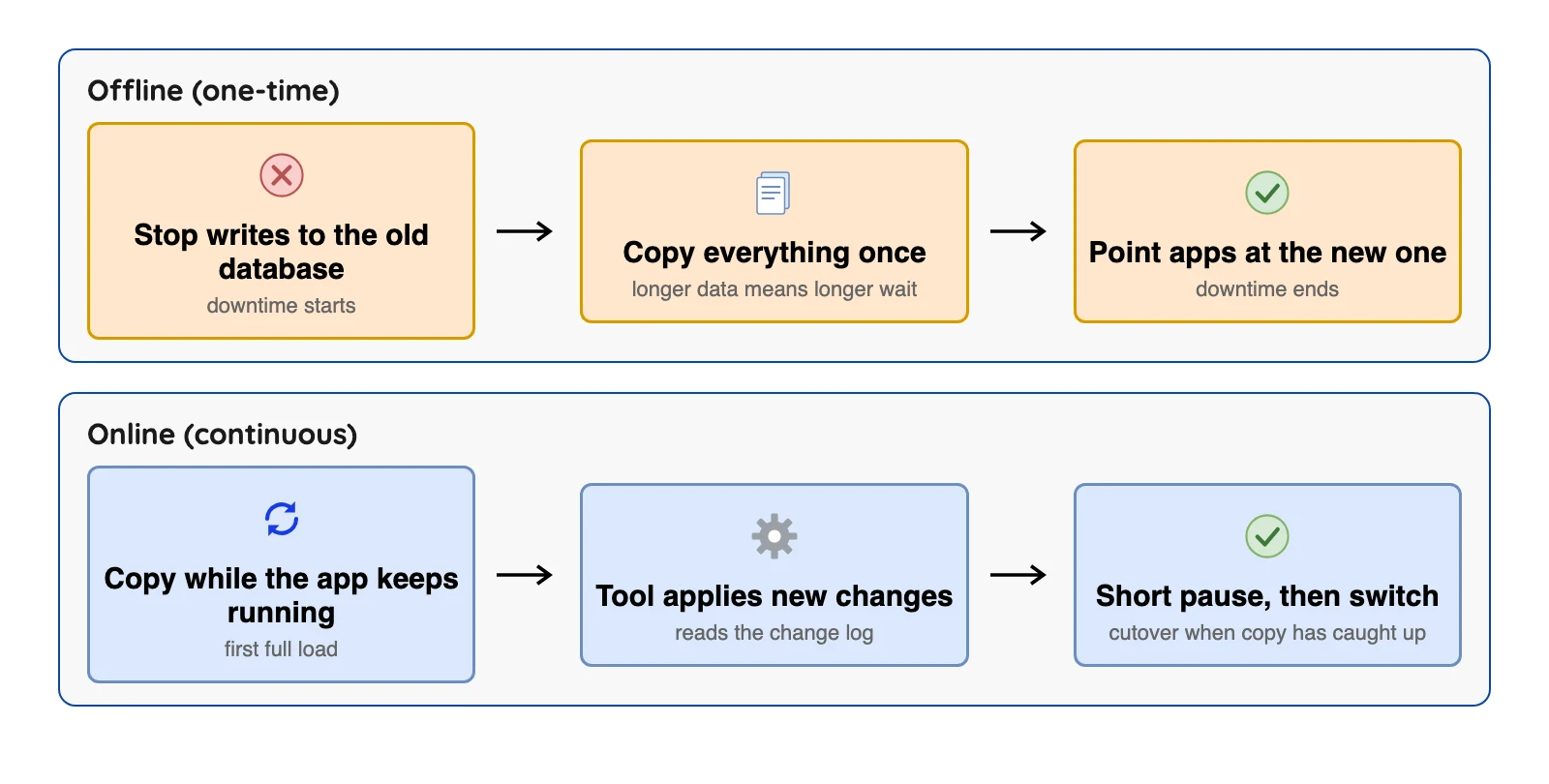
Online usually reads the database's transaction log, where every change is recorded in order. That's change data capture (CDC).
How we picked
Each tool had to move data out of a database or storage system, still be maintained, and publish documentation we could open. We compared job, sources and targets, ongoing changes and price from each vendor's own pages, checked in October 2026. This is a reading of vendor documents, not a lab test, and what vendors say about themselves is reported as their claim.
Schema-migration tools and backup products are left out.
We quote a user comment only when it names a concrete problem, so most entries have none.
Data migration tools at a glance
Prices use different bases, so read the last column as a way in, not as a like-for-like cost.
| Tool | Job | Ongoing changes? | Where data lands | Entry price or free route (October 2026) |
|---|---|---|---|---|
| AWS DMS | Database to database | Yes, log-based; AWS gives no latency guarantee | Many AWS targets, S3 files; not Iceberg | dms.t3.medium $0.0745 an hour |
| Azure Database Migration Service | SQL Server to Azure | Online mode on some targets | Azure SQL targets | Current price not established (classic page: Standard free) |
| Google Database Migration Service | Database to Google Cloud | Yes, continuous mode | Cloud SQL, AlloyDB | Same-engine native moves: no additional charge |
| Oracle GoldenGate | Database to database, many targets | Yes, one-way or two-way | Many; Iceberg in a separate product | GoldenGate Free for Oracle databases of 20 GB or smaller |
| Qlik Replicate | Mixed legacy and mainframe | Yes, log-based | Many; Iceberg via a Cloudera target or Qlik's cloud | Not published on Qlik's pricing page |
| AWS DataSync | Files and objects | Scheduled copies | S3, FSx, Elastic File System | $0.0125 per GB in Basic mode |
 OLake Go OLake Go | Databases, S3 and Kafka into a lake | CDC for PostgreSQL, MySQL/MariaDB, MongoDB and SQL Server; full refresh or incremental for Oracle and Db2 | Apache Iceberg or Parquet on your own storage; many engines read its Iceberg tables | Open source (Apache 2.0); your own infrastructure and operator time |
| Google Datastream | Into BigQuery or Iceberg | Yes, backfill then CDC | BigQuery, Cloud Storage, Iceberg tables in BigQuery (append-only) | Per-GiB rates; see its pricing page |
| Fivetran | Into a warehouse or lake | Yes, per connector | Warehouses and a managed lake service | Free plan to 500,000 rows |
| Airbyte | Into a warehouse or lake | CDC on scheduled syncs | Warehouses and Iceberg on S3 and GCS | Core free; Cloud Standard from $20 a month |
| Hevo | Into a warehouse | Log-based; streaming on request | Warehouses; a Snowflake Iceberg destination in early access | Free to 1M events; Starter from $299 a month |
| Skyvia | SaaS apps and databases | Log-based CDC for SQL Server only | Warehouses and databases | Free to 10k records; Basic $99, shown reduced to $79 |
The 12 best data migration tools
Database to database
1. AWS Database Migration Service: best for moving databases into AWS
At a glance
- Job: One-time moves or ongoing replication between databases
- Price: Replication instance hours or Serverless DCU hours (a DCU is 2 GB of memory), plus storage, with no separate CDC fee; dms.t3.medium lists at $0.0745 an hour in us-east-1, on demand, Single-AZ (AWS DMS pricing, checked October 2026; price file published September 11, 2026)
AWS says a DMS task can run a full load first and then capture changes. The docs list sources such as Oracle, SQL Server, MySQL, MariaDB, PostgreSQL, MongoDB and Db2. It reads Oracle with LogMiner or a binary reader, MySQL binary logs, PostgreSQL logical slots and the MongoDB oplog.
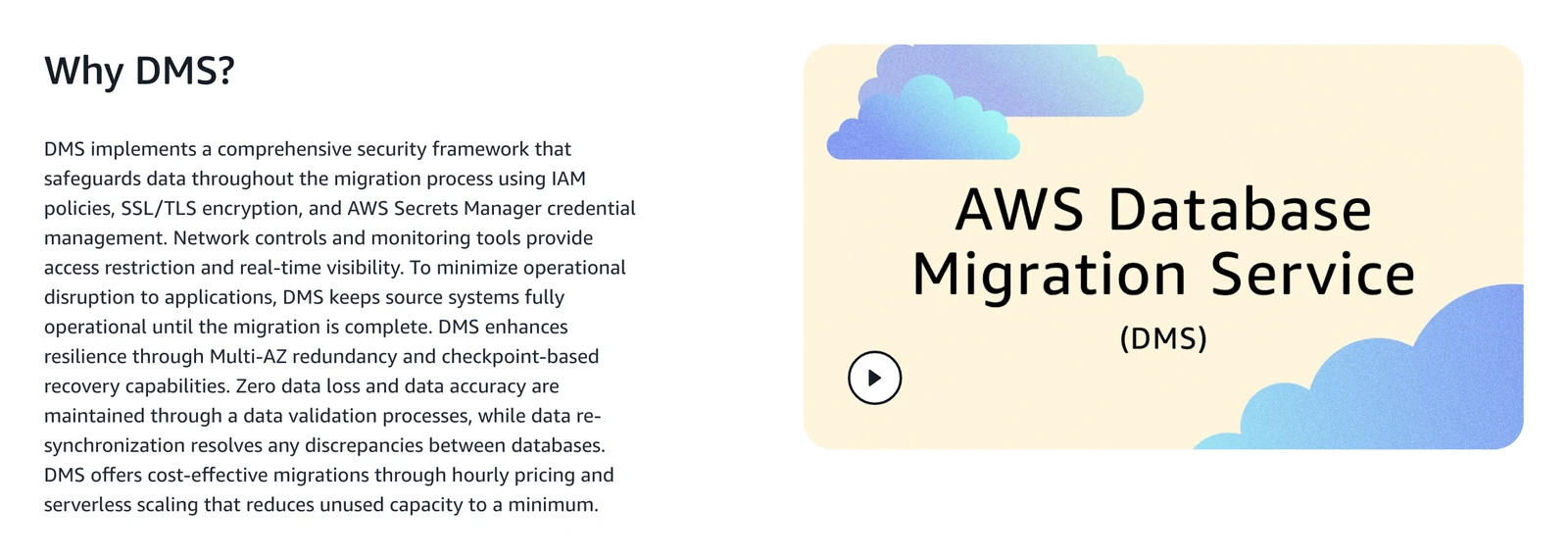
AWS Database Migration Service product page, October 2026.
What's good
- AWS's targets list includes S3, Redshift, DynamoDB, Kafka and many database engines.
Where it falls short
- AWS's best practices page says DMS ongoing replication does not provide real-time replication and that AWS offers no SLA (service level agreement) for CDC latency. It adds that latency can spike to several minutes or longer when the source is busy.
- Apache Iceberg is not a target, though an AWS blog has DMS write S3 files and Glue jobs load them into Iceberg.
Ask AWS: its product page says "Zero data loss and data accuracy are maintained" through data validation. That is AWS's claim, and the validation limits further down show what it cannot check.
2. Azure Database Migration Service: best for SQL Server into Azure
At a glance
- Job: Moves SQL Server databases to Azure SQL targets
- Price: Not established for the current service. The only pricing page we found is for Azure DMS (classic): a free Standard tier for offline moves and Premium 4-vCore at $0.37 an hour, free for the first 6 months (Central US, Microsoft's pricing page, October 2026)
Microsoft's overview lists three targets: Azure SQL Database (offline), Azure SQL Managed Instance and SQL Server on Azure Virtual Machines (both online and offline). It also lists schema migration, Azure CLI and PowerShell automation, and private endpoints. The pricing page says "classic" and does not say whether the portal service has the same rates, so treat those figures as history.
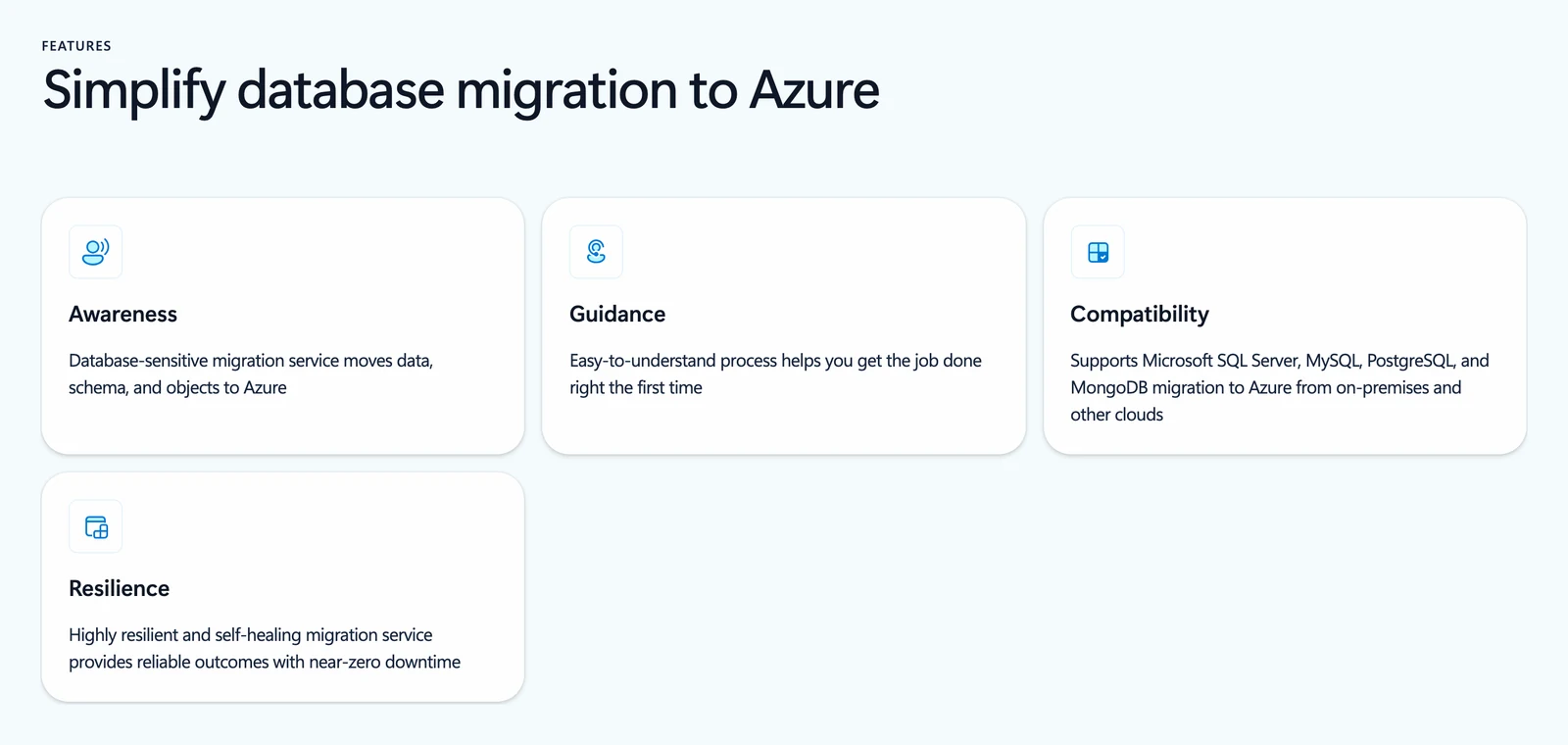
Azure Database Migration Service product page, October 2026.
What's good
- Microsoft's overview lists online moves for two of its three targets.
- Schema migration and command-line automation are listed as supported.
Where it falls short
- Microsoft's overview table does not list assessment, login migration or databases encrypted with Transparent Data Encryption for the portal version.
- Microsoft's retirement notice says DMS (classic) for SQL Server scenarios was not supported after 15 March 2026.
- That notice points users to the portal service and puts MySQL, PostgreSQL and MongoDB scenarios out of scope.
Check before you rely on it: the product page card in the screenshot says the service supports SQL Server, MySQL, PostgreSQL and MongoDB migrations. The Learn overview names Azure SQL targets only, so confirm your exact source and target pair on Microsoft's supported-scenarios page.
3. Google Database Migration Service: best for moving into Cloud SQL or AlloyDB
At a glance
- Job: One-time or continuous moves into Google Cloud databases
- Price: No additional charge for native same-engine moves to Cloud SQL or AlloyDB for PostgreSQL; per GiB processed for different-engine moves (Google's pricing page, October 2026)
Google's overview lists same-engine moves to Cloud SQL for MySQL, Cloud SQL for PostgreSQL, AlloyDB and Cloud SQL for SQL Server. It also lists different-engine moves from Oracle or SQL Server to Cloud SQL for PostgreSQL or AlloyDB.
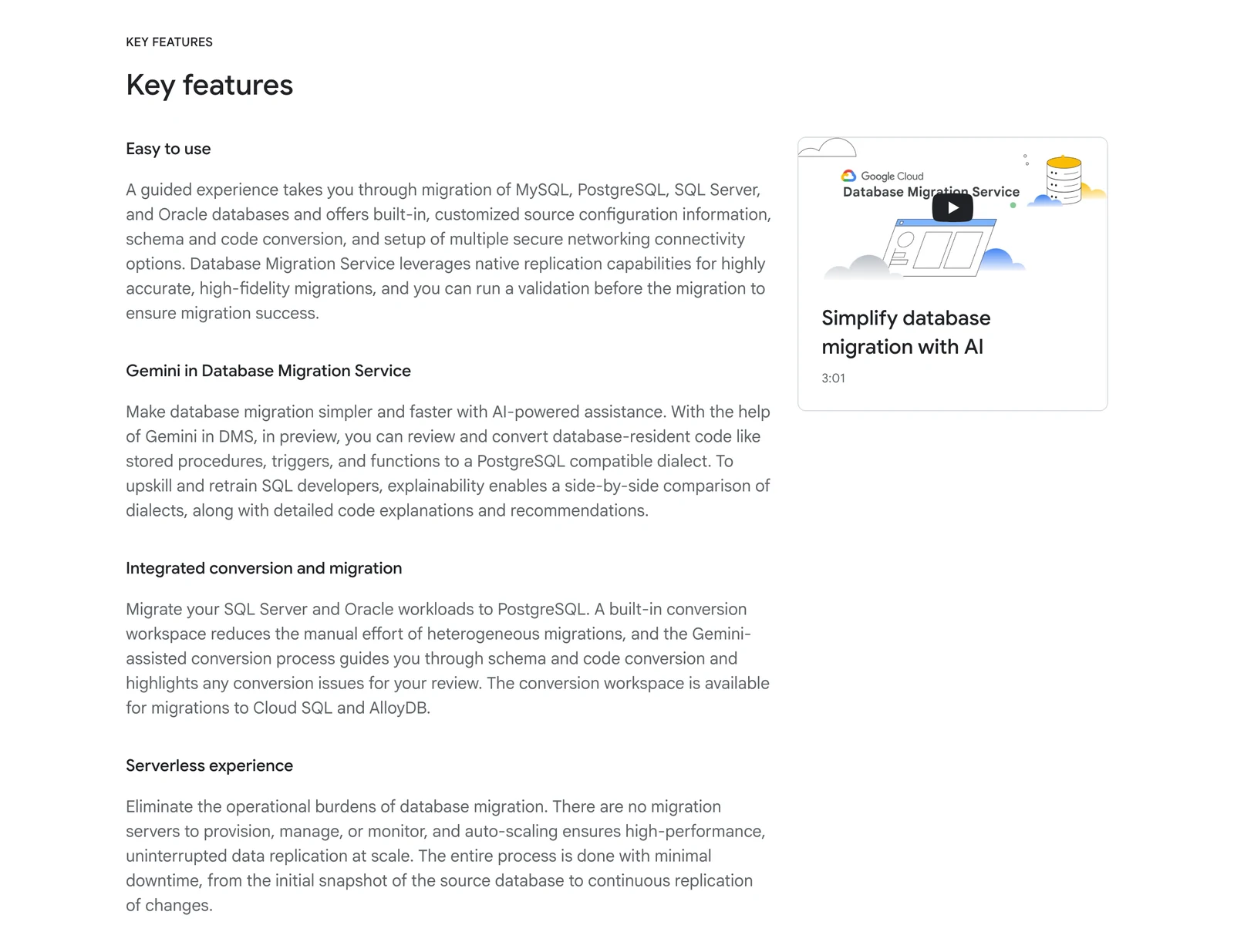
Google Database Migration Service product page, October 2026.
What's good
- Native same-engine moves to Cloud SQL or AlloyDB for PostgreSQL carry no additional charge, and the pricing page says per-GiB billing counts raw, uncompressed bytes.
- A continuous mode that follows the first copy with changes.
Where it falls short
- Destinations are Google Cloud databases only, and no lake or warehouse is listed.
- The pricing page gives the free backfill allowance two ways, 500 GiB in the summary and 50 GiB in the details, so we quote neither.
Ask Google: its product page says the service gives "highly accurate, high-fidelity migrations" and that you can run a validation first. Ask what the validation compares.
What users say: A guide on the observability vendor OneUptime's blog, written about moving Amazon Relational Database Service (RDS) PostgreSQL, warns that "DMS sometimes does not sync sequence values perfectly" (OneUptime blog, February 2026). Check sequences after any PostgreSQL cutover.
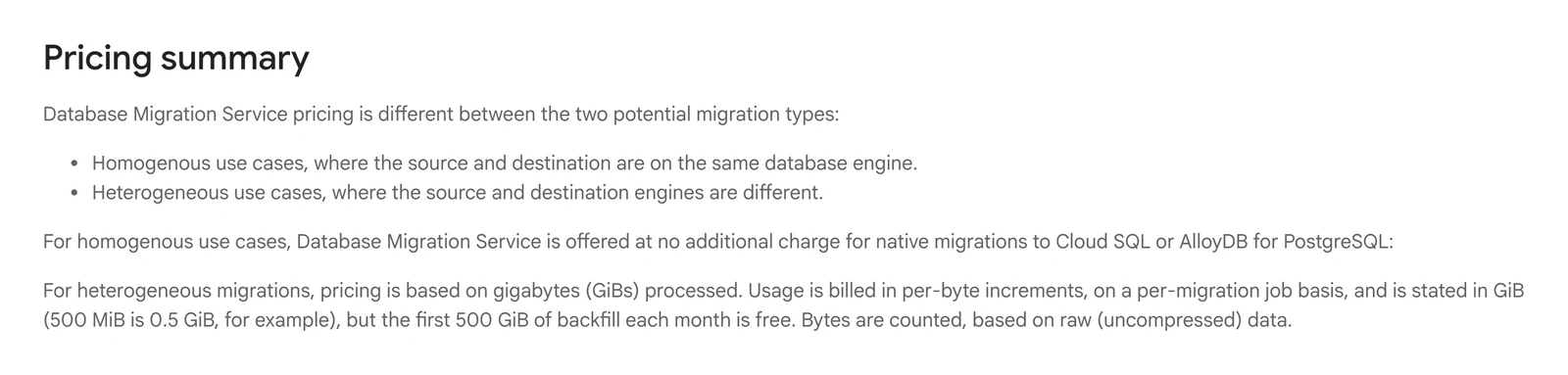
Google Cloud's Database Migration Service pricing page, October 2026.
4. Oracle GoldenGate: best for Oracle estates and long-running or two-way copies
At a glance
- Job: Real-time copies between many systems, including one-way, two-way and multi-way setups
- Price: Oracle's Technology Global Price List (edition dated September 15, 2026, read October 2026) lists GoldenGate at $17,500 per Processor or $350 per Named User Plus, and counts the processors or users at both the capture and the apply database. This is list price, and we do not know what any buyer pays.
Oracle's FAQ says GoldenGate captures, transforms and delivers changes across systems in real time, and lists zero-downtime migrations among its uses. Its supported list includes Oracle, MySQL, PostgreSQL, SQL Server, Db2, MongoDB, Kafka, Snowflake and Apache Iceberg.
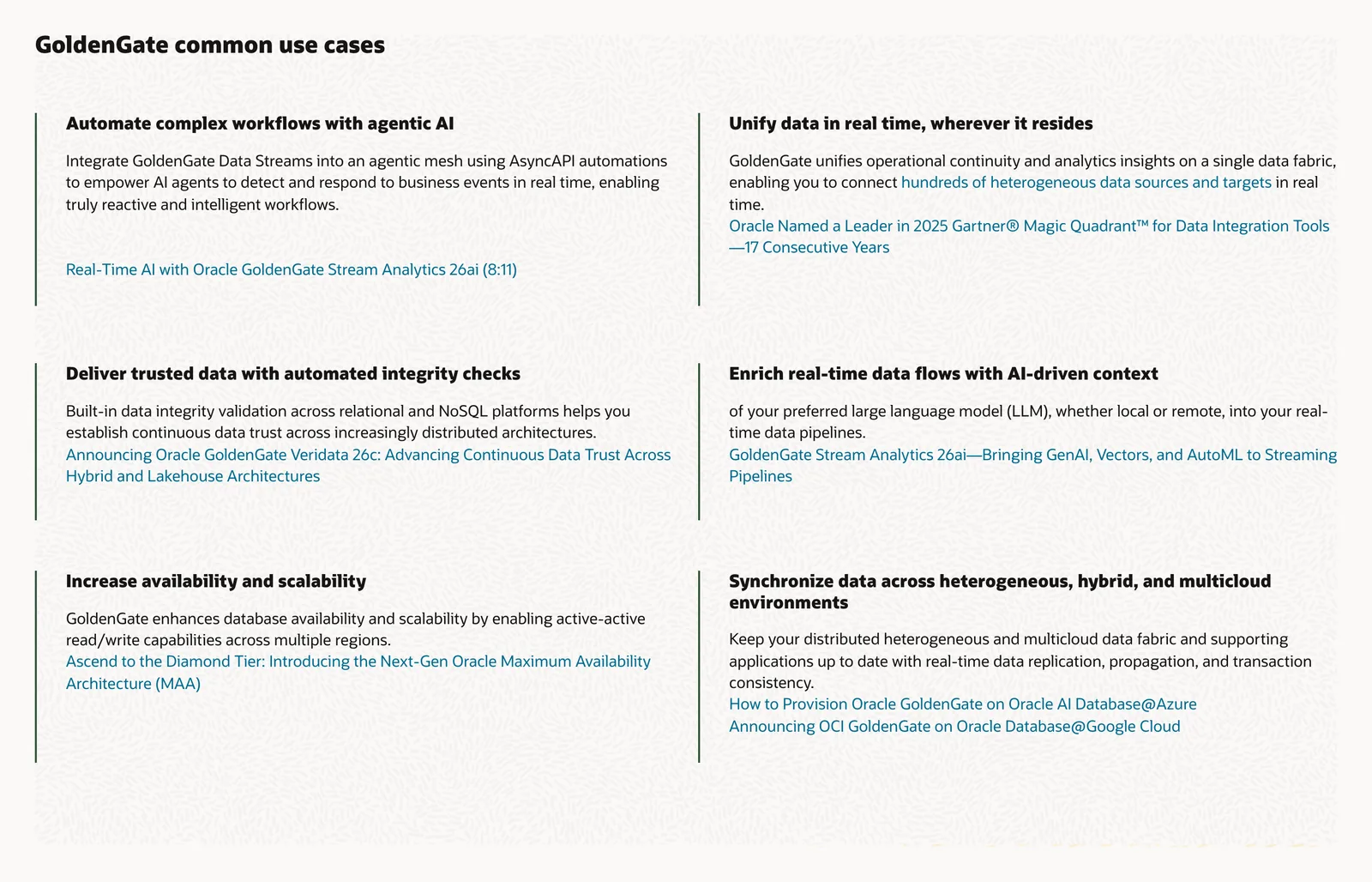
Oracle GoldenGate product page, October 2026.
What's good
- Oracle's FAQ lists Oracle among its supported sources and documents two-way setups, with advice to define conflict rules.
- GoldenGate Free is limited to Oracle databases of 20 GB or smaller. Oracle says it can be used in production but is not supported by Oracle Support (community forums only), and it cannot be used with fully licensed GoldenGate products.
Where it falls short
- Iceberg writing sits in a separate product, GoldenGate for Distributed Applications and Analytics, per Oracle's FAQ and Iceberg docs.
- Oracle's FAQ says it cannot capture from Salesforce, Teradata or TimesTen.
Ask Oracle: for a written quote that covers both the capture and the apply side, and for the support terms of the edition you would run.
5. Qlik Replicate: best for mixed legacy and mainframe sources
At a glance
- Job: Log-based copies from many databases to many targets
- Price: No list price for Qlik Replicate on the pages we read. Qlik's pricing page describes its separate cloud subscription, Qlik Talend Cloud, as capacity bands by data volume and job runs, also without list prices (October 2026)
Qlik's product page lists Oracle, SQL Server, Db2, MySQL, PostgreSQL and mainframe sources. Qlik describes Replicate as client-managed software, so you install it yourself.
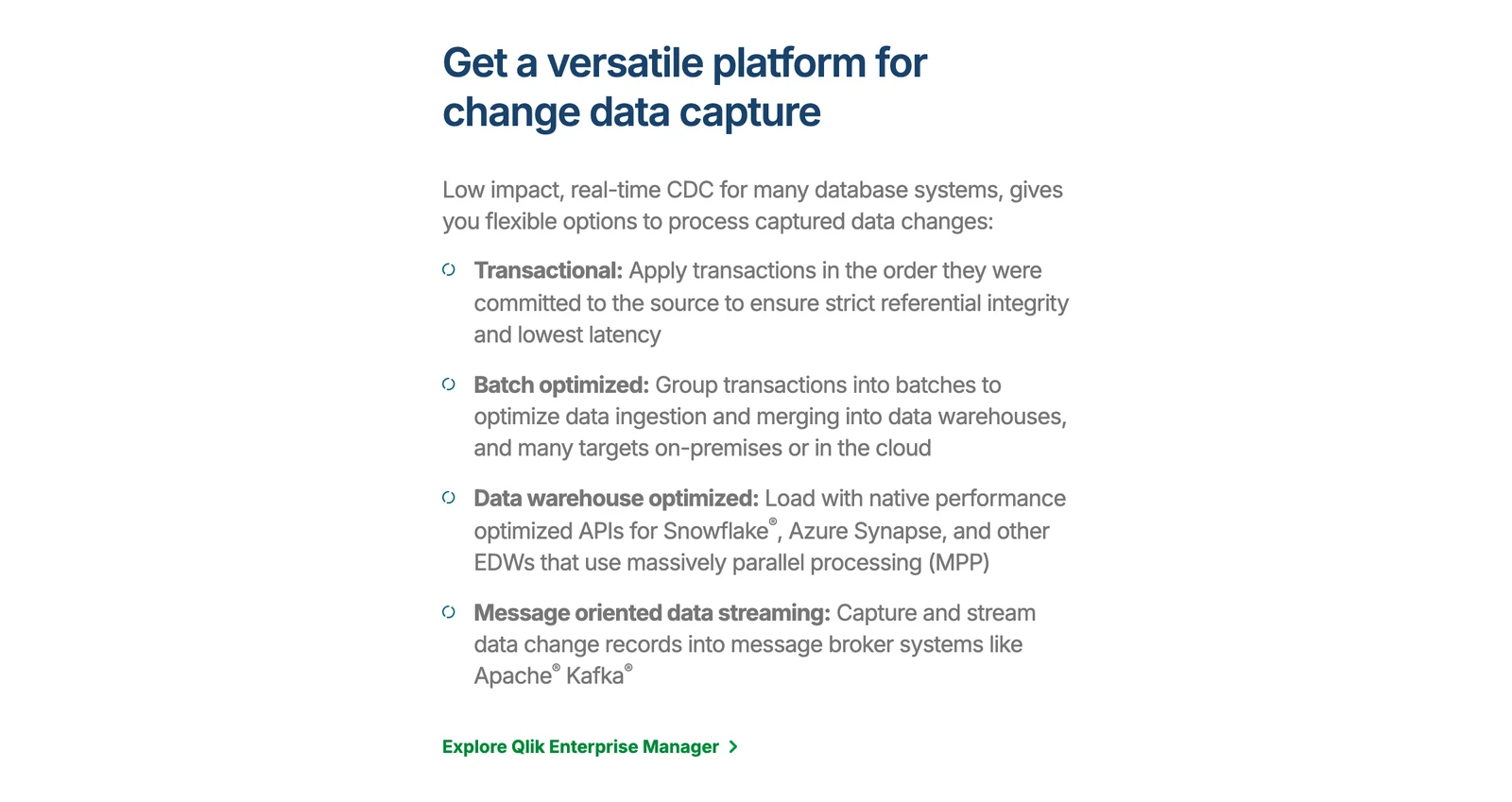
Qlik Replicate product page, October 2026.
What's good
- A Cloudera Iceberg target endpoint, added in the May 2026 release. Qlik's pricing page also lists Qlik Open Lakehouse for Apache Iceberg in the Standard edition of Qlik Talend Cloud, which is a different product from Replicate.
Where it falls short
- Prices are not published, and you run the software yourself.
- Replicate's own Iceberg route in the notes we read is the Cloudera target. The Iceberg lakehouse feature belongs to Qlik Talend Cloud.
Check before you rely on it: Qlik's page headline calls Replicate "Universal Data Replication Software". Confirm your exact source, target and versions with Qlik.
Files and objects
6. AWS DataSync: best for moving files and objects into AWS storage
At a glance
- Job: Online transfer of files and objects, with checks that the copy matches
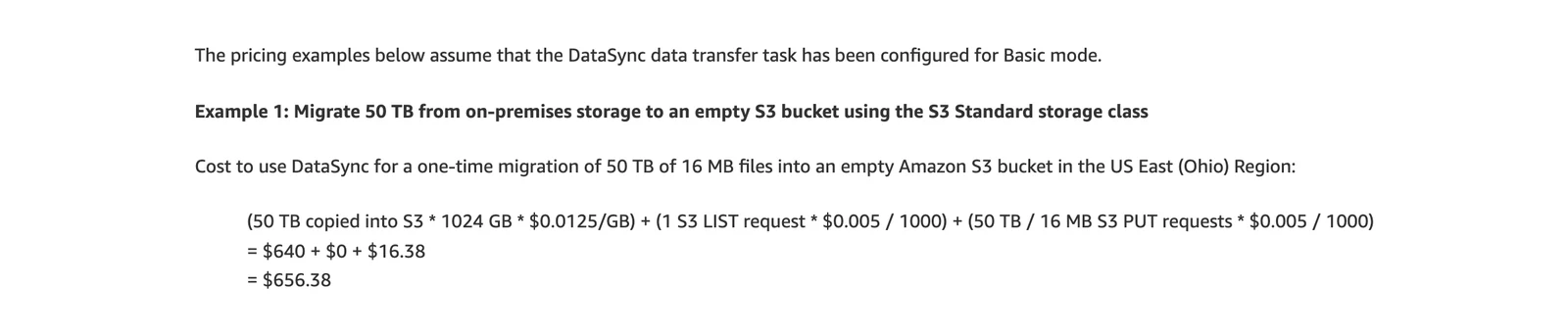
- Price: Basic mode $0.0125 per GB; Enhanced mode $0.015 per GB plus $0.55 per task execution (US East (Ohio), AWS DataSync pricing, October 2026)
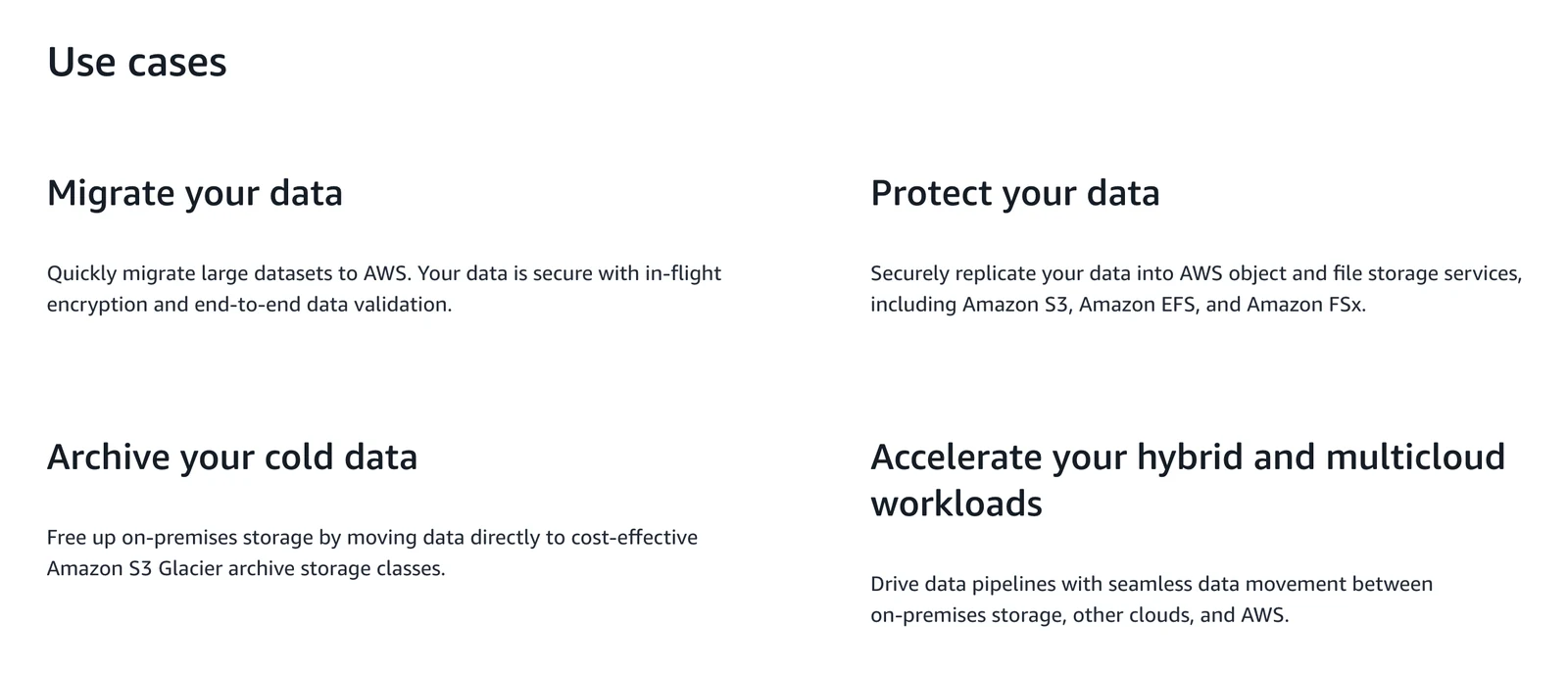
AWS describes DataSync as a service to move data from on-premises storage, other clouds and AWS storage to Amazon S3, Amazon Elastic File System and FSx. It validates data end to end. AWS's Basic mode example moves 50 TB of 16 MB files into an empty S3 bucket for $640 in DataSync fees plus $16.38 in S3 requests, $656.38 in all.
AWS DataSync home page, October 2026.
What's good
- Basic mode lists a flat per-GB fee, and AWS gives a worked example on the pricing page.
Where it falls short
- The pages we read name file and object storage only, with no database or change capture.
- S3 and other AWS charges come on top, and cross-region copies add transfer fees. The example assumes 16 MB files, and our reading of AWS's formula is that request charges grow with file count.
AWS DataSync pricing page, October 2026.
Into a lake
7. OLake Go: best for copying databases into Iceberg or Parquet on storage you run

At a glance
- Job: Copies databases, S3 files and Kafka topics into Apache Iceberg or Parquet files, with change capture for four database families
- Price: Open source under the Apache 2.0 licence (GitHub repository). There is no licence fee. You run it on your own infrastructure, so your cost is your own servers, storage and engineering time.
OLake Go reads PostgreSQL, MySQL and MariaDB, MongoDB and SQL Server with change capture after a full load, and reads Oracle and Db2 by full refresh or incremental copy. See the connector overview for every source.
It also reads S3 files and Kafka topics, with a single sync mode for Kafka (see the Kafka docs).
It writes Apache Iceberg tables through catalogs such as AWS Glue, Hive, a database used as the catalog or a catalog service over a web API, or Parquet files. The quickstart covers installing it.
OLake's home page, October 2026.
What's good
- Change capture for PostgreSQL, MySQL and MariaDB, MongoDB and SQL Server, after a full load.
- Output is Iceberg or Parquet files in storage you control, in open formats, with 11 Iceberg catalogs to choose from: AWS Glue, Hive Metastore, JDBC, S3 Tables and REST catalogs including Nessie, Polaris, Unity, Lakekeeper, BigLake and Snowflake Horizon.
- Other engines can query the Iceberg tables it writes: Athena, Spark, Flink, Trino, Dremio, DuckDB, Snowflake, BigQuery (through BigLake), Redshift and Databricks, each with the catalogs it works with. The compatibility page has the full table.
- Row-level deletes can be written as equality deletes, positional deletes or, since v0.11.0, Iceberg v3 deletion vectors. Deletion vectors are a delete mode, not general Iceberg v3 table writes, so check your query engine's column on the compatibility page.
- Iceberg partitioning is set per stream with transforms such as year, month, day, hour, bucket and truncate, and it installs with Docker, Helm or the UI (quickstart).
Good to know
- Scope: change capture covers PostgreSQL, MySQL/MariaDB, MongoDB and SQL Server, and each source page lists its setup prerequisites, for example the SQL Server docs. Oracle, Db2 and S3 load by full refresh or incremental copy.
- Snowflake, BigQuery and Redshift can query the Iceberg tables OLake Go writes in place (Snowflake reads tables from an external catalog as read-only).
Bottom line: pick OLake Go when PostgreSQL, MySQL, MongoDB or SQL Server data is heading into Iceberg or Parquet on a lake you run. Pick GoldenGate or Qlik Replicate for Oracle change capture, Datastream for BigQuery on Google Cloud, or Fivetran, Airbyte or Hevo to load a warehouse directly.
Recent fix: v0.11.0 fixed timestamps that the legacy Iceberg writer had cut to millisecond precision.
8. Google Cloud Datastream: best for BigQuery on Google Cloud
At a glance
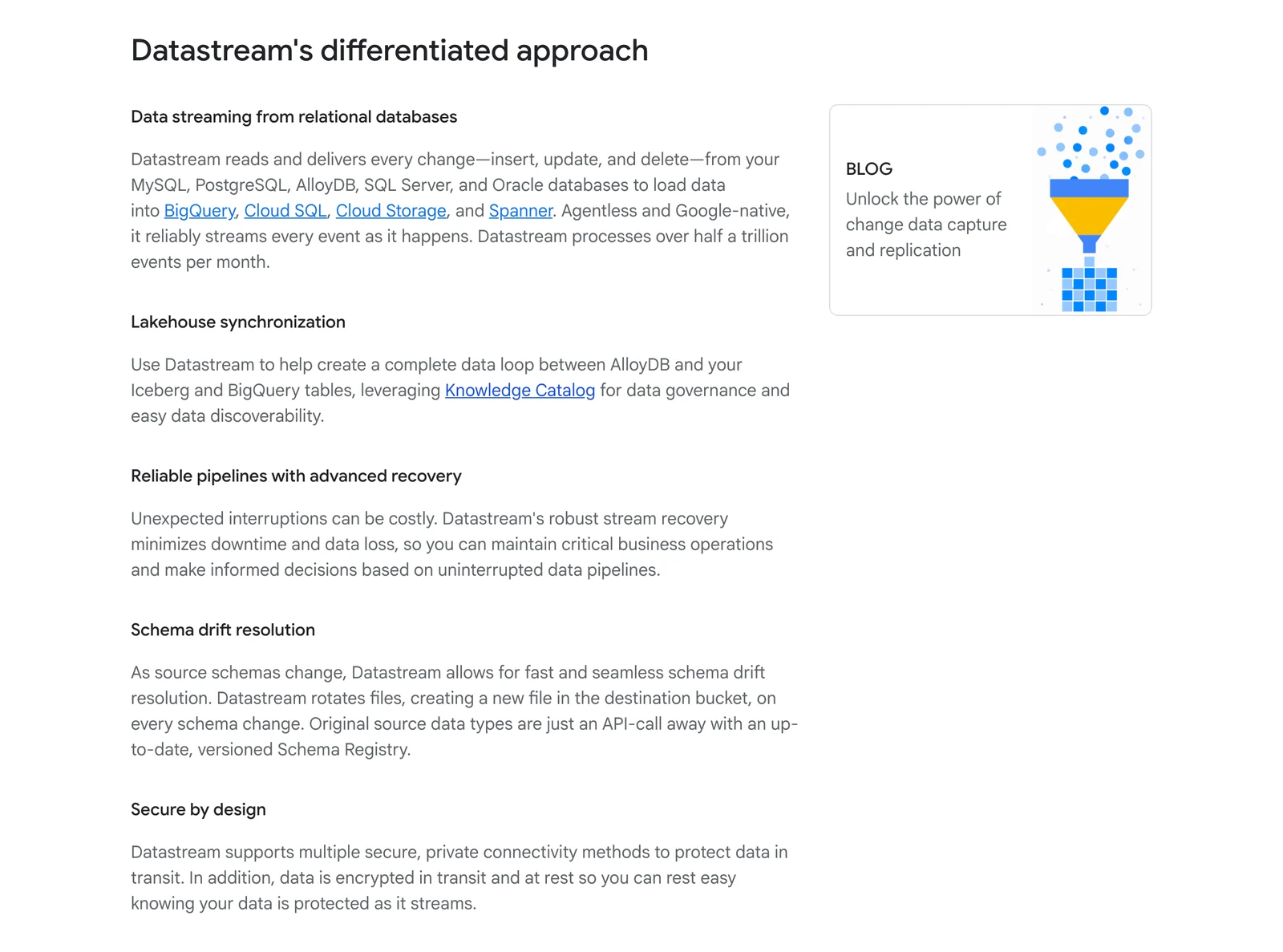
- Job: Backfill then change capture into BigQuery, Cloud Storage or Iceberg tables in BigQuery
- Price: Per GiB processed; rates are on Google's Datastream pricing page (October 2026)
Datastream is Google's serverless CDC and replication service. Its sources page lists MySQL, Oracle, SQL Server, PostgreSQL, MongoDB and Spanner.
Google Cloud Datastream product page, October 2026.
What's good
- Idle streams cost nothing, per Google's pricing page, and it supports a first backfill plus change capture.
Where it falls short
- Google says a "processed byte" can be 2 to 5 times larger than the actual data, so test before you budget.
- Google's Iceberg destination docs cover Apache Iceberg tables in BigQuery and say "Streaming to Apache Iceberg tables is supported only in the append-only write mode."
- Google documents it only as a Google-run service, with no self-hosted option.
- Google's Datastream page carried a banner on 8 October 2026 saying the SQL Server source is in preview, but the sources page shows no label. Check its status.
Append-only means rows are only added to the table. Google's page does not say how an updated or deleted source row shows up there, so check that before you treat the table as the current state of the source.
Ask Google: its page calls Datastream "Serverless and easy-to-use", which is a claim, not a test result.
Into a warehouse or business apps
9. Fivetran: best for a vendor-run copy into a warehouse
At a glance
- Job: Managed pipelines from databases, apps and files into warehouses and lakes
- Price: Monthly Active Rows (MAR, rows added or changed in a month) per connection; a Free plan up to 500,000 MAR; paid rates are in its Service Consumption Table, not on the pricing page (Standard from $495 per million MAR for the first million, list price per connection; Fivetran pricing page, October 2026)
Per its sync overview, Fivetran runs a first historical sync, then switches to incremental syncs. Its database connectors use the source's native change capture or its own methods.
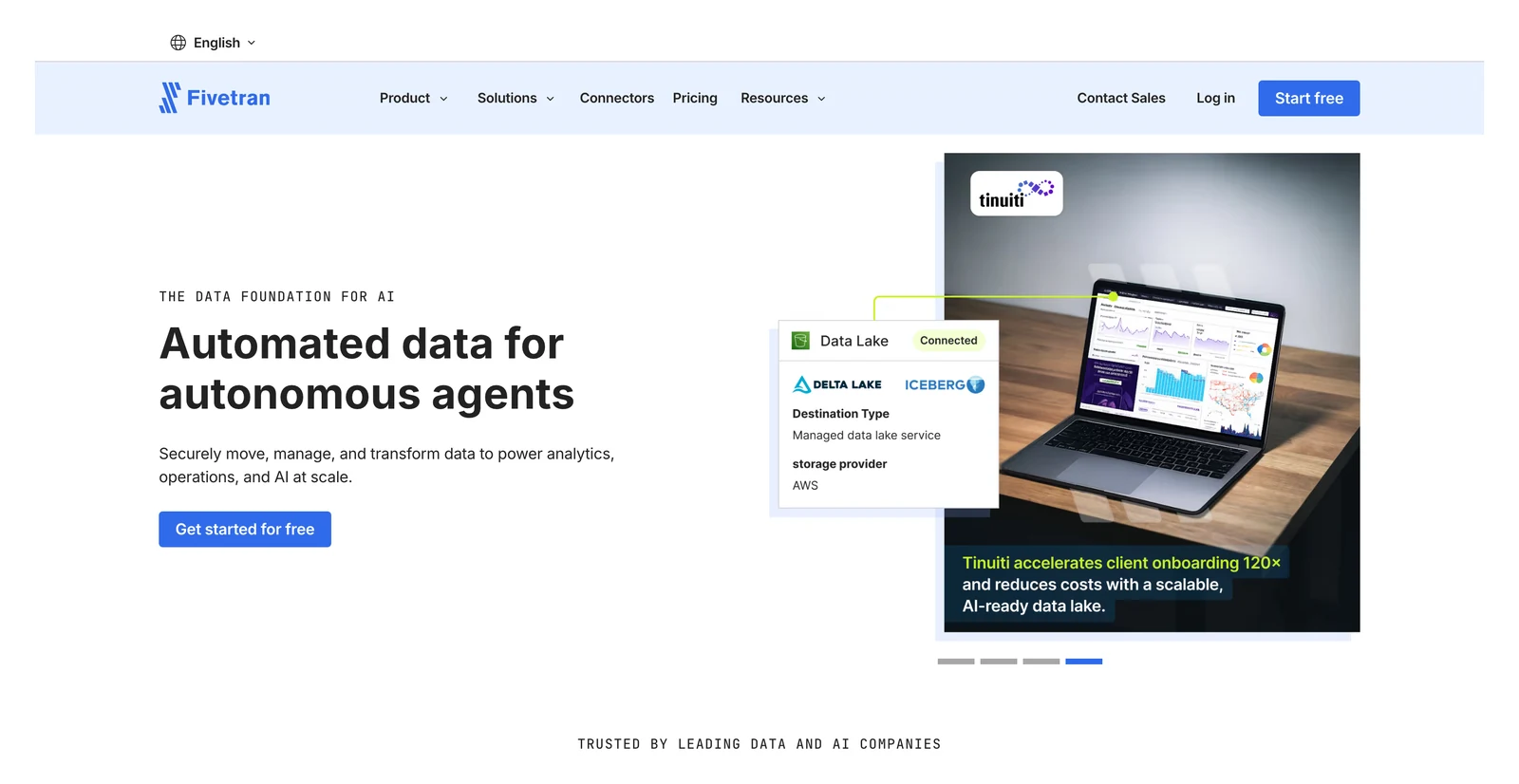
Fivetran's home page, October 2026.
What's good
- A vendor runs it, and its docs connector page is titled "700+ Data Integration Connectors" (Fivetran's count, not ours).
- Its Managed Data Lake Service writes Apache Iceberg to S3, Azure Data Lake Storage and Google Cloud Storage, per its docs.
Where it falls short
- Fivetran's Managed Data Lake Service docs say it does not support position deletes for Iceberg tables and advise avoiding queries that generate them.
- A MAR bill follows how much your data changes, so estimate it on a trial before you commit.
10. Airbyte: best for a long connector list you can self-run
At a glance
- Job: Syncs from many sources into warehouses, databases and lakes
- Price: Core is free to run yourself; Cloud Standard is $20 a month with 5 credits and $5 per extra credit, per Airbyte's 15 September 2026 release note (Airbyte pricing page, October 2026)
Airbyte's own pages say 600 or 700 plus connectors, depending on which page you read. Core is self-managed, and its repository licence is the Elastic License 2.0, which forbids offering it to others as a hosted service.
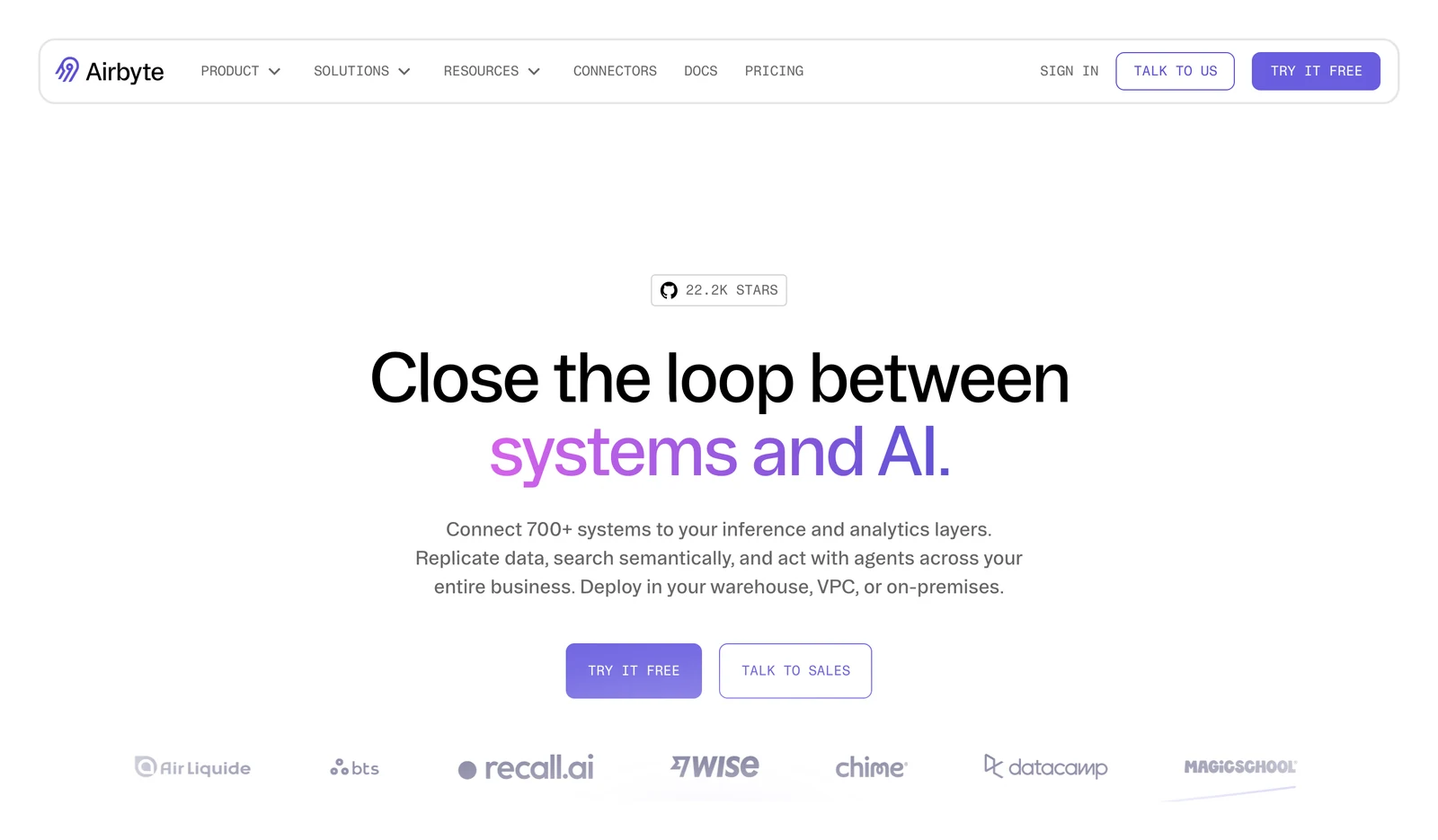
Airbyte's home page, October 2026.
What's good
- A self-run edition, and Iceberg destinations for S3 (per its S3 Data Lake docs) and GCS.
Where it falls short
- Its CDC docs say views are not supported and that TRUNCATE and table-structure changes do not appear in the logs it reads. Syncs run on a schedule.
- Airbyte's Cloud limits page says Standard syncs at most hourly, and Plus every 15 minutes.
- "Free" for Core covers the licence only. You still pay for the servers and the people who run it.
11. Hevo: best for no-code loads into a warehouse
At a glance
- Job: Managed pipelines from SaaS apps, databases and files into warehouses
- Price: Events (each record inserted, updated or deleted); Free to 1M events a month; Starter from $299 a month for 5M events, or $265 billed annually (Hevo pricing, October 2026)
Hevo's home page claims 150 or more connectors. Its docs list log-based reading for MySQL, PostgreSQL, MongoDB, SQL Server and Oracle.
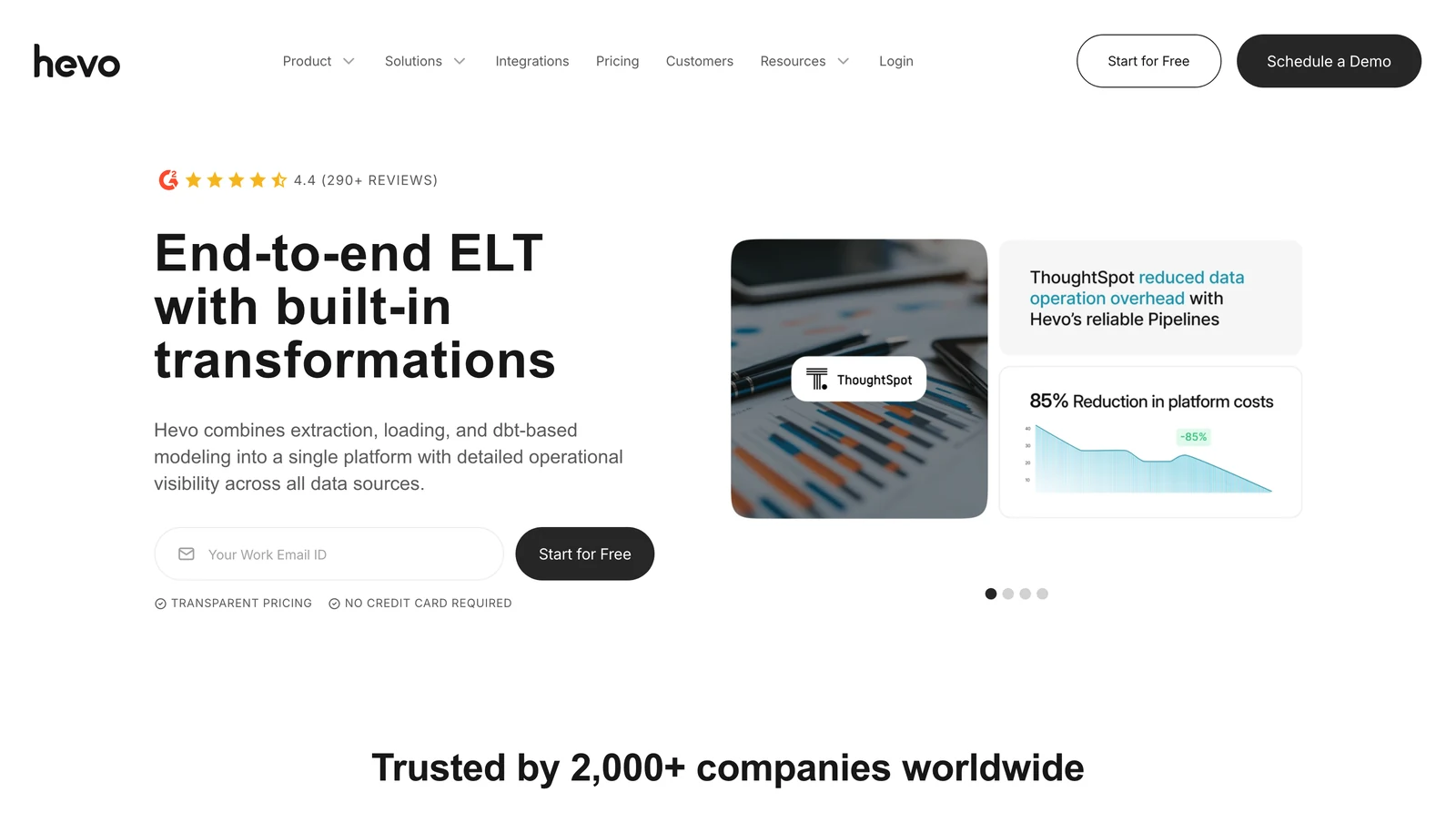
Hevo's home page, October 2026.
What's good
- A free plan and a 14-day trial.
- Warehouse destinations include Redshift, BigQuery, Snowflake and Databricks.
Where it falls short
- Its destinations docs say databases are not recommended as destinations, though it supports some, so it looks like a poor fit for database-to-database moves.
- Its docs say you must contact Hevo Sales to enable streaming pipelines. The only Iceberg destination we found is a Snowflake-managed one in early access.
Check before you rely on it: Hevo's home page shows customer claims such as "85% Reduction in platform costs". Those are Hevo's marketing figures, so ask for the method.
12. Skyvia: best for SaaS apps and small, scheduled moves
At a glance
- Job: Import, export, replication and sync for cloud apps and databases
- Price: Records per month (a record counts even if no field changed); Free to 10k records a month; Basic $99, shown reduced to $79 (the page does not say which is the annual price) (Skyvia pricing, October 2026)
Skyvia is a cloud service from Devart, and its home page says "200+ Ready-to-Use Connectors" across cloud apps, file storage, databases and data warehouses. For SQL Server, its SQL Server replication page says it supports true CDC. For other sources it finds changes with timestamp or auto-increment columns.
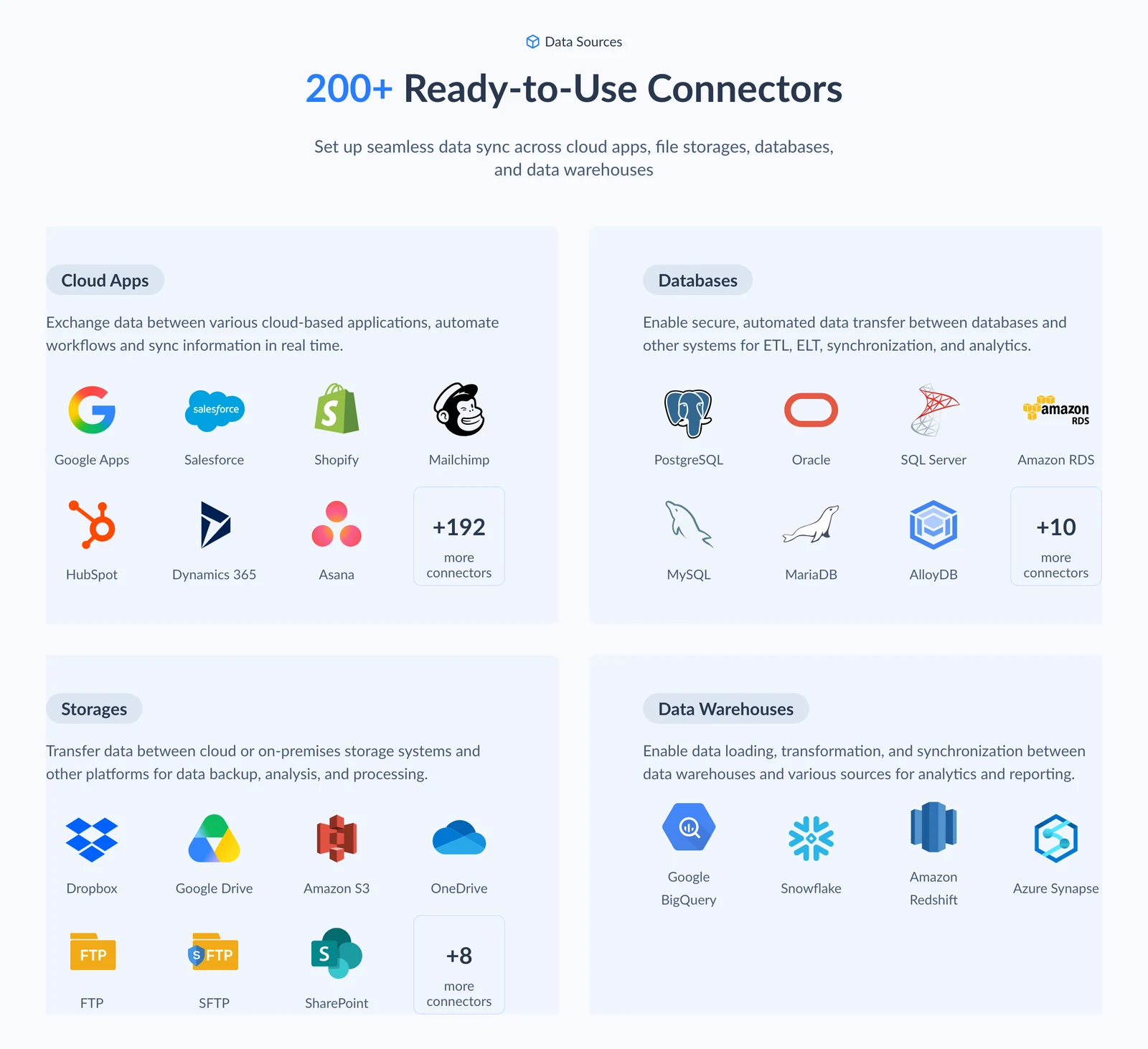
Skyvia's home page, October 2026.
What's good
- A free plan, no-code setup, and an Agent mode for databases behind a firewall.
- It lists apps such as CRMs that the cloud providers' database tools do not.
Where it falls short
- Log-based CDC is documented for SQL Server only. Its replication docs say a new source field is not replicated until the task is updated.
- It is cloud only on the pages we read, and the free plan allows daily runs at most.
Others you'll see in other lists
- Informatica was acquired by Salesforce, which announced completion on 18 November 2025.
- Debezium is the open-source engine that reads database logs, and you run it yourself.
- Talend Open Studio was retired on 31 January 2024, according to Qlik's page.
Which data migration tool should you pick?
| Your job | Look at first | Rule out when |
|---|---|---|
| Database into AWS | AWS DMS | You need Iceberg directly, or a guaranteed CDC delay (AWS DMS offers none) |
| SQL Server into Azure SQL | Azure DMS (portal service) | The source is not SQL Server, or the target is outside Azure SQL |
| Database into Cloud SQL or AlloyDB | Google DMS | The destination is a lake or warehouse |
| Oracle, mainframe or two-way copies | GoldenGate or Qlik Replicate | You need a public price (Qlik) or cannot license both ends (GoldenGate) |
| Files and objects into AWS | AWS DataSync | The data is a live database |
| S3 files into Iceberg tables | OLake Go | You need files copied between storage systems (DataSync), or loaded into warehouse tables |
| Iceberg or Parquet lake | OLake Go (you run it) or Datastream (Google runs it) | You need data loaded into warehouse tables (Fivetran, Airbyte, Hevo) or Oracle change capture (GoldenGate, Qlik Replicate), or, with Datastream, updates and deletes in Iceberg |
| Database into BigQuery | Datastream | You are not on Google Cloud, or you need updates and deletes in its Iceberg tables |
| SaaS and database data into a warehouse | Fivetran, Airbyte, Hevo or Skyvia | You need a one-time database cutover |
Which data migration tool fits you?
Question 1 of 5
What are you moving?
The post says migration is really four different jobs, so start here.
How an online database cutover runs
Google's architecture guide splits an online database migration into six phases and uses the term "near-zero downtime" for the goal.
Phase 6, fallback, is a contingency for a switchover that goes wrong. Google says clients of the old source databases "need to be kept available and operational so that they can be turned on in a fallback".
| Phase | What happens | What Google's guide says to check |
|---|---|---|
| 1. Initial load | The existing data is copied | Note the source system time right before the migration starts |
| 2. Continuing migration | Changes keep flowing to the target | Avoid changing schema, data values or migration processes |
| 3. Draining | You quiesce the source and apply the last changes | No data changes at the source; wait for all changes to reach the target |
| 4. Switchover | Clients are pointed at the target | Test basic client functions before opening production access |
| 5. Source deletion | The old database is removed after a successful switchover | Take a final backup of each source database first |
| 6. Fallback (contingency) | Changes on the target are applied back to the source | Treated as a full migration, with testing |
Quiesce means pause writes. Google says a fallback might be required days or weeks after the switchover, so keep the source until you are sure you will not need to go back.
AWS's best practices page, linked above, adds two tool-level points. AWS DMS does not automatically create secondary indexes, foreign keys or user accounts on the target, so those are on you. AWS also recommends running a small test migration first.
Prove the copy matches
AWS DMS has a data validation feature that compares each source row with its target row and reports mismatches. Ask every vendor for something like it.
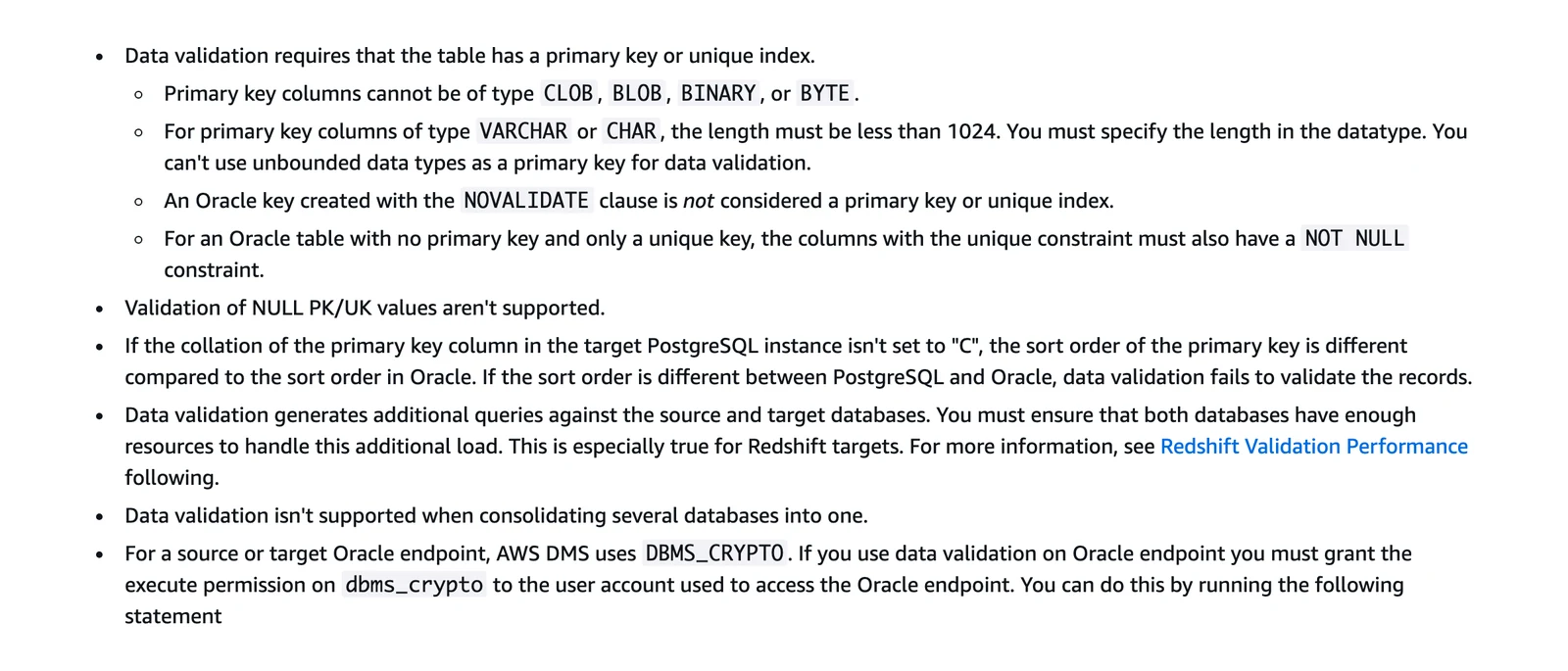
AWS DMS documentation, data validation limitations, October 2026.
- Tables need a primary key or unique index, so a table without one cannot be checked.
- Validation adds queries on both databases and takes extra time beyond the migration itself.
- Rows that change constantly cannot be compared, and views are not supported.
- AWS says validation stops if it finds more than 10,000 failed or suspended records.
- A validation-only task checks rows without migrating data, for a check just before a cutover.
A small check you can try (an illustration, not a result)
This is a made-up example. We have not run it on any of these tools.
- Make a test table with three rows: (1, "a"), (2, "b") and (3, "c"). Start the migration.
- While it runs, insert (4, "d"), update row 2 to "b2" and delete row 3.
- Switch over, then count rows and compare a checksum on both sides. Expect (1, "a"), (2, "b2") and (4, "d"), with no row 3 and no duplicates.
- For a lake target, check whether deletes arrive as removed rows or as extra change records.