Why Your Iceberg Tables Work in Spark but Break in Databricks
13 min read
What Open Table Format Actually Guarantees
Most teams pick Apache Iceberg because they want one table, many engines. The data sits in object storage as Parquet files. A catalog tells Spark, Databricks, Trino, or Flink where to find the current metadata. Each group queries the same underlying dataset without maintaining separate copies for every platform. That is the lakehouse promise Iceberg is built around, and for basic reads it delivers.
Iceberg is an open table format. The specification defines how snapshots, schemas, partitions, and file references fit together so different systems can implement the same rules. That openness matters because it means you are not locked into one vendor's storage layout just to get ACID tables on a cloud bucket.
What the spec does not guarantee is that every engine implements every part of it. Compatibility is not a single switch, it depends on the Iceberg format version on the table, the type of files the writer produces, and what the specific query engine supports on the runtime you are running. An engine labeled "Iceberg-compatible" may handle plain data files perfectly while skipping delete files entirely.
Say you're in a data engineering team that needs to move an orders table out of Postgres and into Iceberg, so the rest of the org can query it as part of a shared lakehouse. You pick an ingestion engine (like OLake Go) or write your own script to do the migration wherein it reads change events straight off Postgres and writes them into Iceberg. You wire it up, point it at cloud storage bucket and your catalog, and let it run.
A few weeks in, the pipeline looks healthy: the data engineering team queries the table through Spark every day and nothing looks wrong, new orders show up, cancelled orders disappear and row counts reconcile against the source database. By every signal you've checked, the migration is a success. Then one day the team decides to move to Databricks.
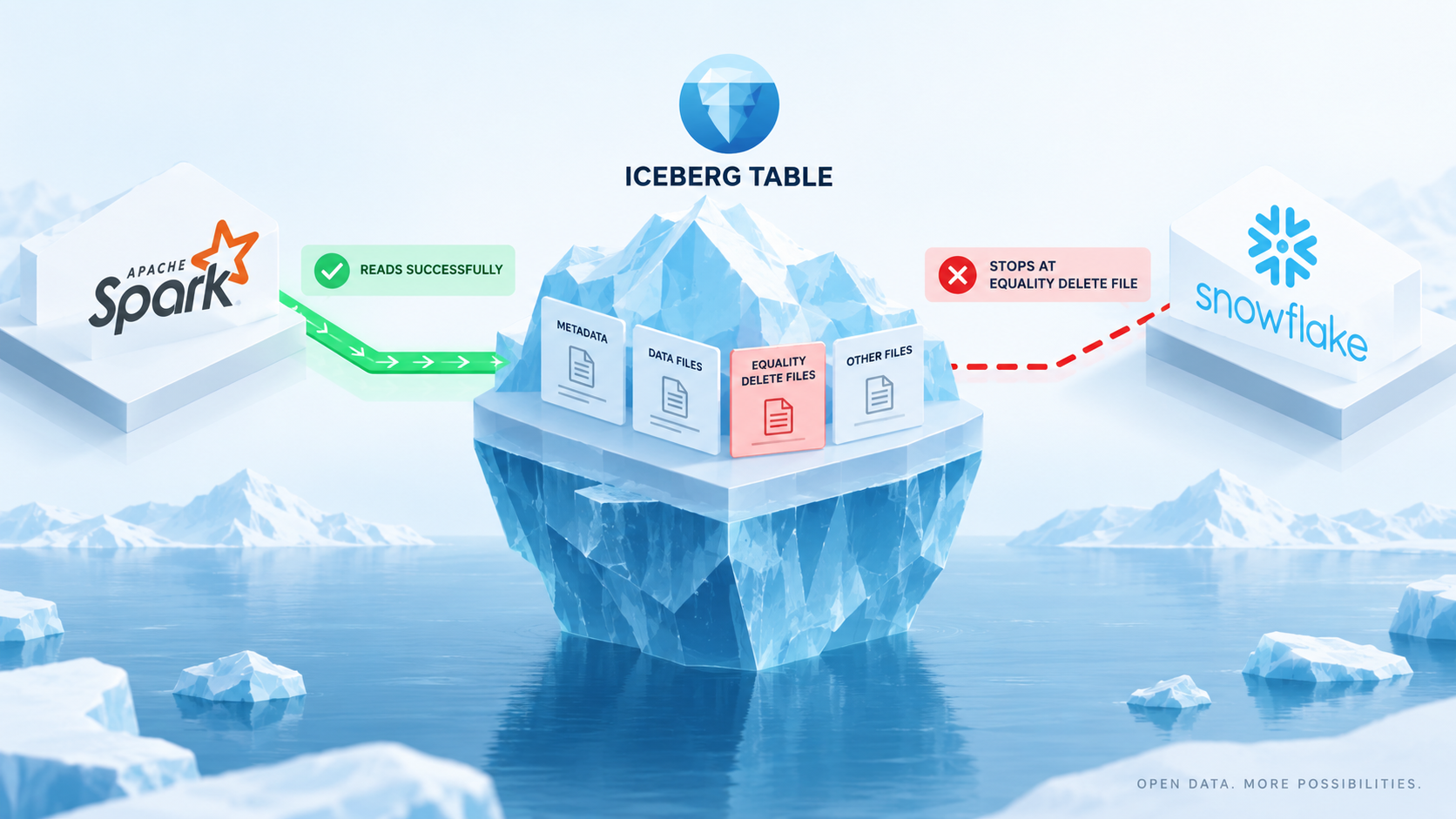
Same orders table, same catalog, same cloud storage bucket but they can't query it anymore. The first instinct is to suspect the catalog, or permissions, or a stale sync but none of those are it. The table is fine, Spark's read is fine, so what's actually happening? The ingestion pipeline writes deletes as equality and positional delete files. Spark knows how to read them so weeks of daily Spark queries showed nothing wrong, but Databricks doesn't support those delete formats, so the break only showed up once you switched engines.
This post walks through why that gap exists, why it's specifically a row-level delete problem, and what changes once Iceberg V3 enters the picture.
How CDC Pipelines Write Delete Files
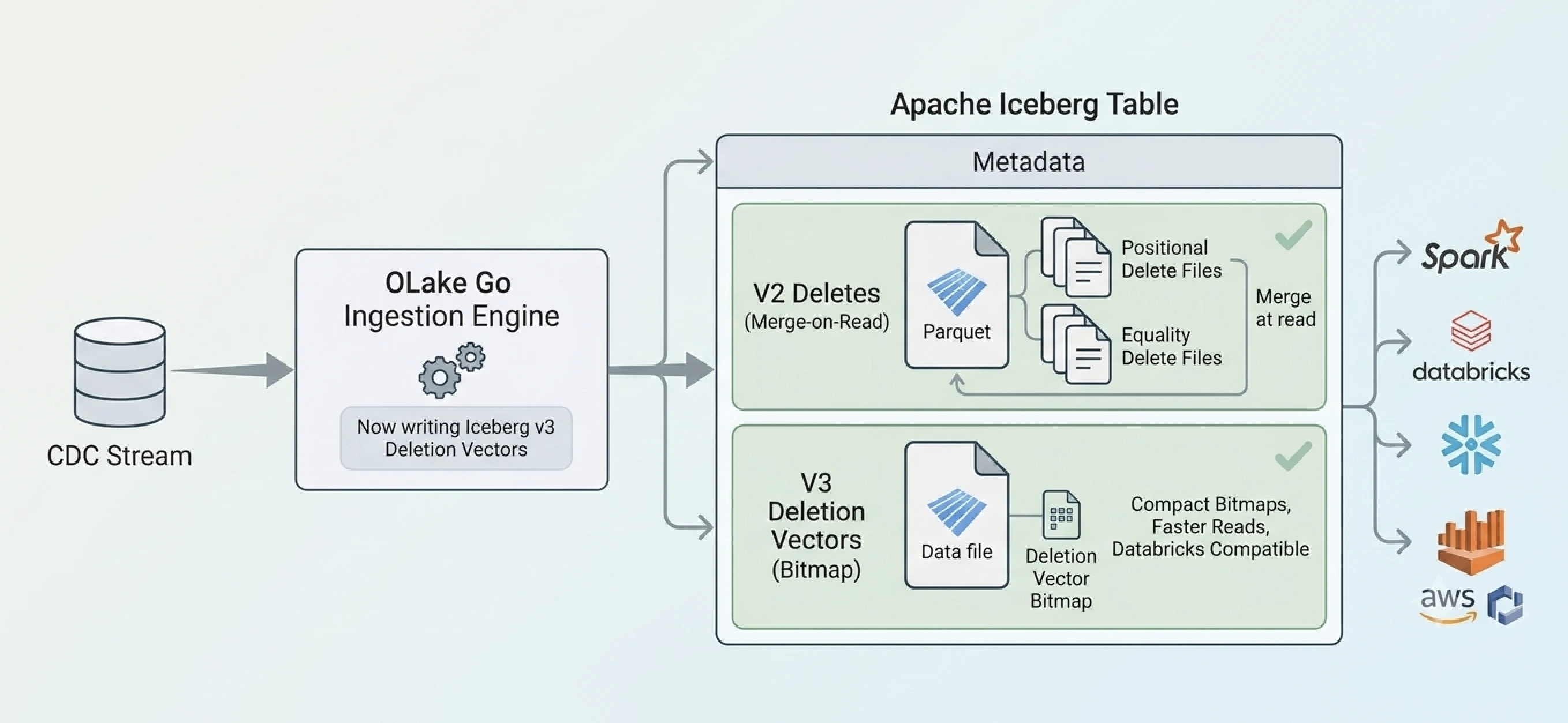
To see why, it helps to look at what ingestion pipeline is actually doing under the hood. It reads the write-ahead log off Postgres and streams every insert, update, and delete into an Iceberg table directly. It's built for throughput (syncs thousands of rows per second from source to destination) and that throughput requirement is what explains the specific write behavior at the center of this whole problem.
When a row is deleted in the source, it is represented in destination (i.e. Iceberg table) without rewriting the data file the row lives in. Rewriting a data file on every single CDC event would mean every delete or update triggers a full file rewrite, which is expensive, slow, and enough to kill the throughput a CDC pipeline needs. That's why most high-throughput ingestion engines use the Iceberg's merge-on-read approach: they append a small equality or positional delete file next to the data file to keep writes fast. Combining the data file with its delete files to produce the current rows is then left to the query engine at read time.
This is exactly what the Iceberg V2 spec expects a merge-on-read writer to do. It's not a bug or a misconfiguration, it's just the standard, performant way to handle high-volume CDC deletes.
Why Spark Handles the Table Correctly
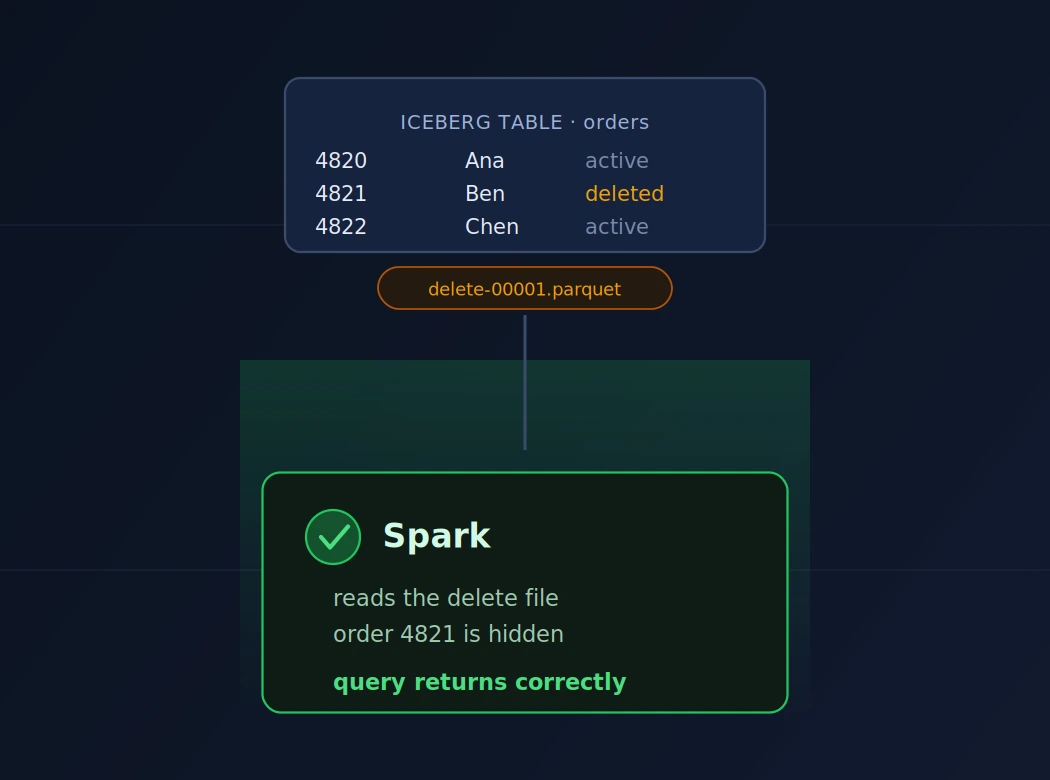
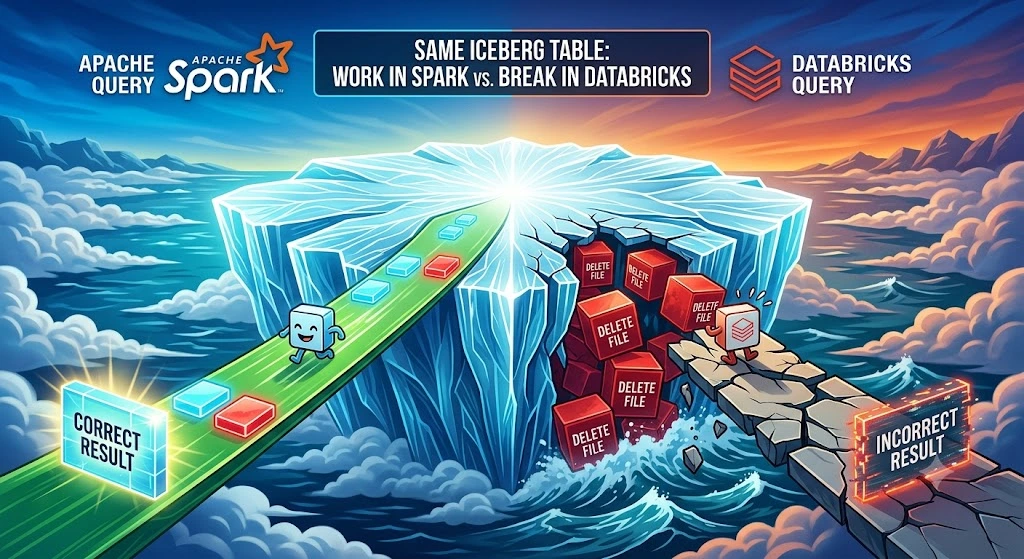
When Spark plans a scan of the table, it sees the delete file, recognizes its content type, and handles the reconciliation itself. For each row in the data file, it checks whether that row matches an applicable equality or positional delete and drops it if so.
Lets take a concrete example here: A customer cancels order_id = 4821 in Postgres, which appends an equality delete file for that order. When the data engineering team runs a Spark query against the orders table, Spark reads the data file, applies the delete file, and order_id = 4821 simply doesn't show up. The query looks correct because it is correct. Spark is doing exactly what a V2-compliant reader is supposed to do.
This is the part that makes the eventual Databricks failure so confusing. The table already passed every check Spark ran against it, so the natural assumption is that any Iceberg-compatible engine should read it the same way. That assumption is where the trouble starts.
Why Databricks Cannot Read the Same Table
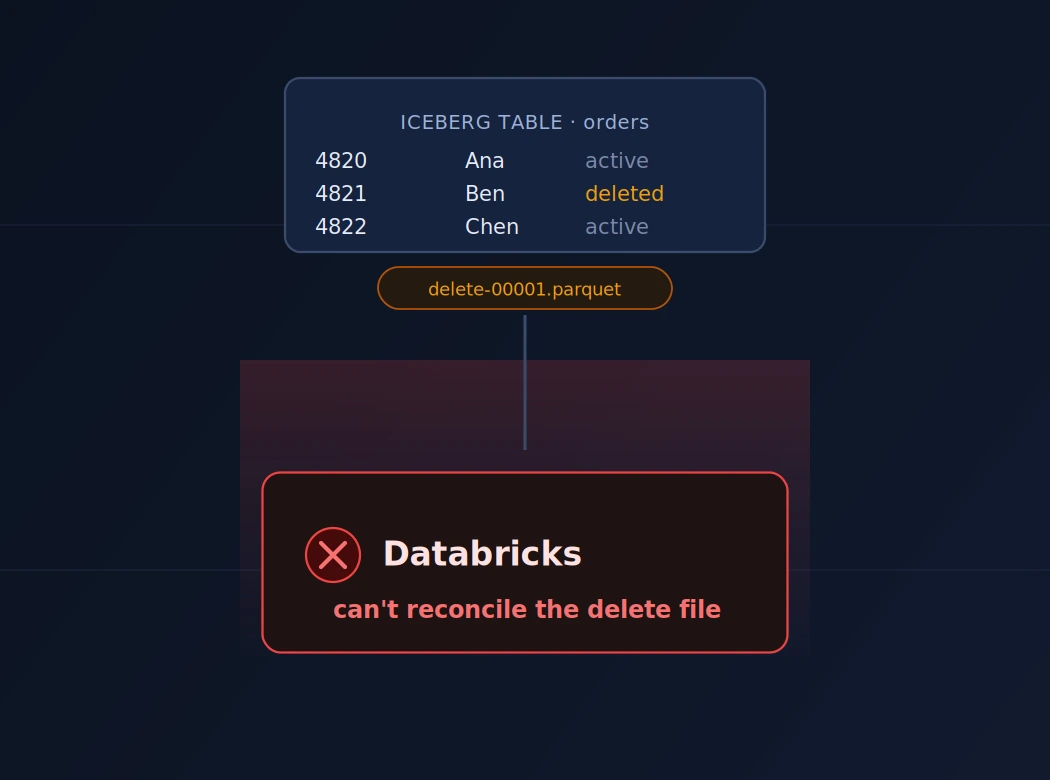
Databricks supports Apache Iceberg through Unity Catalog, for both Databricks-managed and externally cataloged ("foreign") Iceberg tables. That support covers schema evolution, time travel, and ACID commits. What it does not cover, on Iceberg V2, is reconciling row-level delete files. Per Databricks' own documentation, Iceberg V2 position deletes and equality deletes are unsupported for both managed and foreign Iceberg tables in Unity Catalog.
So when Databricks scans a snapshot that references delete-00001.parquet, it does not reconcile Iceberg V2 row-level delete files. Databricks documents that position deletes and equality-based deletes are unsupported on Iceberg V2 tables. The query often still runs, but the delete files are not applied. Rows that should have been removed, like order_id = 4821, can still show up in the result set.
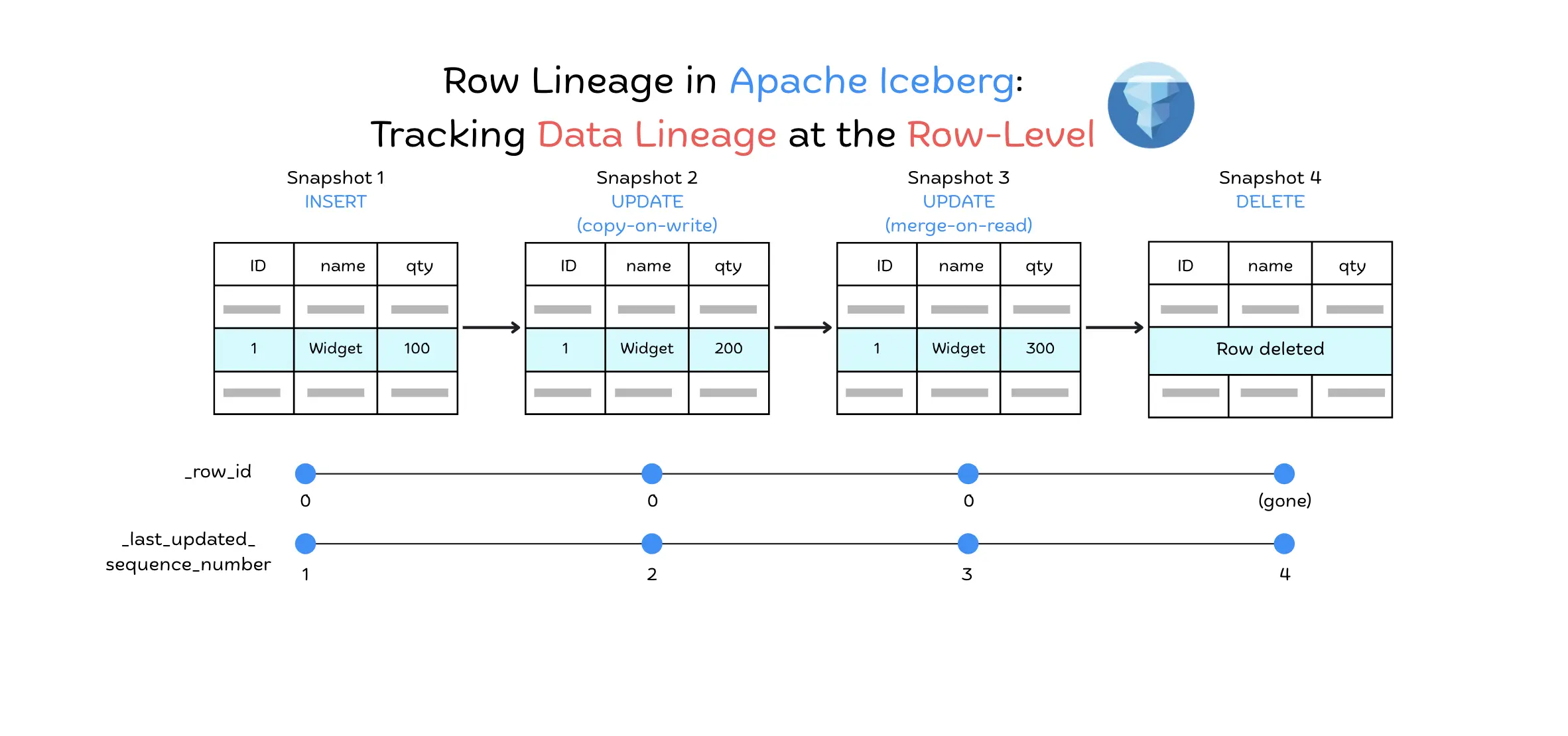
Nothing about the setup looks broken from Databricks' side. It finds the table through Unity Catalog, reads the Iceberg metadata, and opens the Parquet data files without a problem. The only point of failure is it does not apply the delete file sitting next to those data files. That is the file type your pipeline writes on every CDC delete and update. In Iceberg, an update is a delete plus a new insert, so a live CDC pipeline produces these files constantly.
The Catalog Is Not the Query Engine
When something breaks across Spark and Databricks, people often blame the catalog first. That's understandable, but it's usually the wrong place to look.
A catalog (REST, Glue, Hive Metastore, Unity Catalog, whatever you're running) does one job: tell an engine where to find the table's current metadata. It doesn't open delete files for you, it doesn't convert delete files into something Databricks understands.
Once the catalog returns the current snapshot, the query engine takes over. Can it read the delete files? Will it apply them? Does it even support that format version? Those questions are entirely on the engine.
So when someone says "Spark and Databricks use the same catalog," that only means they'll pick the same snapshot. It says nothing about whether both engines will return the same rows. That part depends on what each engine actually knows how to do with the files in that snapshot.
If you ingest with OLake Go and need to see which query engines work with which catalog, and how each engine handles OLake Go written files, see Query Engine Compatibility with OLake Iceberg Tables.
Can You Switch to Position Deletes Instead?
The next reasonable question is whether the ingestion pipeline could write position deletes instead of equality deletes. Position deletes are often considered the more broadly compatible V2 format, since a reader just skips a known row offset instead of evaluating a value match.
It wouldn't help here, Databricks' V2 limitation isn't specific to one delete encoding. It covers both position and equality deletes for managed and foreign Iceberg tables. Changing which kind of delete file the pipeline writes doesn't fix what's missing on the Databricks side: the reconciliation logic itself, for either format.
If you want an overview of Iceberg's delete file formats and which popular query engines support each one, including Spark and Databricks, see Iceberg Delete Format Interoperability in OLake Go.
The only v2-era way around it is to remove the delete file from the equation entirely. Write copy-on-write instead of merge-on-read, so every CDC delete triggers a rewrite of the affected data file rather than an appended delete file. That works, and Databricks can read the result without a problem, because there's nothing left to reconcile. But it brings back the exact write-amplification cost merge-on-read was chosen to avoid in the first place. That's a real problem for a pipeline built around high-throughput CDC.
How to Make Databricks Read the Current Table
If you need Databricks to read the current table now, you have three paths forward. Each solves the compatibility gap in a different way, and each comes with trade-offs you need to understand before picking one.
1. Switch to Copy-on-Write at the Writer
Configure your ingestion pipeline to write copy-on-write instead of merge-on-read. This means every CDC delete or update triggers a rewrite of the affected data file rather than appending a delete file. Databricks can read the result without any problem because there are no delete files left to reconcile.
Trade-off: Write amplification. For high-throughput CDC workloads, rewriting entire data files on every change is expensive and slow. This is exactly why most ingestion engines default to merge-on-read in the first place. If your pipeline needs to sync thousands of rows per second, copy-on-write writes may not keep up.
2. Keep Merge-on-Read, Materialize a Clean Copy
Keep your ingestion pipeline writing merge-on-read for fast CDC writes, but run a separate process that reads the MOR table (with all deletes applied) and writes it out as a clean copy-on-write table. The canonical table stays merge-on-read. Databricks queries the COW copy.
This approach lets you keep high-throughput writes while still supporting Databricks. You can run the MOR to COW conversion on a schedule (daily, hourly, or whatever your freshness requirement is) as a separate Spark job. The COW table becomes a materialized view of the MOR table with all deletes and updates fully applied into clean data files.
Trade-off: Operational overhead. You are maintaining two tables and need to manage the conversion schedule, storage, and sync lag between the canonical MOR table and the Databricks-facing COW copy.
For a detailed walkthrough of this approach, including the PySpark script and workflow setup, see Making MOR Iceberg Tables Compatible with Databricks.
If you are using OLake Go as your ingestion engine, the conversion script can run concurrently with ongoing CDC ingestion. OLake Go continues writing new changes to the MOR table while the conversion process reads and materializes the COW copy. Both operations run independently without blocking each other.
3. Move to Iceberg V3 Deletion Vectors
Iceberg V3 replaces per-event delete files with deletion vectors: a single, compact bitmap per data file that marks which row positions are deleted, maintained and updated in place rather than accumulating a growing pile of separate delete-file records. They behave more like position deletes conceptually, but with a storage and read-planning model that's dramatically cheaper to maintain and apply.
Databricks has built native Unity Catalog support for Iceberg V3 deletion vectors. On a sufficiently recent Databricks Runtime, a managed or foreign Iceberg V3 table using deletion vectors should read the same current rows Spark sees.
Trade-off: This only works if every part of the pipeline has actually moved to V3. Databricks supporting deletion vectors doesn't help a table whose ingestion engine is still committing V2 equality or position deletes. The snapshot it produces simply never contains a deletion vector for Databricks to read. You need the ingestion pipeline to write Iceberg V3 with deletion vectors enabled, and you need every query engine reading the table (Databricks included) to support Iceberg V3 deletion vectors on the runtime you're actually running.
Conclusion
The data engineering team in this story did everything right. They picked Iceberg for its interoperability promise. They set up a catalog both Spark and Databricks could reach. They validated the pipeline with Spark queries that returned correct results for weeks. The table was valid Iceberg, the writes followed the spec and nothing was misconfigured.
The problem showed up anyway because "Iceberg-compatible" describes what an engine is allowed to implement, not what it has implemented. Spark and Databricks are both Iceberg-compatible engines. They can both find the same table through the same catalog and open the same Parquet files. The gap appears one layer up, where each engine decides how to handle the delete files that CDC pipelines produce constantly.
This is not unique to Spark and Databricks. It is a systemic characteristic of any ecosystem built around an open specification. The spec defines a menu of capabilities. Each engine picks which items it supports, on which format versions, for which table types. Compatibility is not a binary yes or no. It is the intersection of what your writer produces and what each reader actually implements.
That is why "it works in Spark" is such a misleading signal. Spark proved the table is readable by one engine. It did not prove the table is portable across engines. Until you run the same query with actual deletes and updates on every engine that needs to read the table, you have not tested interoperability. You have tested one reader.
The lakehouse promise of one table, many engines is real. Iceberg delivers it for the features that all your required engines actually support. The moment your writer starts producing something one engine cannot interpret, the promise breaks down. Not because the table is invalid or the spec is broken, but because compatibility depends on implementation, not specification.
Test on every engine.
Do not assume.
Do not infer compatibility from one working reader.
The gap will show up eventually, and it will show up in production if you do not find it first.