How OLake Go Handles Schema Evolution Without Breaking Your Pipeline
15 min read
TL;DR
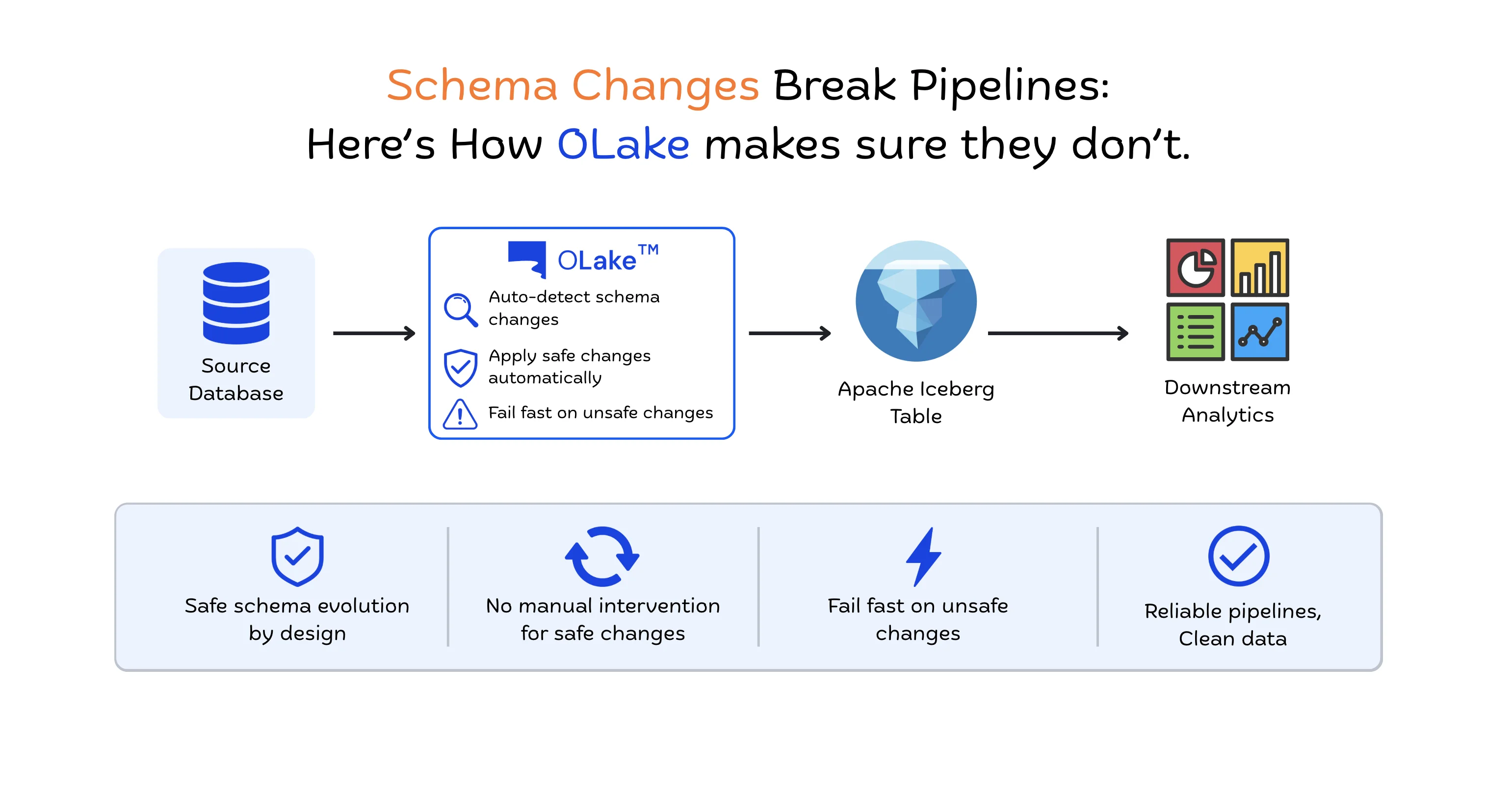
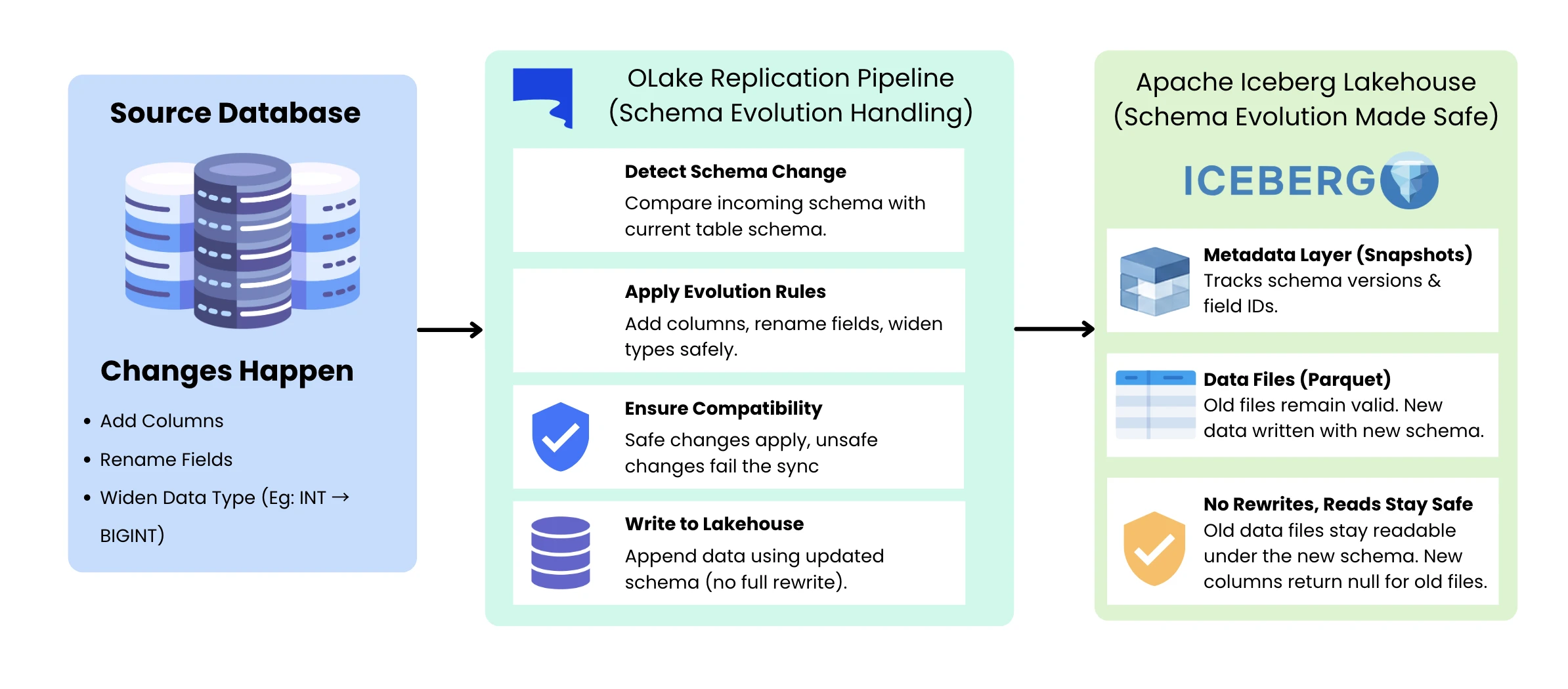
Source databases are constantly evolving. Columns are added, renamed, and dropped. Data types are widened. Usually without warning. When that happens, most replication pipelines break or lose data silently. OLake Go is built to absorb these changes: it runs schema discovery at the start of every sync, adds new columns automatically, retains dropped columns so downstream consumers are never broken, applies safe type promotions on the fly, and fails loudly only on the small set of changes that would genuinely corrupt data. It can do all of this cheaply because it writes to Apache Iceberg, which tracks columns by unique field IDs instead of names or positions, making structural changes pure metadata operations with no file rewrites. This post walks through exactly what OLake Go does with each type of change, and where the type mapping rules live so you can check them yourself.
Introduction
Anyone who has run a production database replication pipeline long enough has run into this problem. Business requirements evolve, and that means columns get added, fields get renamed, or data types get widened (e.g., INT → BIGINT, FLOAT → DOUBLE). When that happens, the next sync crashes outright, or worse, silently writes wrong data downstream. This isn't a rare edge case; it's a routine, expected part of running a production database. Your pipeline has to take whatever comes down it.
This is the problem that schema evolution is meant to solve. Get it wrong and the pipeline needs constant babysitting. Get it right and it quietly survives a real, living production database. This post covers what schema evolution means when replicating into a data lakehouse, what OLake Go does with each type of change, the exact type mapping rules that decide whether a sync keeps running, and the Iceberg design that makes all of it cheap.
What Is Schema Evolution
No production database stays the same shape for long.
A new feature ships, and a last_login_at column appears that didn't exist yesterday. A cleanup effort retires three deprecated fields. Two years of steady growth push a column past what INT can hold, so it has to be widened to BIGINT. None of these are edge cases. This is simply what happens when a production application runs on a database.
Schema evolution is the term for handling all such schema changes without breaking your pipeline.
There are two flavors of change worth separating out, because they behave differently and need different handling.
The first is structural change, changes to which fields exist on the table. A new column appears. An old one disappears. Someone renames user_name to username_display. A table gets renamed entirely. What's inside each field stays the same; it's the table's makeup that's different.
The second is data type change; the same column exists, but what it holds has changed. An INT column starts receiving values that don't fit in 32 bits anymore, so it needs to widen to BIGINT. A FLOAT column gets bumped to DOUBLE for more precision. Or business requirements shift and a field that used to hold numbers now needs to hold strings, to accommodate edge cases like "N/A" or legacy IDs. These changes are not all equal: some can be applied safely at the destination, while others, like that numbers-to-strings change, are incompatible with Iceberg's type system. The sections below cover how OLake Go handles each case.
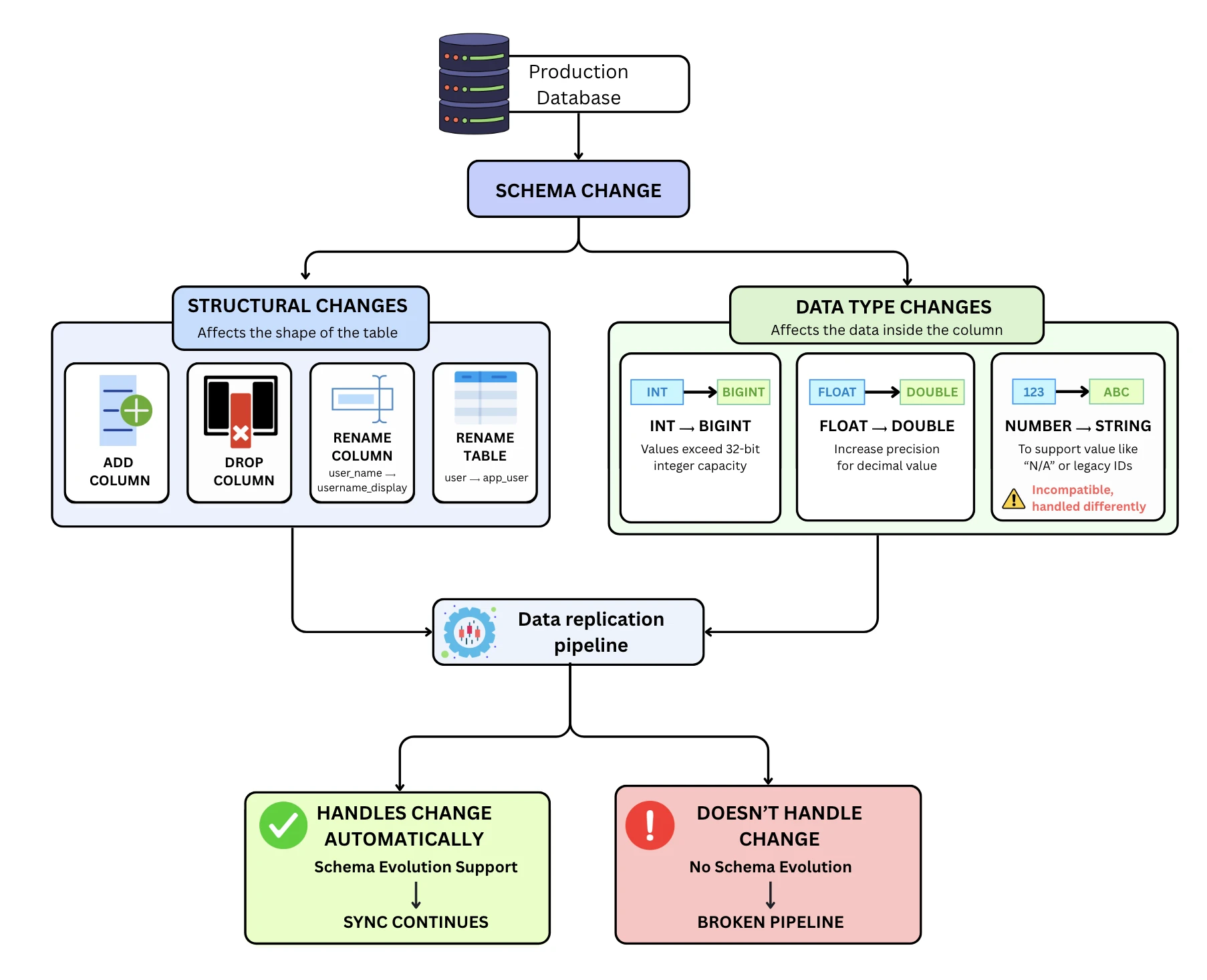
Both categories happen routinely as a product evolves, a new signup flow adds fields to capture more user data, a pricing change adds a currency column, a growing user base pushes an ID column past its original range. The question isn't whether they'll hit your pipeline. It's whether your pipeline survives them when they do or whether you get paged at 2am because a sync broke.
Why Traditional Formats Struggle
When it comes to schema change safety, it's all about one thing: the table format's ability to reliably track which column is which. Get this wrong and stale data can silently end up in the wrong column. This is precisely the failure Iceberg's and OLake Go's design eliminates.
Formats that identify columns by name seem intuitive until a column gets deleted and its name is later reused for something different. Old data from the deleted column then reads as if it belongs to the new column with the same name, silent corruption with no errors raised. Formats that identify columns by position have the mirror problem: remove a column from the middle of a table, and every column after it shifts by one, so existing files written before the deletion now read with the wrong mappings. Fixing that usually means a full table rewrite.
This is why schema changes have historically been expensive and risky, not because the logic is complicated, but because name-based and position-based identification make them fragile by design. Iceberg removes the fragility at its root by identifying columns a third way, which is what the next section covers.
The Foundation: How Iceberg Makes This Possible
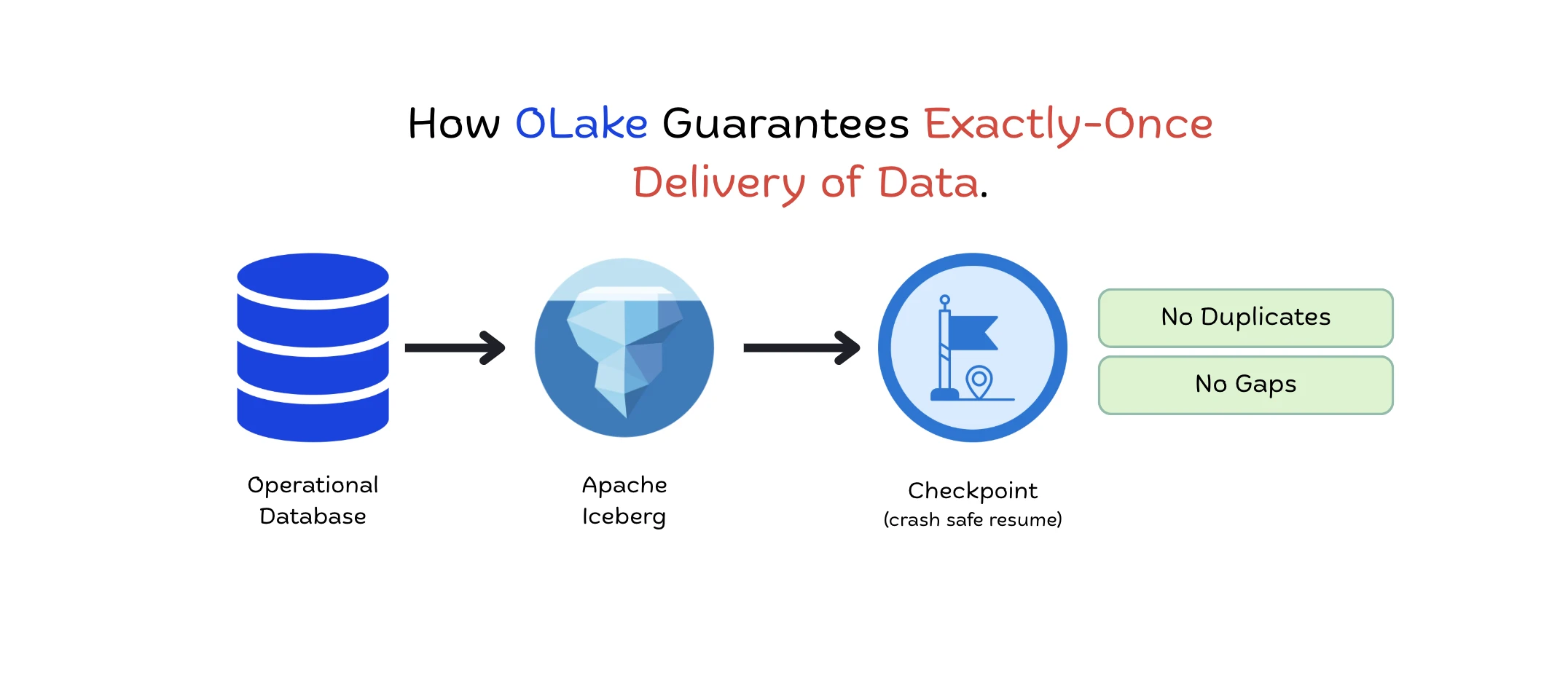
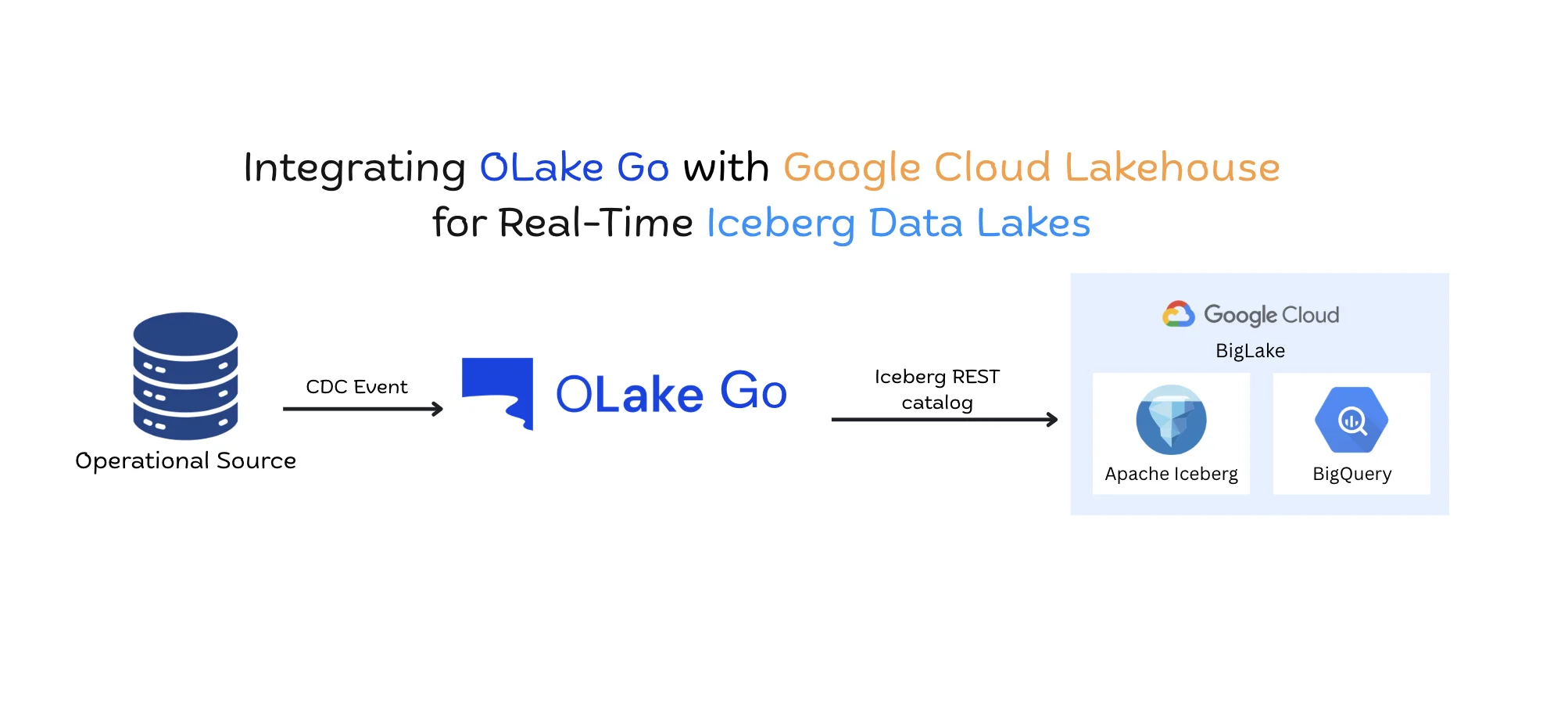
OLake Go writes to Apache Iceberg, and Iceberg solves the identification problem differently from traditional formats. Instead of identifying columns by name or position, every column in an Iceberg table gets a unique field ID when it is first created. That ID is stored in both the table metadata and the Parquet file metadata, and when Iceberg reads a data file, it matches columns by ID, not by name or position.
Because of this, Iceberg supports adding, dropping, renaming, and reordering columns, plus safe type widening, as pure metadata operations. No data files get rewritten for any of them. The guarantees follow directly from the ID mechanism: a new column gets an ID no previous file ever used, so old files return null for it instead of misreading other data; dropping a column shifts nothing because positions are not used for lookups; and IDs are never reused, so old data can never be accidentally read as belonging to a newer column that happens to share a name. Every change produces a new versioned schema in metadata, and old versions are retained.
These field IDs live inside the Iceberg table. They protect how Iceberg reads its own data files. How OLake Go maps source database columns to destination columns is a separate mechanism, covered in the next section, and the distinction matters for how renames behave.
How OLake Go Handles Schema Evolution
This section covers what OLake Go does when the source schema changes, using Iceberg's operations as the building blocks. When a sync runs, OLake Go compares incoming record fields and types against the current destination schema. If a compatible change is detected, OLake Go decides what to do based on what kind of change it is. The exact behavior for every case below is documented in the OLake schema evolution doc.
Column-Level Changes
New column added at source: When a sync receives a record with a new column, OLake Go adds that column to the Iceberg schema with a new field ID and writes its values. Whether new columns are included automatically or wait for manual selection is controlled by the "Sync new columns automatically" setting. This is safe because an added Iceberg column can never read existing values from another column: old files simply return null for it, so historical rows show null until the source backfills them. One nuance worth knowing: if the new column is sparse, meaning no row in the current sync has a non-null value for it, it will not appear at the destination until at least one row does. Iceberg stores data column-wise in Parquet, so there is no point materializing a column of nulls.
Column dropped at source: When a source column is dropped, the destination column is deliberately retained, and new rows simply carry null for it. Downstream consumers of the Iceberg table may still depend on it, and old snapshots stay queryable, so new rows simply carry null for the column instead of it disappearing. This is the safer default, and it costs nothing because Iceberg matches columns by ID, so a retained column never interferes with any other column's values. If the storage footprint matters, a rewrite manifest job can drop the dead column later.
Column renamed at source: Iceberg's field IDs exist only inside the Iceberg table; a source database column carries no such ID. OLake Go therefore maps source columns to destination columns by name, which means a renamed source column looks identical to one column being dropped and a new one being added, and that is how OLake Go handles it: the old column stays in the destination with its full history but stops receiving values, and a new column with the new name is created and starts receiving data. No data is lost, but history stays under the old column name, so downstream SQL should be updated to the new name. Iceberg itself supports true in-place renames on the same field ID; OLake Go does not currently use this for source renames.
Table-Level Changes
New table added at source: Newly detected source tables appear in the OLake UI, and you choose which ones to sync. Tables not selected are ignored, and pipelines for existing tables run as usual. Once a new table is enabled, OLake Go applies whichever sync mode is configured, and initial full loads run in parallel.
Table renamed at source When a table is renamed at the source, OLake Go treats it as a new table, so it does not carry the old table's identity over to the new name. A new table is created at the destination, and the old one stays in place with its historical data. Since the renamed table is treated as a new stream, no manual action is needed. It syncs from scratch automatically, just like any newly added stream.
Table deleted at source: No new data is added to the destination table, but existing data and metadata remain queryable, so downstream queries on historical data continue to work. If a table with the same name is later recreated at the source, note that OLake Go does not currently support reusing that name at the destination: the recreated table's name collides with the existing destination table's name, and the sync fails. Since the original destination table still holds the deleted table's historical data, give the recreated table a different name. That preserves the old history and avoids the collision.
Schema-less Sources (MongoDB, Kafka JSON)
Some sources have no fixed schema at all. MongoDB documents in the same collection can have entirely different fields, and JSON messages on a Kafka topic carry no enforced structure either. For these sources, OLake Go cannot read a fixed schema at discovery time the way it can for PostgreSQL or MySQL. Instead it infers the schema from the records themselves, establishing an initial structure from the first records it reads and then evolving it as new fields appear. New keys are added to the destination schema as they appear, and removed keys stop showing up in new rows, the same add and drop behavior as any Iceberg column.
When normalization is turned on for these schema-less sources, OLake Go performs Level-0 flattening, expanding top-level nested fields into their own columns, and handles the resulting schema evolution automatically. New and changed fields are picked up from the records and written per the Iceberg v2 spec, with no manual intervention.
Applied Automatically: Widening Promotions
OLake Go follows Iceberg's type promotion rules directly. These widening changes are applied automatically because Iceberg supports them natively, with no manual intervention:
| Source type change | Destination behavior |
|---|---|
| INT → BIGINT | Column type widened automatically |
| FLOAT → DOUBLE | Column type widened automatically |
Handled Without Failing: Compatible Conversions
Two categories of change that look risky are handled without interrupting the pipeline:
Value-fits narrowing. When the destination column has a wider type than the incoming values, for example a BIGINT column receiving INT values, OLake Go validates that every incoming value fits within the destination type's range and stores it without error. The pipeline continues without interruption.
Sync Fails: Unsupported Changes
Some changes are unsupported in Iceberg v2 and in OLake Go. Attempting them fails the sync explicitly with a clear error rather than writing corrupted data. Two common examples:
| Attempted change | Why it fails |
|---|---|
| FLOAT value into an INT column | Would silently lose the fractional part |
| STRING value into an INT / DOUBLE / LONG / FLOAT column | Not all string values are numeric |
A sync that fails loudly is recoverable. A sync that silently mangles values is the kind of data quality issue that does not surface until someone notices their dashboard numbers are wrong weeks later.
Type Mapping Reference
This table covers some of the data type changes OLake Go handles, grouped by outcome, so you can check a specific conversion before it hits your pipeline. All behavior here follows Apache Iceberg v2's type promotion rules as implemented by OLake Go.
| From | To | Outcome | Why / notes |
|---|---|---|---|
| INT | BIGINT (LONG) | Applied automatically | Widening promotion; destination expands to the larger range, no data affected |
| FLOAT | DOUBLE | Applied automatically | Widening promotion to higher precision, no data loss |
| BIGINT | INT | Handled without failing | Value-fits narrowing: OLake Go validates each value fits the destination range, then stores it |
Conclusion
OLake Go is built for a constantly changing source schema. Safe changes apply on their own, dropped columns are kept so nothing downstream breaks, and the sync stops only for the handful of type changes that would genuinely corrupt data. Apache Iceberg is what makes this cheap, since tracking columns by unique field IDs turns operations that used to require full table rewrites into metadata updates that take milliseconds.
FAQ
Q1. Does OLake Go support column renames without losing data?
No data is lost, but it is not an in-place rename today. When a source column is renamed, OLake Go treats it as the old column being retired and a new one added: the old column stays in the destination with its history but stops receiving values, and a new column with the new name starts receiving data. Iceberg itself supports true in-place renames on the same field ID; OLake Go does not currently use this for source renames.
Q2. What exactly happens when a sync hits an unsupported type change today?
The sync fails explicitly with a clear error instead of writing corrupted data. Some examples of unsupported changes are a FLOAT value arriving into an INT column and a STRING value arriving into a numeric column. Once the DLQ column feature ships, unsupported values will be routed to the DLQ column instead of stopping the sync.
Q3. Why doesn't a new sparse column show up immediately at the destination?
Iceberg stores data in columnar Parquet format. A column with no non-null values anywhere in the current sync has nothing to write. OLake Go waits until at least one row has a real value before creating the column in the destination.
Q4. Does schema evolution work the same way across all supported sources?
Destination behavior is the same across sources because everything goes through the Iceberg writer. What differs is how the initial schema is built: structured sources like PostgreSQL and MySQL expose a fixed catalog schema at discover time, while schema-less sources like MongoDB and Kafka JSON infer structure from sampled records. During sync, new fields and type changes are picked up from the records themselves in both cases.
Q5. Can I recover a dropped column at the destination?
OLake Go does not automatically drop destination columns when a source column is dropped; it leaves the column in place so downstream consumers that still depend on it are not broken, and old snapshots remain queryable. If you want the column removed from the Iceberg table, that is a manual operation.
Q6. Does schema evolution add latency to syncs?
Schema evolution in Iceberg is a metadata-only operation; no data files get rewritten. The overhead is the time to update the table's schema metadata, which is milliseconds regardless of table size, and OLake Go only does this work when a change is actually detected.
Q7. What happens when a new table appears at the source?
It is detected on the next scheduled run and listed in the OLake UI, but nothing syncs until you explicitly enable it for the job. Once enabled, OLake Go creates the destination table and starts syncing under your configured sync mode, with the initial full load running in parallel.