Amazon S3 Data Lake: What It Is and Your Options
19 min read
Key takeaways
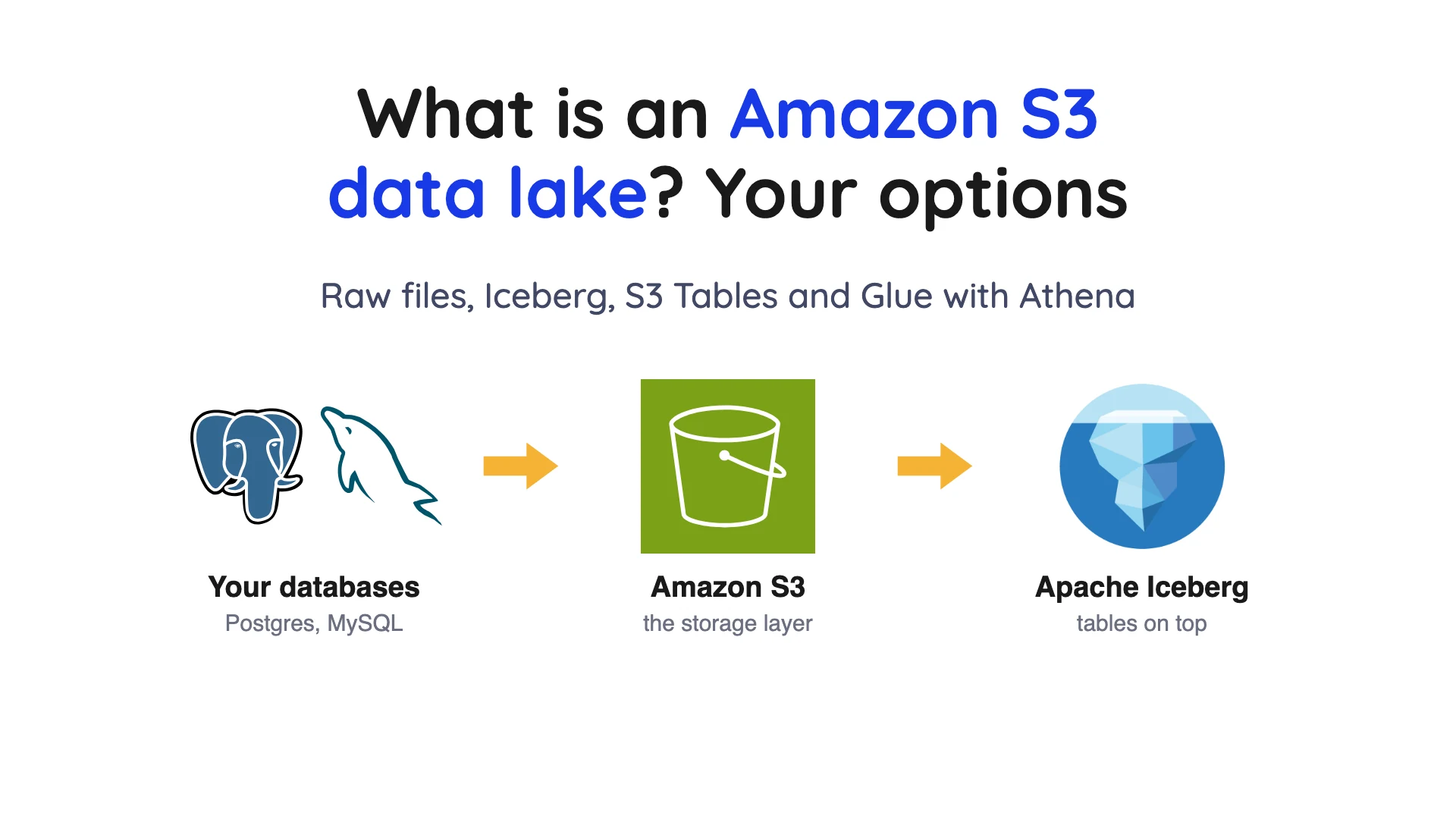
Is Amazon S3 a data lake? Not on its own. S3 is the storage, and that's all it is.
A data lake is S3 plus a table format, a catalog that lists your tables and a query engine.
On AWS there are four common ways to build one: plain Parquet files, Iceberg tables in a normal bucket, S3 Tables, or the Glue plus Athena toolchain that works with all three.
Parquet files are the simplest place to start. By AWS's description, S3 Tables does the most upkeep for you, at about 15% more per GB of storage and with extra meters for monitoring, compaction and requests.
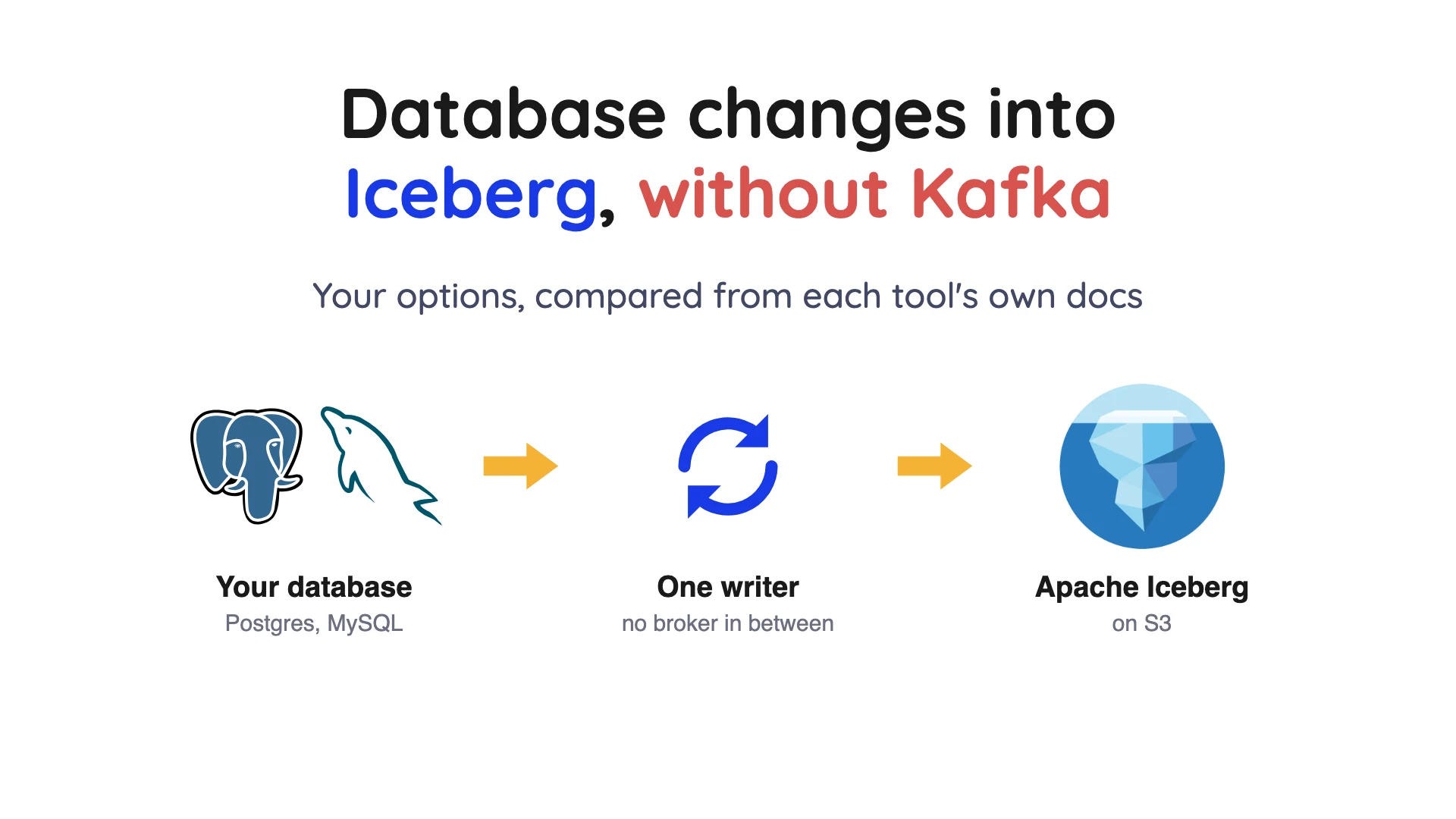
To load database data into Iceberg on S3, OLake Go is an open-source option.
- S3 is object storage, not a data lake. AWS itself describes a data lake built on S3 plus Lake Formation, Athena, Glue and Amazon EMR (a managed service for Spark and Hadoop).
- A lake needs three more layers on top of the bucket: a table format, a catalog and a query engine.
- You have four common options: raw Parquet, Iceberg in a normal bucket, S3 Tables, and Glue plus Athena as the toolchain.
- S3 Standard storage lists at $0.023 per GB a month and S3 Tables at $0.0265 in US East (N. Virginia), per AWS's price list (checked Oct 2026).
- Glue compaction for Iceberg is off by default for new tables. S3 Tables maintenance is on by default.
- Getting data in is its own decision. AWS Database Migration Service (DMS) can write files to S3, but Iceberg is not a DMS target. OLake Go, an open-source tool, loads databases straight into Iceberg tables on S3.
Every price and fact below comes from AWS's own pages or docs, read on October 1 and 2, 2026, with the link right next to the claim. We didn't build or run any of these setups ourselves This is a read of the documents, not a lab test. Last reviewed October 2026.
Is S3 a data lake?
"S3 data lake" sounds like one product. It isn't. S3 is where a data lake lives, but it's not the whole lake.
The AWS S3 user guide describes S3 as object storage, where each object is a file plus its metadata.
AWS defines a data lake as a centralized repository that lets you store all your structured and unstructured data at any scale. Starburst put the same idea bluntly in a 2018 post: "By itself, Amazon S3 is not a data lake". Both can be true, because the lake is the bucket plus the tools that make its files usable.
What an Amazon S3 data lake is made of
AWS says S3 is designed to exceed 99.999999999% durability, and it gives strong read-after-write consistency, so a file you just saved is the file you read back. Durability is AWS's design target, which we did not test.
S3 doesn't give you an all-or-nothing update across several files. The same S3 user guide says updates are atomic per key, which means one file at a time.
That single gap is why plain files get awkward. A job that rewrites ten files isn't one step, so a reader can catch it halfway through. Table formats fix this by tracking which files make up a table at any moment.
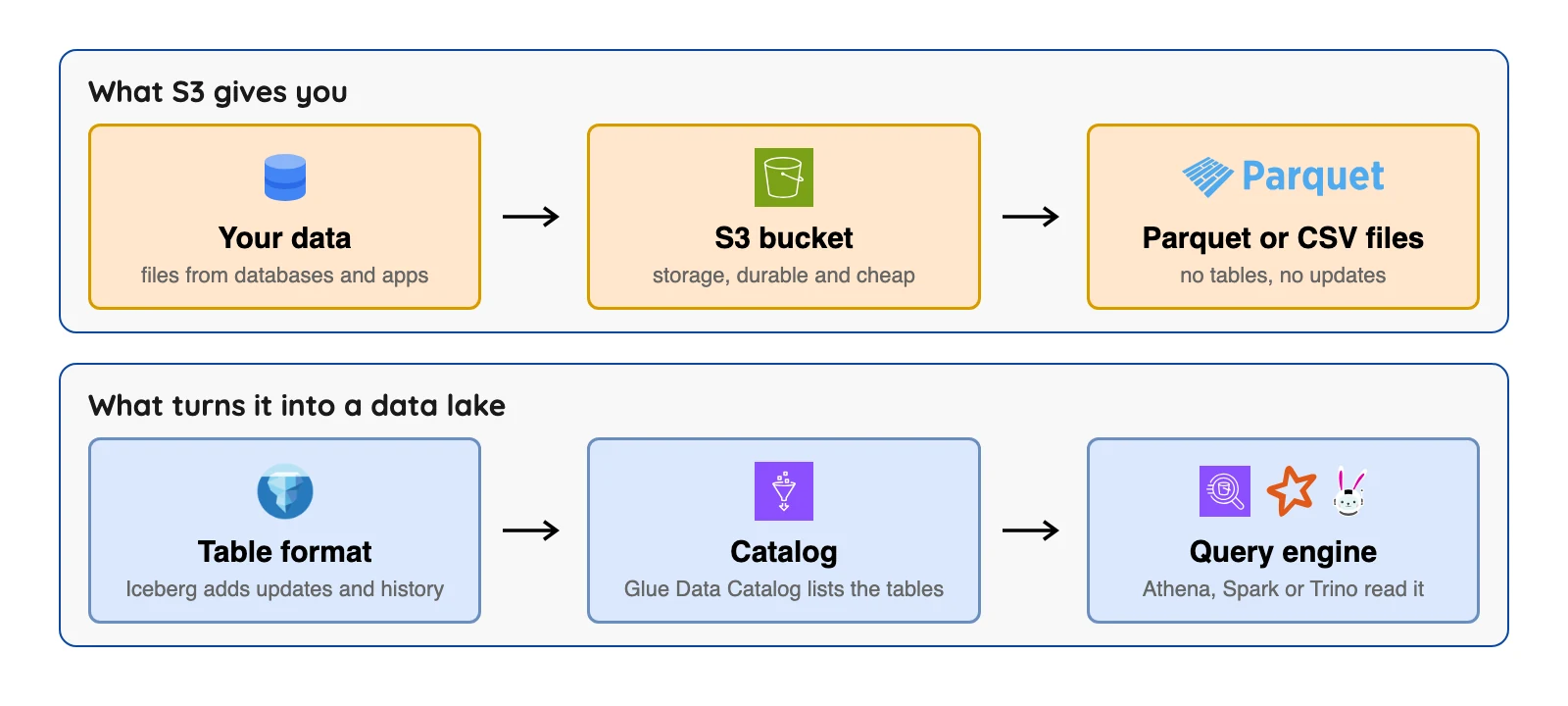
So what goes on top of the bucket? Here's each layer in plain terms:
- Bucket and files: S3 holds the data, usually as Parquet, a columnar file format that lets a query read only the columns it needs.
- Table format: Apache Iceberg is the common open choice. It lets engines such as Spark, Trino and Flink work on the same tables at the same time.
- Catalog: a list of tables and where their files live. On AWS that's usually the Glue Data Catalog.
- Query engine: the tool that runs SQL (Structured Query Language), such as Athena, Spark or Trino.
- Governance: AWS Lake Formation sets who can see which tables and columns. Its permissions carry no separate charge, though the services under it bill as usual.
AWS has retired its S3 data lake whitepaper: the old link now opens the Lake Formation guide (checked Nov 2026). Our read: the advice has moved on since Iceberg and S3 Tables arrived.
Your four options at a glance
Prices come in the next section.
| Option | What sits in S3 | Who does table upkeep | Pick it when | Watch out for |
|---|---|---|---|---|
| 1. Raw Parquet files | Parquet files in folders | You | Data is mostly added, rarely edited, and one team owns it | No all-or-nothing updates, and small files pile up |
| 2. Iceberg in a normal bucket | Iceberg tables in a general purpose bucket | You (Glue compaction is opt-in) | You want open tables and full control of cost | You must switch on and watch compaction |
| 3. S3 Tables | Iceberg tables in a table bucket | AWS, on by default | You want the least upkeep and are fine on AWS | Higher storage rate and extra meters, and less tuning |
| 4. Glue plus Athena | Works with 1 to 3 | Not a storage choice | You want serverless loading and SQL with no cluster | Pay per scan and per hour of Glue compute, so costs follow habits |
Option 4 isn't really a fourth way to lay out files. It's the loading and query toolchain most AWS lakes use with options 1, 2 or 3, which is why it sits in the same table. Below, we go through each one, with where it wins and where it loses.
Option 1: Raw Parquet files with Athena
This is the classic S3 lake, the one most older guides still describe. You land Parquet files in folders, point the Glue Data Catalog at them and query with Athena. Athena bills $5 per TB of data scanned in US East (Ohio), with a 10 MB minimum per query (checked Oct 2026).
Parquet matters here because of that bill. AWS's own example takes a 3 TB uncompressed text table, where a one-column query costs $15. The same data as compressed Parquet, reading one of four columns, scans 0.25 TB and costs $1.25 (checked Oct 2026).
That is a gap of 12 times.
Where it wins: it's the simplest to start, and nothing extra runs in the background. If your data is mostly appended, such as logs or event files, plain Parquet is often enough.
Where it loses: Databricks lists no support for transactions as a classic gap of plain data lakes. It also says the inability to delete or update data makes them hard to secure and govern.
Without a table layer, the number of small files also grows with every load, which slows queries.
What users say: one PeerSpot review of Athena warns that it "can become costly if analysts lack knowledge of partition keys and querying tables efficiently". Another, from July 2023, says "Athena is very inexpensive for being a cloud tool." Both can be true, because the bill depends on how much each query scans. These are individual opinions, one person's view each.
Option 2: Iceberg tables in a normal S3 bucket
The files stay in an ordinary (general purpose) bucket, and an Iceberg layer sits on top.
Iceberg's transaction support (ACID, meaning atomic, consistent, isolated and durable changes) helps with, in AWS's words, frequent updates, deletions and the need for transactional consistency. The Glue Data Catalog keeps the table list.
Athena can read, time travel, write and run DDL (statements that create or change tables) on Iceberg tables, and Glue ETL (extract, transform, load) jobs can write them too. The Athena page also lists limits. Only Iceberg tables created against the Glue catalog are supported, and there's no DDL on tables registered with Lake Formation.
The cost is upkeep. Each write can leave small files, and someone has to merge them. In Glue, compaction is disabled by default for new tables, so you switch it on per table with an IAM (Identity and Access Management) role.
Where it wins: you keep open tables, any engine can read them, and you control exactly what runs and what it costs. Glue compaction bills at $0.44 per hour of one data processing unit (DPU, Glue's unit of compute), by the second, with a 1-minute minimum (checked Oct 2026).
Where it loses: you own the chores. If nobody enables and watches compaction, the lake slowly gets slower and dearer. The Glue Data Catalog also has its own meter: the first 1 million objects are free, then $1.00 per 100,000 objects a month (checked Oct 2026).
What users say: on Hacker News in August 2025, one team said "For Spark, glue works quite well". A December 2025 thread comment said "Glue Catalog has some annoying assumptions baked in", so the mood on Glue is mixed. These are individual opinions; one person's view each, with its date and link.
Option 3: S3 Tables
S3 Tables is AWS's answer to those chores. It's S3 storage built for tables, kept in a new bucket type.
AWS stores them in the table bucket, in Iceberg format. You query them with Athena, Redshift or Spark, and AWS says table buckets give higher transactions per second than self-managed tables in general purpose buckets, with no figure given.
The big difference is upkeep. AWS runs compaction, snapshot management and unreferenced file removal by default, and you can edit or turn them off.
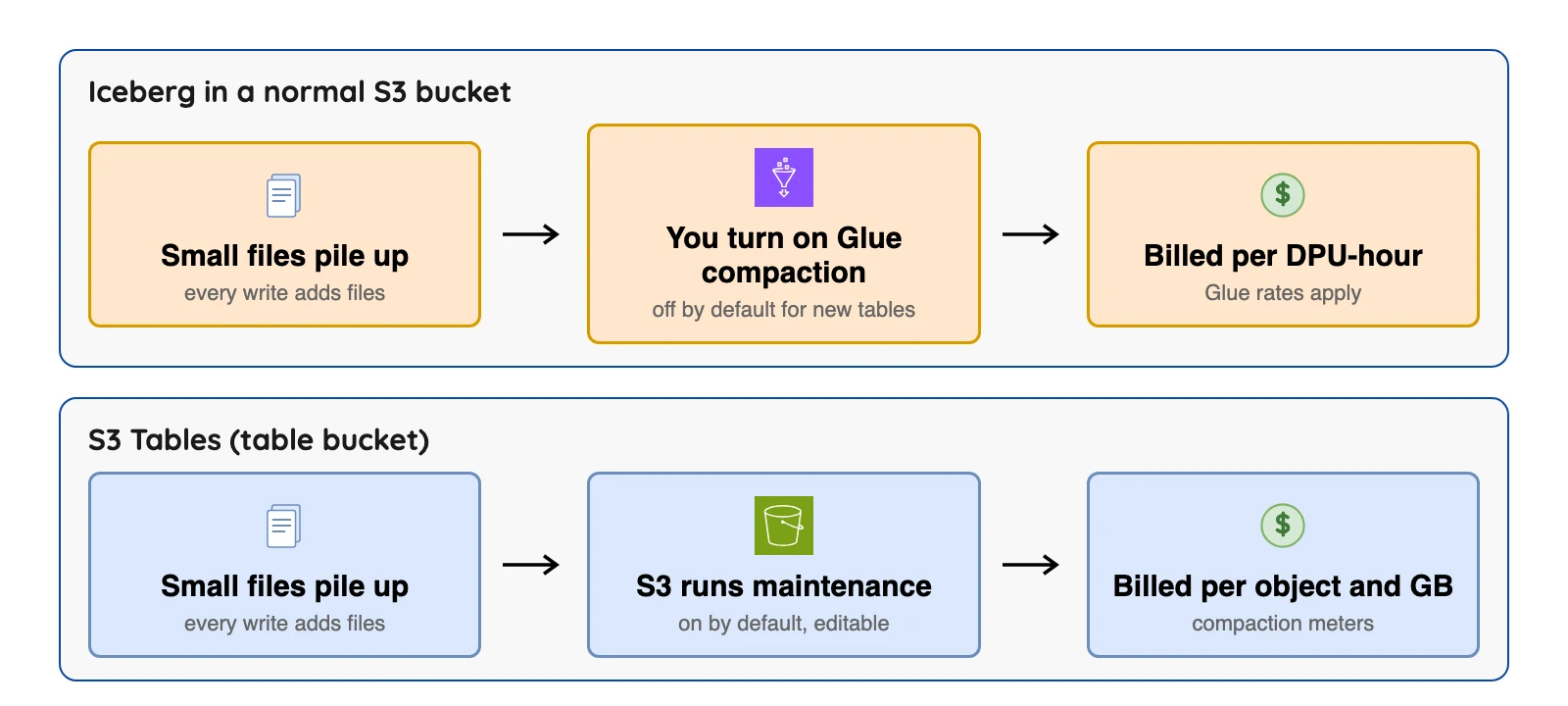
Where it wins: if you want Iceberg without running table chores, AWS describes this as managed upkeep. By our read of the docs it asks for the least work of the four options (we did not build it). Maintenance, table-level access policies and Glue Data Catalog integration come built in.
Where it loses: it costs more per GB, it adds meters (monitoring, compaction, requests), and you give up some control. Table and column names must be all lowercase, or the table will not show up in Athena. AWS also lists no free tier for S3 Tables on its pricing page.
Is it cheaper or faster than running Iceberg yourself? We found no neutral source showing that, so we make no such claim either way.
What users say: Shine Solutions, in June 2026, says "There is less ability to fine-tune how data is physically optimised" with S3 Tables. The same post praises the automated maintenance. These are individual opinions; one person's view each, with its date and link.
Option 4: Glue plus Athena as the toolchain
Glue and Athena get mentioned in the same breath so often that people think they're one thing. They aren't. Running ETL jobs, crawling files and keeping the Data Catalog is Glue's work. Athena queries data where it sits in S3 and doesn't replace Glue.
Together, per AWS's serverless descriptions, they give you a lake with no servers of your own to run. Glue loads and tidies the data, and Athena answers SQL questions on it. You pay as you go: per DPU-hour for Glue, and per TB scanned for Athena.
Where it wins: per AWS's descriptions there is nothing to install or patch, and both work with options 1, 2 and 3. If your team already lives in AWS, that keeps setup short.
Where it loses: costs follow habits. A wide query that scans everything, or a Glue job left on defaults, pushes the bill up. AWS's Glue FAQ says an ETL job gets 10 DPUs by default, and the pricing text lists no free tier for ETL jobs.
What it costs: AWS's own rates
These are the list prices from AWS's pages (checked Oct 2026). Rates are US East (N. Virginia) or US West (Oregon) unless noted. Prices change and vary by Region, so confirm on AWS's page before you decide.
| Item | Rate | Source |
|---|---|---|
| S3 Standard storage, first 50 TB | $0.023 per GB a month | S3 pricing |
| S3 Tables Standard storage, first 50 TB | $0.0265 per GB a month | S3 pricing, Tables tab |
| S3 requests, PUT/POST/LIST (writes) and GET (reads) | $0.005 and $0.0004 per 1,000 | S3 pricing page, price file |
| S3 Tables monitoring | $0.025 per 1,000 objects a month | S3 pricing, Tables tab |
| S3 Tables compaction (binpack) | $0.002 per 1,000 objects plus $0.005 per GB | S3 pricing, Tables tab |
| Athena SQL queries (US East, Ohio) | $5 per TB scanned | Athena pricing |
| Glue ETL jobs (US East, Ohio) | $0.44 per DPU-hour, or $0.308 on Glue 6.0 and above | Glue pricing |
| Glue Data Catalog | First 1 million objects free, then $1.00 per 100,000 a month | Glue pricing |
| Lake Formation permissions | No separate charge | Lake Formation pricing |
One TB is 1,024 GB. In S3 Standard that's 1,024 x $0.023, or $23.55 a month for storage. In S3 Tables the same TB is 1,024 x $0.0265, or $27.14, which matches the storage line in AWS's own S3 Tables example. That's about 15% more (rates checked Oct 2026).
AWS's full worked example for a 1 TB S3 Tables table in Oregon, with requests, monitoring and compaction, comes to $28.54 a month (checked Oct 2026). For a normal bucket, the Glue compaction bill depends on how much data you rewrite, so we won't guess a number. Storage is the line to watch, and a one-table trial will show you the rest.
How data gets into an S3 data lake
There are four common routes, and they differ most on whether they catch changes as they happen, which is called change data capture (CDC).
| Route | What it does | Limits to know |
|---|---|---|
| AWS DMS to S3 | Copies databases to S3 as CSV (the default) or Parquet, including ongoing changes | Iceberg is not a DMS target, and a column added or dropped at the source is not recorded as a change in the target files |
| Glue ETL jobs | Spark jobs that read from databases and write Parquet or Iceberg | Docs describe job bookmarks and JDBC (a standard database connection) reads, not a built-in log-based CDC engine |
| Glue zero-ETL | Managed copy from supported sources, billed $1.50 per GB ingested for application sources, per the Glue price list (checked Oct 2026) | For self-managed databases, the only target is Redshift |
| Third-party or open-source tools, such as OLake Go | Read the database and write files or Iceberg tables to S3 | Each has its own sources, cost and upkeep |
The AWS Database Migration Service (DMS) route is a common starting point. AWS's own blogs show DMS landing files in S3 and Glue jobs then merging them into Iceberg tables, with primary keys needed on each table.
OLake Go is our open-source tool (Apache 2.0) that copies databases into Iceberg tables on S3, using a Glue, S3 Tables or other catalog. It does a full load and then change capture for PostgreSQL, MySQL/MariaDB, MongoDB and SQL Server, and it writes Iceberg or Parquet to the bucket you choose.
When S3 is not the right call
A lake is sometimes the wrong answer. If your main need is dashboards for a small team that writes SQL, a warehouse such as Redshift may be less work. Azure says it's common for a large organisation to run both a lake and a warehouse.
Cost is the other reason.
In an April 2026 Hacker News thread comparing S3 and Cloudflare R2, one commenter put it this way: "S3 if you're already in the AWS ecosystem. R2 if egress costs are killing you." Egress means the fee for data leaving a cloud. That's one person's view, but it shows why teams check data transfer before they commit.
This page covers the AWS-native path only.
Which option should you pick?
| If this describes you | Start with | Why |
|---|---|---|
| Mostly appended logs or files, small team, tight budget | Option 1: raw Parquet with Athena | Least to run, pay only when you query |
| You need updates and deletes, and want open tables you control | Option 2: Iceberg in a normal bucket | Open format, and you set the compaction schedule |
| You want Iceberg with the least upkeep and are fine staying on AWS | Option 3: S3 Tables | AWS runs maintenance by default |
| You need database changes landing as Iceberg tables on S3 | OLake Go (free, Apache 2.0) into option 2 or 3 | Full load, then change capture, written to your bucket |
| You want no servers to manage | Option 4 on top of any of the above | Glue loads, Athena queries |
| You mainly need dashboards for SQL users | Look at a warehouse first | See data warehouse vs lakehouse |
Two rules of thumb, and they're our read of the facts above. First, if you can't name who will switch on and watch compaction, lean toward S3 Tables. Second, if your data never changes after it lands, you may not need Iceberg at all.
Conclusion
S3 is the foundation, and the lake is what you build on it.
If you also need database changes in the lake, OLake Go loads them into Iceberg on S3. For wider tool lists, see best data lake tools and data lake vs data lakehouse.
The real question is how much upkeep you want to own. Raw files cost least and ask the most of you, while S3 Tables costs more per GB and asks the least.
Check today's AWS prices before you commit, start small with one table, and watch your first month's bill. Then try the short quiz below.
Test your S3 data lake basics
Question 1 of 4
A teammate says, 'We have an S3 bucket, so we have a data lake.' What is the fairest reply?