Best Change Data Capture Tools in 2026, Compared
40 min read
Key takeaways
Short version: there is no single best change data capture (CDC) tool, because these tools do different jobs. Debezium and Flink CDC suit teams that already run their own streaming systems.
Fivetran, Estuary, Airbyte and Artie suit teams that would rather have a vendor run the pipeline. Striim, Qlik Replicate and GoldenGate fit big Oracle estates, and AWS Database Migration Service (DMS) and Datastream fit teams that live on one cloud. Where your data has to land, say Apache Iceberg tables, cuts the list down fast.
- CDC is not one thing. Log-based tools read the database's change log. Query-based tools just ask, on a schedule, what changed, and that matters most for deletes and source load.
- Where the data lands decides your shortlist. Only some tools write Apache Iceberg, and AWS DMS, for one, has no Iceberg target.
We checked prices in September and October 2026 against vendor pages.
Log-based or query-based? Start here
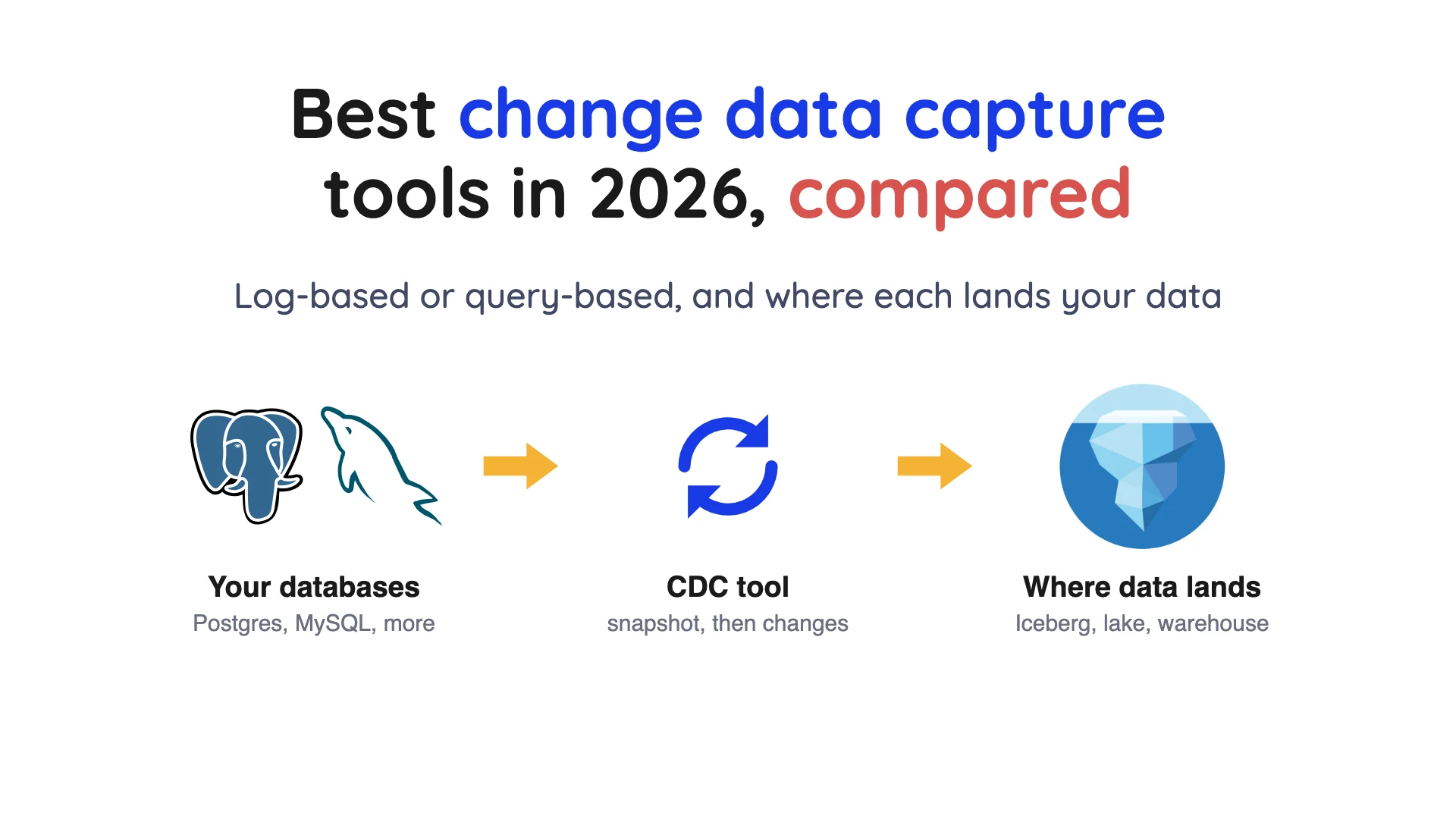
Change data capture sends only a database's inserts, updates and deletes to another system, instead of copying everything again.
Confluent describes log-based CDC as reading the database's transaction log, the file where the database writes down every change in order. Query-based CDC, also called timestamp-based, works differently. It runs a query on a schedule, and it needs a column that records when each row changed.
Here's the catch with timestamp-based CDC. Confluent says it can only handle soft deletes (rows marked as deleted, not removed), and it adds load because rows must be scanned. Log-based CDC isn't free either, since the Debezium FAQ says running a connector can add load to the source database.
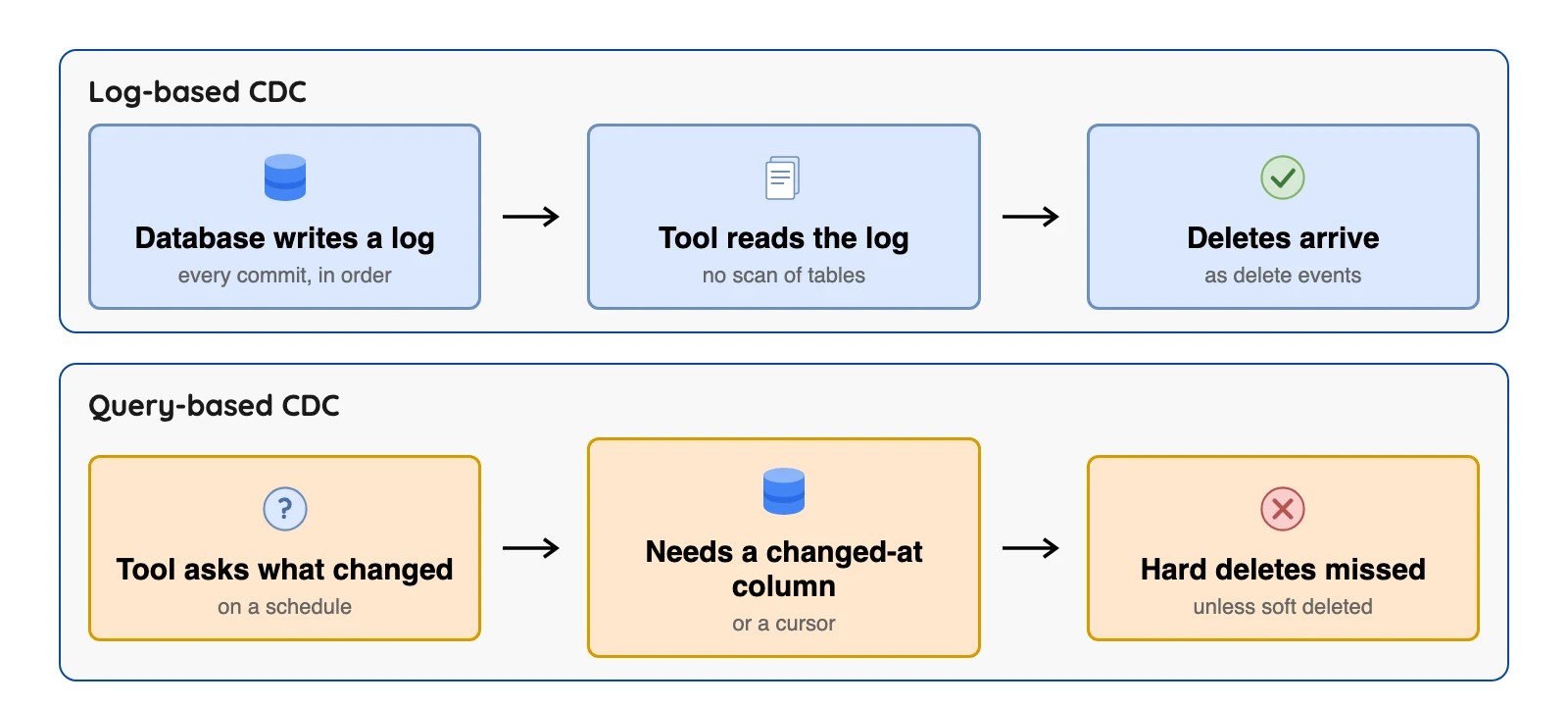
Confluent also lists trigger-based CDC, where a database trigger (a stored procedure that runs on every insert, update or delete) copies each change into a shadow table. It catches deletes, but Confluent says it hurts source performance and changes the source schema.
| Method | Sees deletes | Source load | Needs |
|---|---|---|---|
| Log-based | Yes | Low, though not zero | Access to the transaction log |
| Query-based (timestamp) | Soft deletes only | Rows are scanned on each run | A reliable changed-at column |
| Trigger-based | Yes | Extra writes on every change | Triggers and a shadow table in the source |
Method facts: Confluent's change data capture guide and the Debezium FAQ, October 2026.
How we picked
We included maintained tools that read changes from at least one database and publish documentation we could open. We took the facts from the vendor's own pages and did not run these tools. This is a reading of documents, not a lab test, so any speed, uptime or ease claim below is the vendor's own.
Where we found a named, dated user comment we could link, the entry has a "What users say" line, quoted word for word. Those are single opinions, and we flag any that are old.
We left out the broad extract, transform, load (ETL) suites where CDC is just one feature among many (Hevo, Matillion, Skyvia and Integrate.io). We grouped the tools by how you run them, and the order inside a group is not a ranking.
The 12 tools at a glance
| Tool | CDC method | Databases | How you run it | Licence |
|---|---|---|---|---|
| Debezium | Log-based | 8 connectors not marked incubating, including MySQL, PostgreSQL, Oracle, MongoDB | Self-hosted | Apache 2.0 |
| Flink CDC | Log-based | MySQL, PostgreSQL, Oracle in YAML pipelines; more as Flink sources | Self-hosted on Flink | Apache 2.0 |
 OLake Go OLake Go | Log-based, four sources | PostgreSQL, MySQL, MongoDB, SQL Server | Self-hosted on your own infrastructure | Apache 2.0 |
| Estuary | Log-based | PostgreSQL, MySQL, MongoDB, Oracle, SQL Server | Managed, private or your own cloud | Business Source License 1.1 |
| Airbyte | Log-based, scheduled syncs | PostgreSQL, MySQL, MongoDB, SQL Server (Oracle, SAP HANA and Db2 are listed on its CDC page) | Core self-managed, or Cloud | Elastic License 2.0 |
| Fivetran | Native logs plus proprietary methods | MySQL, PostgreSQL, SQL Server, MongoDB, Oracle | Managed, or Hybrid | Proprietary |
| Artie | Log-based | PostgreSQL, MySQL, MongoDB, Oracle, SQL Server | Managed, or your own cloud on Enterprise | Proprietary |
| Striim | Log-based | Oracle, PostgreSQL, SQL Server, MySQL | Cloud, or self-managed | Proprietary |
| Qlik Replicate | Log-based | Oracle and other databases, plus mainframe sources | Client-managed, or Talend Cloud | Proprietary |
| Oracle GoldenGate | Log-based | Oracle, MySQL, PostgreSQL, SQL Server, Db2 | Self-managed, or Oracle's service | Proprietary |
| AWS DMS | Log-based | Oracle, SQL Server, MySQL, PostgreSQL, MongoDB | AWS managed | Proprietary |
| Google Datastream | Per source, such as the MySQL binary log | MySQL, Oracle, SQL Server, PostgreSQL, MongoDB | Google Cloud service | Proprietary |
| Tool | Lands data in (Iceberg only where the docs say so) | Pricing basis |
|---|---|---|
| Debezium | Kafka topics; Debezium Server sinks include Iceberg (community-maintained) | Free licence, you pay for infrastructure |
| Flink CDC | Pipeline sinks include Iceberg, Paimon, Hudi, Kafka | Free licence, you pay for the Flink cluster |
| OLake Go | Apache Iceberg and Parquet | Free licence, you pay for infrastructure |
| Estuary | Warehouses and lakehouses; Iceberg on S3 only | $0.50 per GB moved plus connector instances |
| Airbyte | Warehouses and lakes; Iceberg on S3 | Core free; Cloud Standard from $20 a month |
| Fivetran | Warehouses; Iceberg through Managed Data Lake Service | Monthly Active Rows per connection |
| Artie | Warehouses and lakes; Iceberg listed under Enterprise | Free to 1M rows; Growth from $500 a month |
| Striim | Iceberg on Google Cloud Storage or Amazon S3 Tables | Contact us (Developer tier is free) |
| Qlik Replicate | Iceberg through Qlik Open Lakehouse | Not published on Qlik's pages |
| Oracle GoldenGate | Iceberg handler in the DAA guide; OCI GoldenGate also lists Iceberg | Per processor or user; managed per compute minute |
| AWS DMS | S3 files; no Iceberg target | Instance or DCU hours |
| Google Datastream | BigQuery, Cloud Storage, Iceberg tables (append-only) | Per GiB processed |
Sources: Estuary, Airbyte, Artie, Striim, Qlik, Oracle price list, AWS DMS price list, Datastream pricing pages. Checked October 2026.
The 12 best change data capture tools, one by one
Run it yourself
1. Debezium: best for teams that already run Kafka
Debezium home page, October 2026.
At a glance
- Method: Log-based
- Databases: MongoDB, MariaDB, MySQL, PostgreSQL, SQL Server, Oracle, Db2, Cassandra (connector list)
- Price: Free licence, you pay for infrastructure and staff
Debezium is an open-source tool for log-based CDC. It runs inside Kafka Connect, or as Debezium Server, which the docs say needs no Apache Kafka.
What's good
- Eight database connectors aren't marked incubating, and Oracle is one of them.
- Its docs describe Debezium Server as a ready-to-use application that streams change events to messaging and storage systems without requiring Apache Kafka. The sink list includes Kinesis, Pub/Sub, Pulsar, Redis, RabbitMQ and Event Hubs besides Iceberg.
- Per the same docs, the Iceberg sink supports upsert and append modes, creates the destination tables on first startup when event and key schema information is enabled, and adds new columns when
allow-field-additionis on (the default is true). - The Debezium FAQ says all events within a topic are totally ordered, and that even if events are duplicated during failures, the end result after applying all of them stays the same.
- The PostgreSQL docs say that if the connector stops for any reason, it continues reading the WAL where it last left off after a restart.
Where it falls short
- You run it, all of it. The Apache Iceberg sink lives in a separate community repository, and each Debezium Server instance runs one connector.
- In the Iceberg sink, upsert is off by default, so the default is append-only. With upsert on,
upsert-keep-deletesdefaults to true, so deleted rows are kept and marked__deleted=true(Debezium Server docs). - Upsert keeps the record with the highest value in a dedup column (
__source_ts_nsby default). The Debezium Server docs do not say what happens when two records share the same value. - The PostgreSQL
pgoutputplug-in does not capture values for generated columns, so those columns are missing from the connector's output (PostgreSQL docs). - Delivery is at least once: in abnormal situations, such as recovering from a fault, the PostgreSQL connector might emit duplicate change events (same docs).
What users say: A commenter in the 2021 thread "Postgres, Kafka, and a mysterious 100 GB" said Debezium "requires a lot of babysitting."
2. Apache Flink CDC: best for teams that already run Flink
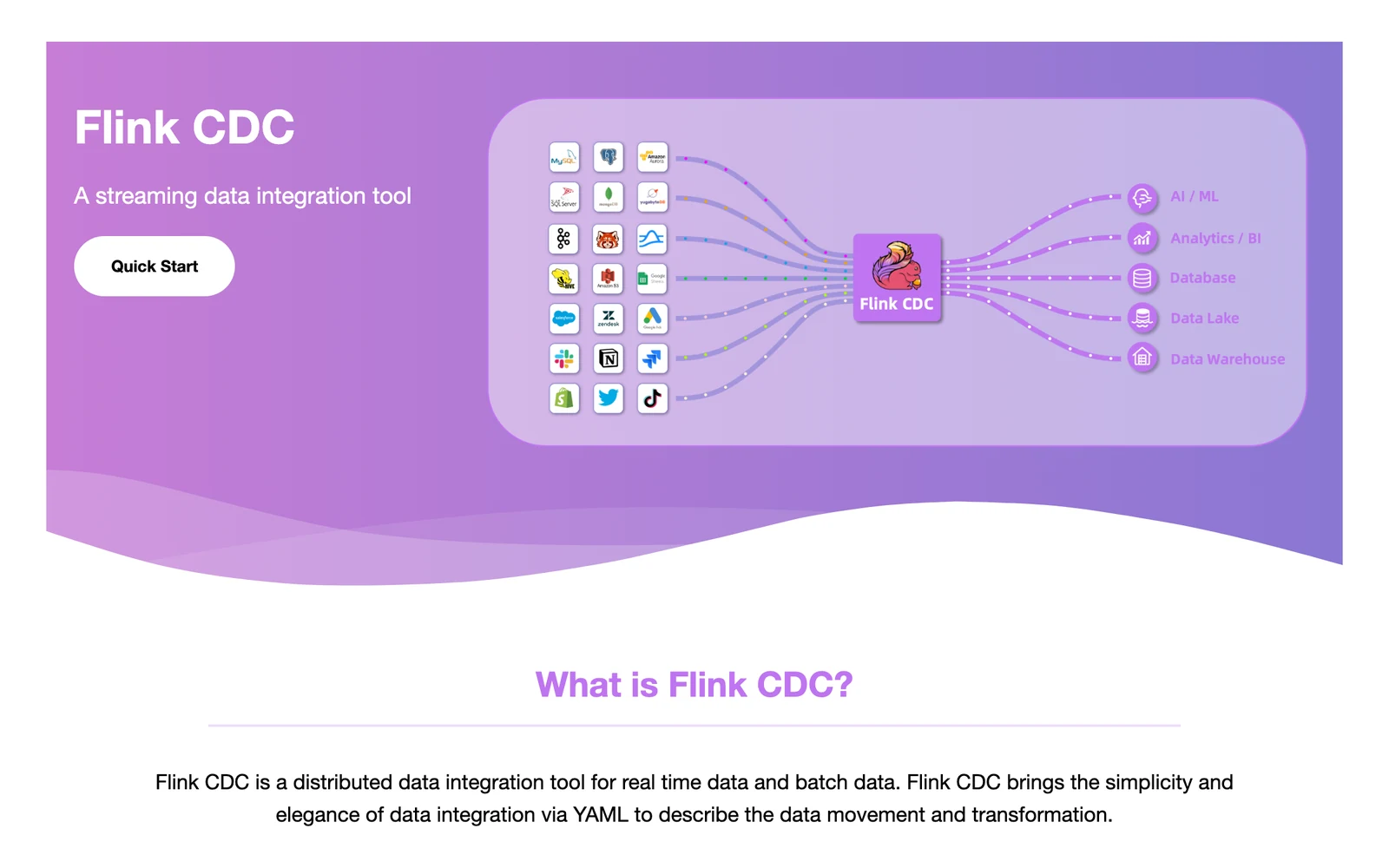
Apache Flink CDC home page, October 2026.
At a glance
- Method: Log-based, with Debezium as the engine for some sources
- Price: Free licence, you pay for the Flink cluster
With Flink CDC you write a pipeline in YAML, and it generates and submits the Flink job for you. In version 3.6.x the YAML sources are MySQL, PostgreSQL and Oracle. SQL Server, MongoDB and Db2 are listed only under its separate Flink sources.
What's good
- The Iceberg pipeline sink creates tables and syncs schema changes such as new columns, with catalogs of type hadoop, hive, glue or a custom class.
- Its connector overview lists ten pipeline sinks for version 3.6.x: StarRocks, Doris, Paimon, Kafka, Elasticsearch, OceanBase, MaxCompute, Iceberg, Fluss and Hudi. The same YAML pipeline format covers all of them.
- The overview lists Iceberg versions 1.6, 1.7, 1.8, 1.9 and 1.10 for the Iceberg sink.
- The sink's
partition.keyoption takes partition transforms per table: truncate, hour, day, month, year and bucket (Iceberg sink docs). - Per the same page, the sink supports both batch and streaming data synchronization.
Where it falls short
- The Iceberg sink needs a primary key (a column that uniquely identifies each row) on every source table, and its docs say exactly-once is not supported. It uses at-least-once writes plus the key.
- Depending on the catalog type, the sink docs say you may need to add extra JARs by hand and pass them with the
--jarargument of the Flink CDC command line. - Each Flink CDC release pairs with specific Flink versions. Version 3.6.x supports Flink 1.20.* and 2.2., and 3.5.x supports 1.19. and 1.20.* (overview).
- The version table shows YAML sources arriving over time: PostgreSQL first appears in the 3.5.x row and Oracle in the 3.6.x row, and the Iceberg sink first appears in the 3.4.x row.
3. OLake Go: best for database changes into Iceberg on your own storage

OLake home page, October 2026.
At a glance
- Method: Log-based CDC for four databases
- Price: Free licence (Apache 2.0), you pay for infrastructure
You run it with Docker Compose (OLake UI install), the Docker command line (Docker CLI) or Helm on Kubernetes (Kubernetes install).
It reads PostgreSQL logical replication, the MySQL binlog, MongoDB change streams and SQL Server's native CDC, and writes Apache Iceberg tables. Deleted rows are marked with equality deletes (a delete by key value) or positional deletes (a delete by file position), both Iceberg version 2 delete formats. Since v0.11.0 it can also use deletion vectors, an Iceberg version 3 delete format (see the terminology page).
Docs: PostgreSQL, MySQL, MongoDB, SQL Server.
What's good
- It is open source under Apache 2.0 (GitHub), and one tool does the first snapshot and then the change capture, with no per-row fee.
- It supports eleven Iceberg catalog types (compatibility page), including Glue, Hive, Unity and Representational State Transfer (REST) catalogs (REST catalog page).
- Kafka and S3 work as sources too (connector overview), and OLake Fusion, a companion product, handles Iceberg compaction and table maintenance (Fusion docs).
- Full Refresh + CDC, Full Refresh + Incremental and strict CDC syncs are stateful and resumable: after a crash, a network failure or a manual pause, a sync resumes from its last checkpoint instead of starting over. The Iceberg writer also uses a two-phase commit that tracks per-chunk commit status, so syncs avoid inconsistencies and duplicate writes (OLake Go overview).
- Large tables are read in parallel chunks during the first snapshot, and each job sets its own maximum number of connections to the source database (OLake Go overview).
- New source columns are added to the Iceberg schema automatically, and widening type changes such as INT to LONG, FLOAT to DOUBLE and wider DECIMAL precision are handled (schema evolution docs).
Good to know
- Change capture covers PostgreSQL, MySQL, MongoDB and SQL Server, and Oracle, Db2 and S3 sources load by full refresh or incremental.
- Output is Iceberg and Parquet on storage you choose, and Snowflake, BigQuery and Redshift can query the Iceberg tables it writes (see the compatibility page).
Bottom line: Pick OLake Go when you run PostgreSQL, MySQL, MongoDB or SQL Server and want database changes in Iceberg tables on storage you run. For Oracle change capture, look at Debezium, Qlik Replicate or Oracle GoldenGate above.
Managed or vendor-run
4. Estuary: best for one managed platform for streaming and batch
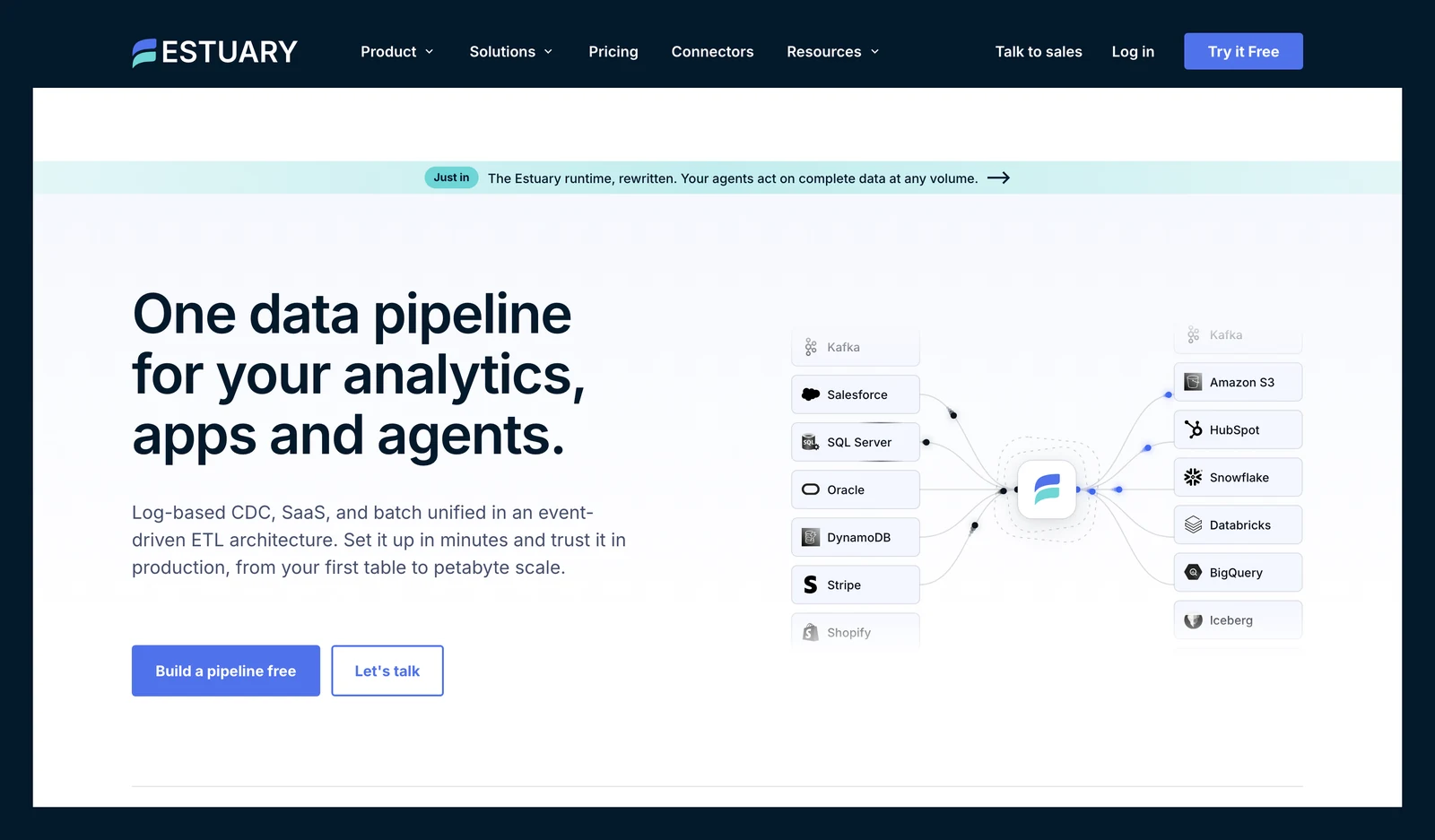
Estuary Flow home page, October 2026.
At a glance
- Method: Log-based
- Price: $0.50 per GB moved, plus $100 a month for each of the first 6 connector instances and $50 for extra ones; free tier of 10 GB a month and 2 instances (Estuary pricing page, October 2026)
Its pricing page lists PostgreSQL, MySQL, MongoDB, Oracle and SQL Server among the major databases it supports.
What's good
- Its pricing page says it unifies real-time streaming and batch movement in one system.
- The pricing FAQ says Estuary offers "200+ source and destination connectors" across databases, cloud storage, APIs, SaaS apps and streaming platforms (pricing page).
- Per the same FAQ, a new pipeline runs a historical backfill and then switches to real-time CDC, and the backfill can be disabled or scoped.
- Adding a new target means paying only for that target and the data sent to it, with no need to re-extract from each source (pricing FAQ).
- Its Iceberg connector docs say AWS Glue catalogs work through the Glue Iceberg REST endpoint, and that with Glue you can configure table optimizers for compaction, snapshot retention and orphan file deletion.
Where it falls short
- The Iceberg connector needs an Iceberg REST catalog (a catalog with a standard web API) on Amazon S3, an AWS EMR Serverless Spark application and an S3 staging bucket (a holding folder for files in transit). Catalogs on GCP or Azure are planned, not supported.
- Each source and destination is a billed instance (pricing), so the bill grows as your pipelines do.
- In the Iceberg connector docs, array and object fields are written as string columns, and the docs say nested types are not currently supported.
- Compaction through the Glue optimizer settings is off by default (Enable Compaction defaults to false), and Hard Delete is disabled by default, so rows deleted in the source are soft-deleted in Iceberg.
- A "Beta" label sits in the docs section on REST catalogs other than AWS Glue.
- Private and bring-your-own-cloud deployments need an annual plan and add fees based on the cloud infrastructure required, and no figure is published (pricing docs).
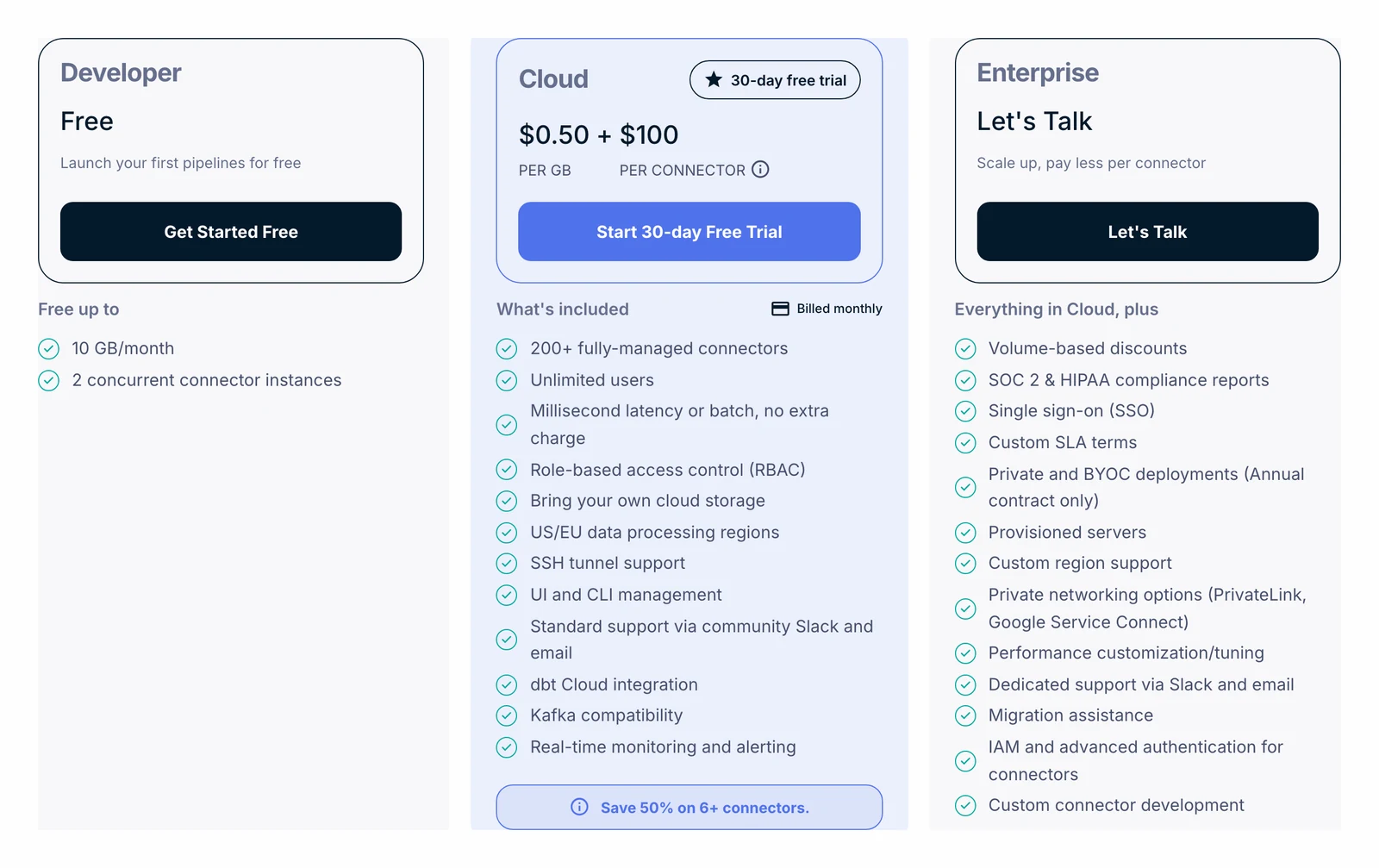
Estuary pricing page, October 2026.
5. Airbyte: best for scheduled syncs and a long connector list
Airbyte home page, October 2026.
At a glance
- Method: Log-based CDC on scheduled syncs
- Price: Core free; Cloud Standard $20 a month with 5 credits and $5 per extra credit, with database data at 4 credits per GB (Airbyte pricing page and credit docs, October 2026)
Airbyte's CDC docs say syncs are scheduled, and CDC sources aren't treated as infinite streaming sources. So don't expect a live stream. Cloud Standard syncs at most hourly, and Plus syncs every 15 minutes (Cloud limits).
What's good
- Its pricing page lists 700+ connectors, and the S3 Iceberg destination supports REST, Glue, Nessie and Polaris catalogs.
- The S3 Iceberg destination offers Full Refresh Overwrite, Append and Overwrite + Deduped, plus Incremental Append and Append + Deduped. Its docs say dedup is merge-on-read: primary keys become Iceberg identifier columns, and an upsert is an equality delete on the key followed by an insert.
- The pricing page's comparison matrix lists a maximum sync frequency of 5 minutes on Pro and Enterprise Flex, against 15 minutes on Plus and 1 hour on Standard.
- Its licence FAQ says anyone can use Airbyte free of charge and run it at scale on their own infrastructure, under the Elastic License 2.0.
- On Cloud, the credit docs say that if you run out of credits, syncs continue and you are billed in arrears. A trial lasts 14 days or 400 trial credits, whichever comes first.
Where it falls short
- The CDC docs list some limits. Views aren't supported, TRUNCATE and ALTER changes aren't picked up from the logs, and new tables need a refresh.
- Per the same page, CDC incremental is supported only for tables with primary keys for most sources, and the first CDC sync takes a snapshot with a SELECT statement, which the docs call effectively a Full Refresh.
- In the S3 Iceberg destination, objects and unions are written as string columns of serialized JSON (destination docs).
- Two cautions in the same docs: if compaction runs at the same time as a truncate refresh sync, it deletes files from the current generation and causes data loss, and changes made to the main branch outside Airbyte after a sync begins are lost.
- The Cloud limits page caps Standard organizations at 1 workspace and a connection at 1,000 streams. Plus has SSO but no SCIM or role-based access control.
- Pro and Enterprise Flex use capacity-based pricing, and the pricing page publishes no price for them.
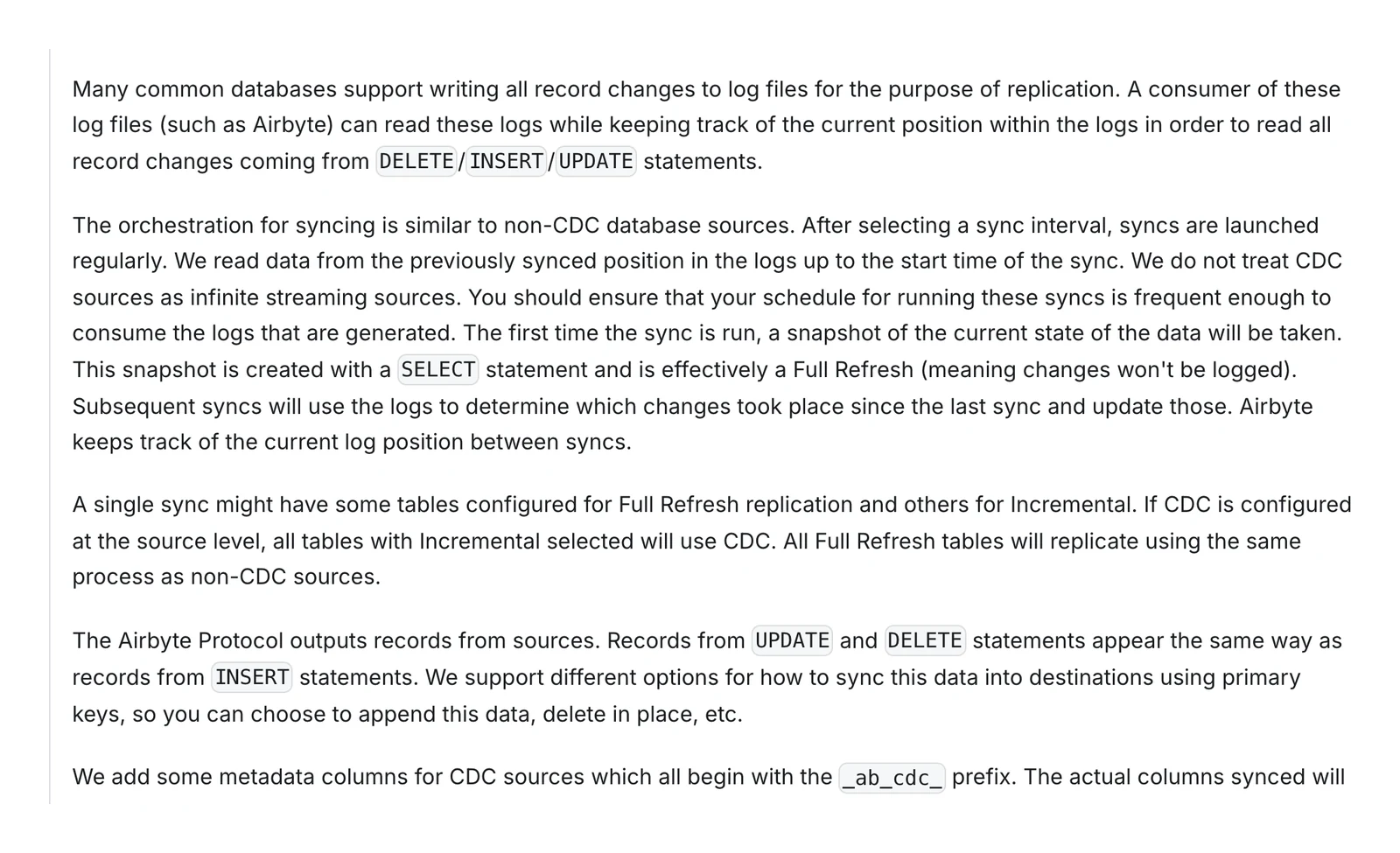
Airbyte's change data capture documentation, October 2026.
6. Fivetran: best for hands-off, vendor-run replication
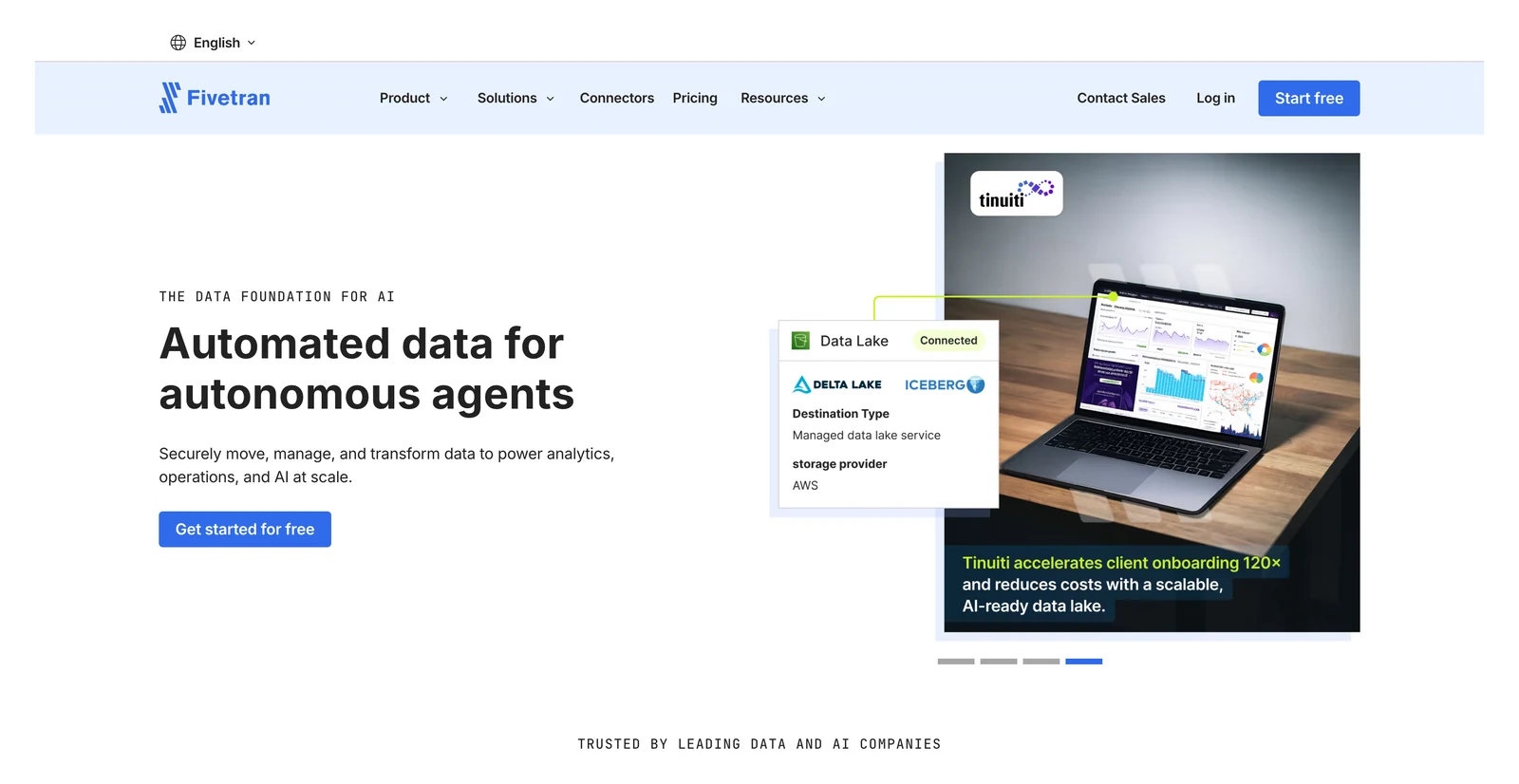
Fivetran home page, October 2026.
At a glance
- Method: Native logs plus proprietary methods
- Price: Monthly Active Rows (MAR) per connection; free up to 500,000 MAR; a $5 base charge per connection on paid plans from January 2026; paid per-MAR rates in its Service Consumption Table (Standard first tier $495 per million MAR, version 10, effective February 1, 2026)
Fivetran counts Monthly Active Rows (MAR), meaning the rows changed in a month, per connection.
Its database connectors use each source's own CDC feature (MySQL and MariaDB binlog, SQL Server CDC and Change Tracking, MongoDB change streams, PostgreSQL logical replication) or a proprietary method (database connector docs). Its proprietary Teleport Sync can force a full table re-sync if large parts of a table change.
What's good
- It runs the pipeline for you, with hundreds of connectors.
- Managed Data Lake Service writes Iceberg to S3, Azure Data Lake Storage and Google Cloud Storage, and Fivetran says it handles the table maintenance (we did not test that).
- Per its database connector docs, database connectors sync new and modified data every 15 minutes by default, apply changes to the destination in batches with a merge (upsert and insert), and most initial syncs finish within a day.
- For the Iceberg service, Fivetran says snapshots older than the retention period are deleted once a day (the last 2 snapshots are always kept), and orphan files are moved to an
orphansfolder on the second and fourth Saturdays of each month (docs). We did not test this. - A row is counted once per month even if it syncs several times, and a row deleted twice in a month is counted once (pricing update).
Where it falls short
- The Iceberg service does not support position deletes (docs), and deleted rows count as paid MAR from January 2026 (pricing update).
- The billing docs set a $5 minimum charge per connection on monthly pay-as-you-go (for usage between 1 and 1 million MAR) and a $12,000 minimum on annual contracts.
- Per the same page, Oracle, Oracle RAC, Oracle RDS, SAP ERP on HANA and Db2 for LUW (Beta) database sources can be synced only on the Enterprise or Business Critical plans.
- Expired change logs require a full source re-sync, and schema changes in the source are the most common trigger of a full table re-sync (database connector docs).
- On AWS, the Iceberg service does not support the S3 Glacier Flexible Retrieval, Glacier Deep Archive and Intelligent-Tiering archive tiers, and AWS Glue Catalog supports only one table per schema and table name combination in a Region (docs).
- Iceberg does not allow columns named
_deleted,_file,_partition,_pos,_spec_id,file_path,posorrow, so Fivetran prefixes such names with a hash symbol (#) (same docs).
What users say: In a Hacker News thread about Fivetran and dbt Labs agreeing to merge (October 2025), one commenter wrote "Fivetran is convenient but absurdly expensive."
7. Artie: best for managed CDC with a published monthly plan
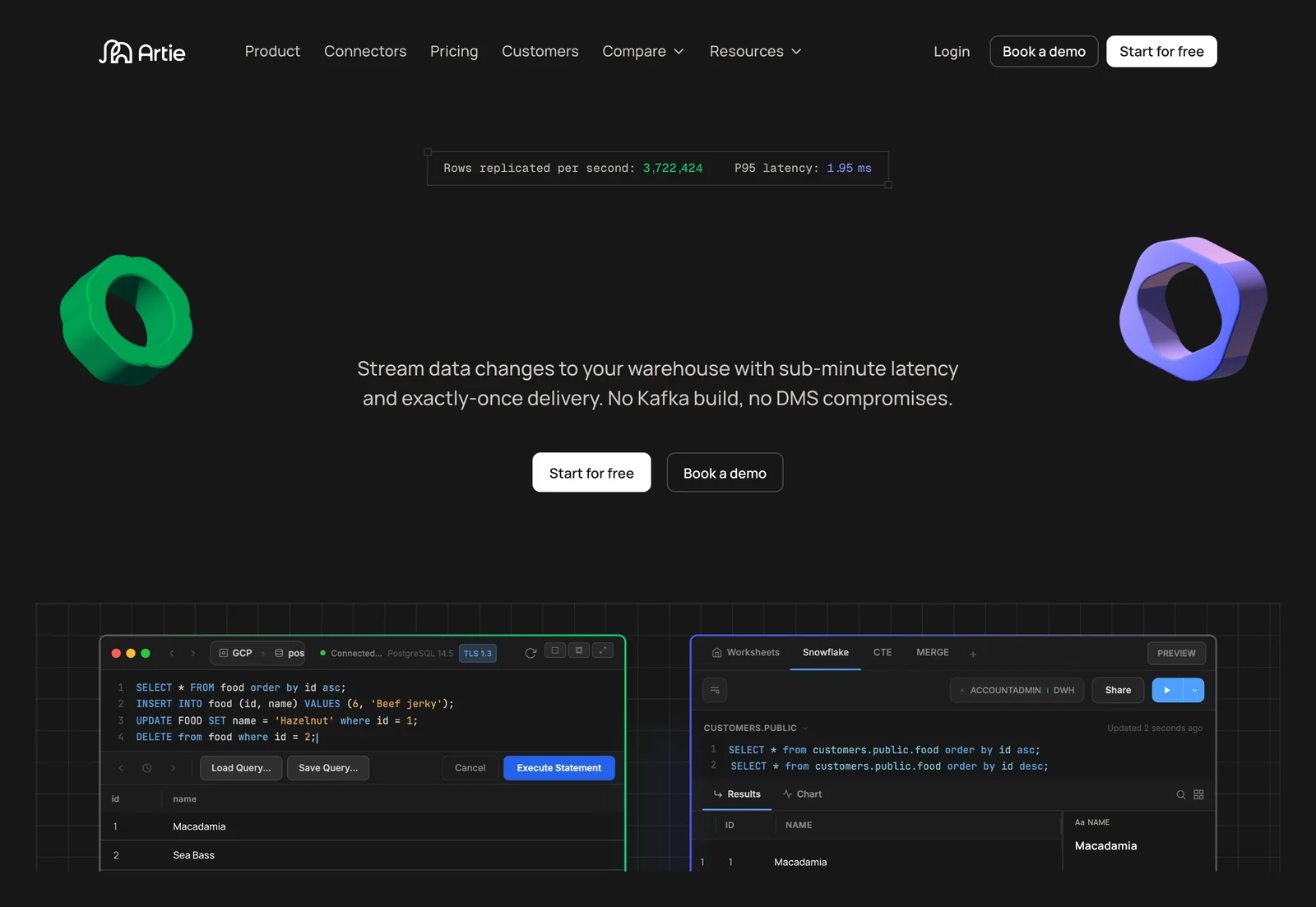
Artie home page, October 2026.
At a glance
- Method: Log-based
- Price: Free to 1M rows a month and 2 pipelines; Growth from $500 a month billed annually; Enterprise custom (Artie pricing, October 2026)
Iceberg arrived through S3 Tables in June 2025 and through REST (a standard web API) catalogs in March 2026, per its changelog.
What's good
- You get a free plan, a published Growth price, and sources such as PostgreSQL, MySQL, MongoDB, Oracle and SQL Server (pricing page).
- Growth is $500 a month billed annually or $600 a month month-to-month, and it is usage-based on the billable rows processed after the initial backfill (pricing page).
- Its changelog says Iceberg REST catalogs, naming Databricks Unity Catalog, Snowflake Polaris and Dremio, arrived in March 2026, and that Iceberg destinations can be set up through its Terraform provider (February 2026).
- The same changelog lists September 2026 additions: Oracle changes from an Active Data Guard physical standby that is open read-only, and PostgreSQL 17 failover replication slots for new CDC pipelines.
- A July 2026 changelog entry says MongoDB pipelines can opt into collection-scoped change streams, and that database-wide change streams apply the configured filters before Artie decodes events.
Where it falls short
- Here's the catch. The pricing page lists Iceberg, and Oracle and SQL Server log replication, only under Enterprise.
- PrivateLink costs $500 a month per connection on Growth and is not offered on Free, and an uptime SLA is listed only for Enterprise (pricing page).
- Running in your own cloud (bring your own cloud) is listed as Enterprise only, and Enterprise pricing is custom (pricing page).
- Artie does not publish a product licence on the pages we checked, including its pricing page.
- The changelog shows the S3 Tables Iceberg destination in beta in May 2025, with the full launch in June 2025.
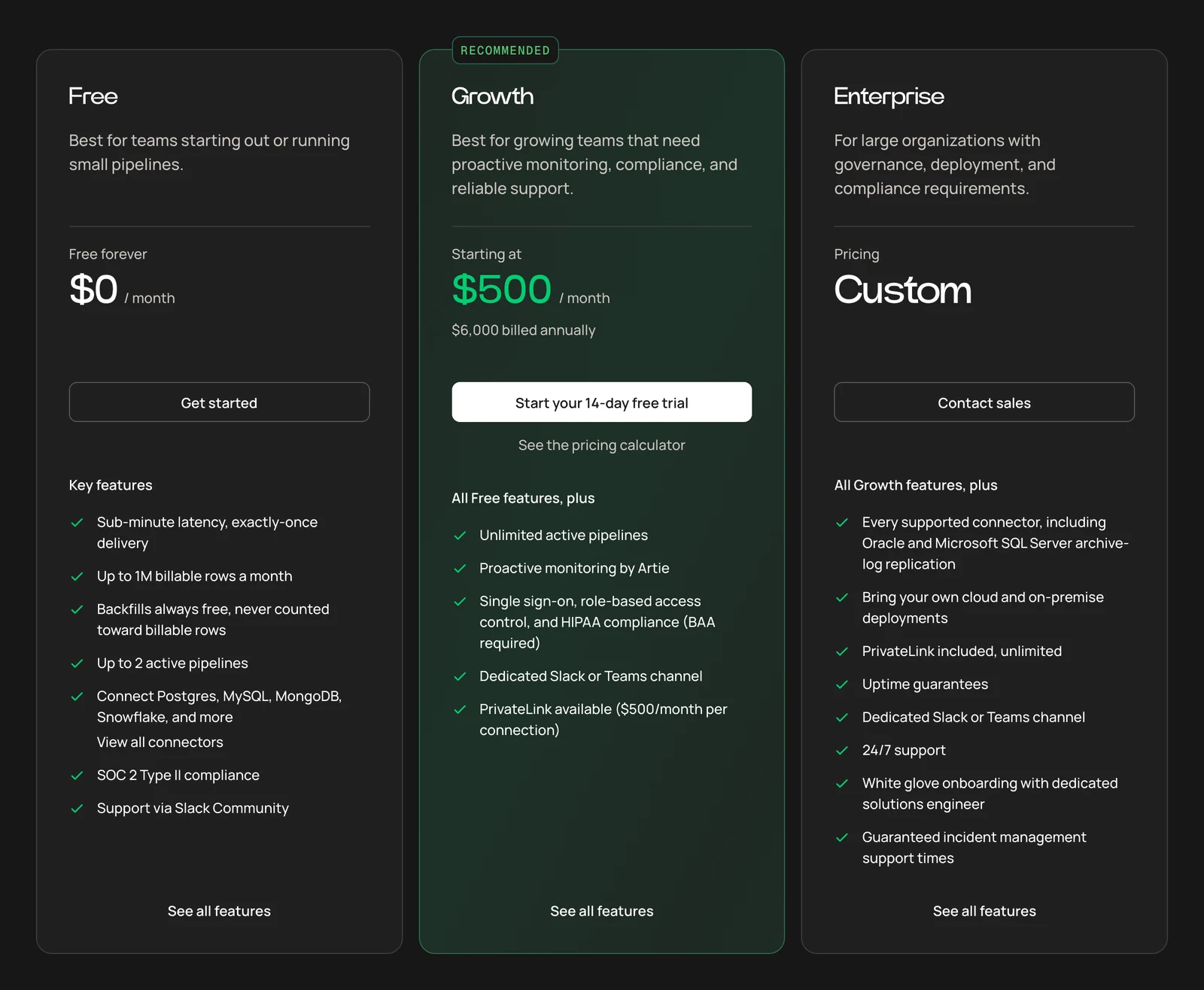
Artie pricing page, October 2026.
Enterprise platforms
8. Striim: best for Oracle-heavy streaming
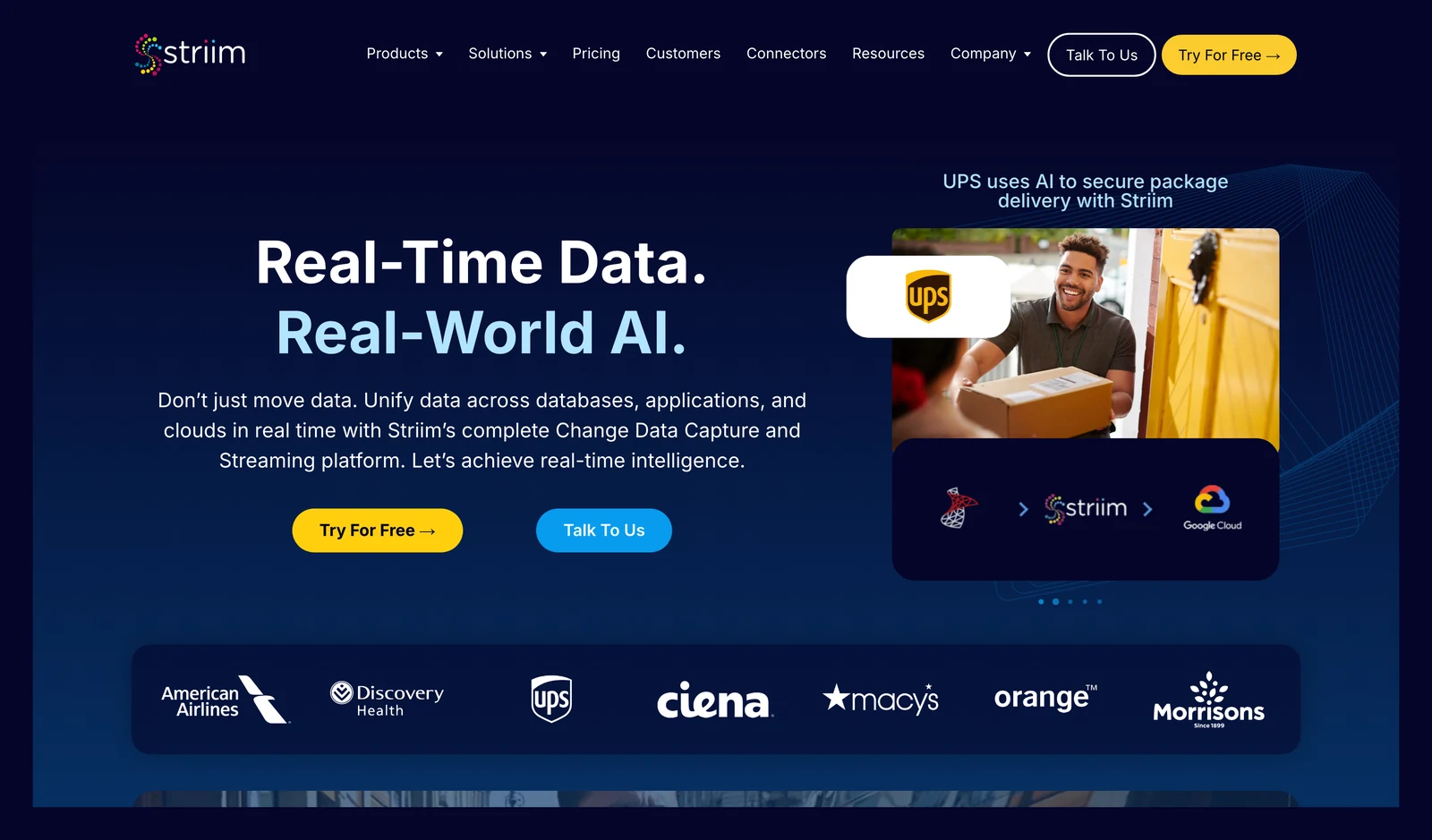
Striim home page, October 2026.
At a glance
- Method: Log-based
- Price: Developer tier free up to 25 million events a month; Cloud and Platform say "contact us" (Striim pricing page, October 2026)
For Oracle, Striim gives you two readers, one using LogMiner and one called OJet. Both read Oracle 11g and higher, including Oracle clusters (Oracle CDC docs).
What's good
- Its docs describe two Oracle readers, and its Iceberg Writer has write modes of merge and append-only with schema evolution.
- The Oracle CDC docs position the LogMiner-based Oracle Reader for 20 GB to 80 GB of CDC data per hour and OJet for high-volume cases of 150+ GB per hour. Both are listed as supporting Oracle 26ai.
- Per the same page, its GG Trail Reader can read existing Oracle GoldenGate trail files.
- The S3 Tables writer supports APPENDONLY and MERGE modes, with an Optimized Merge option for partial-image CDC, and works with either the catalog built into S3 Tables or AWS Glue.
Where it falls short
- The Iceberg Writer says the only supported data lake in this release is Google Cloud Storage. It also needs a Spark compute service and a catalog, and you must create partitioned tables by hand. That said, Striim also documents a separate S3 Tables writer.
- The Iceberg Writer needs Google Cloud Managed Service for Apache Spark (formerly Dataproc) and a Lakehouse, Nessie or Polaris catalog. A Hadoop catalog on GCS is supported but recommended only for development and testing.
- The Iceberg Writer writes time data types as strings, and it recovers with at-least-once processing.
- The S3 Tables writer uses Amazon EMR as its compute engine, and S3 Tables requires lowercase table, namespace and column names, which breaks wildcard mappings against sources with uppercase identifiers.
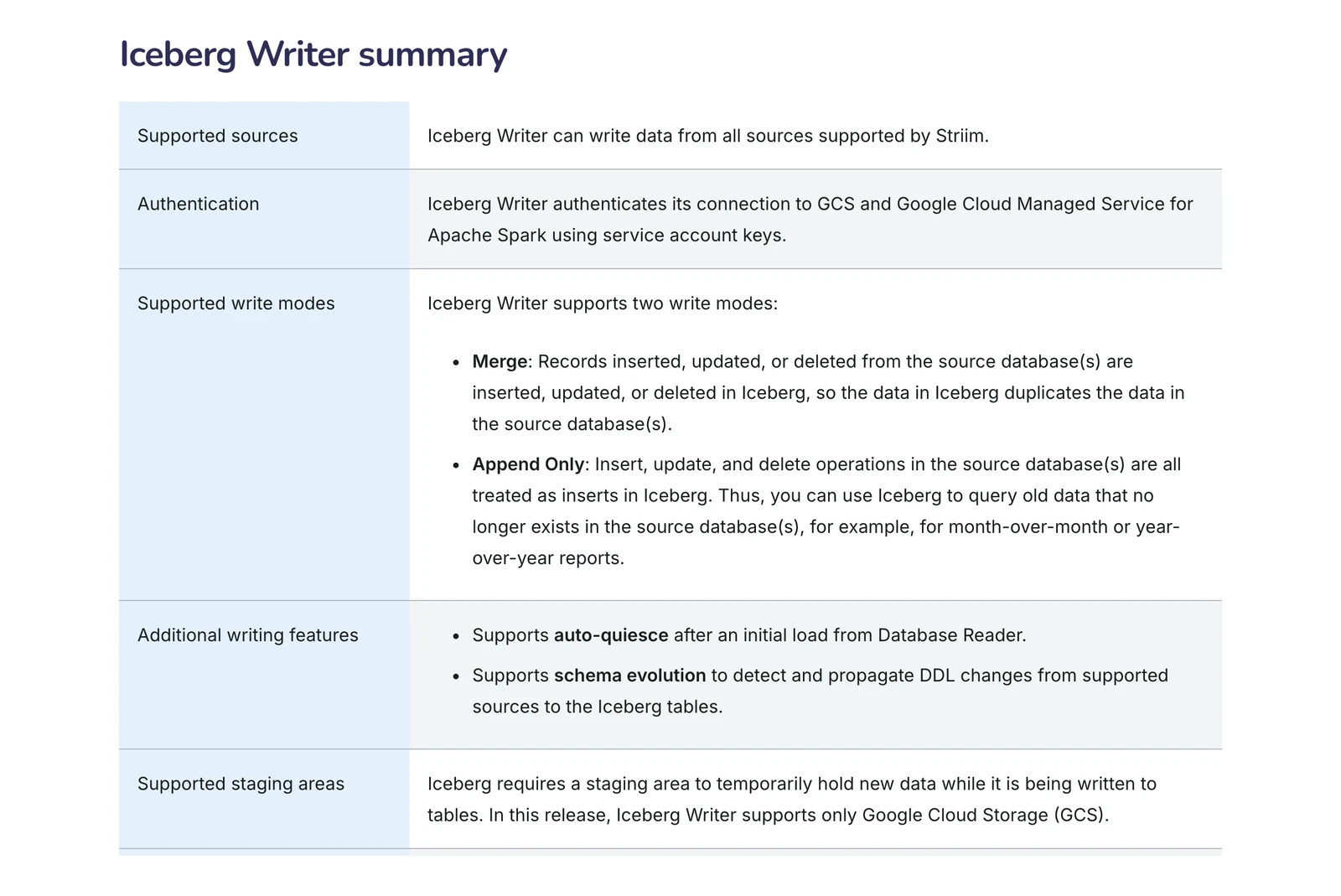
Striim Iceberg Writer documentation, October 2026.
9. Qlik Replicate: best for older enterprise and mainframe sources
Qlik Replicate / Qlik Talend Cloud home page, October 2026.
At a glance
- Method: Log-based
- Price: Capacity bands by data volume and job runs, no list prices (Qlik pricing page, October 2026)
On Talend Cloud, log-based CDC starts at the Standard edition and the Starter edition has none. Mainframe sources appear in the Enterprise edition (Qlik pricing page).
What's good
- Mainframe sources, listed in its Enterprise edition.
- Qlik's pricing page lists Open Lakehouse, with ingestion and adaptive optimization for Apache Iceberg, in its Standard edition. We did not test it.
- The pricing page lists cloud, client-managed or hybrid deployment under the Standard edition, and the Premium edition adds ELT or ETL transformations.
- For Oracle, the Replicate docs describe reading redo logs with either Oracle LogMiner or Replicate Log Reader, with a separate limitations list for each.
- Qlik says usage is measured on data volume moved, number of job executions and execution duration, and customers can watch it on a self-serve telemetry dashboard (pricing page).
Where it falls short
- Prices aren't published on Qlik's own pages: each of the four editions shows a Contact Us button and no dollar figure.
- Iceberg comes mainly from the separate Open Lakehouse feature.
- For Oracle 21c, the docs say LogMiner is not supported, immutable tables and blockchain tables are not supported, and CDC is not supported if a schema, table or column name is longer than 30 characters (Oracle source limits).
- Capturing changes from a pluggable database (PDB) with LogMiner is not supported, capturing from several PDBs through the container database is not supported, and the docs advise against LogMiner on a RAC environment because of unpredictable behavior (same page).
10. Oracle GoldenGate: best for Oracle-to-Oracle and low-downtime moves
Oracle GoldenGate home page, October 2026.
At a glance
- Method: Log-based
- Price: Per processor or Named User Plus on premises (Oracle price list); OCI GoldenGate bills per OCPU (Oracle's compute unit) per minute (OCI billing docs, October 2026)
Oracle's FAQ says the Extract process captures changes from the source redo or transaction logs and writes them to a trail file. GoldenGate 26ai supports Oracle Database 19c to 26ai and later.
What's good
- It lists "hundreds of sources and targets", including MySQL, PostgreSQL, SQL Server, Db2, Kafka and Snowflake.
- The FAQ lists unidirectional, bidirectional and multi-directional configurations, and says GoldenGate and OCI GoldenGate support change data capture from MongoDB and MongoDB Atlas.
- The Iceberg guide gives dependency downloaders for Google Cloud Storage, Amazon S3 and Azure Data Lake Storage (Iceberg guide).
- Per the FAQ, OCI GoldenGate is a fully managed service where Oracle handles backups, patching and upgrades, and the FAQ says it is also available on Google Cloud and Azure.
- For older Oracle sources, the FAQ says GoldenGate 19c and 21c support Oracle databases from 11.2.0.4 to 21c.
Where it falls short
- The Iceberg connection sits in the GoldenGate for Distributed Applications and Analytics guide, with Glue, Hadoop, Nessie, Polaris and REST catalogs.
- Per the same FAQ, it can't capture from Salesforce, Teradata or TimesTen.
- The FAQ describes the Classic Architecture (GGSCI) as "De-supported in 26ai"; the Microservices Architecture is the REST-based alternative.
- On Oracle's price list (15 September 2026), GoldenGate is $17,500 per Processor ($350 per Named User Plus) with $3,850 annual support, and GoldenGate for Distributed Applications and Analytics, the product whose guide documents Iceberg, is $20,000 per Processor ($400 per Named User Plus) with $4,400 support. Support prices are for the first year only.
Cloud-native services
11. AWS DMS: best for AWS-only migrations and replication
AWS DMS home page, October 2026.
At a glance
- Method: Log-based
- Price: Replication instance hours or Serverless DCU hours (a DCU is 2 GB of memory), plus storage (AWS DMS pricing); for example, dms.t3.medium lists at $0.0745 an hour in us-east-1, on-demand, Single-AZ (AWS price list, September 2026)
DMS reads Oracle with LogMiner or the binary reader, SQL Server with Microsoft's CDC or replication features, MySQL from row-based binary logs, PostgreSQL through logical replication slots, and MongoDB from the oplog (CDC methods).
What's good
- Tasks can do a full load and then CDC.
- AWS's pricing page lists three options (on-demand, serverless and Database Savings Plans), says you pay by the hour for the capacity you use, and says all data transfer into DMS is free (pricing page).
- Each compute-optimized or memory-optimized instance type includes 100 GB of GP2 storage, and each burstable T2 or T3 type includes 50 GB (same page).
- From DMS version 3.5.1, a CDC-only Oracle task started from an SCN or timestamp can use the
openTransactionWindowsetting to pick up open transactions (CDC page). - For sign-ups after 15 July 2025, the Free Tier lets you choose between a Free Plan and a Paid Plan for DMS (pricing page).
Where it falls short
- AWS's CDC page says DMS CDC is not real-time replication and has no latency guarantee.
- Apache Iceberg is not on the list of DMS targets, which does include Amazon S3, so loading Iceberg is a separate step you build.
- Per the CDC page, views can be migrated only with full-load-only tasks, because CDC-only and full load plus CDC tasks include only tables.
- The CDC start point is marked when the task is created and cannot be changed, and a PostgreSQL source does not support a custom CDC start time because PostgreSQL has no way to map a timestamp to an LSN.
- For Oracle, starting a CDC task from an SCN or timestamp misses open transactions (those started before the start position and committed after it), unless you use the setting above.
- AWS says bidirectional replication runs as two tasks, is not a full multi-master solution, and has no conflict detection or resolution. AWS suggests data validation on both tasks to find inconsistencies.
What users say: In a Hacker News thread about a PostgreSQL migration (January 2024), one commenter wrote "AWS DMS did not work for my team and we proceeded with pglogical."
12. Google Cloud Datastream: best for BigQuery on Google Cloud
Google Datastream home page, October 2026.
At a glance
- Method: Per-source, such as the MySQL binary log
- Price: Per GiB processed; backfill free for the first 500 GiB, then $0.40 per GiB (the pricing table says per month, a footnote on the same page says one-time per billing account); a free CDC tier of 100 GiB a month applies only to AlloyDB and Spanner sources (Datastream pricing page, October 2026)
Its sources include MySQL, Oracle, SQL Server and PostgreSQL. One thing to know before you read the price: Google warns that a "processed byte" can be 2 to 5 times larger than the real data (pricing page).
What's good
- Its price is per GiB processed rather than per hour, and AlloyDB and Spanner sources get a free CDC tier (pricing page).
- Usage is billed in per-byte increments, an idle stream does not incur any cost, and events that Datastream reads but does not write to the destination are not counted (pricing page).
- CDC pricing is tiered, so the price per GB falls as your usage rises (pricing page).
- Beyond the databases above, its sources page lists Spanner, MongoDB, Salesforce and several other application sources, some of them in Preview.
- Iceberg tables in BigQuery keep their data in customer-owned Cloud Storage buckets, in the Iceberg table format and Parquet file format (Iceberg destination docs).
Where it falls short
- The Iceberg destination is BigQuery-managed Iceberg tables in Cloud Storage, and Google says streaming to them is "supported only in the append-only write mode".
- In append-only mode the change type of every event is recorded as INSERT in the
datastream_metadatacolumn that Datastream adds to each table (same docs). - Setup needs a Cloud Storage bucket, a BigQuery Cloud resource connection whose service account has the
storage.adminpermission on the bucket, and the bucket, BigQuery dataset and Datastream connection must all be in the same region. - In the pricing page's worked example, CDC is $2.00 per GiB for the first 2,500 GiB and $1.50 per GiB after that, before BigQuery's own processing costs, which are charged separately (pricing page).
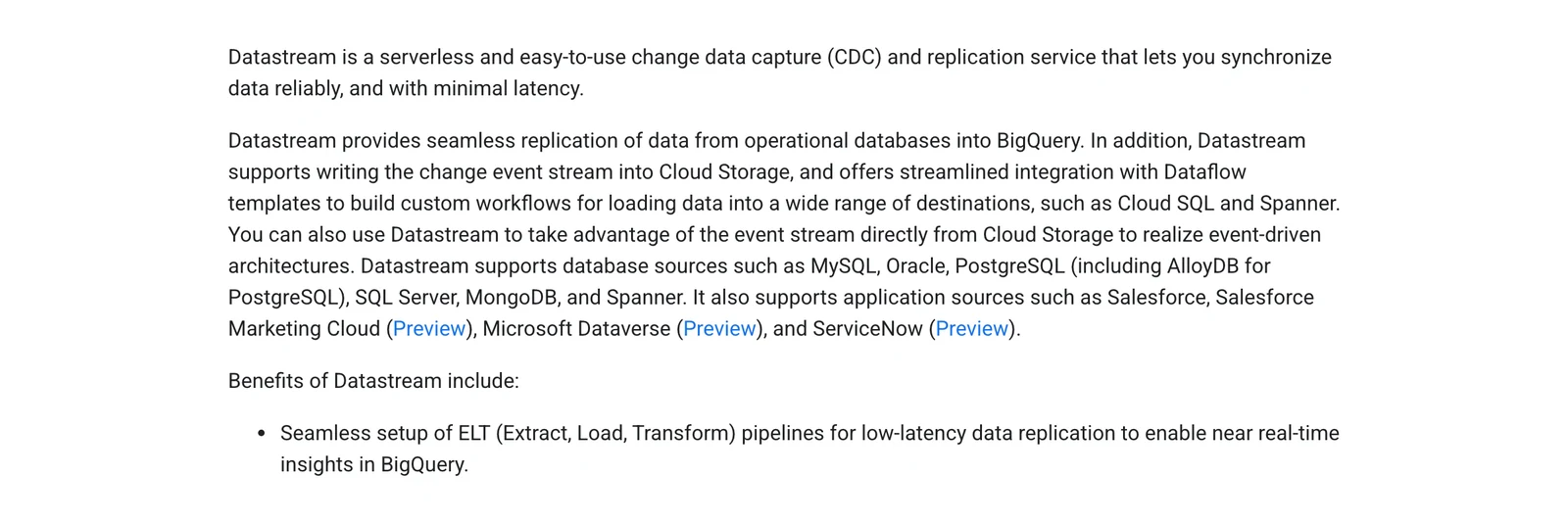
Google Cloud's Datastream overview, October 2026.
Where does each tool land your data?
"Does it support Iceberg?" is too loose a question. Ask which catalog (the service that tracks your Iceberg tables), which cloud, which write modes, and whether updates and deletes work.
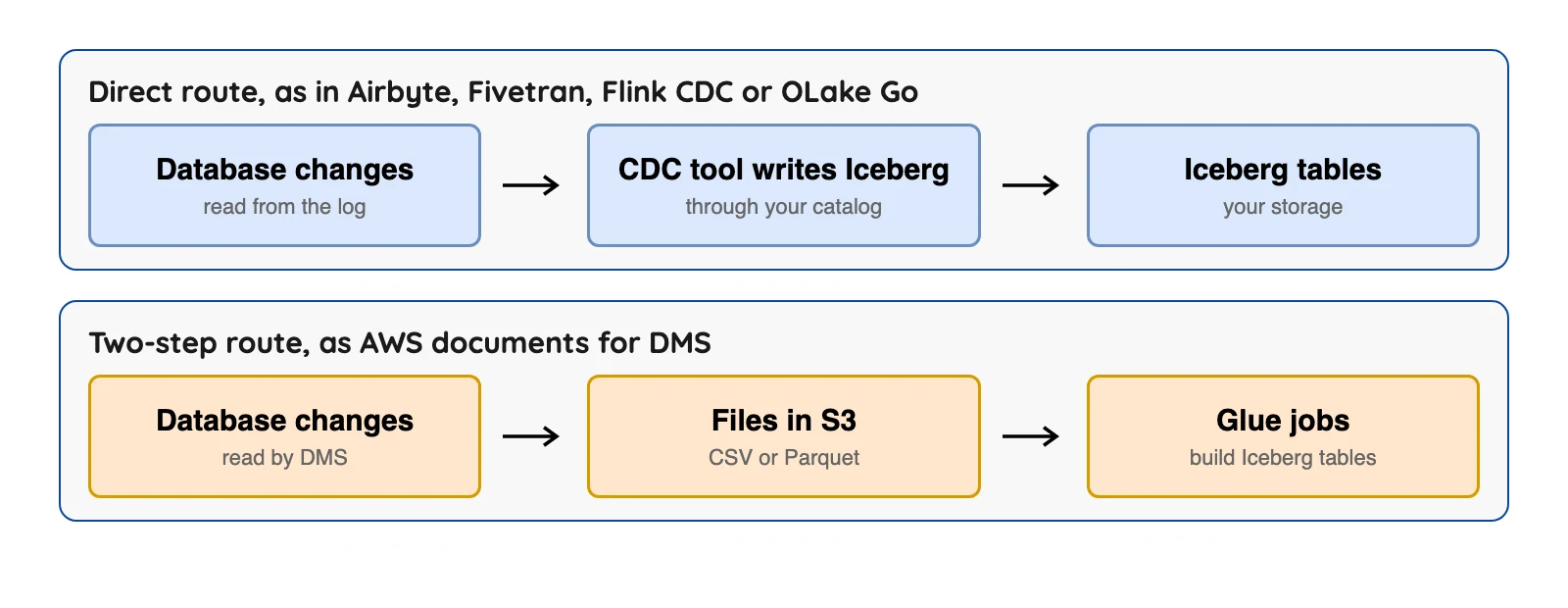
Append-only output keeps every change as its own row, so the cleanup is on you: keep the latest row per key and drop the deleted keys.
So which one should you pick?
| Your situation | Look at first |
|---|---|
| Many systems need the same stream, and you run Kafka | Debezium |
| You already run Flink and want transforms | Flink CDC |
| Postgres, MySQL, MongoDB or SQL Server into Iceberg, self-hosted | Debezium Server or OLake Go |
| Hands-off, many databases and SaaS apps | Fivetran |
| Vendor-run capture with usage pricing | Estuary or Artie |
| Scheduled syncs, self-host option | Airbyte |
| Oracle at large scale | Striim, Qlik Replicate or GoldenGate |
| Mainframe sources | Qlik Replicate |
| Everything on one cloud | AWS DMS or Datastream |
Which change data capture tool fits you?
Question 1 of 5
Who should run the pipeline?
A free licence still has a bill: servers and people on call.
Open source or managed: what's the real cost?
Three of the twelve tools are open source under Apache 2.0. Airbyte's Elastic License 2.0 and Estuary's Business Source License 1.1 are source-available licences. Airbyte's bars providing the software to others as a managed service, and Estuary's bars using it for a "Data Processing Service", and its text says it is not an Open Source license.
A free licence is not a free pipeline. Debezium's Kafka mode needs a Kafka cluster, Flink CDC needs a Flink cluster, and someone has to be on call. Managed tools swap that work for a meter: Fivetran counts rows, Estuary gigabytes and instances, Airbyte credits and Datastream processed bytes.
Here is the maths on Estuary's Cloud plan: 50 GB a month through one capture and one destination is 2 connector instances. Estuary's docs bill data "into and out of Estuary", so 50 GB is counted twice. That is 100 GB x $0.50 = $50 for data, plus $200 for instances, so $250 a month (our arithmetic from the Estuary pricing page and docs, October 2026).
What to check before you commit
These seven checks come from failure modes the vendors' own docs describe.
1. Exact database and version support. Qlik's docs say Oracle 21c cannot use LogMiner, only Qlik's own log reader. Artie lists Oracle and SQL Server log replication on Enterprise only.
2. The initial snapshot. Most setups copy the existing rows first, then switch to changes. Debezium's PostgreSQL docs say that if the connector stops during a snapshot it starts a new one on restart, and Fivetran needs a full re-sync when you change database providers.
3. Delete handling. Timestamp-based CDC sees only soft deletes. Even log-based CDC has gaps: for MySQL, the Debezium FAQ says deletes caused by cascade delete rules are not in the binlog.
4. Schema changes. Airbyte's Iceberg connector never rewrites data files, so it handles only some changes. Striim's Iceberg Writer writes time types as strings.
5. Latency. Ask what delay you'll really see.
6. Ordering and "at least once". Debezium's docs say it delivers at least once, so duplicates can appear after a failure, though events within a topic stay in order. Flink CDC's Iceberg sink and Striim's Iceberg Writer are also at least once, so use primary keys and upserts instead of blind appends.
7. What vendors say about delay.
| Tool | What its own pages say about delay |
|---|---|
| Artie | "Sub-minute latency, exactly-once delivery" on its pricing page |
| Estuary | "Millisecond latency or batch, no extra charge" on its Cloud plan (pricing page) |
| Airbyte | Syncs are scheduled; Standard runs at most hourly and Plus every 15 minutes (limits) |
These are vendor claims, not our tests. AWS says DMS CDC has no latency guarantee.
One more for PostgreSQL. Debezium's docs warn that WAL (write-ahead log) disk space can spike when a quiet captured database shares a server with a busy one. The replication slot (PostgreSQL's log bookmark for the tool) can't move, and the fix is a heartbeat setting.
How to run a two-week trial
Use the same test for every finalist. We haven't run it ourselves.
- Seed rows 1, 2 and 3. Insert row 4, update row 2 twice and delete row 3.
- Add a column, then widen a number column from 32 to 64 bits.
- Stop the tool mid-run, then restart it. Every key should appear once.
- Expected result: rows 1, 2 (with its second update) and 4, no row 3, no duplicates. Append-only outputs, such as Datastream's, show every change as its own record.
- Read the bill after a week of real change volume.
Q1. What is the best change data capture tool?
Q2. What are the best open source CDC tools?
Q3. What is the difference between log-based and query-based CDC?
Q4. Does CDC capture deletes?
Q5. Which CDC tools can write Apache Iceberg?
Q6. Is change data capture real time?
Q7. Do I need Kafka for CDC?
Conclusion
Start with where your data must land and who will run the pipeline. Then check your database, deletes, schema changes and the "at least once" rule, and run the same trial on two or three finalists.