Best Data Lake Tools in 2026, by Layer
37 min read
Key takeaways
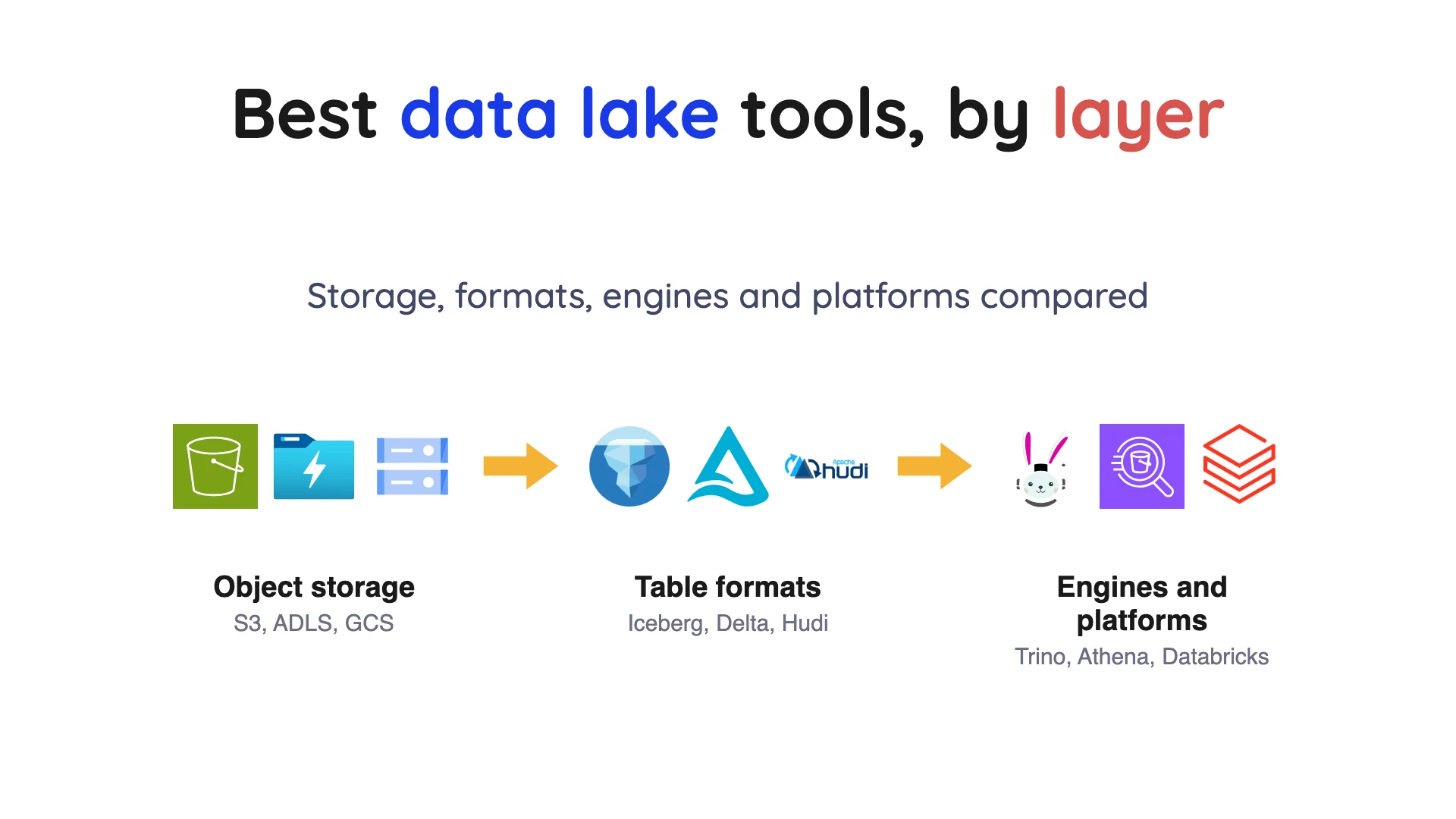
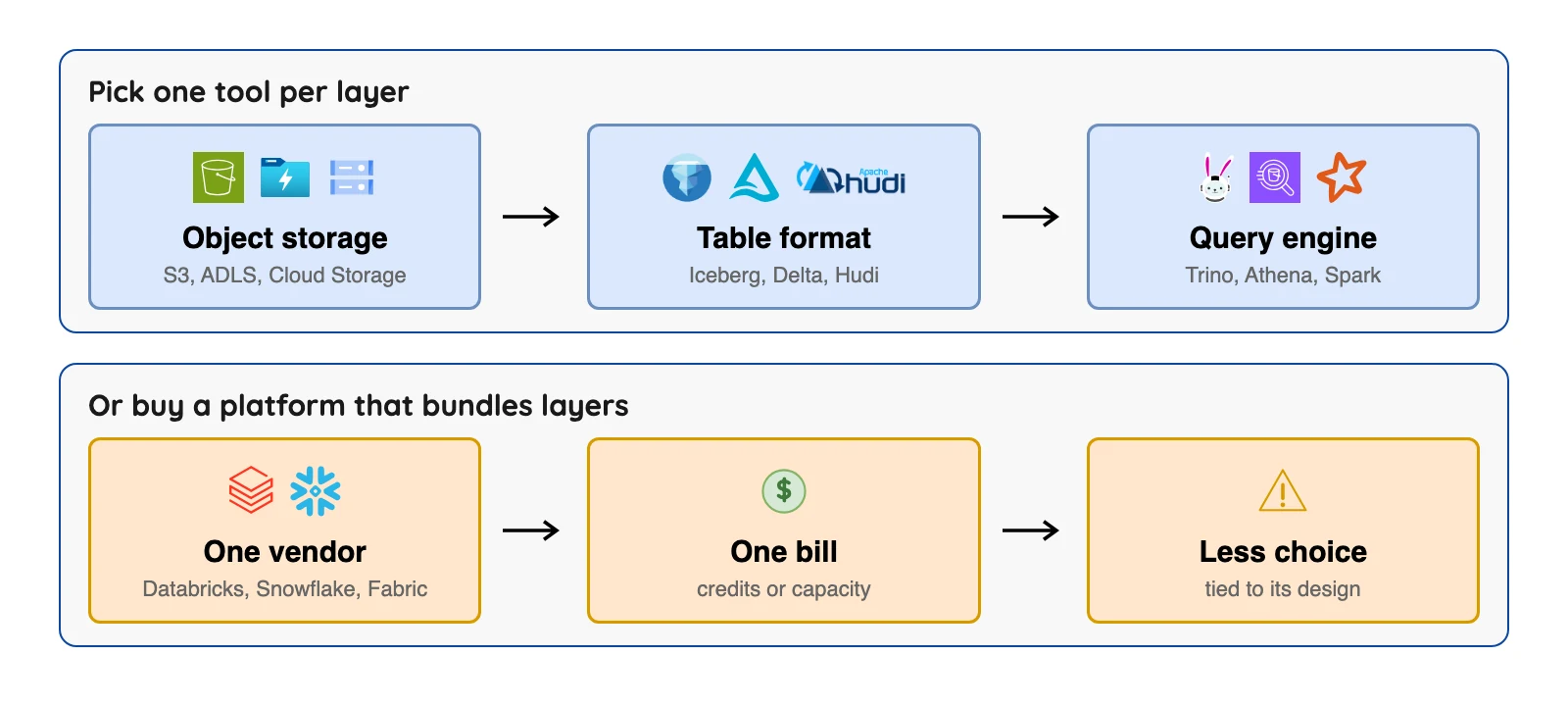
Short version: there's no single best data lake tool, because a lake is built from layers and each layer has its own tools. Most teams start with an object store from their cloud (Amazon S3, Azure Data Lake Storage or Google Cloud Storage). Then they add an open table format, and Apache Iceberg is the one most engines below document.
Last comes one query engine, such as Trino or Athena.
Would you rather have one vendor bundle those layers and send you one bill? Then look at Databricks, Snowflake, Dremio or Microsoft Fabric.
- A data lake is files plus the tools around them: storage, a table format, a query engine and governance.
- Storage is cheap. The tools on top set your bill.
- Open formats make switching easier, not free, because engines differ in what they can write.
Most "best data lake tools" lists throw a storage service, a file format and a full platform into one ranked table. This page sorts 15 tools by the job they do, so you can see what to combine and what each choice costs.
Prices were checked on October 8, 2026 against each vendor's own page. Plans change often, so confirm on the vendor's page before you decide.
What data lake tools are, in plain words
A data lake holds raw data in its original form, usually as files on cheap cloud storage. The tools around it fall into six layers.
Object storage keeps the files, such as Amazon S3.
A table format makes a plain folder of files behave like a database table. It's a set of rules plus small metadata files, and it adds row changes, earlier versions and tracking of which files belong to the table. Apache Iceberg, Delta Lake and Apache Hudi are the three open ones.
A query engine reads the tables and answers questions in SQL. It doesn't store your data.
A catalog and governance layer lists the tables and controls who gets in. An ingestion tool copies data from your databases into the lake. A platform bundles several of these layers and sells them as one product.
How we picked
A tool had to be maintained and publish documentation or pricing we could open. It also had to be one teams meet when building a lake on public cloud or open source.
We read each vendor's own pricing and documentation pages on October 8, 2026, and the page is named beside each claim. We link the pricing pages and the pages behind hard limits.
Licences come from each project's own site or GitHub repository, read the same day. This is a reading of documents, not a lab test: claims about speed, scale, ease or savings are the vendors' own.
Where a vendor hides its price, the text says "not published".
Apache Spark, Starburst, Cloudera and MinIO are left out because we didn't read a primary page for them. The order inside each group is not a ranking.
Data lake tools at a glance
| Tool | Layer | Price, checked October 2026 | Open source | Apache Iceberg (from each tool's own docs) |
|---|---|---|---|---|
| Amazon S3 | Storage | $0.023 per GB a month (S3 Standard, first 50 TB, US East (N. Virginia)) plus requests and transfer | No | S3 Tables store Iceberg tables |
| Azure Data Lake Storage | Storage | Priced at Azure Blob Storage levels; rates by tier on the Azure pricing page (East US, hierarchical LRS) | No | Not stated on the overview page |
| Google Cloud Storage | Storage | Per location and class; rates not quoted here | No | Not stated on the pricing page |
| Apache Iceberg | Table format | Free | Yes | It is the format |
| Delta Lake | Table format | Free | Yes | Read through UniForm metadata |
| Apache Hudi | Table format | Free | Yes | Not stated on its overview page |
| Trino | Query engine | Open source (Apache 2.0); no vendor price listed | Yes | Reads and writes v1 and v2; v3 experimental |
| Amazon Athena | Query engine | $5.00 per TB scanned (US East Ohio) | No | Iceberg 1.4.2, v2 tables only |
| AWS Lake Formation | Governance | Permissions free; services it uses bill normally | No | Limits on table-changing commands, see Athena |
 OLake Go OLake Go | Ingestion | Free Apache 2.0 licence; you run it on your own servers | Yes | Yes, writes Iceberg tables (Iceberg writer docs) |
| Databricks | Platform | Per Databricks Unit (DBU), by product; see entry | Delta Lake is; platform not stated | Spec v1, v2 and v3, via Unity Catalog |
| Snowflake | Platform | Credits; $2.00 each, Standard, AWS US East | No | Parquet Iceberg tables; v2 and v3 row-level deletes |
| Dremio | Platform | Cloud $0.20 per Dremio Compute Unit (DCU); Enterprise by quote | Not stated; free Community Edition | Listed on its pricing page |
| Microsoft Fabric OneLake | Platform | Capacity billed per workspace; rate not read | No | Written directly, bridged to Delta |
| Google BigQuery | Platform | $6.25 per TiB scanned after the first free TiB a month (Iowa) | No | Iceberg V2 managed tables; changes run in GoogleSQL |
Sources: Amazon S3 pricing, Athena price list, Snowflake credit table, Dremio pricing, BigQuery pricing. Checked October 2026.
"Rate not read" means we did not open the rate page. A Databricks Unit (DBU) and a Dremio Compute Unit (DCU) are the compute units those vendors bill.
How data lake tools bill: two meters
Storing the files is the cheap part of a lake. You mostly pay for how much you read and how long compute runs.
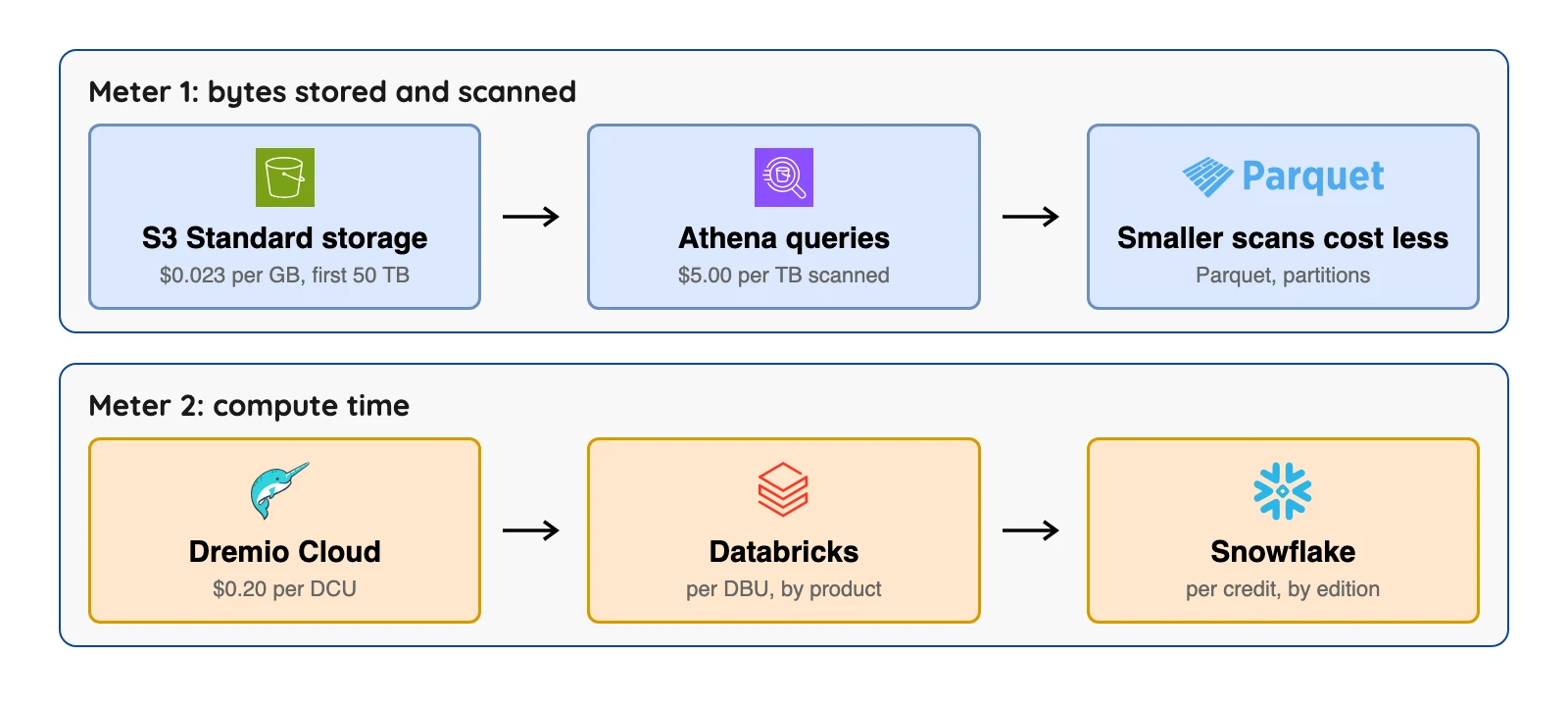
Let's do the maths with published numbers only. Store 1,000 GB in S3 Standard at the first-50-TB rate of $0.023 per GB in US East (N. Virginia) and you pay $23.00 a month, before requests and transfer.
Now query it. Athena's own pricing page shows a 3 TB table costing $15 to scan once at $5 per TB.
After compressing the file 3 to 1 and converting it to Parquet, a query that reads one column scans 0.25 TB and costs $1.25. The page says this is a 3x saving from compression and a 4x saving from reading one column.
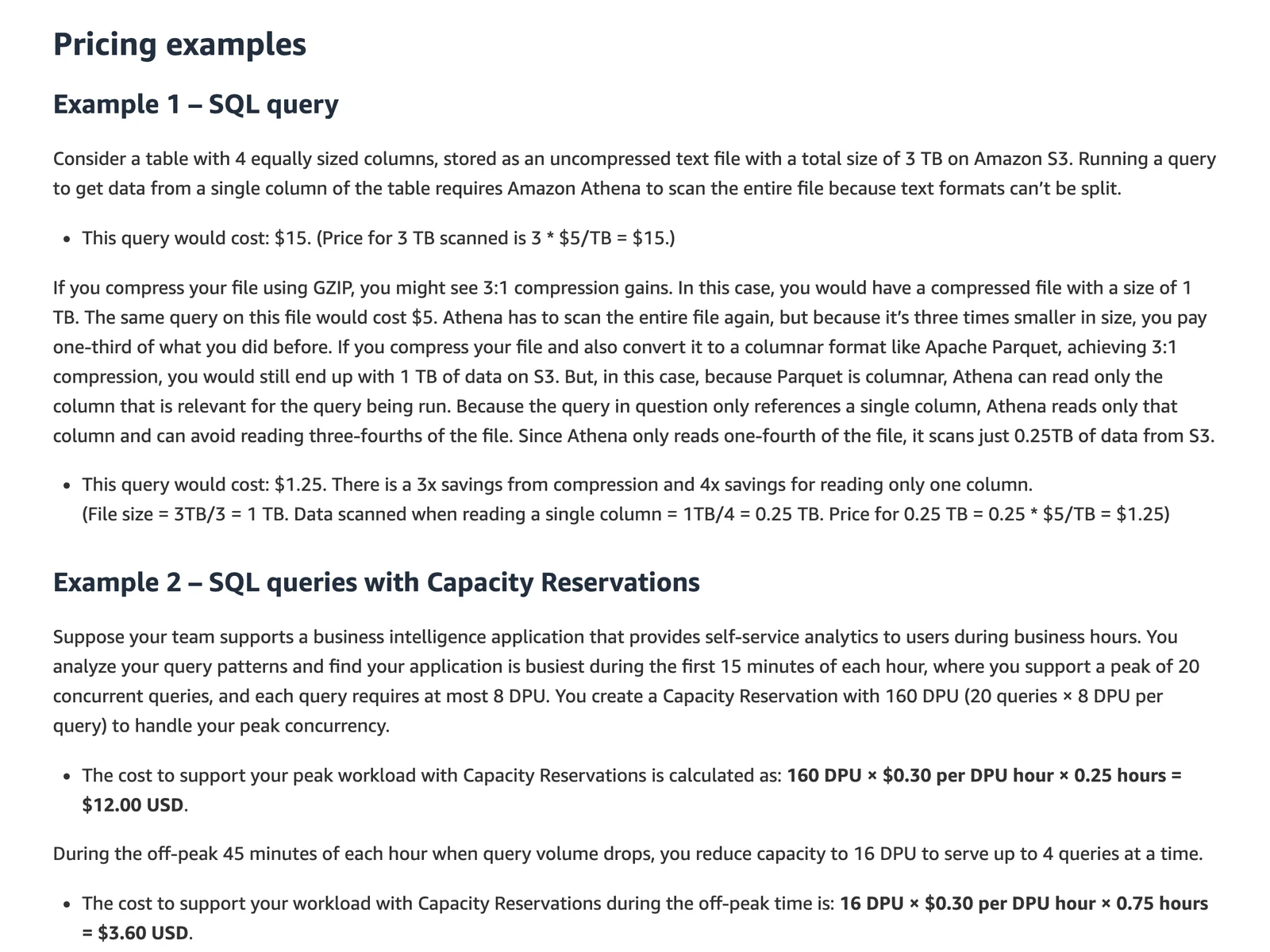
Amazon Athena pricing page, Example 1, October 2026.
So file layout changes the bill, not only the vendor.
The 15 best data lake tools
Object storage
1. Amazon S3: best for the default object store on AWS
Amazon S3 home page, October 2026.
At a glance
- Layer: object storage
- Price: S3 Standard $0.023 per GB a month for the first 50 TB, then $0.022 and $0.021 at higher volumes, in US East (N. Virginia) (Amazon's S3 price list, October 2026)
Amazon's S3 pricing page says your rate depends on the size of your objects, how long you store them and the storage class. It also lists S3 Tables, which store Apache Iceberg tables and carry their own storage, request and monitoring charges.
What's good
- The same price list shows lower-priced classes such as Standard-Infrequent Access at $0.0125 per GB-month in US East (N. Virginia).
- The S3 user guide says S3 gives strong read-after-write consistency for PUT and DELETE requests in all AWS Regions, and that an update to a single key is atomic.
- A single object can be up to 50 TB when you use the multipart upload API, and one PUT can carry an object up to 5 GB (AWS upload docs).
- The same price list gives S3 Standard request rates in US East (N. Virginia): $0.005 per 1,000 PUT, COPY, POST or LIST requests and $0.0004 per 1,000 GET requests.
Where it falls short
- It stores files, and that's it. Without a table format and an engine, you get no tables.
- The same user guide says "There is no way to make atomic updates across keys," so S3 alone cannot commit a change to many files at once. Table formats such as Iceberg (entry 4) add that with an atomic metadata swap.
- Requests and data transfer are billed on top, and the first 100 GB a month of transfer out is free only in aggregate across AWS. The pricing page says request costs depend on the request type and are charged on the quantity of requests.
- S3 Tables, the Iceberg option on the same page, bills an object monitoring fee per object stored in table buckets on top of storage and requests.
- The largest file the S3 console can upload is 160 GB, so very large objects go through the multipart upload API (AWS upload docs).
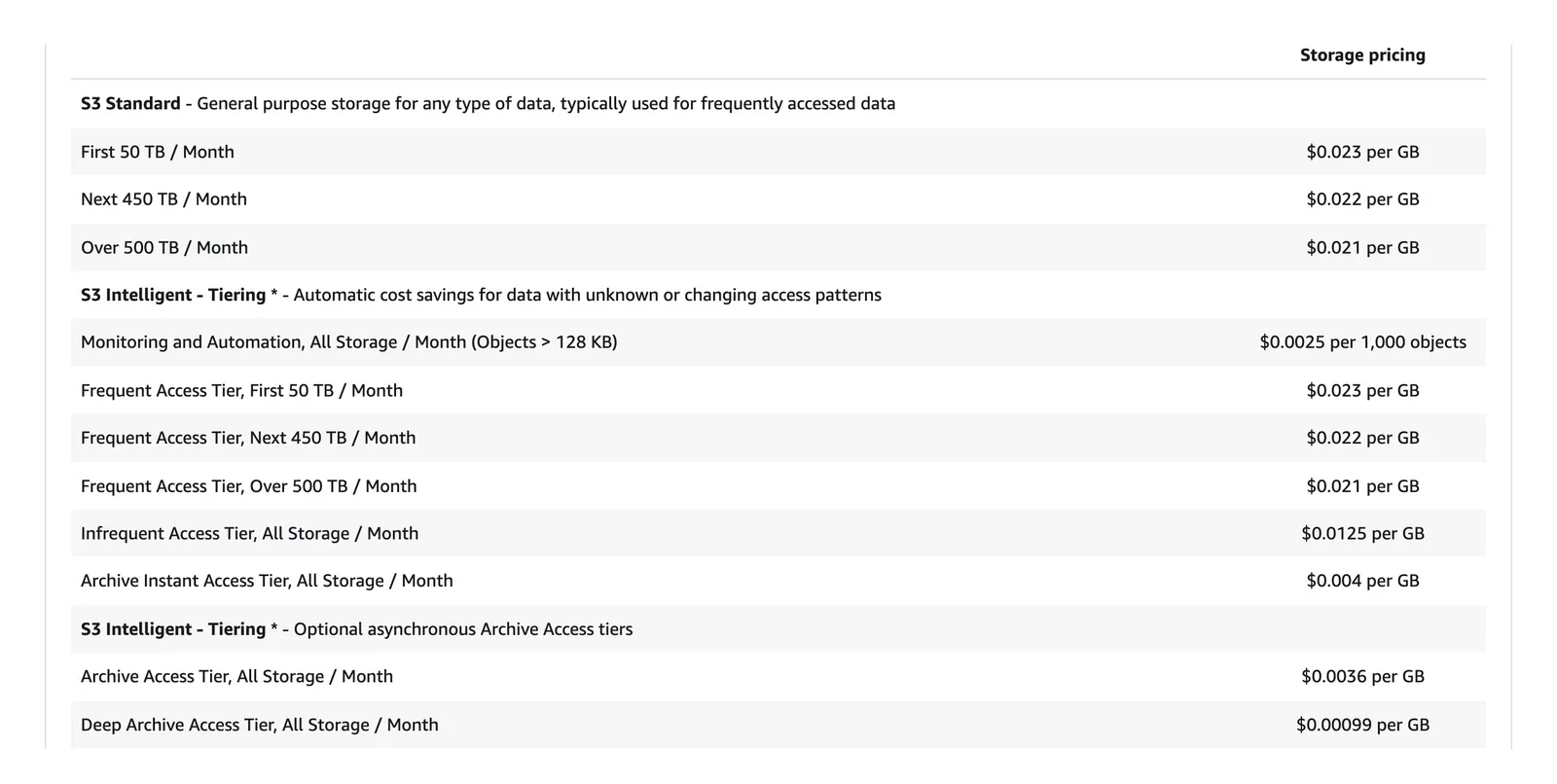
Amazon S3 pricing page, October 2026. The frame does not show the region; the S3 price list gives US East (N. Virginia).
2. Azure Data Lake Storage: best for Microsoft shops that want folder-style storage
Azure Data Lake Storage home page, October 2026.
At a glance
- Layer: object storage
- Price: priced at Azure Blob Storage levels, with rates by tier and operation on the Azure pricing page (Microsoft Learn, page updated July 3, 2026)
Microsoft's overview calls it a set of capabilities built on Azure Blob Storage, switched on by the hierarchical namespace setting. In other words, it isn't a separate service or account type.
What's good
- Microsoft's overview says renaming or deleting a folder is one atomic operation (all or nothing), which it presents as a fit for big analytics jobs. We did not test that.
- Access control supports both Azure role-based access control (RBAC) and POSIX access control lists (ACLs), set at the directory or file level (same overview).
- The overview says all data is encrypted at rest, with either Microsoft-managed or customer-managed keys.
- Microsoft says individual files can run from a few KB to hundreds of TB, with no limits on account size, file size or total data.
- Hadoop distributions include the Azure Blob File System (ABFS) driver, and Microsoft names Apache Spark and Presto as engines that read the data through it.
Where it falls short
- Most Blob Storage features work, but Microsoft says some are preview only and a handful aren't supported.
- The overview page says nothing about Iceberg, so check your engine's docs.
- Turning on the hierarchical namespace cannot be undone. Microsoft's upgrade guide says "There's no way to revert your account once you've performed the upgrade."
- On the Azure pricing page, the hierarchical namespace adds a charge for the extra metadata that holds the folder structure, shown as an Index meter. Data in Cool, Cold and Archive also carries early deletion periods of 30, 90 and 180 days, and the charge is prorated.
- The same page prices operations in 4 MB units: in the East US hierarchical view, Hot-tier writes list at $0.065 and reads at $0.0052 per 10,000 operations, and Archive reads at $6.50.
- The same page lists data retrieval at $0.01 per GB for Cool, $0.03 for Cold and $0.02 for Archive, with Hot free, so reading back from the colder tiers is a separate charge.
3. Google Cloud Storage: best for lakes on Google Cloud with a free starter allowance
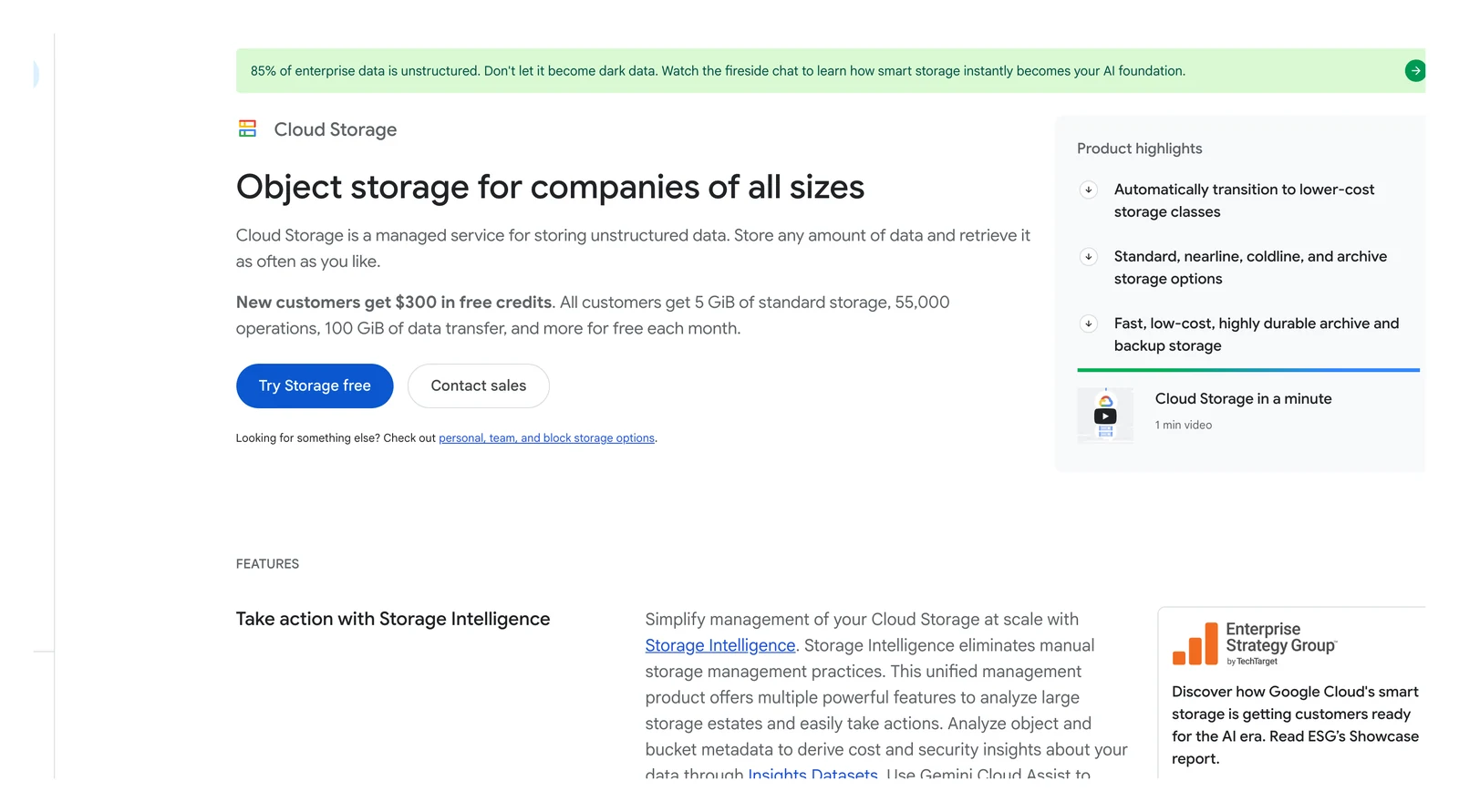
Google Cloud Storage home page, October 2026.
At a glance
- Layer: object storage
- Price: set per location and storage class; Always Free includes 5 GB-months of Standard storage, counted across US-WEST1, US-CENTRAL1 and US-EAST1 (Google Cloud Storage pricing page, October 2026)
The pricing page lists Standard, Nearline, Coldline and Archive classes, plus a Rapid storage class. Look at the retrieval table, which shows $0 per gibibyte (GiB) for Standard, $0.01 for Nearline, $0.02 for Coldline and $0.05 for Archive.
What's good
- The retrieval table lists $0 per GiB for Standard storage, and the Always Free allowance is 5 GB-months.
- Always Free also includes 5,000 Class A operations and 50,000 Class B operations a month, plus 100 GB of data transfer from North America to each Google Cloud data transfer destination.
- Retrieval fees do not apply to objects in a bucket with Autoclass enabled, per the pricing page.
- The retrieval table lists $0 per GiB for the Rapid class too.
Where it falls short
- Storage prices change by location and are shown per hour, so there's no single number to quote.
- The pricing page doesn't state Iceberg support. Google's Iceberg tables live in the BigQuery entry below.
- Data processing costs include operation charges for all requests, retrieval fees for reading data in some storage classes, and inter-region replication charges for data written to dual-regions and multi-regions.
- Autoclass charges, Storage Intelligence charges and charges for objects with attached contextual information (Objects Contexts) are billed as data processing costs too.
- The Always Free quotas apply only to usage in US-WEST1, US-CENTRAL1 and US-EAST1, are counted across those three regions together, and do not apply to the Rapid class.
Open Table Formats
4. Apache Iceberg: best for one table format many engines can read
Apache Iceberg home page, October 2026.
At a glance
- Layer: table format
- Price: free, Apache 2.0 licence (page footer of the Iceberg specification, October 2026)
Iceberg's docs say each write creates a new snapshot, snapshots pile up until you expire them, and streaming jobs can leave many small files that need compaction. The specification says versions 1, 2 and 3 are complete, and version 4 is still in development.
What's good
- Trino, Athena, Databricks and Snowflake all document Iceberg support, as the entries below show.
- The specification says version 2 adds delete files, so single rows can be deleted or replaced in immutable data files without rewriting those files.
- Version 3 adds row lineage tracking and binary deletion vectors, per the same specification.
- Table state lives in metadata files, and each change swaps in a new metadata file atomically. The specification also lists readers that take no locks as a design goal.
- Maintenance tools ship with the project: the maintenance page describes an expireSnapshots operation, a Spark rewriteDataFiles action that combines small files in parallel, and a deleteOrphanFiles action.
Where it falls short
- It's only a format. You still need storage, a catalog and an engine.
- Upkeep is your job (or your platform's): compaction, snapshot expiry and cleaning of orphan files.
- Snapshots accumulate until they are expired, and expiring a snapshot removes it from time travel queries.
- Small data files add metadata and slow queries, and the maintenance page says streaming queries may produce small files that need compaction.
- Old metadata files are kept by default, and tables with frequent commits, such as those written by streaming jobs, may need regular metadata cleanup.
- Engine support differs by version: the Athena entry below creates only v2 tables, Trino lists v3 as experimental, and Snowflake's docs say row-level equality deletes are not supported.
5. Delta Lake: best for teams already on Databricks or Fabric
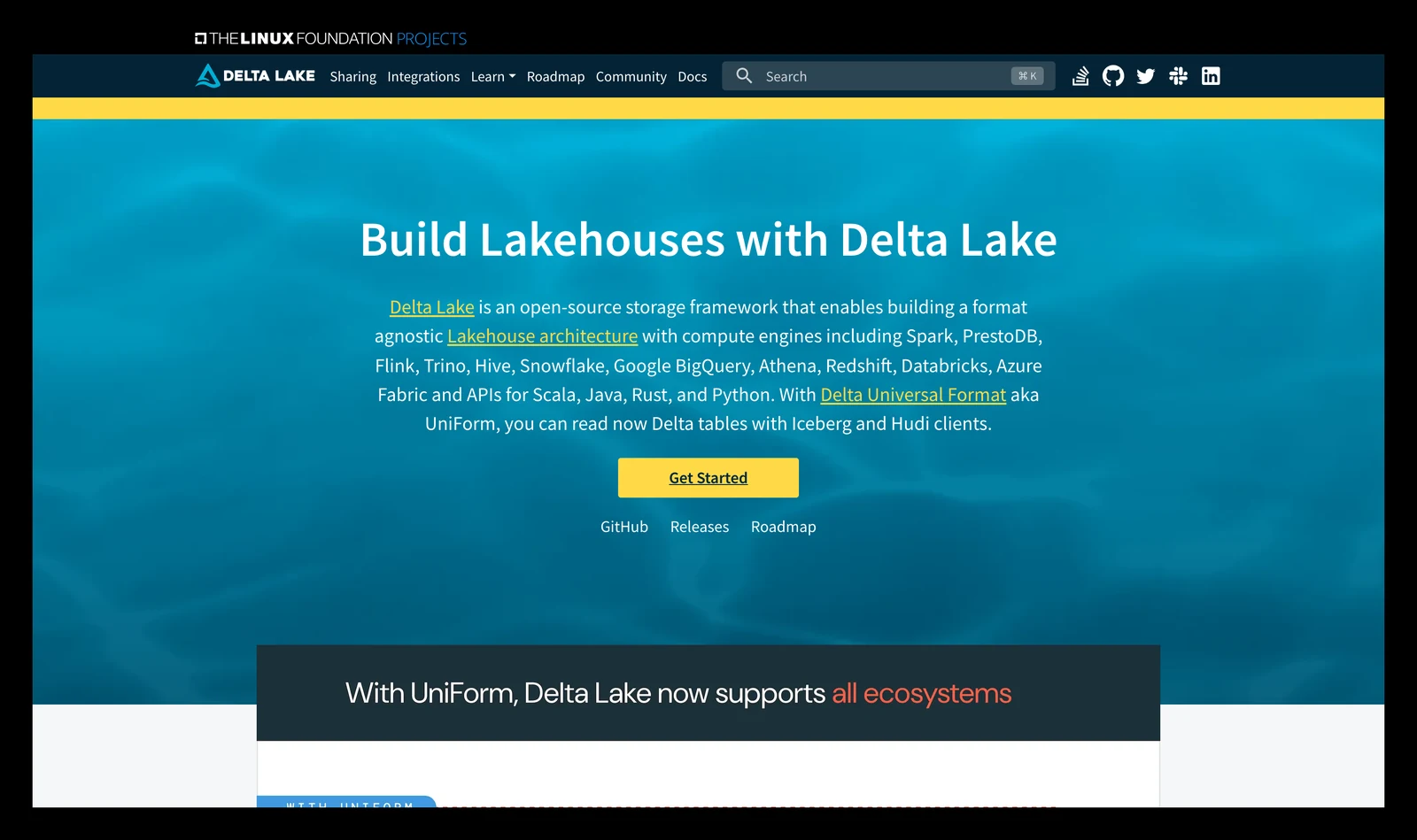
Delta Lake home page, October 2026.
At a glance
- Layer: table format
- Price: free, Apache 2.0 licence (delta-io/delta on GitHub, October 2026)
Delta Lake's site calls it an open-source storage framework for a lakehouse and says no single company controls it, with oversight from the Linux Foundation. It lists Spark, Flink, Trino, Hive, Snowflake, BigQuery, Athena, Redshift and Databricks among supported engines.
What's good
- Delta's UniForm page says Delta Universal Format, called UniForm, lets Iceberg and Hudi clients read Delta tables. It labels the Hudi part a preview.
- Delta's home page lists ACID transactions (serializability, the strongest isolation level) and scalable metadata for petabyte-scale tables as key features.
- It says it is platform agnostic: use it with any query engine, on any cloud, on-premises or locally.
- Delta's site says the project has more than 190 developers from over 70 organizations and is used in over 10,000 production environments. Both figures are the project's own and undated.
Where it falls short
- Fair warning: the same page says UniForm generates its Iceberg metadata asynchronously and is read-only from an Iceberg and Hudi perspective.
- UniForm does not work on tables with deletion vectors enabled, and you run REORG when enabling UniForm Iceberg on such a table.
- The same page says that if an external writer (not Delta Lake) writes to a UniForm Iceberg or Hudi table, it may destroy the Delta table and cause data loss.
- Change Data Feed and Delta Sharing work for Delta clients when UniForm is on, but have no support in Iceberg.
- Microsoft Fabric stores its tables in Delta Parquet, so Delta is the home format there and Iceberg is a bridge.
6. Apache Hudi: best for tables that take frequent updates and deletes
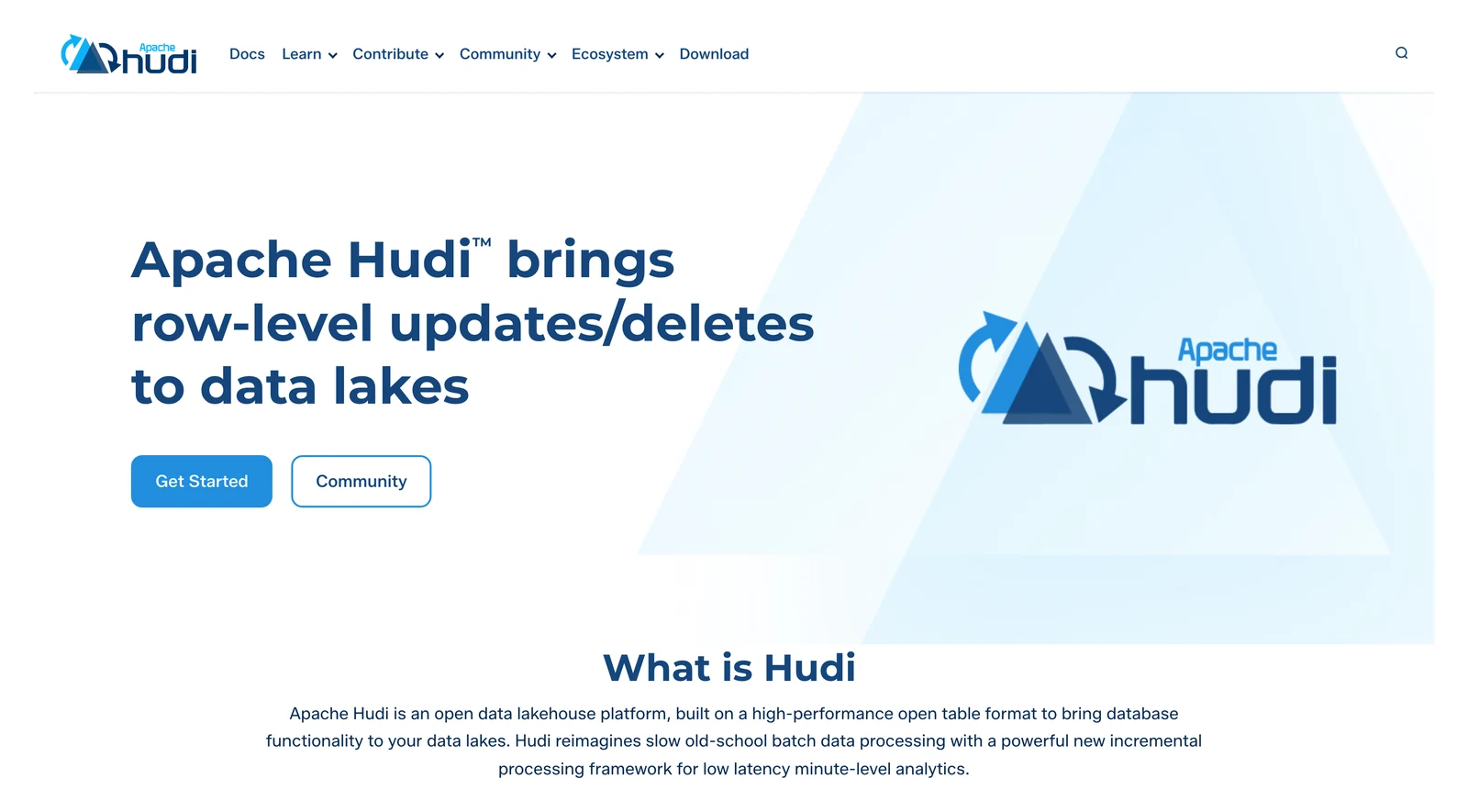
Apache Hudi home page, October 2026.
At a glance
- Layer: table format
- Price: free, Apache 2.0 licence (page footer of Hudi's docs overview, October 2026)
Hudi's overview calls it an open table format built for high-performance writes on incremental data pipelines. It lists upserts (an update or an insert in one step), deletes, indexes, clustering, compaction and concurrency control, and two table types, copy-on-write and merge-on-read.
What's good
- It lists Spark, Flink, Presto, Trino and Hive as query engines.
- The overview lists three query types: Snapshot Queries, Incremental Queries and Read-Optimized Queries.
- It says Hudi-rs is a native Rust implementation of Hudi that also provides bindings to Python, for use outside the JVM.
- It names Uber, Amazon, ByteDance and Robinhood among those transforming their production data lakes with Hudi. That is Hudi's own list and we did not check it.
- The overview offers quick start guides for Spark, Flink and Python/Rust, and a Docker demo that runs Hudi with Kafka, Spark, Hive and Presto.
Where it falls short
- The overview doesn't state Iceberg compatibility, so confirm your engine reads Hudi before you commit.
- Cross-table interoperability between Hudi, Delta Lake and Iceberg is the job of Apache XTable, which says it is incubating in the Apache Software Foundation and was recently renamed from OneTable.
Query engines
7. Trino: best for open-source SQL across many sources
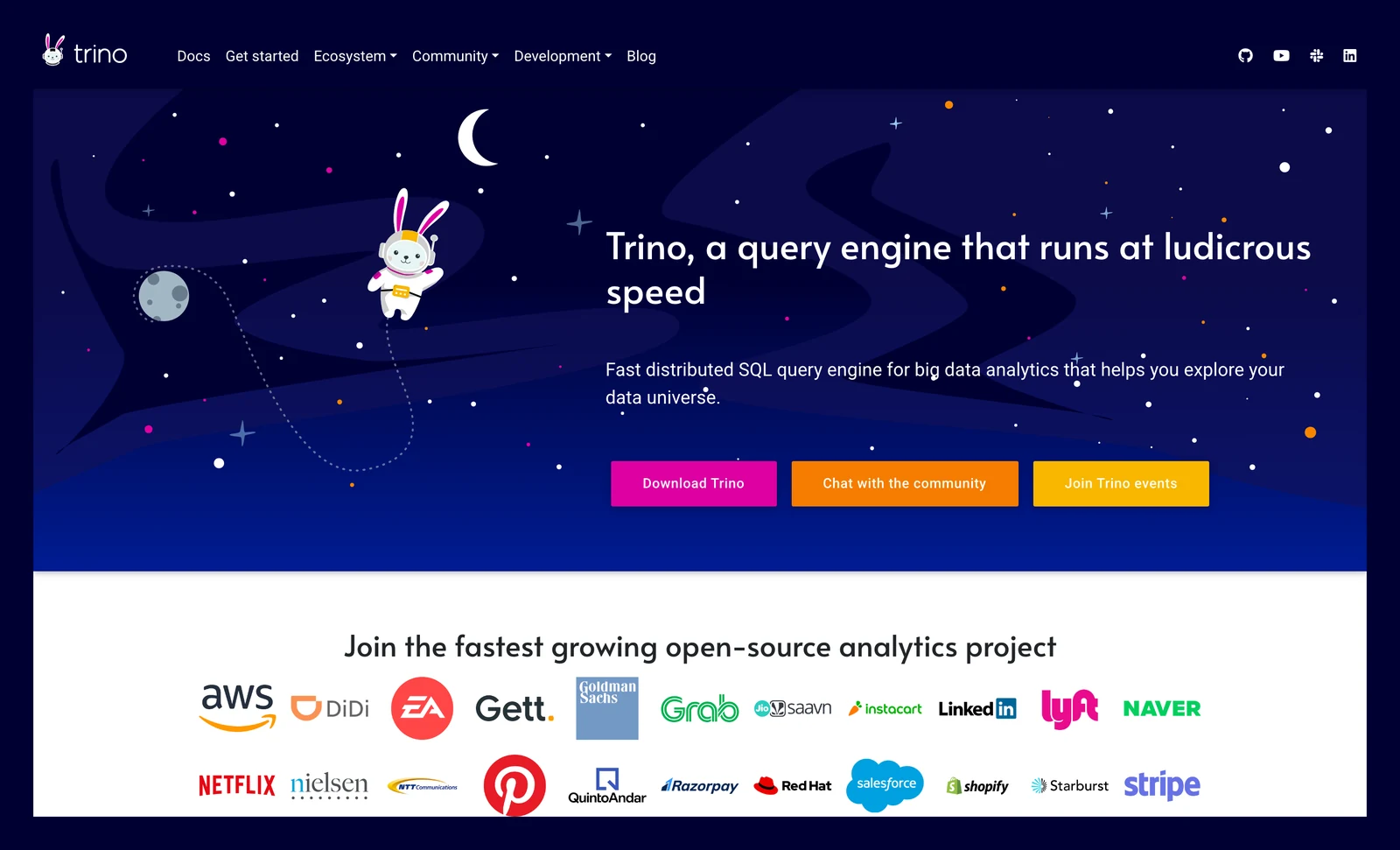
Trino home page, October 2026.
At a glance
- Layer: query engine
- Price: open source, with the Apache 2.0 licence listed on Trino's GitHub repository; no vendor price is listed (October 2026)
Trino's Iceberg connector page says it supports Iceberg spec versions 1 and 2, with version 3 experimental. It reads Parquet, Optimized Row Columnar (ORC) and Avro files, and works with catalogs such as Hive Metastore and AWS Glue.
What's good
- Its docs list INSERT, UPDATE, DELETE, TRUNCATE and MERGE on Iceberg tables, so it isn't read-only. We did not test them.
- The connector page lists these catalogs: Hive Metastore, AWS Glue, JDBC, REST, Nessie and Snowflake.
- New tables can use Iceberg format version 1, 2 or 3 and default to 2, and the connector supports CREATE TABLE AS with SELECT syntax.
- The table_changes function reads row-level changes between two versions (snapshots) of an Iceberg table.
Where it falls short
- It is a query engine only. Trino's overview describes a distributed SQL query engine for data held in other sources, and the docs we read describe software you run yourself, with no hosted service.
- Version 2 is required for row-level deletes, and the docs say version 3 support is experimental: row-level updates, deletes and OPTIMIZE are not supported on v3 tables.
- Tables with v3 features such as column default values and encryption are not supported, and the docs say writing to encrypted tables is not supported.
- The table_changes function does not support tables with delete files, which row-level operations typically produce.
8. Amazon Athena: best for occasional SQL over files in S3
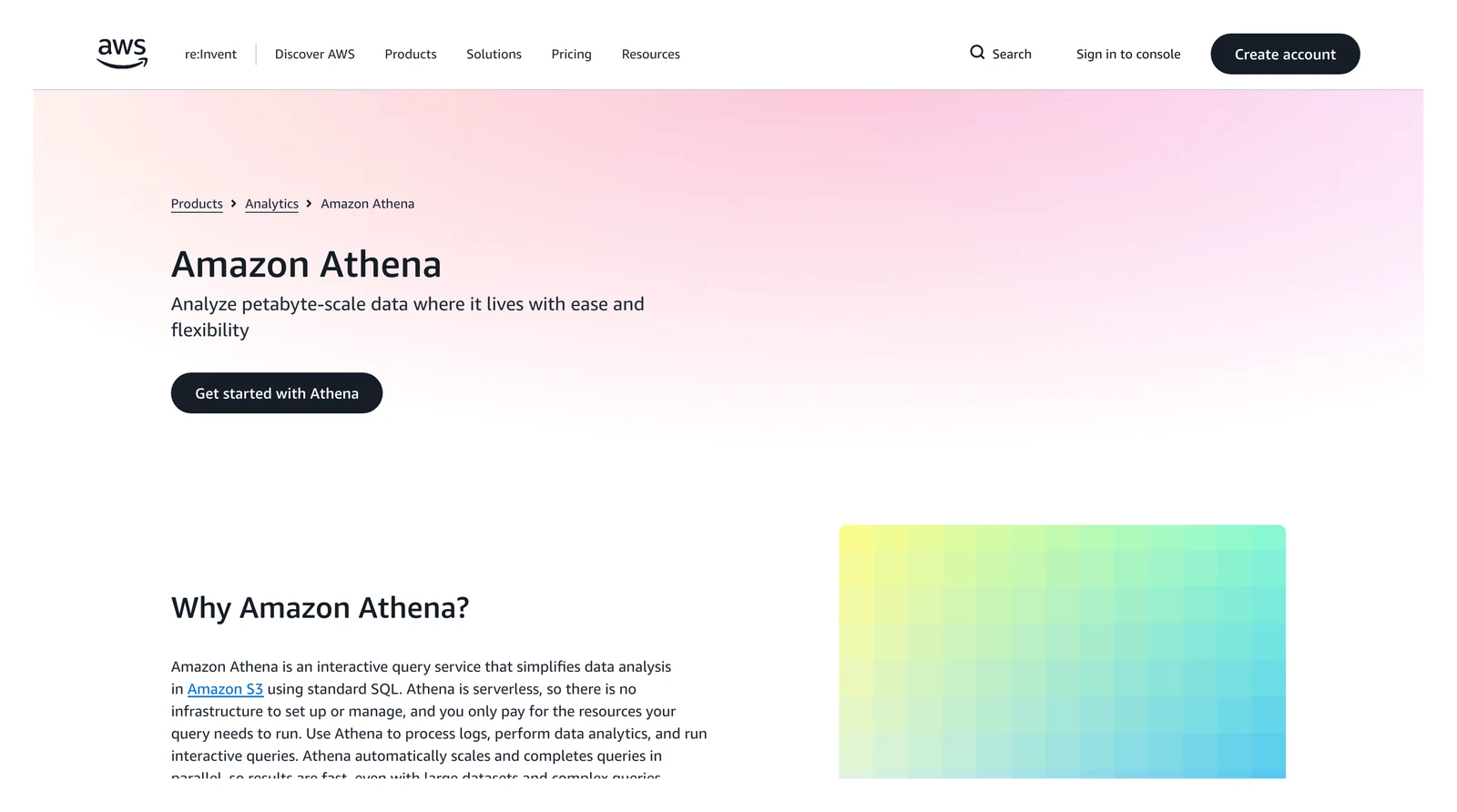
Amazon Athena home page, October 2026.
At a glance
- Layer: query engine
- Price: $5.00 per TB of data scanned in US East (Ohio) (AWS's Athena price list, October 2026)
Athena's Iceberg docs say it can read, write, run table-changing commands called data definition language (DDL) and time-travel on Iceberg tables. The same price list adds a catch: it applies a 10 MB minimum to each successful or canceled query.
What's good
- AWS positions it as serverless, so there are no servers to run, and it bills per query.
- The Athena pricing page says you can use SQL or Apache Spark with no infrastructure to set up or manage, and that Athena queries data directly in Amazon S3 with no additional storage charges for querying.
- The price list shows DDL statements, failed queries and statements that create or load partitions as free query types.
- Beyond per-TB billing, the pricing page's examples price Capacity Reservations at $0.30 per DPU-hour and Spark at $0.35 per DPU-hour.
- Athena engine version 3 supports the Iceberg file formats Parquet, ORC and Avro.
Where it falls short
- The docs list Iceberg version 1.4.2 and say Athena creates and operates only on Iceberg v2 tables.
- Only tables created against the AWS Glue catalog work. Athena supports Glue optimistic locking only, and the docs warn that modifying an Iceberg table with any other lock implementation will cause potential data loss and break transactions.
- Timestamps keep millisecond precision in reads and writes, although Iceberg supports microsecond precision.
- DDL isn't supported on Iceberg tables registered with Lake Formation.
- The docs say Athena does not support ALTER TABLE SET LOCATION on Iceberg tables, or partitioning them by nested fields.
- If you use the AWS Glue Data Catalog with Athena, you are charged standard Data Catalog rates on top of the query price (pricing page).
Governance
9. AWS Lake Formation: best for fine-grained access rules on AWS lakes
AWS Lake Formation home page, October 2026.
At a glance
- Layer: governance and catalog
- Price: permissions and their use by integrated services are at no charge; underlying services bill normally (Lake Formation pricing page, October 2026)
The Lake Formation docs say it manages access to data on S3 and its metadata in the AWS Glue Data Catalog. Its rules can apply at database, table, column, row and cell level, and are enforced across AWS services such as Athena and AWS Glue.
What's good
- AWS documents tag-based access control, so rules can be set by label rather than table by table. We did not test how well that scales. The docs say the tags (LF-Tags) attach to databases, tables or columns.
- The docs say permissions are enforced with column, row and cell-level controls across Amazon Athena, Amazon Quick, Amazon Redshift Spectrum, Amazon EMR and AWS Glue.
- Lake Formation provides audit logs through CloudTrail to monitor access.
- It can import data from MySQL, PostgreSQL, SQL Server, MariaDB and Oracle databases running in Amazon RDS or hosted on Amazon EC2, and the docs say both bulk and incremental loading are supported.
- Amazon S3 Tables can be published and cataloged as Data Catalog objects, with the catalog registered as a Lake Formation data location.
Where it falls short
- It governs data but doesn't store or query it. The Lake Formation pricing page also says the Storage API, Governed Tables and the Storage Optimizer bill separately.
- The Storage API is charged for bytes scanned, rounded up to the next megabyte with a 10 MB minimum, and Governed Tables are charged for the number of files tracked plus API calls that read or change that metadata (same page).
- It's an AWS tool, and as the Athena entry above shows, there's a limit on Iceberg tables registered with it.
- Athena's docs say Lake Formation can manage read access for Iceberg, Hudi and Delta Lake tables, but not permissions for VACUUM, MERGE, UPDATE or OPTIMIZE on them.
- For databases other than the five it lists, the docs say to create custom ETL jobs with AWS Glue.
Ingestion
10. OLake Go: best for getting database changes into an Iceberg lake

OLake home page, October 2026.
At a glance
- Layer: ingestion
- Price: free, Apache 2.0 licence (OLake on GitHub, October 2026); you run it on your own servers
- Support: contact the OLake team
A lake stays empty until something loads it. OLake Go is an open-source tool that copies database tables into Apache Iceberg tables in storage you choose or into Parquet files. It captures changes from PostgreSQL, MySQL and MariaDB, MongoDB and SQL Server.
What's good
- It has four sync modes, Full Refresh, Full Refresh + Incremental, Full Refresh + CDC and CDC Only, so one tool does the first load and then keeps the copy current (docs).
- Oracle, Db2, S3 and Kafka also work as sources, without database change capture.
- It writes Iceberg tables to catalogs such as AWS Glue, with eleven catalog types listed on the catalog compatibility page, so Trino, Athena and the other engines above can read them.
- Syncs are stateful and resumable: after a crash, a network failure or a pause they resume from the last checkpoint instead of starting over (docs).
- Schema discovery runs at the start of every sync, and a new source column is added to the Iceberg schema automatically (schema evolution docs).
- You run it yourself with Docker, Helm on Kubernetes or the OLake UI.
Platforms
11. Databricks: best for Spark, SQL and machine learning in one workspace
Databricks home page, October 2026.
At a glance
- Layer: platform
- Price: pay as you go, billed in Databricks Units (DBUs); on the Premium plan on AWS US East, SQL Serverless was $0.70, SQL Pro $0.55 and SQL Classic $0.22 per DBU (Databricks SQL pricing page, rendered October 2026)
Databricks' Iceberg docs say it supports Iceberg tables in Parquet, using versions 1, 2 and 3 of the specification, with Unity Catalog managing the tables.
What's good
- Its docs say it supports managed Iceberg tables and can read other catalogs such as AWS Glue and Snowflake Horizon.
- Managed Iceberg tables can be created with Databricks Runtime, Databricks SQL, or external Iceberg-compatible engines that support the Iceberg REST Catalog API (Iceberg docs above).
- Databricks' external access page says the Iceberg REST catalog lets clients such as Apache Spark, Apache Flink and Trino read from and write to Unity Catalog Iceberg tables.
- Serverless SQL warehouses typically start in 2 to 6 seconds, per the Databricks warehouse types page.
Where it falls short
- Managed Iceberg tables need Unity Catalog, Databricks Runtime 16.4 LTS or newer, and serverless compute, and that serverless compute must have network connectivity to the storage account behind the table.
- Foreign Iceberg tables, the ones managed in another catalog, are read-only in Databricks and have limited platform support.
- Through the REST catalog, external Iceberg clients can't access views and can't run table maintenance such as expiring snapshots and removing orphan files (external access page).
- Partition evolution on managed Iceberg tables works through external Iceberg engines using the REST catalog, but not through Databricks SQL.
- Pro and Classic SQL warehouses take typically about 4 minutes to start, and a Classic warehouse's compute runs in your own AWS account (warehouse types page).
- Heads up: the per-DBU price may not be the full bill. The page says SQL Serverless includes cloud instance cost, but the Classic and Pro cards describe self-managed warehouses and carry no such note, so check cloud charges.
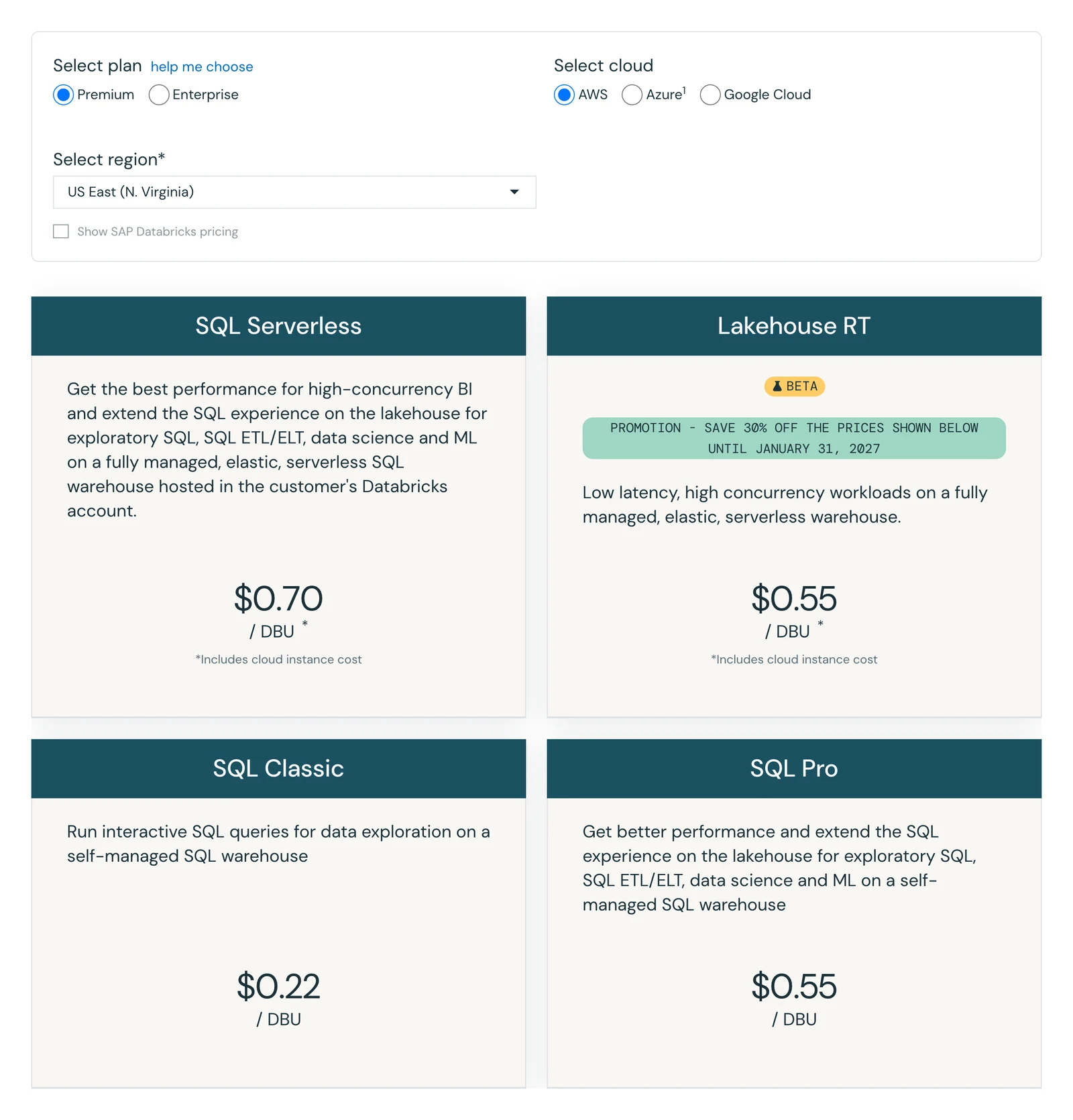
Databricks SQL pricing page, Premium plan, AWS US East, October 2026. The fourth card, Lakehouse RT, is a beta product with a promotion and is not used here.
12. Snowflake: best for SQL teams that want Iceberg on storage they control
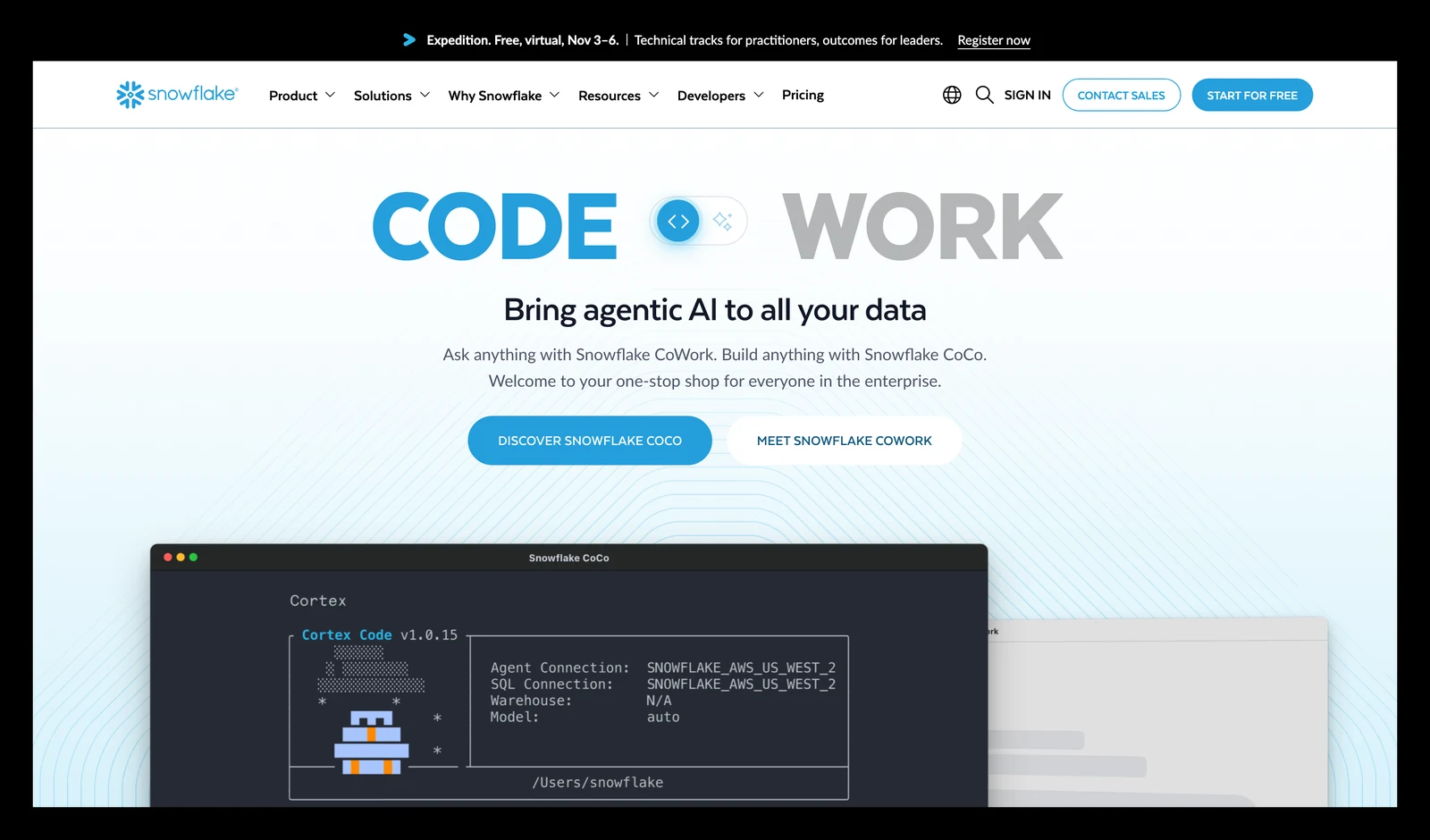
Snowflake home page, October 2026.
At a glance
- Layer: platform
- Price: credits; on-demand $2.00 per credit on Standard, AWS US East (Snowflake Service Consumption Table, effective October 2, 2026)
Snowflake's Iceberg docs say Iceberg tables combine Snowflake's performance with external cloud storage that you manage. It supports Parquet files, and writes to externally managed tables through a remote Iceberg catalog that uses the Representational State Transfer (REST) interface. Row-level deletes use position deletes on v2 tables and deletion vectors on v3 tables.
What's good
- Per its docs, you can use Snowflake as the catalog, or an external catalog such as AWS Glue or Snowflake Open Catalog.
- The docs say your files stay in storage you manage.
- An Iceberg table that uses Snowflake as its catalog gets full Snowflake platform support with read and write access.
- Snowflake's externally managed writes page says it can run INSERT, UPDATE, DELETE, MERGE, TRUNCATE TABLE and COPY INTO on externally managed Iceberg tables.
- The credit table lists a Standard warehouse at 1 credit an hour for X-Small, 2 for Small and 4 for Medium, doubling at each size up to 512 for 6XL (Snowflake credit table, effective October 2, 2026).
Where it falls short
- If your account and storage sit in different regions, the docs say egress costs apply when you query, and Snowflake bills cross-region transfer for its managed Iceberg tables.
- It's a proprietary managed service, and we found no self-hosted option on the pages read. Credit prices vary by edition and region, so $2.00 is one row in a table, not a promise: the same table lists Enterprise at $3.00 in AWS US East and Standard in AWS EU Frankfurt at $2.60.
- An Iceberg table that uses an external catalog "provides limited Snowflake platform support", and the docs say row-level deletes with equality delete files aren't supported.
- Writes to externally managed tables allow autocommit transactions only (no multi-statement transactions), and CREATE ICEBERG TABLE ... AS SELECT isn't supported when the remote catalog is AWS Glue or Databricks Unity Catalog (externally managed writes page).
- For the AWS Glue Data Catalog, dropping an externally managed table through Snowflake does not delete the underlying table files (same page).
- For Iceberg tables created from Iceberg metadata files in object storage, the docs say Snowflake does not assume any life-cycle management on the table.
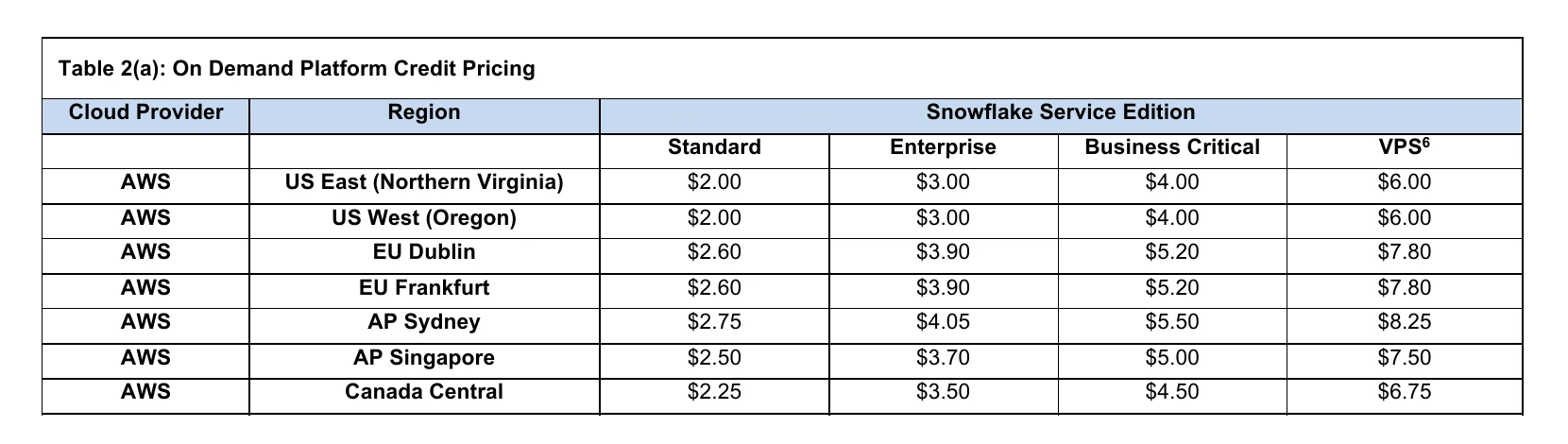
Snowflake Service Consumption Table 2(a), on-demand platform credit pricing, first seven AWS regions, October 2026.
13. Dremio: best for self-service SQL on Iceberg, with a self-managed choice
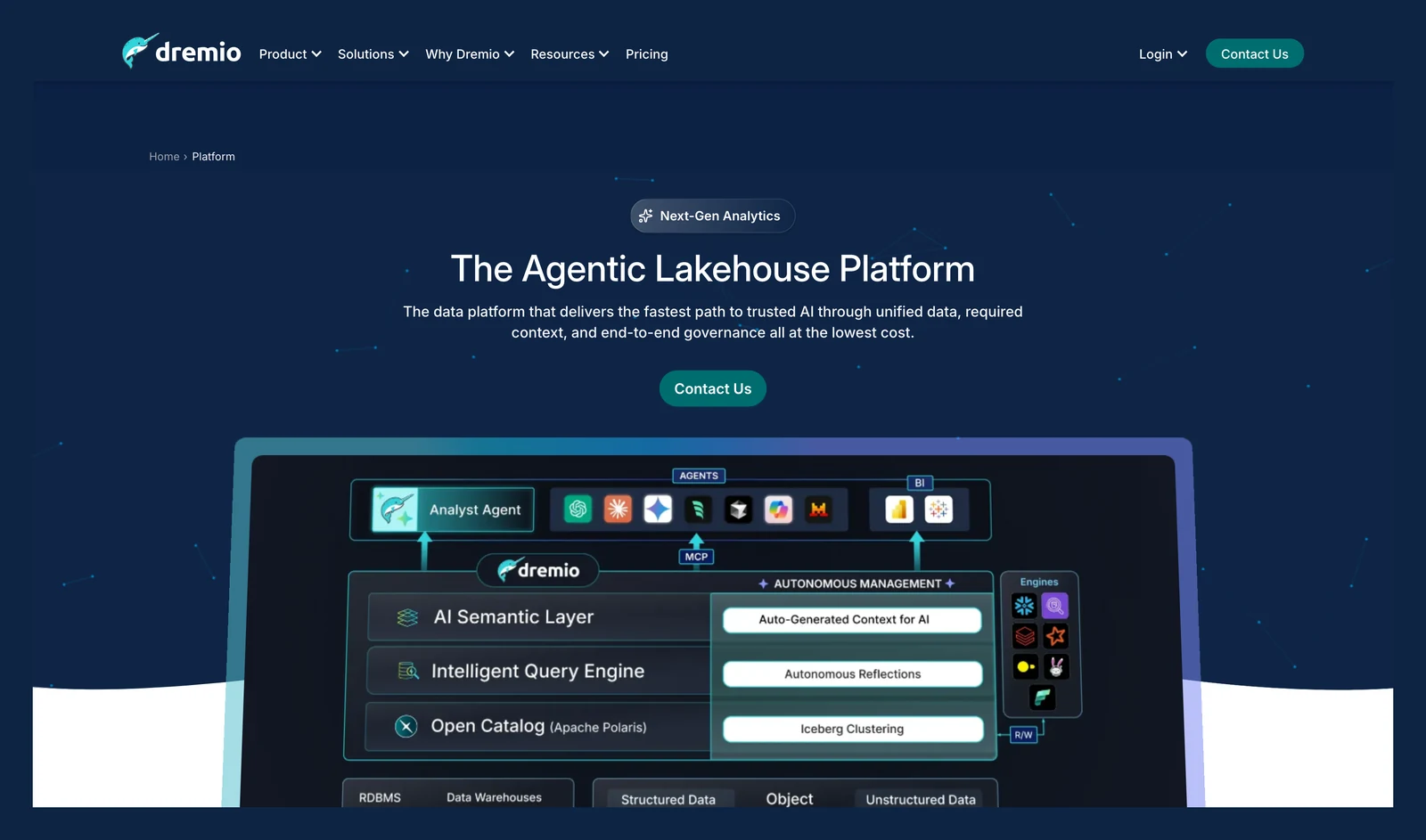
Dremio platform page, October 2026.
At a glance
- Layer: platform
- Price: Dremio Cloud $0.20 per Dremio Compute Unit (DCU); Dremio Enterprise is Contact Sales (Dremio pricing page, October 2026)
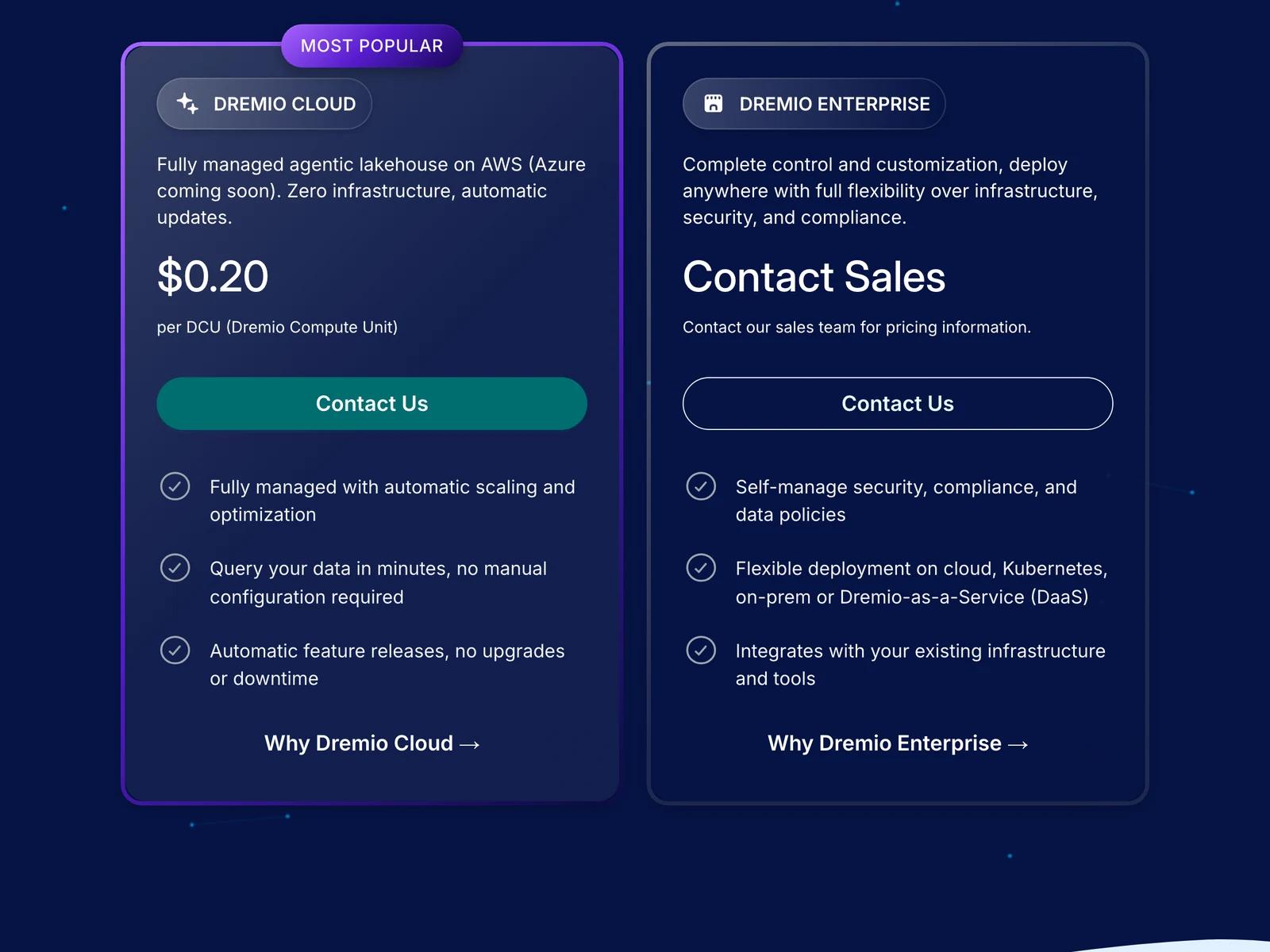
Dremio's pricing page, October 2026.
The pricing page calls Cloud a fully managed lakehouse on AWS, with Azure coming soon, and claims zero infrastructure and automatic scaling and optimization. We did not test those claims. Enterprise is self-managed on cloud, Kubernetes, on-prem or Dremio-as-a-Service.
What's good
- The pricing page says Dremio Cloud includes a 30-day free trial with $400 in credits, and that the trial needs no credit card.
- The same page lists a Dremio Community Edition, a free query engine for local machines or servers.
- Dremio's Iceberg docs say Iceberg is supported in Dremio v21.0 and later, and that connected sources use default Iceberg catalogs that support both read and write commands.
- The same docs say the built-in Iceberg catalog is based on Apache Polaris (incubating) and gives read and write access to Iceberg tables across REST-compatible query engines.
Where it falls short
- Dremio Cloud runs on AWS only for now, with Azure listed as coming soon.
- The Enterprise price isn't published on the pricing page, which says to contact sales.
- Dremio's Iceberg docs say "Only Parquet file formats are currently supported" for Iceberg tables, and that Amazon DynamoDB and JDBC catalogs are not supported.
- The same docs say Dremio does not support reading global equality deletes for Apache Iceberg v2 tables in the case they describe, where the delete file's partition spec is unpartitioned.
14. Microsoft Fabric OneLake: best for Microsoft teams that want one lake
At a glance
- Layer: platform and storage
- Price: each workspace sits in a capacity billed separately; rate not read (Microsoft Learn, updated August 23, 2026)
Microsoft's OneLake overview says every Fabric tenant includes one OneLake, built on Azure Data Lake Storage. It stores tables in Delta Parquet or Iceberg format.
What's good
- Microsoft says shortcuts point to data in S3, Azure storage and Iceberg sources without copying it.
- Its docs say metadata virtualization lets Iceberg tables be read as Delta in Fabric, and Delta tables be read by external Iceberg readers.
- You can write Iceberg tables directly to OneLake or create shortcuts to Iceberg tables stored externally.
- OneLake supports Azure Data Lake Storage Gen2 APIs and SDKs, so existing ADLS Gen2 applications can be used.
- The overview says database mirroring continuously replicates data from an operational database into OneLake as analytics-ready Delta tables.
- Business users can build Power BI reports on top of OneLake by using Direct Lake mode in the Analysis Services engine.
Where it falls short
- The docs say Fabric engines store data in Delta Parquet, so Iceberg is bridged rather than the default.
- The tenant gets a single OneLake instance, and Microsoft says you can't delete OneLake or create multiple OneLakes.
- Microsoft's table format conversion page says conversion supports Parquet only, in both directions, and that source tables must have fewer than 5,000 transactions or commits.
- On that page, Iceberg V2 source tables are supported but V3 is partially supported, and Iceberg equality deletes cause conversion to fail.
- Generating the converted metadata can take between 5 seconds and 2 minutes, and conversion isn't supported for tenants or workspaces with private links enabled.
- Each workspace sits in a capacity that is tied to a region and billed separately, and the overview gives no rates.
15. Google BigQuery: best for SQL teams on Google Cloud who want Iceberg tables in their own buckets
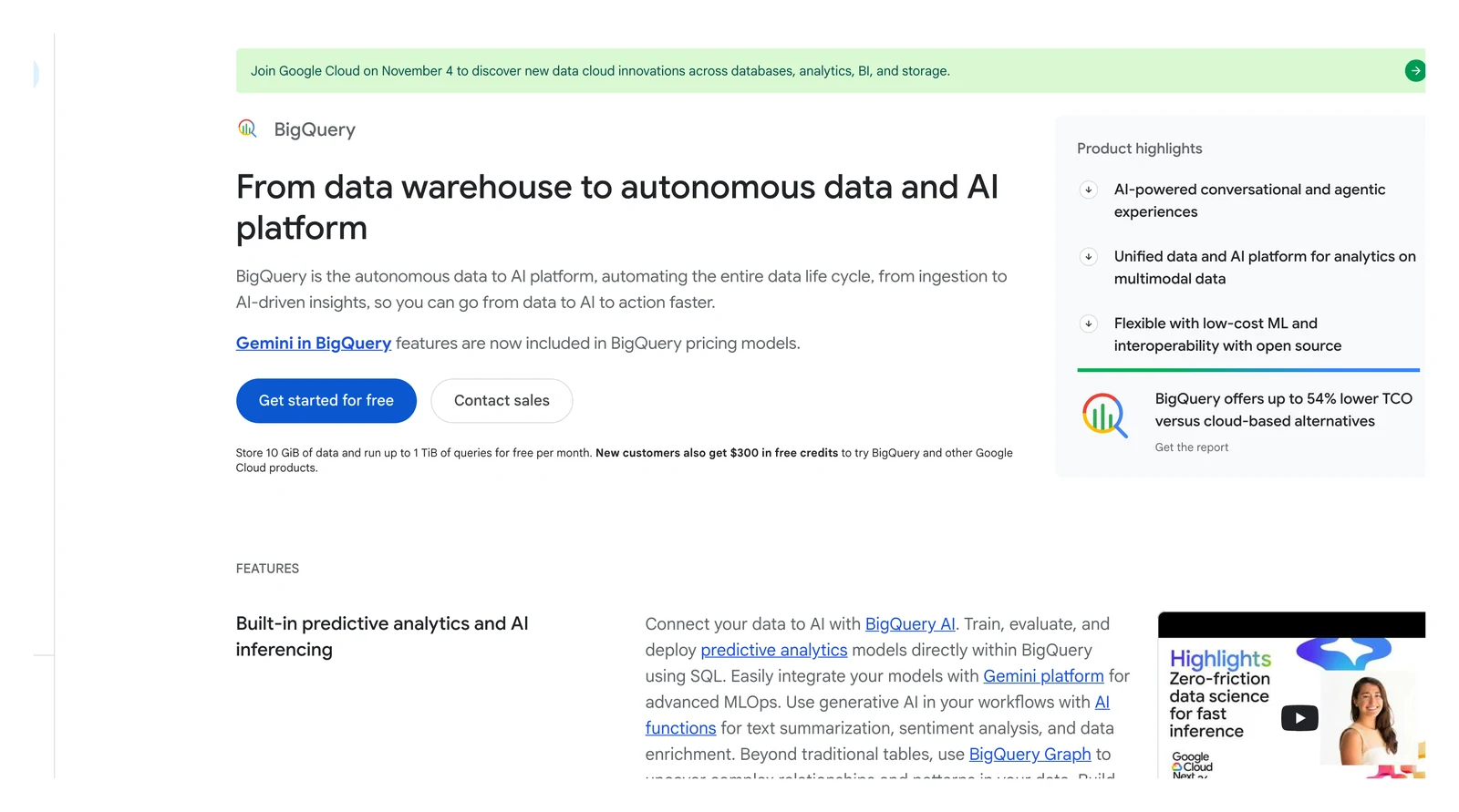
Google BigQuery home page, October 2026.
At a glance
- Layer: platform
- Price: on-demand queries $6.25 per TiB after the first 1 TiB a month, shown for Iowa (us-central1); capacity pricing in slots is also offered (BigQuery pricing page, October 2026)
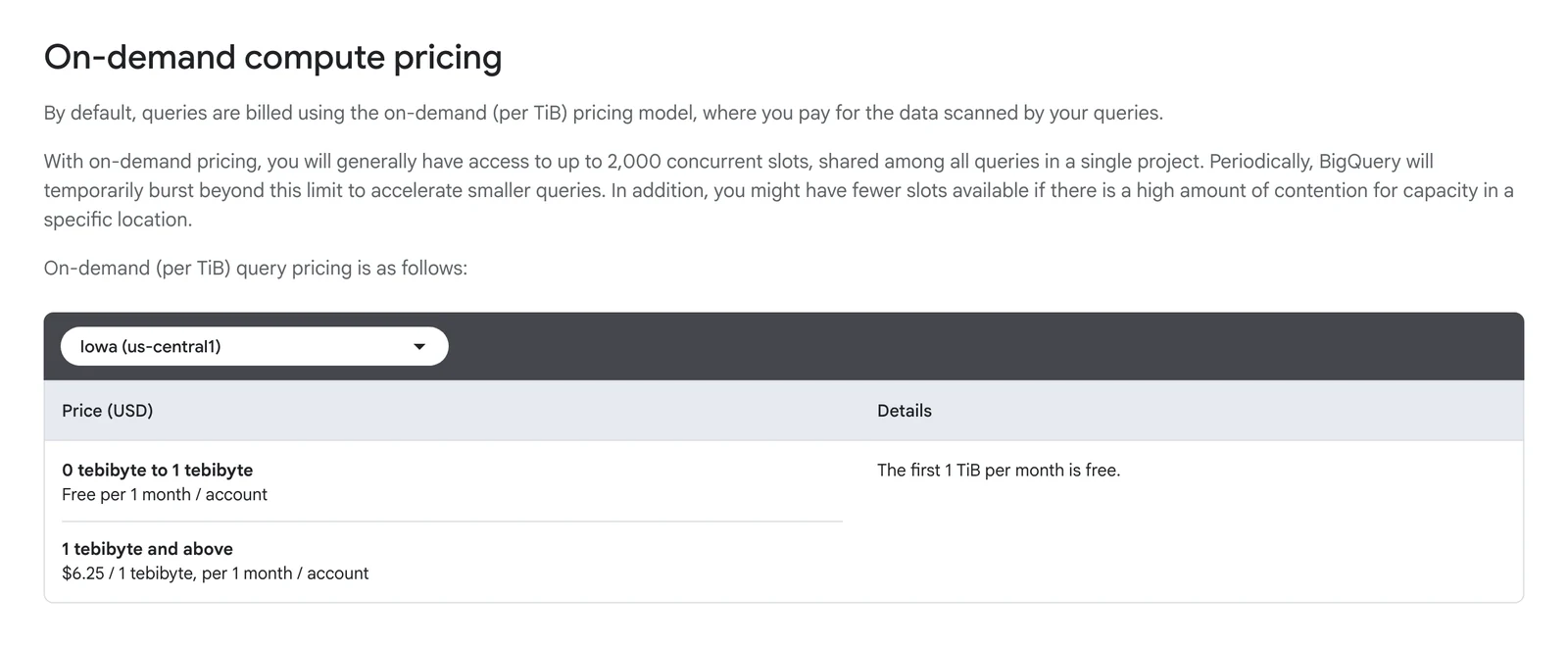
BigQuery pricing page, Iowa region shown, October 2026.
Google's Iceberg docs call them Apache Iceberg managed tables, formerly BigLake tables for Apache Iceberg in BigQuery. The docs say they keep data in customer-owned storage buckets and support Iceberg V2, with the same managed experience as standard BigQuery tables.
What's good
- Table changes run in GoogleSQL data manipulation language.
- The docs say BigQuery can export an Iceberg V2 snapshot, refreshed on each table change if you turn on metadata auto-refresh, so open-source engines such as Spark can read the table.
- Iceberg managed tables get automatic storage optimization: adaptive file sizing, automatic clustering, garbage collection and metadata optimization (Iceberg managed tables docs).
- Schema evolution covers adding, dropping and renaming columns and changing an existing column's data type and mode (same page).
- The pricing page says the first 1 TiB of query data processed per month is free, the first 10 GiB of storage is free each month, and storage not modified for 90 consecutive days drops in price by approximately 50%.
- Standard edition slots list at $0.04 per hour with no commitment, billed per second with a one-minute minimum (the price varies by region and edition).
Where it falls short
- The docs say only one mutating statement (UPDATE, DELETE or MERGE) runs on a table at a time, so the rest queue up.
- Renaming, copying and cloning these tables aren't supported, and neither are table snapshots (CREATE SNAPSHOT TABLE).
- On-demand queries are billed for the data processed in the columns you select, even if you set an explicit LIMIT, with a 10 MB minimum per table referenced and per query.
- On-demand pricing generally gives access to up to 2,000 concurrent slots, shared among all queries in a project.
- The editions page says Standard edition has no column-level access control, row-level security or data masking, no BigQuery ML, no VPC Service Controls and no capacity commitments.
How to choose data lake tools
Don't start with brand names. Start from the cloud you already pay for and the skills on your team, then ask where you want to be free to switch.
| If this is true | Start with | Why | Watch out for |
|---|---|---|---|
| You are on AWS and want pay-per-query | S3 plus Athena, add Lake Formation for access rules | Nothing to run | Iceberg v2 only, Glue catalog only |
| You are on Azure and use Power BI | ADLS or Fabric OneLake | One lake, one identity system | Delta is the home format |
| You have engineers and want no platform fee | Object storage, Iceberg and Trino | Open parts, free software | Engine setup and upkeep are yours |
| You want one vendor for Spark and machine learning | Databricks | Many workloads in one place | Unity Catalog needed for managed Iceberg |
| Your team writes SQL and wants a managed engine | Snowflake, BigQuery or Dremio Cloud | Little to operate | Egress charges, BigQuery's limit of one mutating statement per table, or Dremio Enterprise (self-managed) with no published price |
| Your data starts in Postgres, MySQL, MongoDB or SQL Server | OLake Go | Open source, copies database tables into Iceberg tables | Pair it with a catalog and an engine from the entries above |
| Your tables get many updates | Hudi or Iceberg, check engine support | Built for row-level changes | Table upkeep is yours |
The short read: with engineers to spare, the open parts give you the most room to move. Without them, a pay-per-query service or a bundled platform means less to look after.
Which data lake setup fits you?
Question 1 of 6
Which cloud do you already pay for?
Moving data across clouds or regions adds transfer charges.
Six questions to ask before you buy
- Which cloud do you already pay for? Moving data across clouds or regions adds transfer charges.
- Which table format does your engine write? "Supports Iceberg" can mean read only.
- Who does the upkeep? Compaction and snapshot expiry are yours unless a platform does them.
- Which meter do you pay? Bytes scanned, compute units or flat capacity.
- Who needs row or column rules? Price a governance layer early, not at the end.
- How will data get in? The tools above store, organize and query data. Loading your databases into the lake is a separate job (entry 10).
Ask any vendor for a worked bill on your own data volume. Claims such as the automatic scaling that Dremio's pricing page describes are the vendor's own words.
So where does that leave you?
Choose layers first and brand names second. A cloud object store, an open table format and one engine cover many teams, while Databricks, Snowflake, Dremio and Fabric trade some choice for less upkeep. Whichever you pick, store data in Parquet and an open table format: file layout cuts the bill, and open formats ease an exit, though engine support differs.