Best Data Streaming Platforms in 2026, Compared
45 min read
Key takeaways
There's no single best data streaming platform. If you already use Apache Kafka tools, pick Kafka itself, Confluent Cloud, Amazon Managed Streaming for Apache Kafka (MSK) or Redpanda, depending on who you want running the servers. If you live in one cloud and want the least work, use that cloud's own service: Amazon Kinesis, Azure Event Hubs or Google Cloud Pub/Sub.
Striim is a vendor option for teams that want change capture and streaming together (its price is not published), and Pulsar suits teams that like its multi-tenant design and will run it themselves.
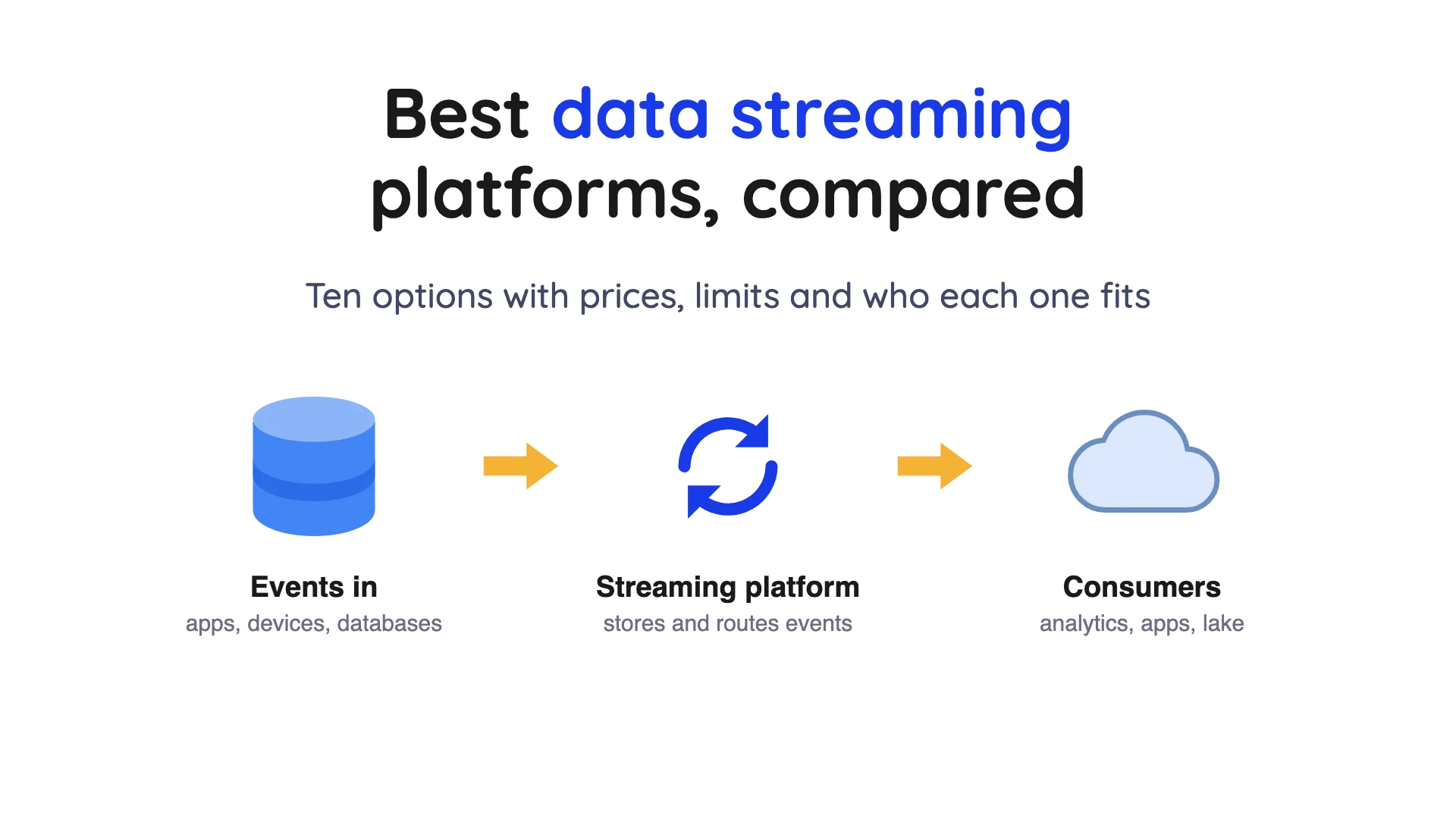
- A data streaming platform stores and delivers a stream of events. An event is one small record, such as "order 1234 was paid". The platform keeps those records in order, so lots of programs can read them.
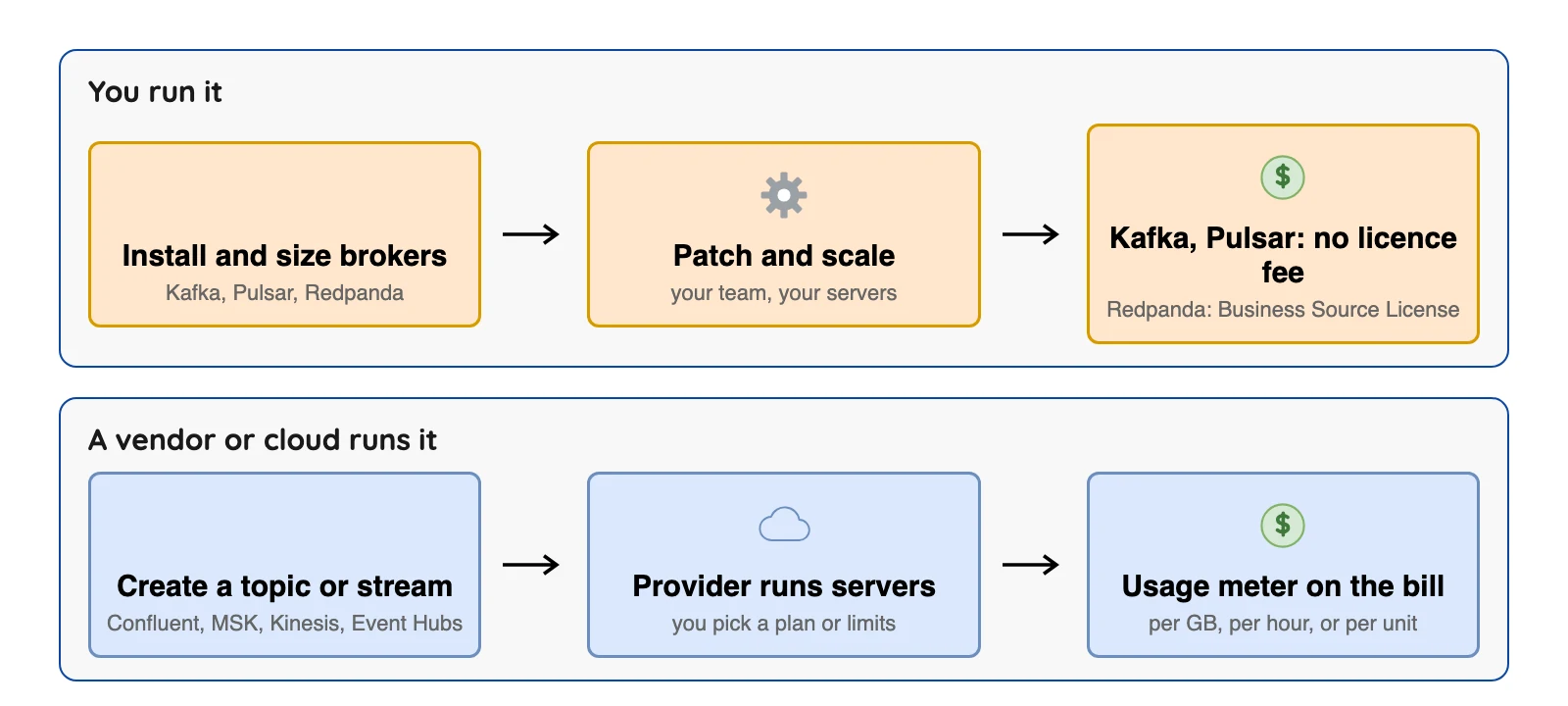
- Decide who runs the servers first. Self-run open-source projects such as Kafka and Pulsar have no licence fee, but your team runs them. Managed services take much of that work off your plate and bill on their own meters.
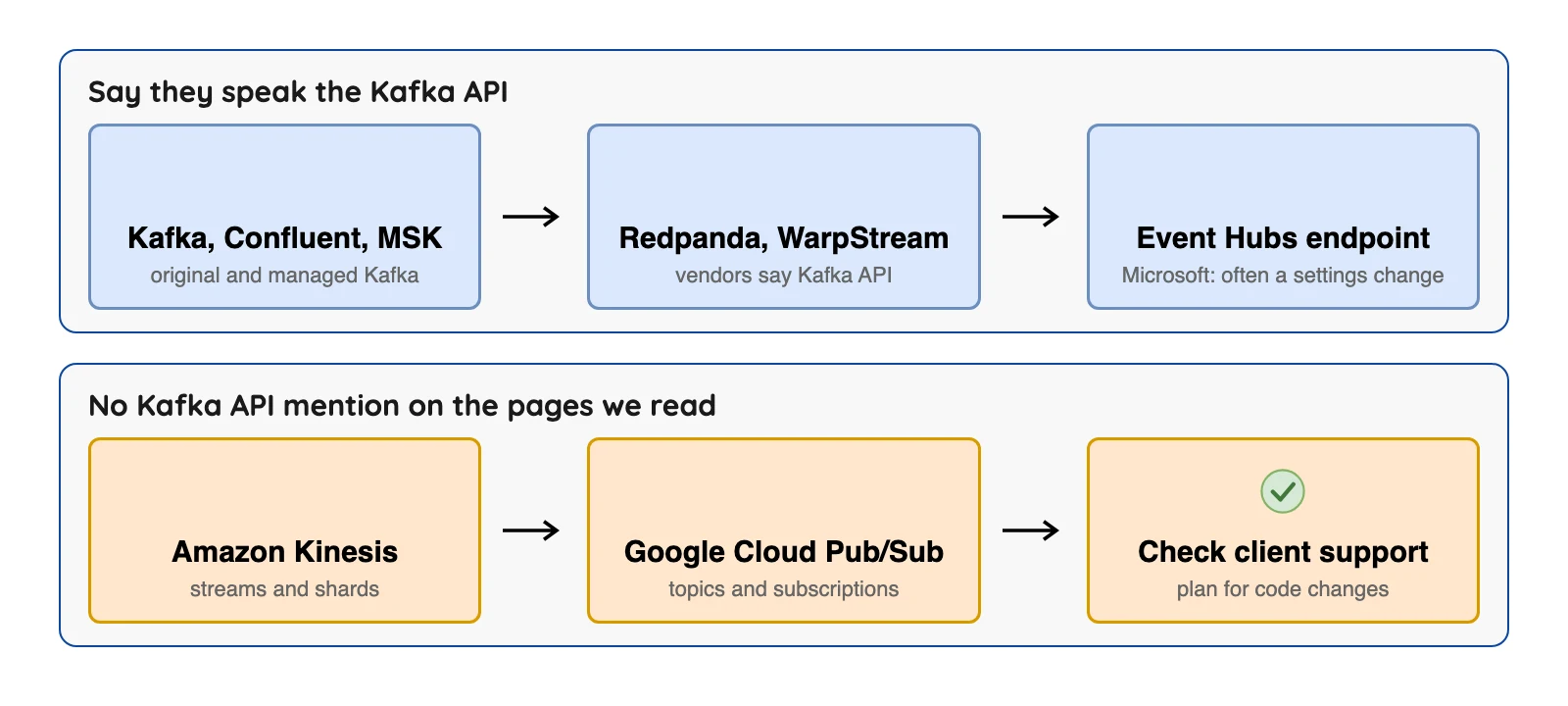
- Decide which API your code uses second. Kafka, Confluent, MSK, Redpanda, WarpStream and the Event Hubs Kafka endpoint say they speak the Kafka API (from each vendor's own docs). The Kinesis and Pub/Sub pages we read do not mention Kafka API support, so plan for code changes.
- Prices use different meters, so list rates don't compare directly. Price a real workload instead, like the worked example below.
We checked prices on October 8, 2026 against each vendor's own pages, and we name the region where the vendor does. Plans change often, so confirm on the vendor's page before you decide.
What a data streaming platform is
Picture a conveyor belt that never stops, with a notebook beside it that writes down everything that passes. That's a data streaming platform: software that takes in a continuous flow of events, stores them, and lets other programs read them in order. The notebook is called a log, an ordered list of events that readers can replay from any point still kept.
Most platforms split that log into topics (named channels) and spread each topic across partitions (parallel lanes), so many machines share the work. A broker is a server that holds part of the log. Producers write events in, and consumers read them out.
It isn't a database or a batch tool.
Data streaming platforms at a glance
| Platform | Kafka API? | Who runs it | Licence or terms | Best for |
|---|---|---|---|---|
| Apache Kafka | Original | You | Apache 2.0 | Teams that want full control |
| Confluent Cloud | Yes | Confluent (an IBM company), on AWS, Azure or Google Cloud | Paid managed service | Kafka without running servers, plus connectors |
| Amazon MSK | Yes | AWS | Paid managed service | AWS teams that already use Kafka |
| Redpanda | Yes | You, or Redpanda | Source-available Business Source License (Community), paid licence for enterprise features | Kafka API with a single-binary design |
| WarpStream | Yes, says WarpStream | Your cloud account, with WarpStream's control plane | Not stated on the pages we read | Kafka on object storage in your own account |
| Amazon Kinesis Data Streams | Not stated | AWS | Paid managed service | AWS-only teams |
| Azure Event Hubs | Kafka endpoint | Microsoft | Paid managed service | Azure teams, including Kafka clients |
| Google Cloud Pub/Sub | Not stated | Paid managed service | Google Cloud apps that need messaging | |
| Apache Pulsar | Not stated | You | Apache 2.0 | Multi-tenant use with geo-replication |
| Striim | Not stated | Striim Cloud, or you | Commercial, no open-source licence published | Database change capture plus streaming from one vendor |
Sources for the licence column, each the vendor's own page (checked Oct 2026): Apache Kafka licence, Apache Pulsar licence, Redpanda licensing docs, WarpStream pricing, Striim pricing and Confluent's acquisition press release.
The next table shows how each one is priced, plus one limit you'll want to check.
| Platform | Price shape | A limit to check |
|---|---|---|
| Apache Kafka | No licence fee | You run, patch and size it |
| Confluent Cloud | Basic from $0 a month, Standard about $385, Enterprise about $895 | Many separate meters (cluster, network, storage, connectors) |
| Amazon MSK | Standard broker example $0.21 an hour (US East, N. Virginia) | You choose brokers in Provisioned mode |
| Redpanda | Serverless is pay as you go or annual commit; BYOC needs an annual commitment | Serverless tops out at 100 MB/s write |
| WarpStream | Priced by cluster tier on its page | Tableflow tables are append-only |
| Amazon Kinesis Data Streams | $0.08 per GB in, $0.04 per GB out (US East, Ohio) | No free tier |
| Azure Event Hubs | Billed in throughput, processing or capacity units | Kafka features differ by tier |
| Google Cloud Pub/Sub | First 10 GiB a month free, then $40 per TiB | Topic messages kept at most 31 days |
| Apache Pulsar | No licence fee | 4.0 LTS active support ended October 21, 2026 |
| Striim | Contact sales, free developer tier | Iceberg Writer names Google Cloud Storage as its only data lake; S3 Tables has a separate writer |
Sources, each the vendor's own page (checked Oct 2026): Confluent Cloud pricing, Amazon MSK pricing, Amazon Kinesis Data Streams pricing, Google Cloud Pub/Sub pricing and quotas, Redpanda pricing, WarpStream pricing and Tableflow docs, Apache Pulsar downloads, Striim pricing and Iceberg Writer docs.
What to check before you choose
Five questions cut the list fast; the first two do most of the cutting.
- Who will run it? Your team, a vendor, or your cloud provider.
- Which API does your code use? The Kafka API, or another interface.
- How long must events stay replayable? Pub/Sub topics stop at
31 daysand Kinesis at365 days. - Where must the data live? One cloud, several clouds, or inside your own account.
- Where do events go next? Some platforms write Iceberg tables, with limits listed below, and OLake Go can read a Kafka topic into Iceberg (see where OLake Go fits).
How we picked
Each platform here moves events between programs, is still maintained, and publishes documentation we could open. Apache Flink and Spark process streams, and Fivetran and Airbyte copy data. All four sit on top of a platform, so they are out. For tools that move data between systems, see our best data pipeline tools comparison.
Vendor facts come from each vendor's own pages, read on October 8, 2026. We did not run the other tools, so there are no speed rankings. The "What users say" lines come from public Hacker News threads and PeerSpot reviews that we opened on October 8, 2026. Each one is a single person's view, with its date and link.
The 10 best data streaming platforms
Platforms that speak the Kafka API
The Kafka API is the set of commands Kafka programs use to write and read events. The platforms in this group say they support it, and Microsoft says existing Kafka code can often use the Event Hubs endpoint after a settings change.
1. Apache Kafka: for teams that want full control
At a glance
- Run by: You, on servers, containers or in the cloud
- Price: No licence fee (Apache License 2.0) (checked Oct 2026); you pay for machines and staff
Kafka is the open-source project whose API most of the platforms here copy. By the project's own account (its intro page) it does three things: publish and subscribe to streams of events, store them durably, and process them. Its downloads page (checked Oct 2026) lists 4.3.1, 4.2.2 and 4.1.2 as supported releases and says the project ships a release about every four months.
What's good
- No licence fee (Apache License 2.0) (checked Oct 2026). The Kafka intro page says you can run it on bare-metal hardware, virtual machines and containers, on premises or in the cloud, either self-managed or through fully managed services from a variety of vendors.
- Kafka Connect continuously imports and exports data as event streams to link Kafka with existing systems such as relational databases, and the same page says the community already provides hundreds of ready-to-use connectors.
- Events are not deleted after consumption, so they "can be read as often as needed", and retention is a per-topic setting. Each partition is read in the order its events were written, and a replication factor of
3is named as a common production setting. - The Kafka design page (checked Oct 2026) says the producer has had an idempotent delivery option since
0.11.0.0, so resending does not create duplicate log entries, and that exactly-once delivery is supported in Kafka Streams and, with a transactional producer and a read-committed consumer, when reading, processing and writing Kafka topics. - Consumers pull, so a slow one "simply falls behind and catches up when it can". Share groups let a group have more consumers than a topic has partitions, with records acknowledged one by one.
Where it falls short
- The Kafka intro page (checked Oct 2026) describes Kafka Connect, not the brokers, as the part that imports data from systems such as relational databases, and it describes no Iceberg writer. So those jobs come from add-on connectors, vendor features or a reader such as OLake Go, which reads Kafka topics into Iceberg or Parquet (see our Kafka docs). To read database changes into Iceberg without Kafka, see our comparison of the options.
- Your team owns upgrades, sizing and failures, all of it.
- Defaults need a look. Per the Kafka broker config docs (checked Oct 2026),
default.replication.factoris1for automatically created topics,log.retention.hoursis168(seven days) andmessage.max.bytesis1048588, about 1 MB. - Delivery is at-least-once by default, per the Kafka design page (checked Oct 2026). At-most-once means disabling producer retries and committing offsets before processing.
- Exactly-once into outside systems takes extra work: the design page (checked Oct 2026) says many output systems will not support a two-phase commit, so the consumer may have to store its offset in the same place as its output.
- Patch releases carry real fixes. The Kafka downloads page (checked Oct 2026) says
4.3.1fixed "a critical Kafka Streams RocksDB native memory leak (KAFKA-20616)" and about 15 other issues, so running Kafka means tracking releases like this.
What users say: One Hacker News commenter on "Kafka is Fast" (October 2025) wrote "self-managing kafka is a job in of itself". Another on the Ursa thread (July 2025) called Kafka "one of the pieces of software that has been rock solid for me".
2. Confluent Cloud: for Kafka without running servers
At a glance
- Run by: Confluent, on AWS, Azure and Google Cloud
- Price: Basic from $0 a month, Standard about $385, Enterprise about $895, per the Confluent Cloud pricing page (checked Oct 2026)
Confluent's docs overview describes Confluent Cloud as a fully managed Kafka service.
Confluent's press release of March 17, 2026 says International Business Machines (IBM) completed its acquisition of Confluent. The pricing page (checked Oct 2026) lists those three starting monthly figures for cluster tiers. It says the figures assume 70% utilization (clusters active about 70% of the time) and that prices vary by cloud region.
Confluent also sells ready-made connectors, and says its Tableflow feature turns Kafka topics into Apache Iceberg or Delta Lake tables.
What's good
- Its Tableflow docs (checked Oct 2026) (the overview page) say Tableflow materializes Kafka topics or Flink tables as Iceberg or Delta Lake tables, publishes new data to a table approximately every
5 minutes, and compacts and cleans up small files for you. - The same docs list a built-in Iceberg REST catalog plus catalog integration with AWS Glue, Databricks Unity, Apache Polaris and Snowflake Open Catalog, and say you can use your own storage on Amazon S3, Azure or Google Cloud Storage.
- With Confluent Cloud for Apache Flink you can filter, deduplicate, remove personally identifiable information (PII) and join streams on topics that Tableflow then materializes.
- Its connectors page (checked Oct 2026) says Confluent offers "120+ pre-built connectors" (open source or community, commercial and premium, plus partner-verified ones). Its connector docs (checked Oct 2026) list Debezium change capture connectors for MongoDB, MySQL, PostgreSQL and SQL Server. The pricing page (checked Oct 2026) says connectors are billed per task-hour and per GB.
- The pricing page (checked Oct 2026) feature table lists uptime SLAs of 99.5% for Basic, 99.9% or 99.99% for Standard and Enterprise (depending on eCKU count) and 99.99% for Freight.
- The same table (checked Oct 2026) lists throughput in and out of
250and750MBps for Basic and Standard,1,920and5,760MBps for Enterprise, and9,120and27,360MBps for Freight.
Where it falls short
- The bill has lots of moving parts: cluster, network, storage, connectors and Flink. Confluent's billing dimensions page (checked Oct 2026) says a cluster unit (an eCKU) is billed per hour at the maximum used in that hour (usage between 2 and 3 eCKUs bills as 3), and storage is charged after replication, so billed storage is typically about 3x the volume written.
- Confluent charges for all data transfers, including requests the Cloud Console makes to show messages in the message browser, and ingress and egress charges are multiplied by a regional multiplier. A paused managed connector keeps accruing hourly task costs (billing dimensions) (checked Oct 2026).
- The Tableflow overview says Tableflow is not available for Confluent Platform (the self-managed product). Tableflow has its own meters (topic hours, data processed and storage on the billing dimensions page), and neither the Tableflow billing docs nor the pricing page we read shows a dollar rate (checked Oct 2026).
- The Tableflow overview (checked Oct 2026) lists these limits: schemaless topics are not supported (the key and the value must both have a schema), retract tables are not supported, and Confluent Cloud for Apache Flink cannot query Iceberg tables.
- The same overview (checked Oct 2026) says tables are exposed read-only and that only topics using custom storage sync to external catalogs.
- It also says Tableflow keeps between
10and100snapshots, not user-configurable, and that once a topic is enabled with custom storage, changing the bucket is not supported (Tableflow overview) (checked Oct 2026).
3. Amazon MSK: for AWS teams that already use Kafka
At a glance
- Run by: AWS
- Price: Standard broker $0.21 an hour for a
kafka.m5.large, plus $0.10 per GB-month of storage (US East, N. Virginia), per the MSK pricing page (checked Oct 2026)
AWS says Amazon MSK runs open-source Kafka and that your existing applications and tools work without code changes. The MSK pricing page (checked Oct 2026) lists three styles: Standard brokers, Express brokers ($0.408 an hour for an msk.m7g.large in US East, N. Virginia, plus $0.01 per GB ingested) and Serverless ($0.75 per cluster-hour plus per-partition and per-GB charges, US East, Ohio).
What's good
- AWS's MSK developer guide says MSK "runs open-source versions of Apache Kafka", and that existing applications, tooling and plugins from partners and the Apache Kafka community work without changes to application code.
- Provisioned clusters offer two broker types, Standard and Express, and in MSK Serverless AWS manages the broker nodes. KRaft controllers are included at no additional cost.
- It names MSK Connect for streaming data to and from your cluster and MSK Replicator for replicating data across MSK Provisioned clusters, in the same or different Regions. MSK Connect is billed in units of 1 vCPU and 4 GB of memory at one-second resolution, $0.11 per hour per unit in AWS's US East (N. Virginia) example (pricing page) (checked Oct 2026).
- The pricing page (checked Oct 2026) says you are not charged for data transfer used for replication between brokers or between metadata nodes and brokers.
- Per the MSK quotas page (checked Oct 2026), Express brokers have unlimited maximum storage and up to
15 MB/sper partition, and MSK Serverless retention is unlimited. - Its streaming tables docs (checked Oct 2026) say Kafka topics are continuously materialized as Apache Iceberg tables on Amazon S3 Tables, with freshness set between
5and15minutes, at $10.00 per TB delivered and no extra charge for inline compaction.
Where it falls short
- In Provisioned mode you still pick broker types and counts, with a minimum of one broker per Availability Zone (MSK developer guide) (checked Oct 2026).
- Amazon MSK is an AWS service (the MSK developer guide calls it a fully managed service from AWS) (checked Oct 2026), so teams on other clouds need a different option.
- MSK Serverless has per-cluster caps of
200 MBpsin and400 MBpsout, per-partition caps of5 MBpsin and10 MBpsout, a maximum message size of8 MiBand2,400partitions for non-compacted topics (MSK quotas) (checked Oct 2026). - Standard brokers top out at
60brokers per KRaft-based cluster and16,384 GiBof storage per broker (MSK quotas) (checked Oct 2026). - The MSK streaming tables docs (checked Oct 2026) say they need Express brokers (Standard brokers and MSK Serverless are not supported). They deliver to S3 Tables in the same Region, cross-account delivery is not supported, and they need a dead-letter queue bucket and JSON data with an AWS Glue Schema Registry schema.
- The same docs (checked Oct 2026) say a streaming tables channel does not backfill earlier data, and that it creates a new Iceberg table for each configuration because delivery to existing Iceberg tables is not supported.
4. Redpanda: for the Kafka API in a single program
At a glance
- Run by: You, or Redpanda (Serverless or bring your own cloud)
- Price: Serverless is pay as you go or annual commit, with a "Start for free" sign-up; BYOC needs an annual commitment, per the Redpanda pricing page (checked Oct 2026)
Redpanda says producers and consumers use the Apache Kafka API, and that it comes packaged as a single binary with no outside systems to wire up.
The pricing page (checked Oct 2026) lists three plans. Serverless allows up to 100 MB/s of writes with a 99.9% service level agreement (SLA), which is the uptime promise in the contract. Bring your own cloud (BYOC) allows 2 GB/s with 99.99%, and a self-managed Enterprise Edition has a 30-day trial.
What's good
- Serverless is multi-tenant on AWS and GCP, with pay as you go or an annual commit plan. The pricing page (checked Oct 2026) lists
100 MB/swrite,300 MB/sread and5,000partitions. - BYOC runs fully managed Redpanda clusters in your own VPC on AWS, GCP or Azure, and the page (checked Oct 2026) lists
2 GB/swrite,4 GB/sread and112,500partitions. The Enterprise Edition is the run-it-yourself option, with a 30-day trial. - Per Redpanda's licensing docs (checked Oct 2026), every new cluster gets a 30-day trial license, and after a trial or license expires the cluster keeps operating without data loss while enterprise features are restricted.
- Its Iceberg topics docs say brokers store topic data as Parquet files in an Iceberg-compatible format in object storage, with the catalog in the same bucket or an Iceberg REST catalog endpoint, and that the feature requires an enterprise license (checked Oct 2026).
- The same docs describe per-topic Iceberg modes:
key_value(a key column and a binary value column),value_schema_id_prefix(matches the topic's Redpanda schema) andvalue_schema_latest(matches the latest schema in the Schema Registry). The default isdisabled.
Where it falls short
- Dollar rates weren't in the text we read on the pricing page (checked Oct 2026), so we can't quote them, and the SLA figures are Redpanda's own promises (ask for the contract terms).
- Iceberg topics need an enterprise license and Tiered Storage (Iceberg topics docs) on the topics that generate tables. The pricing page (checked Oct 2026) lists them under BYOC and Enterprise Edition, not in the Serverless feature list, and shows no Iceberg-specific rate, so ask Redpanda which plan includes them.
- Enabling Iceberg on an existing topic does not backfill the table, and topic data cannot be appended to an existing Iceberg table that Redpanda did not create (Iceberg topics docs) (checked Oct 2026).
- The Iceberg topics page we read (checked Oct 2026) does not describe compaction, upsert or delete handling.
- BYOC needs an annual commitment, with a 14-day trial available by contacting Redpanda (pricing page) (checked Oct 2026).
- JSON schemas for Iceberg topics are supported starting with Redpanda version
25.2(Iceberg topics docs) (checked Oct 2026). - The free Community Edition uses the Business Source License, which is source-available and not Apache 2.0. You can't offer Redpanda as a commercial streaming service to others, and the code converts to Apache 2.0 four years after each merge (licensing docs) (checked Oct 2026).
5. WarpStream: for Kafka that stores data in your own bucket
At a glance
- Run by: Your cloud account for data, WarpStream's cloud for control
- Price: Billed by cluster tier and by Tableflow usage, per the WarpStream pricing page (checked Oct 2026)
WarpStream's Tableflow launch blog post calls it a drop-in replacement for Apache Kafka, built on object storage. Confluent's press release of September 9, 2024 says Confluent acquired WarpStream.
WarpStream says its Tableflow product turns Kafka topics into Iceberg tables too. The Tableflow docs (checked Oct 2026) say it currently supports append-only tables, and that you cannot use another system to write or maintain those tables.
What's good
- The Tableflow docs say compaction and table maintenance are "included out-of-the-box with no tuning required".
- Its Tableflow product page says Tableflow works with any Kafka-compatible source (open-source Kafka, MSK, Confluent Cloud, WarpStream) and can ingest from several Kafka clusters at once. It says raw data is processed on your VMs and stored in your object storage buckets.
- On the pricing page (checked Oct 2026), BYOC keeps the data plane in your cloud account and the control plane in WarpStream's, and new users get "$400 in non-expiring credits" with no credit card.
- The same page (checked Oct 2026) publishes usage rates: Kafka write throughput from $0.01 per GiB and Tableflow write throughput from $0.04 per GiB for the first 50 TiB a month (uncompressed).
- The docs say schema migrations follow Iceberg schema evolution rules, covering added columns, required fields made optional, and widened integer and floating point types. Inline schema mode supports JSON, Avro and Protobuf.
- By default data is ingested from the start of the topic, and a
start_ingestion_at: latestsetting skips what is already there.
Where it falls short
- Rows from a compacted source topic are not deduplicated and tombstones may not comply with the schema. Compacted topic support is "coming soon" in the docs (checked Oct 2026).
- A Tableflow cluster is separate from a WarpStream Kafka cluster, because Tableflow agents "only perform Tableflow operations and do not expose the Apache Kafka protocol" (Tableflow docs) (checked Oct 2026).
- Reordering, renaming and removing a column are not supported as in-place migrations (Tableflow docs) (checked Oct 2026).
- A table can have at most
5sort fields ("Contact support if you need a higher limit", per the Tableflow docs) (checked Oct 2026). - Neither the Tableflow docs page (checked Oct 2026) nor the product page states a delivery guarantee such as exactly-once.
- Billing has several meters (from the pricing page) (checked Oct 2026): Tableflow cluster minutes are billed in 15-minute increments for any interval in which the cluster receives requests, and the 99.999% uptime tier needs Multi-Region Clusters. We didn't compare cluster rates, because its units differ from Confluent's.
Cloud services with no stated Kafka API
6. Amazon Kinesis Data Streams: for AWS-only teams
At a glance
- Run by: AWS
- Price: On-demand $0.08 per GB in and $0.04 per GB out, plus $0.04 per stream-hour (US East, Ohio), per the Kinesis pricing page (checked Oct 2026)
AWS says Kinesis Data Streams collects and processes large streams of records in real time. Its pricing page (checked Oct 2026) lists On-demand Standard at $0.08 per GB in, $0.040 per GB out and $0.040 per stream-hour (US East, Ohio). AWS says it may suit you if you prefer not to manage capacity. Provisioned mode bills $0.015 per shard-hour, where one shard carries 1 MB/s in and 2 MB/s out.
Per the Kinesis quotas page (checked Oct 2026), records can be up to 10 MiB and are kept from 24 hours to 365 days.
What's good
- The Kinesis introduction page says the put-to-get delay is "typically less than 1 second".
- Producers push data directly into a stream. AWS gives the example of two applications reading the same stream, one updating an Amazon DynamoDB table and the other archiving to a store such as Amazon S3.
- A record payload can be up to
10 MiBbefore base64 encoding, and retention runs from24 hoursto365 days(quotas page) (checked Oct 2026). - New on-demand streams start at
4 MB/swrite and8 MB/sread. In US East (N. Virginia), US West (Oregon) and Europe (Ireland) they scale up to10 GB/swrite and20 GB/sread, and elsewhere to200 MB/sand400 MB/s(quotas page) (checked Oct 2026). - AWS's pricing page (checked Oct 2026) describes it as a fully managed, serverless streaming data service. On-demand Advantage uses lower per-GB rates in its US East example ($0.032 ingested, $0.016 retrieved) with no fixed stream-hour charge, and AWS says it might suit you with at least
10 MB/sof ingest in aggregate. - Its data delivery docs (checked Oct 2026) describe streaming tables on Apache Iceberg with freshness configurable from
5to15minutes, and say records from a shard are delivered exactly once, with no duplicates or omissions within the shard.
Where it falls short
- AWS's pricing page (checked Oct 2026) says Amazon Kinesis Data Streams is "NOT currently available in AWS Free Tier".
- The Kinesis pages we read do not mention Kafka API support, and the quotas page (checked Oct 2026) lets each stream register up to
20enhanced fan-out readers in most modes (50in On-demand Advantage). - In provisioned mode each shard supports up to
1 MB/secor1,000 records/secof writes and2 MB/secor2,000 records/secof reads. By default you can create up to50on-demand streams (quotas page) (checked Oct 2026). - Provisioned mode charges extra for retention: $0.020 per shard-hour for extended retention and $0.023 per GB-month beyond seven days, and enhanced fan-out retrieval is $0.013 per GB (pricing page examples) (checked Oct 2026).
- On-demand Advantage has (per the pricing page) (checked Oct 2026) a minimum charge of
25 MB/singested and25 MB/sretrieved at account level across all on-demand streams. - Streaming tables and Amazon S3 delivery are not supported in provisioned mode (data delivery docs) (checked Oct 2026). They need a dead-letter queue in Amazon S3, and the stream, the S3 table bucket and the AWS Glue Schema Registry must be in the same account and Region.
What users say: One PeerSpot reviewer (October 2025) gave stability a 10, saying "We have never had any stability issues", but the same review said "We are contemplating moving away from Amazon Kinesis primarily because of the cost."
7. Azure Event Hubs: for Azure teams, including Kafka clients
At a glance
- Run by: Microsoft
- Price: Throughput units (Basic, Standard), processing units (Premium), capacity units (Dedicated); we could not read dollar rates on the Event Hubs pricing page (checked Oct 2026), so check the live page
Microsoft calls Event Hubs a fully managed, real-time data streaming platform that supports the Kafka, HTTPS and Advanced Message Queuing Protocol (AMQP) 1.0 protocols. Its Capture feature writes events to Azure Blob Storage or Data Lake Storage.
What's good
- Microsoft's Event Hubs overview (checked Oct 2026) states an SLA of up to 99.99%, and retention of up to
90 dayson Premium and Dedicated. - The Event Hubs overview lists native integration with Stream Analytics, Azure Functions and Data Explorer, and says the ecosystem also supports Azure Spring Apps, Kafka Connectors, Apache Spark and Apache Flink.
- Microsoft's Event Hubs for Apache Kafka overview (checked Oct 2026) says you can often use the Kafka endpoint without code changes, modifying only the configuration, and that Apache Kafka version
1.0and later is supported. - Events up to
20 MBare supported with dedicated clusters, listed as large message support (preview) (Event Hubs overview) (checked Oct 2026).
Where it falls short
- The Kafka endpoint needs Standard or higher, and Kafka Streams and transactions are public previews on Premium and Dedicated (Kafka overview) (checked Oct 2026).
- Kafka compression is supported only in Premium and Dedicated, and the
compression.typesetting acceptsnoneorgzip(Kafka overview) (checked Oct 2026). - Delivery is at least once, so a consumer can see the same event twice. Your code has to cope with that, and Microsoft's docs (checked Oct 2026) call for the idempotent consumer pattern.
- On Standard, retention tops out at
7 days, so replay beyond a week means Premium or Dedicated (Event Hubs overview) (checked Oct 2026). - Capture writes to Azure Blob Storage or Data Lake Storage, and the pages we read (checked Oct 2026) do not describe an Iceberg writer.
8. Google Cloud Pub/Sub: for Google Cloud apps that need messaging
At a glance
- Run by: Google
- Price: First 10 GiB a month free, then $40 per TiB, in all regions, per the Pub/Sub pricing page (checked Oct 2026)
Google describes Pub/Sub as an asynchronous and scalable messaging service that decouples the programs that produce messages from the ones that process them. A GiB (gibibyte) is about 1.07 billion bytes, and a TiB is 1,024 GiB. The throughput rate is on the Pub/Sub pricing page, and import topics and export subscriptions are priced separately (pricing page) (checked Oct 2026).
What's good
- A free monthly allowance, and per-use billing with no servers or capacity to set. The first 10 GiB each month is free and the price after that is $40 per TiB in all Google Cloud regions (pricing page) (checked Oct 2026).
- Google's Pub/Sub overview says latencies are "typically on the order of 100 milliseconds".
- It offers push-based delivery of messages as HTTP POST requests to webhooks.
- Google describes using a stream processing tool such as Dataflow to deliver events to BigQuery, Bigtable and Cloud Storage.
- BigQuery and Cloud Storage subscriptions read from a subscription and write straight to those stores, at $50 per TiB in all Google Cloud regions (pricing page) (checked Oct 2026).
Where it falls short
- Per the quotas page (checked Oct 2026), a topic can keep messages for at most
31 dayswhen retention is turned on, a subscription keeps unacknowledged messages for7 daysby default, and a message can be up to10 MB. - Publisher throughput defaults to
4 GB/sper region in the seven regions the page calls large (europe-west1,europe-west4,us-central1,us-east1,us-east4,us-west1andus-west2) (quotas page) (checked Oct 2026). - When a topic is set to retain messages, the Pub/Sub pricing page (checked Oct 2026) lists storage at $0.27 per GiB-month.
- A minimum of
1 KBis billed for each request whatever the message size, so batching small messages is cheaper (pricing page) (checked Oct 2026). - The first 10 GiB of BigQuery and Cloud Storage subscription throughput is not free, and import topics and export subscriptions are priced separately (pricing page) (checked Oct 2026).
- Google defines throughput as bytes written to a topic plus bytes read from a subscription, so one message read by one subscription is billed twice (pricing page) (checked Oct 2026).
- We found no Kafka protocol statement on the pages we read (checked Oct 2026), so assume your Kafka code needs changes. They also describe no self-hosted option and no Iceberg writer.
Other platforms
9. Apache Pulsar: for multi-tenant use with geo-replication
At a glance
- Run by: You
- Price: No licence fee (Apache License 2.0) (checked Oct 2026)
The Pulsar docs describe it as a multi-tenant, high-performance solution for server-to-server messaging. It also supports geo-replication across clusters, tiered storage that moves old data to cold storage such as S3 and GCS, and several subscription types.
What's good
- Its concepts overview docs list multi-tenancy and geo-replication as built-in features: native support for multiple clusters in an instance, with geo-replication of messages across clusters.
- Subscription types are
exclusive,shared,failoverandkey_shared, and the docs list native transactions for atomic operations across topics and partitions. - Tiered storage offloads older data from hot or warm storage to cold storage such as S3 and GCS (concepts overview).
- The client API has bindings for Java, Go, Python, C++, C#/.NET, Node.js and WebSocket (concepts overview).
- Pulsar Functions is described as a serverless lightweight framework for stream-native processing, and Pulsar IO as a serverless connector framework built on it (concepts overview).
- The Pulsar IO connector docs list source connectors including Debezium MySQL, PostgreSQL, MongoDB, Oracle and SQL Server, DynamoDB, Kafka, Kinesis and RabbitMQ.
Where it falls short
- The Pulsar download page (checked Oct 2026) lists
5.0(LTS) as the latest version, released October 5, 2026, with active support until October 5, 2028. The4.0LTS line's active support ended on October 21, 2026, and its security support runs until October 21, 2027. - You run it, and we didn't cover managed versions from vendors. The Pulsar architecture docs (checked Oct 2026) describe brokers, a BookKeeper cluster of bookies for persistent storage, and a metadata store cluster ("Oxia, ZooKeeper, or other supported backend").
- Kafka protocol compatibility is not stated on the architecture page (checked Oct 2026).
- Connectors live in a separate repository with their own release cycle, and the server distribution and Docker image do not bundle them (IO connectors page) (checked Oct 2026).
- The IO connectors page (checked Oct 2026) does not name an Iceberg source or sink connector.
What users say: A Hacker News commenter on "Kafka is Fast - I'll use Postgres" (October 2025) liked that standalone Pulsar is "easy to setup and requires almost no maintenance". Another in the same thread said running it "on your own is a bit of a beast though".
10. Striim: for database change capture plus streaming from one vendor
At a glance
- Run by: Striim Cloud (managed), or you with Striim Platform
- Price: Contact sales, with a free developer tier, per the Striim pricing page (checked Oct 2026)
Striim calls itself a real-time data integration and streaming platform. Its Oracle, PostgreSQL and SQL Server docs describe change capture readers for those databases.
What's good
- Its Oracle CDC docs (checked Oct 2026) describe two change capture readers: Oracle Reader, which uses LogMiner and is positioned for 20 GB to 80 GB of CDC data per hour, and OJet, positioned for 150+ GB per hour. Both read Oracle
11gand higher, RAC and PDB / CDB. - A GG Trail Reader can read existing Oracle GoldenGate trail files (the page names versions
11g,12c,18.1and19.1) (checked Oct 2026), and Oracle Database26aiis marked as supported by both readers. - On Striim's pricing page (checked Oct 2026), the Striim Developer tier is free for up to 25 million events a month.
- The Striim Cloud card on the pricing page lists dedicated compute and networking, SOC-2 Type II, HIPAA, PCI DSS and customer managed encryption keys. The Platform card lists your own compute, clustered deployments with HA and self-managed monitoring.
- Its Iceberg Writer docs list two write modes,
Merge(inserts, updates and deletes at the source are mirrored in Iceberg) andAppend Only(all operations are treated as inserts), and say it supports schema evolution for DDL changes from supported sources.
Where it falls short
- Its Iceberg Writer docs say "In this release, the only supported data lake is Google Cloud Storage (GCS)" (checked Oct 2026), with Google's managed Spark service and a catalog. Separate S3 Tables and GCP Lakehouse writers are documented too.
- The same docs (checked Oct 2026) say the Iceberg Writer recovers with at-least-once processing, partitioned tables need manual table creation, time source data types are written as strings, and the Hadoop catalog is recommended only for development and testing.
- The Striim writers overview (checked Oct 2026) marks the Snowflake, BigQuery, Databricks and Redshift writers as
A1P(at-least-once), which it says can mean duplicate events after recovery. The Kafka Writer showsE1P(exactly once). - Striim publishes no open-source licence, and the price isn't published for Cloud or Platform: Striim's pricing page (checked Oct 2026) shows "Contact us for pricing".
- The Platform card on the pricing page (checked Oct 2026) lists "License the connectors you need" among its features, so ask Striim for the connector licence terms.
Which data streaming platform should you pick?
Find the row that sounds like you.
| If this is you | Start with | Why |
|---|---|---|
| Engineers who can run servers and want no licence fee | Apache Kafka | Full control and no licence fee |
| You want Kafka, connectors and no servers | Confluent Cloud | Managed Kafka with many connectors |
| All-in on AWS and already use Kafka code | Amazon MSK | AWS says it runs open-source Kafka |
| All-in on AWS, new project, no Kafka code | Amazon Kinesis Data Streams | Managed by AWS, no Kafka API mentioned |
| All-in on Azure | Azure Event Hubs | Native service with a Kafka endpoint |
| All-in on Google Cloud | Google Cloud Pub/Sub | Simple per-use billing |
| You need data to stay in your own cloud account | WarpStream or Redpanda BYOC | Data plane in your account |
| You need multi-tenant, multi-region design and can run it | Apache Pulsar | Its docs list built-in geo-replication |
| You want database change capture and streaming from one vendor | Striim | Its docs describe change capture readers and writers in one product |
| You already have Kafka topics and want them as Iceberg or Parquet tables | OLake Go (it reads your Kafka) | Our Kafka docs cover JSON and Avro topics, Append or Upsert |
A worked cost example
Take one steady workload: 1,000 GB written in a month, read once by one application, in records of 1 KB each. We use a 730-hour month and the rates quoted above, so treat the results as a sketch (and we ignore the roughly 7% gap between GB and GiB).
| Service | Arithmetic from the published rates | Monthly total |
|---|---|---|
| Kinesis on-demand (US East, Ohio) | $80 in + $40 out + $29.20 stream-hours (730 x $0.04) | $149.20 |
| Kinesis provisioned, 1 shard | $10.95 shard-hours (730 x $0.015) + $14 for 1 billion records at $0.014 per million | $24.95 |
| Pub/Sub | 1,000 GiB in + 1,000 GiB read = 2,000 GiB, less 10 free, at $40 per TiB | $77.73 |
Sources, each the vendor's own page (checked Oct 2026): Amazon Kinesis Data Streams pricing and Google Cloud Pub/Sub pricing.
Provisioned Kinesis is the cheapest of the three, but you size the shards, and one shard takes 1 MB/s in at most. On-demand adds per-GB and per-stream-hour charges. Pub/Sub has nothing to size, and a second subscription would add another 1,000 GiB of reads to the bill.
Kafka, MSK, Confluent and Redpanda are left out because their bills depend on broker or cluster choices that one example can't pin down.
Answer five questions for a quick shortlist.
Which data streaming platform fits you?
Question 1 of 5
Who will run it?
Self-run open-source projects have no licence fee, but your team runs them.
What the community says
These are individual opinions and prices; one person's view, with its date and link.
| Platform | Praised for | Complained about | Source and date |
|---|---|---|---|
| Apache Kafka | Stability | Running it yourself | Hacker News, 2025 |
| Amazon Kinesis | Stability | Cost | PeerSpot, 2025 |
| Apache Pulsar | Low upkeep when run standalone | Hard to run yourself | Hacker News, 2025 |
Getting streams into Apache Iceberg tables
Several platforms above say they can write Iceberg tables, but the fine print differs. Confluent and WarpStream say Tableflow handles compaction. Amazon MSK and Kinesis have streaming tables with their own limits, Redpanda needs an enterprise licence, and Striim's Iceberg Writer names Google Cloud Storage as its only data lake (checked Oct 2026). OLake Go, our open-source tool, also reads Kafka topics into Iceberg or Parquet (see where OLake Go fits).
Where OLake Go fits
OLake Go, our open-source tool, reads Kafka topics and writes them to Apache Iceberg or Parquet (see our Kafka docs). It needs Kafka 2.4.0 or later and reads JSON or Avro messages (Avro needs a Confluent Schema Registry). It was tested with Amazon MSK and uses standard Kafka protocols, so other Kafka distributions should work. Each topic can run in Append or Upsert mode. Upsert mode as a whole needs OLake Go 0.12.1 and OLake UI 0.7.1 or later. With _kafka_key as the only deduplication key, a message with a null value deletes the row for that key. A topic pattern, which is a regular expression, limits which topics are discovered.
OLake Go cannot sync messages Kafka has already deleted, so run syncs more often than your topic's retention period. It adds _kafka_key, _kafka_offset, _kafka_partition and _kafka_timestamp columns to each row, and it works with eleven Iceberg catalog types. You run it yourself, from the OLake UI, the Docker CLI or Kubernetes with Helm (see the quickstart). Each job runs on a schedule you set in the UI, from every minute to a cron expression (job settings).
If your events start in a database instead of a topic, OLake Go also reads Postgres, MySQL/MariaDB, MongoDB and SQL Server with change capture (CDC). It writes straight to Iceberg or Parquet, with no Kafka in between. See our comparison of the options.
FAQs
Q1. What is a data streaming platform?
Q2. What is the difference between a streaming platform and a message queue?
Q3. Which data streaming platform is cheapest?
Q4. Is Apache Kafka a data streaming platform?
Q5. Can I move from Kafka to a cloud service later?
Q6. How long can each platform keep events?
24 hours to 365 days (quotas) (checked Oct 2026), and Pub/Sub keeps topic messages up to 31 days (quotas) (checked Oct 2026). With Kafka, retention is a per-topic setting and the broker default is 168 hours (seven days). Pulsar sets storage quotas and message time to live (TTL) per namespace (multi-tenancy docs).Q7. Do these platforms write Apache Iceberg tables?
Q8. Who owns Confluent now?
Q9. Does Pub/Sub charge for both writing and reading?
Q10. Is Redpanda open source?
Conclusion
Two questions settle most of it. Who runs the servers, and does your code speak the Kafka API? Those cut the list to two or three names. Then price a real workload on each, since the meters differ.