Kafka vs Kinesis vs MSK: Which to Pick in 2026
20 min read
Key takeaways
If you live on Amazon Web Services (AWS) and want the least to run, look at Kinesis Data Streams. If you want Apache Kafka's API and tools without broker servers to patch, look at Amazon MSK (Managed Streaming for Apache Kafka). Run Kafka yourself, or look at Pulsar or Redpanda, if you need to leave AWS or want something the managed services limit.
In the worked example below, the cheapest setup we priced was Kinesis in provisioned mode at about $58 a month, and the priciest MSK setup (Serverless) was about $917. That's billing math from AWS's published rates, not a test.
If you want Kafka topics in Iceberg or Parquet on storage you choose, OLake Go is open source and reads Kafka.
- MSK is Kafka. AWS says it "runs open-source versions of Apache Kafka" and that existing Kafka apps and tools work without code changes. Kinesis is a different AWS service with its own API.
- Kinesis has no brokers to size. You pick on-demand or provisioned mode, and AWS runs the rest, per its docs.
- Kafka and MSK keep data as long as you like. Kinesis taps out at 365 days, which AWS lists as its maximum.
- Both AWS services added Iceberg delivery in mid-2026. Kinesis announced streaming tables on August 28, 2026. MSK announced Iceberg delivery for Express brokers on July 30, 2026. Each comes with limits, listed below.
- Pulsar and Redpanda have trade-offs. Pulsar splits storage from brokers. Redpanda speaks the Kafka API but comes with a different licence.
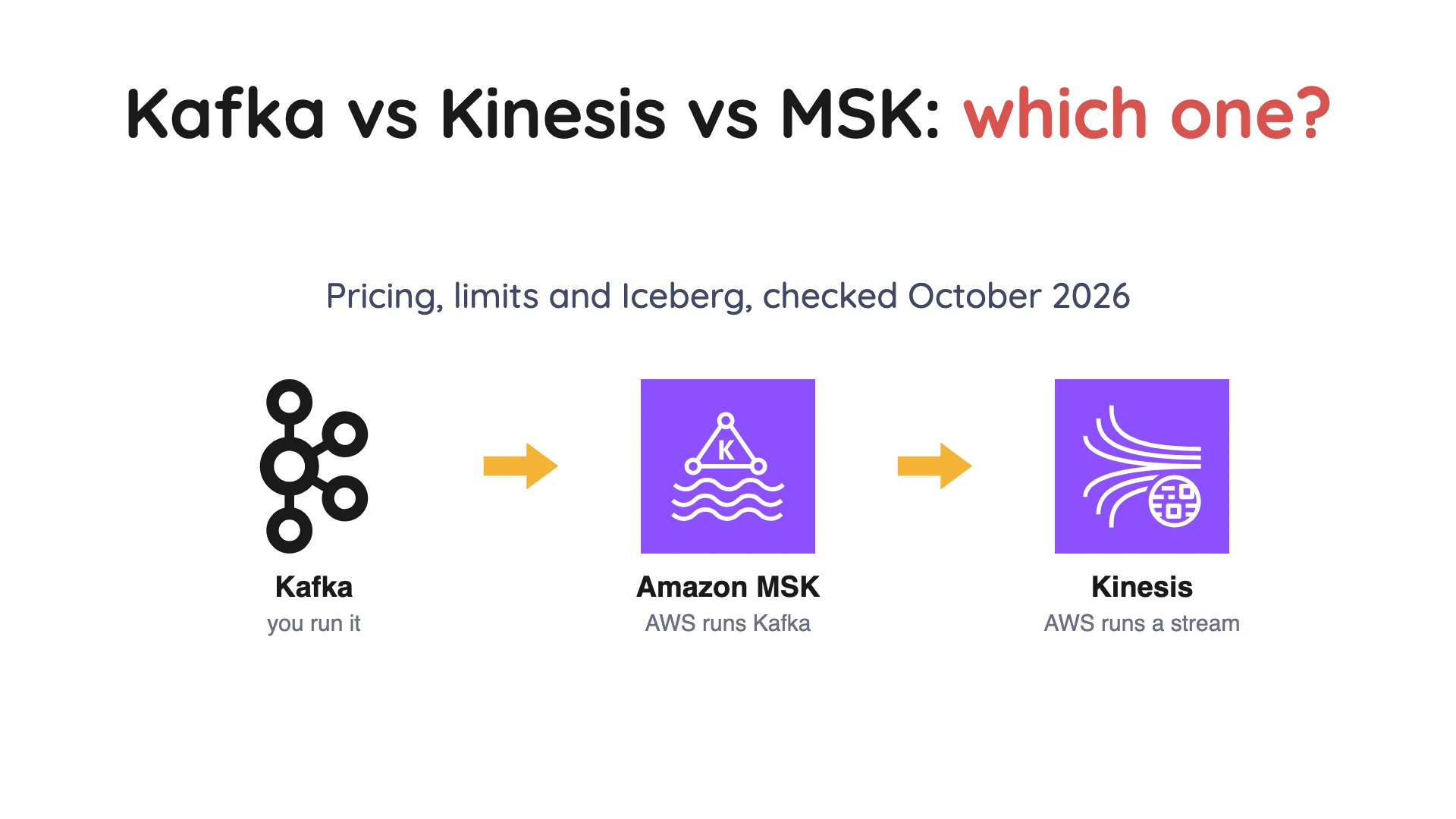
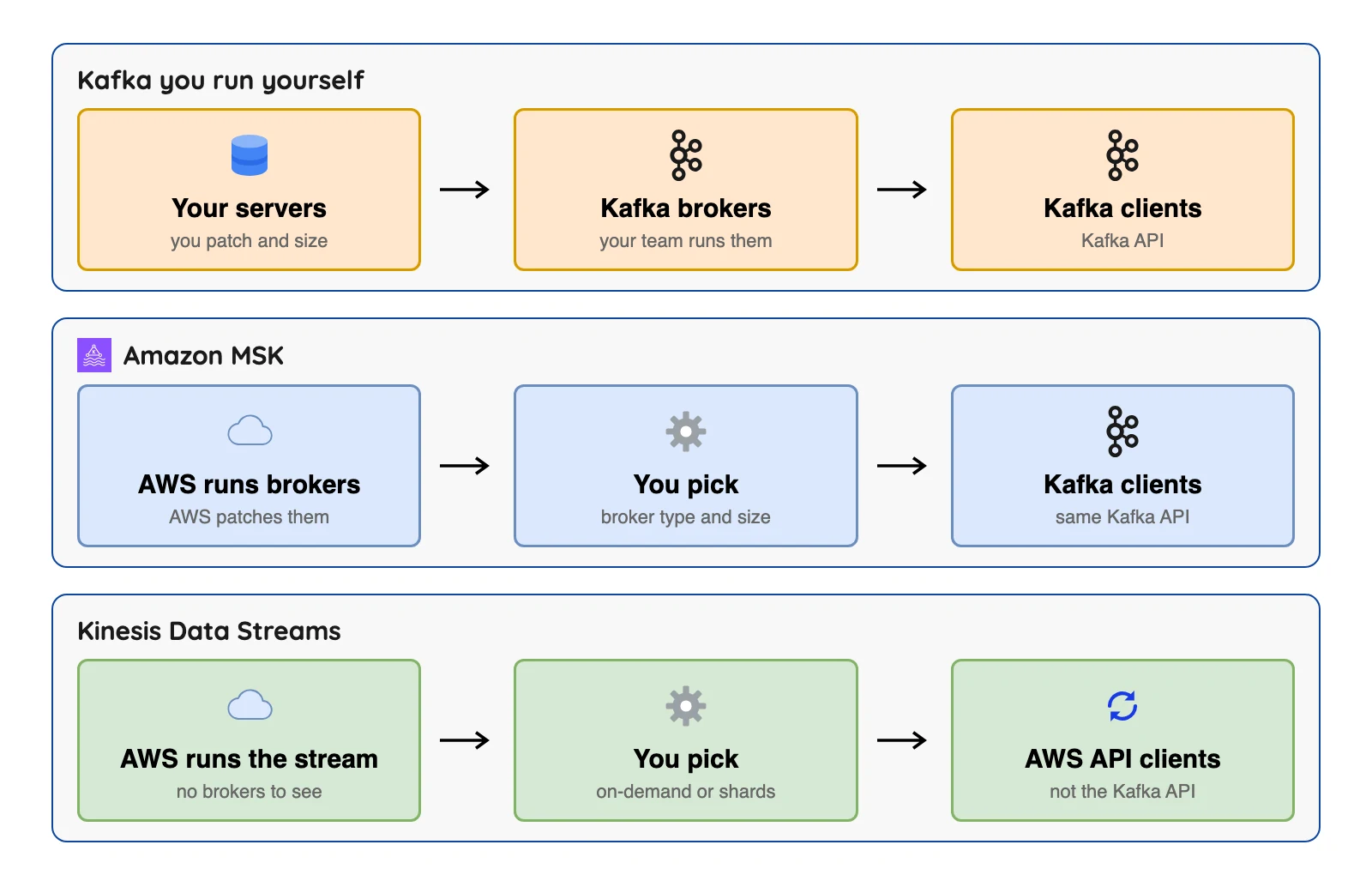
Kafka, Kinesis and MSK look like three rivals, but MSK is Kafka, run for you by AWS. So the choice is Kafka's world or Kinesis's world, and then who runs the servers.
We read the Apache Kafka docs and the AWS pricing and documentation pages in November 2026, and link each page beside the claim it supports. Competitor facts come from those pages; we did not run Kafka, Kinesis or MSK for this post. Last reviewed November 2026.
Kafka vs Kinesis vs MSK at a glance
Prices checked November 2026 against each vendor's own page. Plans change often, so confirm on the vendor's page before you decide.
| Apache Kafka (self-run) | Amazon MSK | Amazon Kinesis Data Streams | |
|---|---|---|---|
| What it is | Open-source event streaming platform | Kafka run by AWS | AWS's own streaming service |
| Who runs the servers | You | AWS (Provisioned: you pick broker type; Serverless: AWS manages them) | AWS, fully |
| Client API | Kafka | Kafka | AWS API |
| Licence | Apache-2.0 | Proprietary service running open-source Kafka | Proprietary |
| Where it runs | Anywhere | AWS only | AWS only |
| Default retention | 168 hours (7 days), set per topic | Kafka setting; Serverless allows unlimited | 24 hours, up to 365 days at extra cost |
| Biggest single record | About 1 MB by default | 8 MiB on Serverless | 10 MiB |
| Scaling unit | Partitions and brokers | Brokers (Standard, Express) or automatic (Serverless) | Shards, or automatic in on-demand mode |
| Free tier | No licence fee | Not published on the pages we read | None, per AWS |
| Iceberg delivery | Not in core Kafka | Express brokers only (July 2026) | On-demand mode only (August 2026) |
The Kafka column comes from the Apache Kafka docs, and the AWS columns come from the MSK and Kinesis docs and quotas pages. You'll find each sourced claim linked in the sections below.
The Three Options, One at a Time
Apache Kafka, run by you
Kafka calls itself an event streaming platform. Apps publish events to topics, Kafka stores them, and other apps read them as often as they like. Reading doesn't delete anything, and you decide how long events stay.
Two newer facts that older pages miss. First, Kafka 4.0 removed ZooKeeper, the separate coordination service older guides say you need, according to the upgrade notes.
Second, Kafka 4.2 (February 17, 2026) calls its share groups, also known as Kafka Queues, production-ready, per the release announcement. They let many consumers work the same partitions.
Fits when you want the open-source original, any cloud, or the newest features first. Falls short on work: you run, patch, scale and monitor the cluster.
A default Kafka broker gives automatically created topics just one copy of each partition (replication factor 1), per the Kafka broker configuration docs. The Kafka docs call 3 common in production, so set it on purpose.
What users say: one commenter in the Hacker News (HN) thread "What If We Could Rebuild Kafka from Scratch?" (April 2025) calls it "very complex, especially when troubleshooting pathological behavior or recovering from failures", yet "rock solid". These are individual opinions, not a survey.
Amazon MSK, Kafka run by AWS
Amazon MSK is, in AWS's words, "a fully managed service" for running Apache Kafka. It comes in three flavours. Standard brokers let you choose the instance type, Express brokers are AWS's newer broker type, and Serverless manages the brokers for you.
The controllers that coordinate a cluster (KRaft, Kafka's built-in coordination) cost nothing extra.
A Standard cluster can hold up to 60 brokers when it uses KRaft, and Express brokers have unlimited storage, per the MSK quotas. Standard brokers can also use tiered storage, a cheaper layer for old data, though it does not support compacted topics.
Fits when you want Kafka's API and tools without running brokers, or might move off AWS later and want the same client code to follow you.
Falls short on limits. Serverless needs IAM (AWS's access control system) and does not support Kafka ACLs (access control lists), per the Serverless page.
It also caps a cluster at 200 MBps in and 400 MBps out and allows 2,400 partitions on non-compacted topics, per the same quotas page. And unless you choose Serverless, you still pick and size brokers.
Amazon Kinesis Data Streams
Kinesis Data Streams is AWS's own service for collecting and processing streams of records.
Producers push records in, and several apps can read the same stream. One might write to DynamoDB while another archives to S3. AWS says the delay from put to get is "typically less than 1 second", which is AWS's figure and not one we measured.
Under the hood, a stream is split into shards, and a partition key you choose decides which shard a record lands in. The key concepts page says each shard handles up to 1 MB per second in and 2 MB per second out. Retention starts at 24 hours and can go up to 8,760 hours (365 days) for an extra charge.
Fits when you're all-in on AWS. Falls short on portability and depth: it uses AWS's own API, runs only on AWS, and retention tops out at 365 days.
Enhanced fan-out (a private read lane per consumer) allows 20 consumers per stream, or 50 in On-demand Advantage mode, per the quotas page.
What users say: on HN, in the thread "What's your go-to message queue in 2025?" (May 2025), one commenter says "AWS Kinesis ended up being simpler for our needs". A PeerSpot review (October 2025) says "We are contemplating moving away from Amazon Kinesis primarily because of the cost."
Where the three really differ
| Question | Kafka and MSK | Kinesis |
|---|---|---|
| How is a stream split? | Partitions. Order is kept within one partition. | Shards. A partition key is hashed to pick the shard. |
| How do readers get data? | They pull, and "falls behind and catches up when it can". | Shared reads (2 MB per second per shard, split among readers) or enhanced fan-out. |
| How long is data kept? | You decide. Serverless allows unlimited retention. | 24 hours by default, 365 days at most. |
| What do you tune? | Brokers, partitions, replication, storage (except on Serverless). | Capacity mode, and shard count if provisioned. |
| How easily can you leave? | Kafka clients work on other clouds and other Kafka services. | Code written against the Kinesis API stays on AWS. |
Two notes on the table. Reading from a Kinesis stream is free in provisioned mode while data sits within the default or extended 7-day retention, per AWS's pricing page. And Kinesis consumers often use the Kinesis Client Library, which stores its progress in DynamoDB tables, so expect one more line on your AWS bill.
Kinesis publishes per-shard numbers and on-demand ceilings. New on-demand streams start at 4 MB/s in and 8 MB/s out, and scale up to 10 GB/s in the US East (N. Virginia), US West (Oregon) and Europe (Ireland) Regions.
We found no head-to-head figure in either project's docs. Lines such as "Kafka does 30,000 messages a second, Kinesis 20,000" appear on some comparison pages with no test setup behind them, so we'd treat them with suspicion.
What Each One Costs
Everything here is US East from AWS's own pages (checked Nov 2026).
| Service and mode | Published rate (US East, Ohio view; checked Nov 2026) |
|---|---|
| Kinesis On-demand Standard | $0.08 per GB in, $0.04 per GB out, $0.04 per stream-hour |
| Kinesis On-demand Advantage | $0.032 per GB in, $0.016 per GB out, with a minimum charge that assumes 25 MB/s in and 25 MB/s out across the account |
| Kinesis Provisioned | $0.015 per shard-hour plus $0.014 per million PUT payload units (25 KB each) |
| MSK Standard | kafka.m5.large $0.21 per hour, storage $0.10 per GB-month |
| MSK Express | express.m7g.large $0.3468 per hour, $0.01 per GB ingested, storage $0.10 per GB-month |
| MSK Serverless | $0.75 per cluster-hour, $0.0015 per partition-hour, $0.10 per GB in, $0.05 per GB out, plus storage |
| Self-run Kafka | No licence fee. Your servers and your team's time. |
Sources: the Kinesis pricing page and the MSK pricing page. AWS says Kinesis Data Streams is not currently available in its Free Tier. MSK says you aren't charged for data moved between brokers for replication (checked Nov 2026).
One worked bill, with our own arithmetic
A made-up but plain scenario: 1,000 records a second, each 1 KB, for a 30-day month, with one app reading all of it and one day of retention. That's about 2,472 GB a month.
The sums below are ours, from the rates above. They are not an AWS quote.
| Setup | Our monthly math | Total |
|---|---|---|
| Kinesis On-demand Standard | $197.75 in, $98.88 out, $28.80 stream-hours | $325.43 |
| Kinesis Provisioned, 2 shards | $21.60 shard-hours, $36.29 PUT units, reads free | $57.89 |
| MSK Standard, 3 x kafka.m5.large | 3 x 720 hours x $0.21 | $453.60 plus storage |
| MSK Express, 3 x express.m7g.large | $749.09 brokers, $24.72 ingest | $773.81 plus storage |
| MSK Serverless, 6 partitions | $540.00 cluster, $6.48 partitions, $247.19 in, $123.60 out | $917.27 plus storage |
We use two Kinesis shards because one shard tops out at 1,000 records a second, which is exactly our load.
We use three MSK brokers because AWS's best-practices page says to set up a three-zone cluster. We didn't size or load-test any broker, so treat the MSK rows as the bill for the smallest sizes AWS shows in its own examples.
At this small, steady load, Kinesis in provisioned mode is far cheaper by our sums. The picture shifts as your traffic grows, because on-demand charges per GB and MSK charges per broker hour.
Self-run Kafka doesn't remove the bill. It swaps it for servers and people's time.
Security, delivery guarantees and everyday limits
Start with delivery guarantees. The Kafka design page says Kafka provides at-most-once, at-least-once and exactly-once delivery, with a caveat. Beyond Kafka itself, many output systems "will not support a two-phase commit", so a consumer has to store its position with its output.
We read no equivalent guarantee statement for plain Kinesis streams on the pages we opened. Check that before you design around exactly-once.
Next, access control. Kafka uses rules that say who may do what to which resource, with encrypted connections and several sign-in methods, per the Kafka security docs. MSK Serverless swaps that for AWS's IAM. Kinesis can encrypt records with keys from AWS KMS (Key Management Service), and AWS says this brings KMS key and API costs.
Record size limits differ. Kafka's broker default is about 1 MB (1,048,588 bytes), MSK Serverless allows 8 MiB, and Kinesis lists 10 MiB. Kafka's limit can be raised in configuration, so it's a default and not a wall.
Last, how you'd leave. A Kafka client moves between self-run Kafka, MSK and other Kafka services with mostly new connection settings. Code written for the Kinesis API has to be rewritten to go anywhere else, which is our read of how the two APIs differ, not a vendor statement.
Three small scenarios
These are plain illustrations built from the documented limits above. They're not benchmarks, and they're not stories from real teams.
A small team on AWS wants app events to reach Lambda and S3. Nobody on the team has run Kafka. Kinesis on-demand has nothing to size and includes the first day of retention, per AWS.
A company has Kafka apps in its own data centre and wants to move to AWS. The producers and consumers already speak Kafka. AWS says MSK keeps that code working, and Standard brokers or Serverless remove the broker chores.
A team needs two years of replayable history, in more than one cloud. Kinesis stops at 365 days and runs only on AWS, so it's out. Self-run Kafka, or a Kafka-compatible service, is the natural shortlist.
Writing to Iceberg: new in 2026, with limits
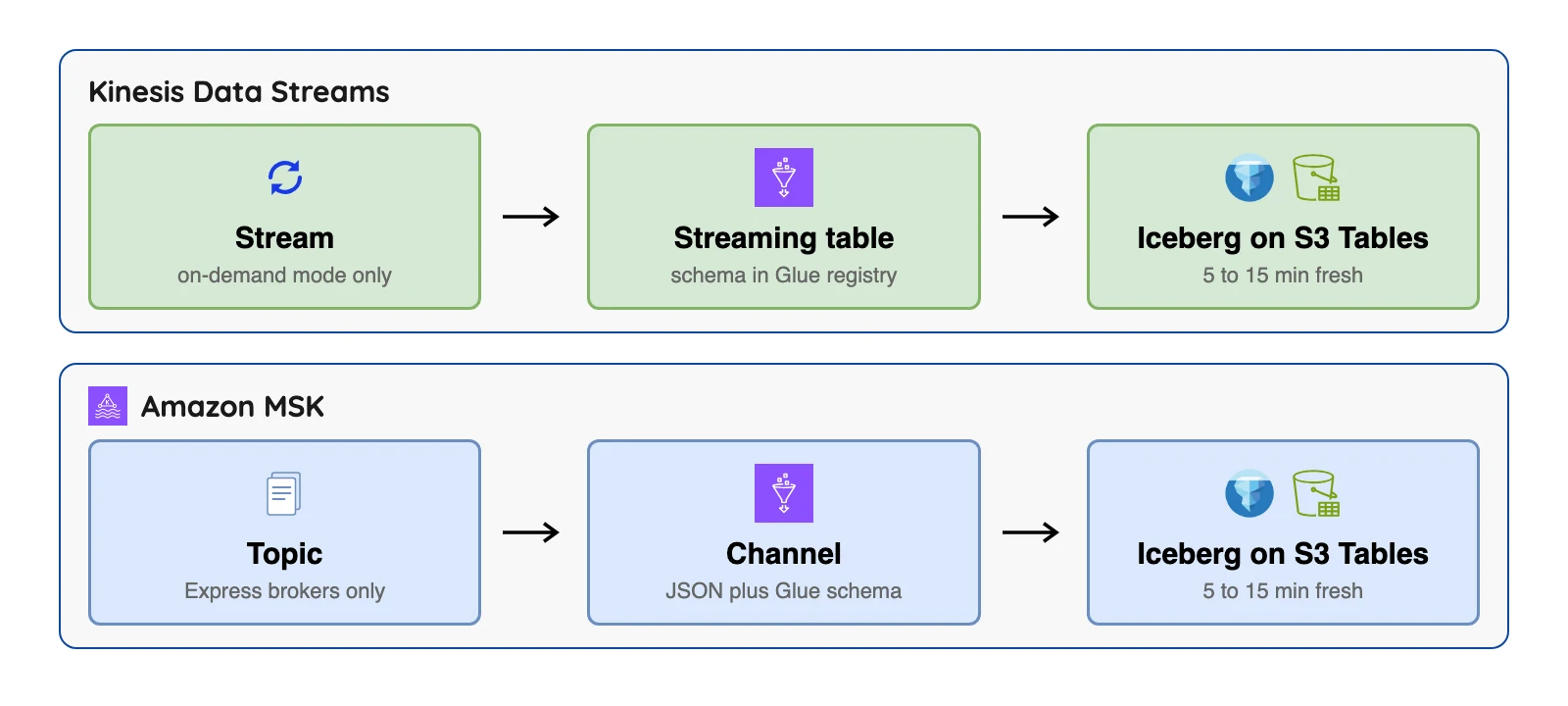
If your goal is a lake of Apache Iceberg tables (an open table format for analytics): both AWS services now deliver stream data to Iceberg tables on Amazon S3 Tables. They arrived within a month of each other.
| Kinesis streaming tables | MSK streaming tables | |
|---|---|---|
| Announced | August 28, 2026 | July 30, 2026 |
| Needs | On-demand mode, a schema in AWS Glue Schema Registry, a dead-letter bucket | Express brokers (not Standard, not Serverless), JSON data, a Glue schema |
| Freshness | 5 to 15 minutes | 5 to 15 minutes |
| Price (US East) | $0.014 per GB (Advantage) or $0.035 per GB (Standard) delivered | $10.00 per TB delivered |
| Limits | Same account and Region only | No backfill, one new table per setup, same account and Region |
The details come from AWS's Kinesis delivery docs, the MSK Iceberg docs and the pricing pages above (checked Nov 2026). The dates are from AWS's August and July 2026 announcements.
Kinesis prices per GB and MSK per TB. One TB is 1,024 GB in AWS's own price examples, so MSK works out to about $0.0098 per GB by our conversion.
Both features are new. The MSK docs also say a channel "does not backfill previously produced data", so history already sitting in the topic stays out of the table.
Before streaming tables, AWS's main route was Amazon Data Firehose, a delivery service that can read Kafka topics and write Iceberg tables. Its docs say that for self-managed Iceberg tables you manage compaction and snapshot expiration. Streaming tables add inline compaction, and that's the new part.
None of these capture changes from a database.
If Kafka topics are your source and Iceberg on your own storage is the goal, OLake Go is an open-source option. It reads Kafka in its change data capture (CDC) Only mode, with no backfill, and writes Iceberg or Parquet on storage you choose (our docs).
Pulsar and Redpanda, one row each
| Apache Pulsar | Redpanda | |
|---|---|---|
| What it is | Open-source messaging and streaming platform | Kafka-API-compatible streaming platform |
| How it differs | Stateless brokers, with data stored in Apache BookKeeper, so compute and storage are separate | One binary, per its docs, no external systems |
| Kafka API | Not stated on the pages we read | Yes, per its docs |
| Licence | Apache-2.0 | Community Edition under the Business Source License; enterprise features need a licence |
| Iceberg | Not stated on the pages we read | Iceberg Topics, which need an enterprise licence and do not backfill |
From the Pulsar architecture page, the Redpanda licensing page and its Iceberg Topics page.
Pulsar fits when you want several ways for readers to share a topic, built-in geo-replication, and tiered storage in one open-source system, per its docs. It falls short on clarity for Kafka users: the docs we read don't state Kafka API compatibility, so check before you plan to reuse Kafka clients.
Redpanda fits when you want what its docs describe as Kafka API compatibility and a single-binary design, with a vendor-run option. Its pricing page lists Serverless, bring-your-own-cloud and self-managed Enterprise plans. We did not read the dollar rates.
It falls short on licence. The Community Edition is source-available, not open source, and Iceberg Topics need an enterprise licence.
Which should you pick?
Start with where you run, then ask who runs it. The table is our read of the facts above, not a rule.
| Your situation | Likely pick | Why |
|---|---|---|
| All on AWS, small team, no Kafka tooling yet | Kinesis Data Streams | Nothing to size in on-demand mode, and Lambda-style AWS integrations |
| Kafka apps or connectors already exist, running on AWS | Amazon MSK | Same Kafka API, no brokers to patch |
| You may leave AWS in a few years | MSK or self-run Kafka | Kafka clients move with you |
| Events must stay longer than a year | MSK Serverless or Express, or self-run Kafka | Kinesis tops out at 365 days |
| Several clouds or your own data centres | Self-run Kafka, Pulsar or Redpanda | AWS services run only on AWS |
| Tiny, steady load and a tight budget | Kinesis provisioned | Cheapest in our worked example |
| Need Iceberg tables from a stream with little code | Kinesis (on-demand) or MSK Express | Both have streaming tables, with the limits above |
| Kafka topics into Iceberg or Parquet on storage you choose | OLake Go (ours) | Open source, reads Kafka (our docs), writes Iceberg or Parquet |
Which streaming service fits you?
Question 1 of 5
Where will your streaming system run?
Think about where your apps live today, and where they might live in three years.
Where each fits
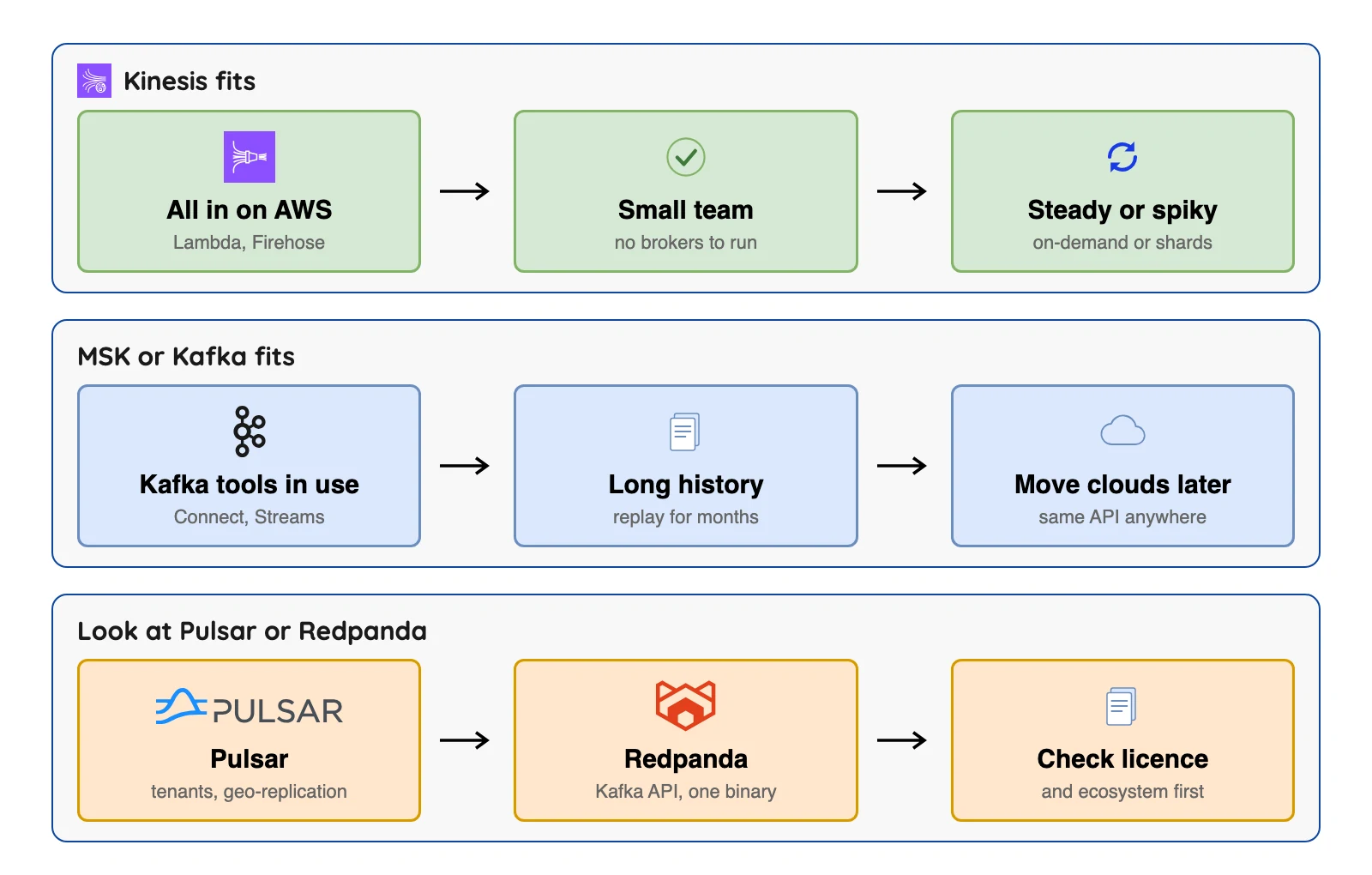
- Choose Kinesis if your team is small, committed to AWS and wants the lowest running effort. AWS lists nothing to size in on-demand mode.
- Choose MSK if you already have Kafka code, or want the option to leave AWS without rewriting producers and consumers. Its Serverless option lists unlimited retention.
- Choose self-run Kafka, Pulsar or Redpanda if you run outside AWS, or need multi-tenancy, geo-replication or the Kafka API on another engine, within the licence terms above.
What to test before you commit
- Your biggest record. Compare it with the limits, which are about 1 MB for a default Kafka broker, 8 MiB for MSK Serverless, 10 MiB for Kinesis.
- Your reader count. Kinesis shares 2 MB per second per shard among ordinary readers, and enhanced fan-out stops at 20 consumers per stream (50 in On-demand Advantage). Count how many separate apps want the same data.
- Your retention. If you need more than 365 days, Kinesis is out. If you need compacted topics on MSK tiered storage, note that they aren't supported there.
- Your own bill. Redo the worked example with your record size and volume, and don't forget storage, data transfer and any Kinesis Client Library tables.
Frequently asked questions
Q1. Is Amazon MSK the same as Kafka?
Q2. Is Kinesis cheaper than Kafka?
Q3. Can Kinesis keep data forever?
Q4. Does Kinesis support the Kafka API?
Q5. Which is better for Apache Iceberg, Kinesis or MSK?
Q6. What about Kafka vs Pulsar?
Q7. Is Redpanda a Kafka replacement?
Conclusion
On AWS with a small team and no Kafka history, Kinesis on-demand has nothing to size. If Kafka code or tools are already in your life, or you might leave AWS, MSK or self-run Kafka keeps your options open. Pulsar and Redpanda are worth a look when licence, tenancy or geography drive the decision.
If the stream should end up as Iceberg tables on storage you choose, add OLake Go to the shortlist. See also our Kafka-free database to Iceberg options and the streaming platform comparison.
Whichever you pick, rerun the cost sums with your own record size and volume, and read the limits on any new feature.