
 Twitter
 LinkedIn
 Facebook
 Email
Email
What are Catalogs?
A catalog is a entity from where OLake Fusion fetches Iceberg tables. It stores reference to the latest metadata file which stores info such as table names, schemas, and file locations. OLake Fusion must know which catalog (and database) a table belongs to before maintenance can run on it.
Catalogs are managed from the Maintenance section in the OLake UI. There are two types: OLake Imported Catalogs and External Catalogs.
OLake Imported Catalogs
OLake Imported Catalogs are catalogs where data was ingested using OLake Go. Since the catalog connection details are already configured in OLake Go, they can be directly imported here without entering the credentials again.
How to add an OLake Imported Catalog
-
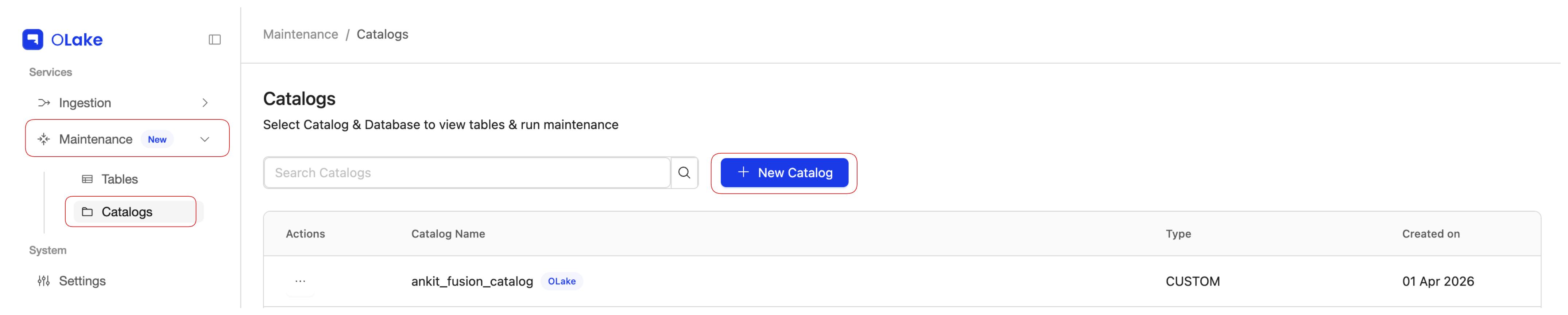
In the OLake UI sidebar, open the Maintenance dropdown and go to the Catalogs page.
-
Click New Catalog.
-
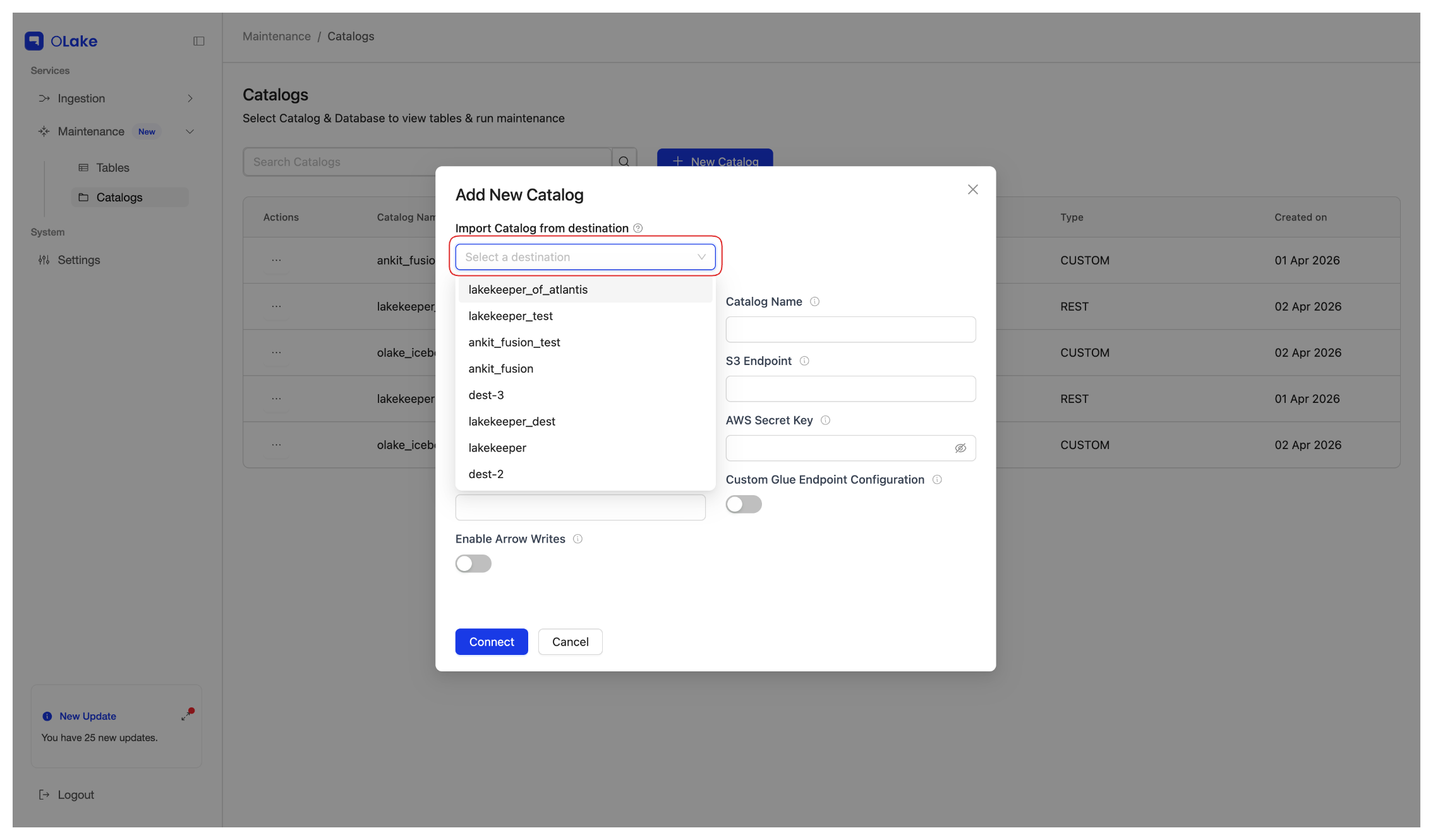
Under Import Catalog from destination, open the dropdown and select the destination. OLake Fusion imports all catalog credentials from that destination.
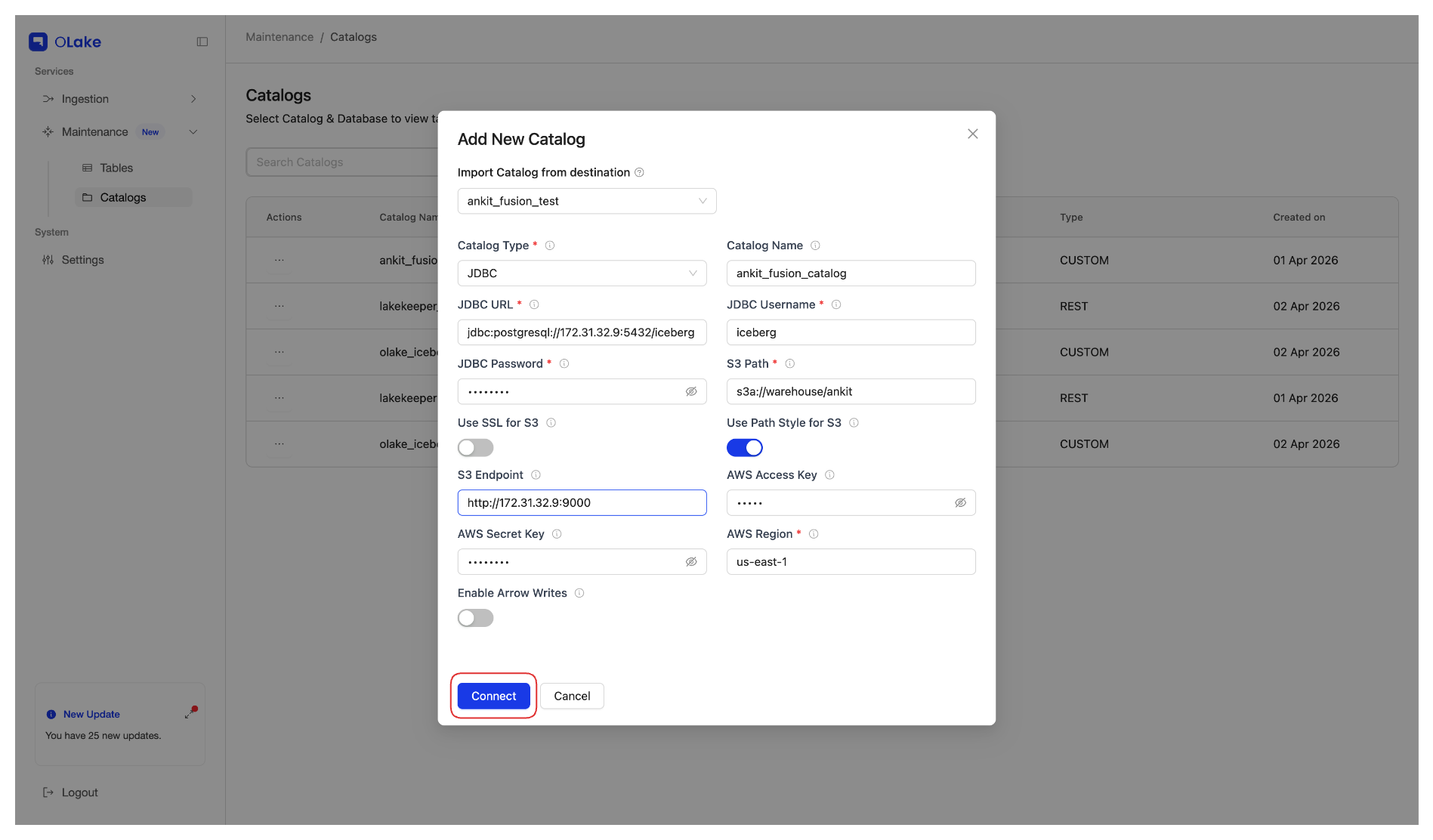
 JDBC Catalog — Catalog Name Must Match
For JDBC catalogs, the catalog name must match the one used during Ingestion. If no catalog name was provided during ingestion, the default is
olake_iceberg. -
Click Connect to save and validate the catalog.
Note: Duplicate catalog names are not allowed. If a catalog with the same name already exists, the new catalog will not be added.
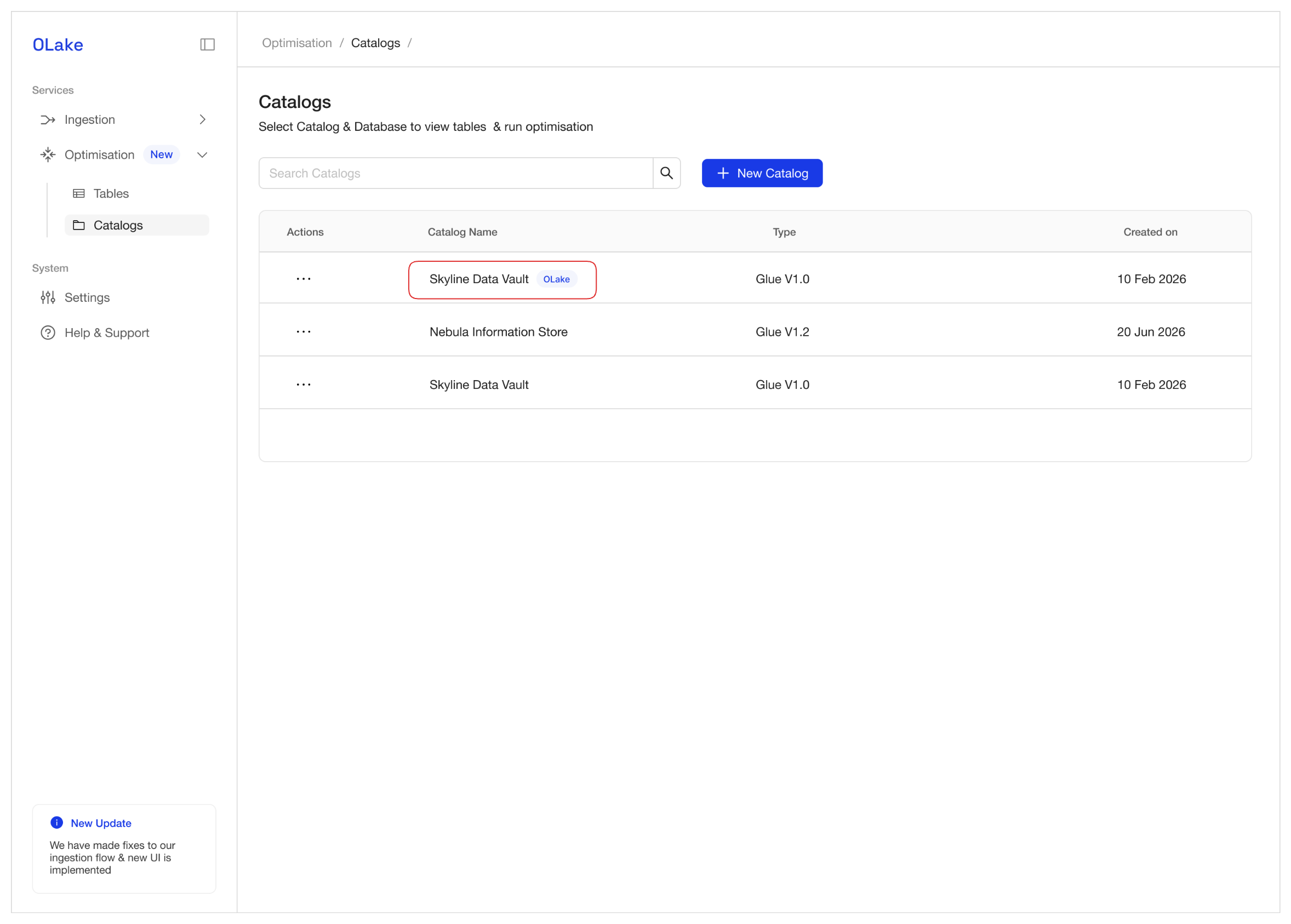
On the Catalogs page, OLake Imported Catalogs are shown with OLake beside their name to distinguish them from External Catalogs.
External Catalogs
External Catalogs are catalogs added by entering connection details manually from the Catalogs page (without using Import Catalog from destination).
Use an external catalog when:
- Maintenance is needed on Iceberg tables created outside OLake.
- The same catalog is used by other systems and OLake Fusion should compact those tables without replicating data via Ingestion.
How to add an External Catalog
- In the OLake UI sidebar, open the Maintenance dropdown and go to the Catalogs page.
- Click New Catalog.
- Enter the catalog details manually (for example, catalog name, type, and connection settings). Do not use Import Catalog from destination.
- Click Connect to save and validate the catalog.
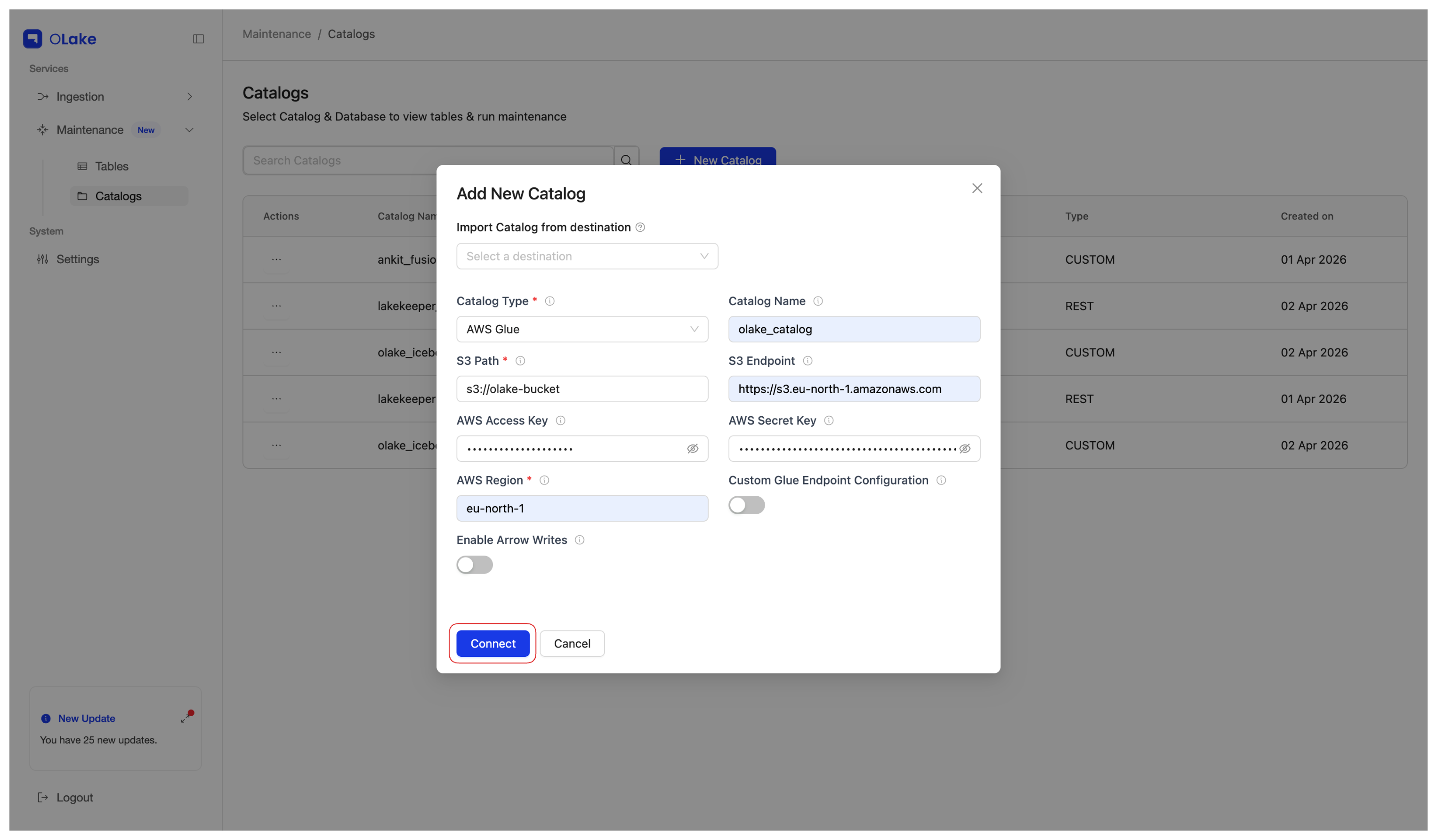
Once a catalog is connected—whether imported or added as external—it appears in the Select Catalog dropdown on the Tables page. Selecting a catalog (and then a database) lists the tables available for maintenance configuration.
Compatibility to Iceberg Catalogs
OLake Fusion supports multiple Iceberg catalog implementations, including REST catalog, Hive Metastore, and JDBC Catalog, letting you choose the one that best fits your environment. The table below shows the supported catalogs at a glance, with links to their setup guides.
| Catalog | |
|---|---|
 | AWS Glue |
| REST (Generic) | |
 | REST Nessie |
 | REST Polaris |
 | REST Unity |
 | REST Lakekeeper |
 | S3 Tables |
 | JDBC |
 | Hive Metastore |
For a full walkthrough that includes adding a catalog and configuring the first table maintenance, see Configure Your First Table Maintenance.