
 Twitter
 LinkedIn
 Facebook
 Email
Email
Alerts and Notifications
OLake provides system-level alerting capabilities that notify you when jobs fail. You can configure webhook alerts to receive notifications in Slack, Microsoft Teams, or any other platform that supports webhooks.
To access the alerts and notifications feature, ensure you have the following minimum versions:
- OLake UI: Version 0.2.3 or higher
- Worker: Version 0.2.3 or higher
Configuring Webhook Alerts
Obtaining Webhook URLs
Before configuring alerts in OLake, you need to obtain a webhook URL from your preferred notification platform:
- Slack: Follow the Slack Incoming Webhooks guide to create a webhook URL for your Slack channel
- Microsoft Teams: Follow the Microsoft Teams Incoming Webhooks guide to create a webhook URL for your Teams channel
Setting Up Webhook URL in OLake
- Navigate to the System Settings page from the left sidebar in OLake UI
- Click on the Alerts and Notifications tab
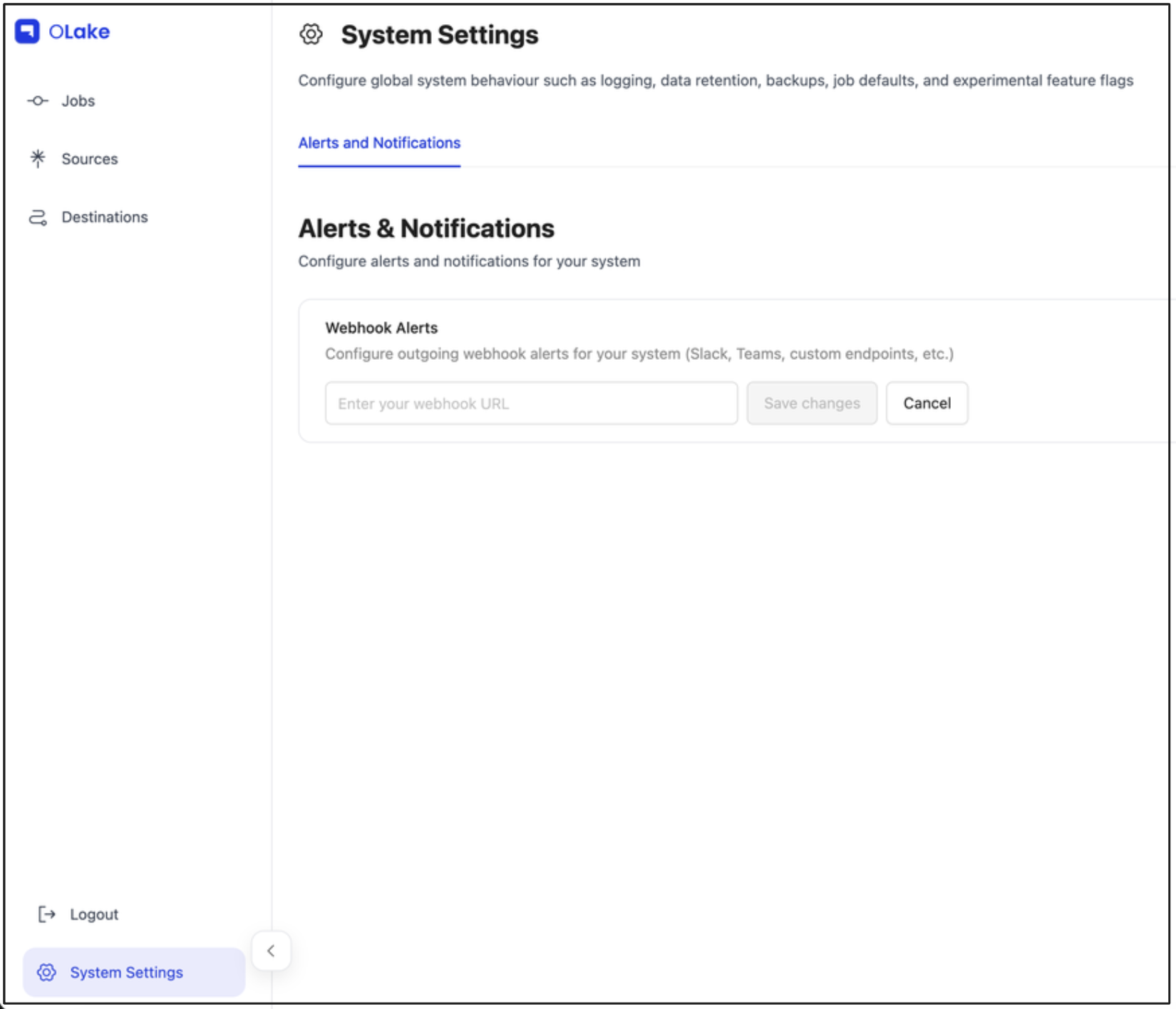
- In the Webhook Alerts section, enter your webhook URL in the input field
- Click Save changes to enable alerts
- To update the webhook URL, click Clear to remove the existing URL, then enter a new webhook URL and click Save changes
Only one webhook URL can be configured per system. You cannot use multiple channels (e.g., both Slack and Teams) simultaneously.
Once you configure the webhook URL, all jobs in your OLake instance will be automatically tracked. You will receive alerts for all job failures, including both newly created jobs and previously running jobs.
Alert Message Format
When a job fails, OLake sends a POST request to your webhook URL with a JSON payload containing:
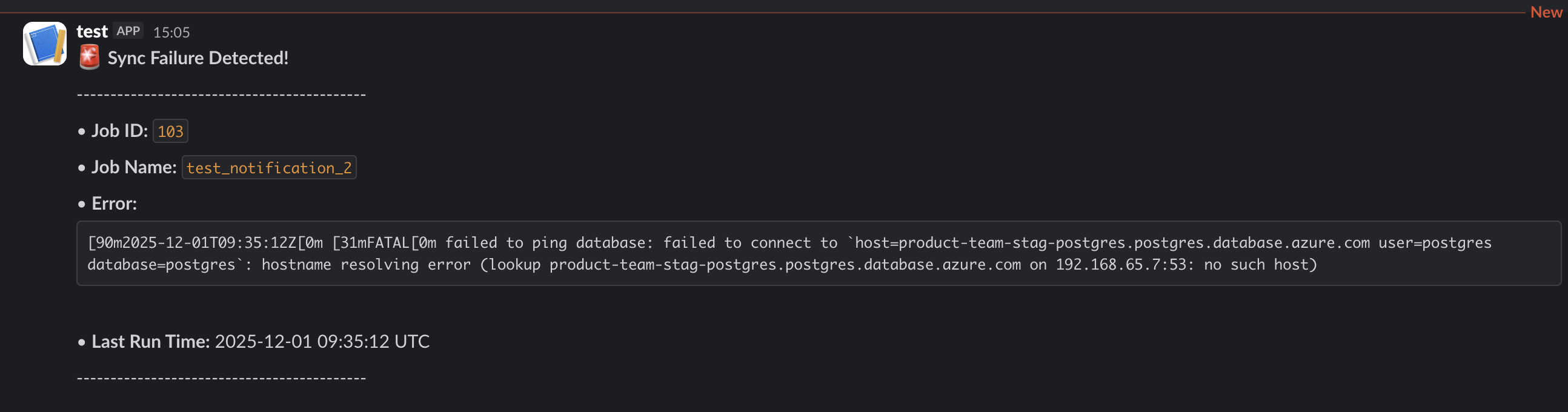
Alert Components
- Title: "Sync Failure Detected!" to indicate a job failure
- Job ID: Numeric identifier for the failed job
- Job Name: The descriptive name you assigned to the job
- Error Message: Error log from the failed sync
- Last Run Time: The timestamp when the job was executed
Alerts and notifications are configured at the system level, meaning all jobs will send alerts to the same webhook URL. This ensures you receive notifications for all job failures across your OLake instance.