S3 Parquet
OLake Go supports writing in parquet format directly to S3. Before proceeding with the S3 Parquet destination, we recommend reviewing the Getting Started and Installation sections.
Prerequisites
- Before setting up the destination, make sure you have successfully set up the
source. - AWS S3: Review the minimum required IAM Permissions for S3 Parquet Writer.
- GCS: Review GCP IAM Permission for role-based access, and create HMAC keys for your service account to use as S3 credentials. See Creation of HMAC Keys below.
Configuration
- OLake UI
- OLake CLI
- Before setting up the destination, make sure you have successfully set up the source.
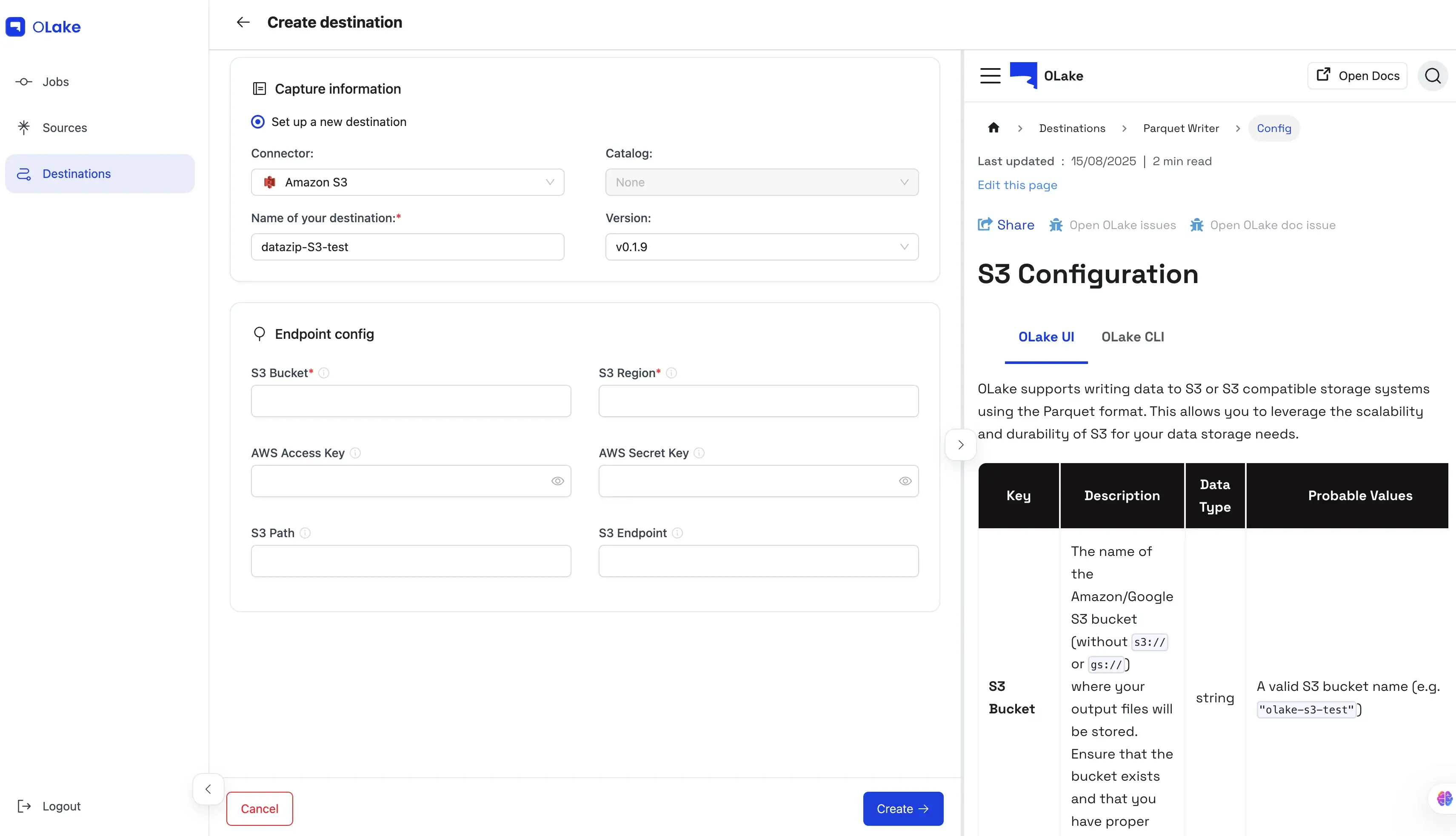
| Key | Description | Data Type | Probable Values |
|---|---|---|---|
| S3 Bucket | The name of the Amazon/Google S3 bucket (without s3:// or gs://) where your output files will be stored. Ensure that the bucket exists and that you have proper access. | string | A valid S3 bucket name (e.g. "olake-s3-test") |
| S3 Region | The AWS/MinIO/GCS region where the specified S3 bucket is hosted. | string | AWS/GCS region codes such as "ap-south-1", "us-west-2", etc. |
| S3 Access Key | The AWS/MinIO/GCS HMAC access key used for authenticating S3 requests. | string | A valid AWS/GCS HMAC access key |
| S3 Secret Key | The AWS/MinIO/GCS HMAC secret key used for S3 authentication. This key should be kept secure. | string | A valid AWS/GCS HMAC secret key |
| S3 Path | The specific path (or prefix) within the S3 bucket where data files will be written. This is typically a folder path that starts with a / (e.g. "/data"). | string | A valid path string |
| S3 Endpoint | (Optional) Custom S3-compatible endpoint. Required when using GCS HMAC keys or MinIO S3. | string | "https://storage.googleapis.com", "https://<MinIO-Storage-Endpoint>:9000" |
| Max File Size (MB) | (Optional) Rolls a partition into a new parquet file once the current file reaches this size in MB. Fractional values are allowed. Defaults to 512 when unset. | number | A positive number (integers e.g. 512, 128 or fractional e.g. 0.1 for 100KB) |
destination.json
{
    "type": "PARQUET",
    "writer": {
      "s3_bucket": "<BUCKET_NAME>",
      "s3_region": "ap-south-1",
      "s3_access_key": "XXX",
      "s3_secret_key": "XXX",
      "s3_path": "/data",
      "s3_endpoint": "http://<S3_ENDPOINT>:9000"
    }
}
| Key | Description | Data Type | Probable Values |
|---|---|---|---|
| type | Specifies the output file format for writing data. Currently, only the "PARQUET" format is supported. | string | "PARQUET" |
| s3_bucket | The name of the Amazon S3/GCS bucket (without s3:// or gs://) where your output files will be stored. Ensure that the bucket exists and that you have proper access. | string | A valid S3 bucket name (e.g. "olake-s3-test") |
| s3_region | The AWS/GCS region where the specified S3 bucket is hosted. | string | AWS/GCS region codes such as "us-west-2", "ap-south-1", etc. |
| s3_access_key | The AWS/GCS HMAC access key used for authenticating S3 requests. | string | A valid AWS/GCS HMAC access key |
| s3_secret_key | The AWS/GCS HMAC secret key used for S3 authentication. This key should be kept secure. | string | A valid AWS/GCS HMAC secret key |
| s3_endpoint | (Optional) The custom endpoint for S3-compatible services. Required for GCS using HMAC keys. | string | "https://storage.googleapis.com" |
| s3_path | (Optional) The specific path (or prefix) within the S3 bucket where data files will be written. This is typically a folder path that starts with a / (e.g. "/data"). | string | A valid path string |
| max_file_size_mb | (Optional) Rolls a partition into a new parquet file once the current file reaches this size in MB. Fractional values are allowed. Defaults to 512 when unset. | number | A positive number (integers e.g. 512, 128 or fractional e.g. 0.1 for 100KB) |
info
- The generated
.parquetfiles use SNAPPY compression (Read more). Note that SNAPPY is no longer supported by S3 Select when performing queries. - OLake Go creates a test folder named
olake_writer_testcontaining a single text file (.txt) with the content:This is used to verify that you have the necessary permissions to write to S3.S3 write test