OLTP vs OLAP: Differences, Examples and How to Choose
19 min read
Key takeaways
The short version: OLTP (online transaction processing) is the database behind your app. It records orders, payments and sign-ups one at a time, fast and correctly. OLAP (online analytical processing) is where you ask the big questions, like sales by month, across years of stored history.
Pick OLTP to run the business and OLAP to study it. You'll probably end up with both, with data copied from the first into the second.
- OLTP handles lots of small jobs. OLAP handles a few big questions. AWS puts OLTP response times at milliseconds and OLAP at seconds or minutes.
- They're built differently on purpose. Microsoft describes OLTP as heavy writes with moderate reads, and OLAP as heavy reads and read-only.
- Running big reports on your live database is risky. Microsoft says it can be slow and can block other transactions.
- "OLAP means cubes" is out of date. Microsoft says OLAP systems have moved toward massively parallel processing, and AWS says OLAP can also use relational databases.
- You often don't have to pick one. AWS says OLTP databases can feed an OLAP system, and some products try to do both jobs in one place, with limits listed below.
Every fact below comes from a vendor's own documentation or a named reference page, read in October 2026. Each source is named beside its claim, and the main pages are linked once each. We did not run the other tools. The shop example is made up to show the idea.
OLTP vs OLAP: the short answer
Picture a shop. The till and the website record each sale the moment it happens. That's OLTP.
Now picture the monthly report that asks "which products sold best in each region this year?" That one's OLAP.
AWS defines OLTP as storing and updating transactional data reliably and efficiently in high volumes. It defines OLAP as combining and grouping data so you can analyze it from different points of view.
Microsoft says OLTP systems record business interactions as they occur. Its OLAP page says OLAP organizes large databases for complex calculations and trend analysis without disrupting transactional systems.
The words are older than you'd think. Wikipedia says Edgar F. Codd, described there as the father of the relational database, created the term OLAP in 1993.
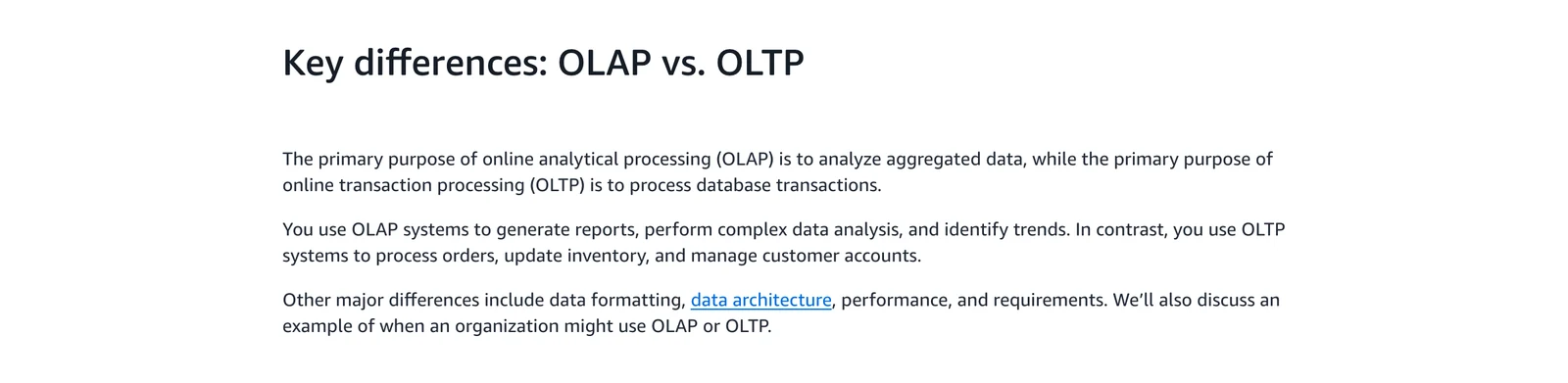
AWS, Key differences: OLAP vs. OLTP, October 2026.
How we checked
Here's what we read: the AWS comparison page, Microsoft's two Azure Architecture Center pages, Wikipedia, and the documentation of ClickHouse, PostgreSQL, Snowflake and Google AlloyDB.
No user opinions in this part. Each number has its source named beside it, and where two sources disagree, we show both.
OLTP vs OLAP comparison table
Here's the side-by-side. It uses the AWS comparison page and Microsoft's OLTP and OLAP pages, named in the last column. The last two rows give the named limit and the "better choice" call for each side.
| Question | OLTP | OLAP | Source |
|---|---|---|---|
| Main job | Record and update transactions | Analyze data for decisions | AWS |
| Typical workload | Heavy writes, moderate reads | Heavy reads, read-only | Microsoft |
| Data it holds | Real-time data from one source | Historical, combined data from many sources | AWS |
| Layout | Normalized or denormalized tables (normalized means data split into small, non-repeating pieces) | Star or snowflake schema (a central table of facts ringed by lookup tables) | AWS, Microsoft |
| Typical response time | Milliseconds | Seconds or minutes | AWS |
| Typical size | Gigabytes (AWS); MBs to a few TBs (Microsoft) | Terabytes to petabytes (AWS); hundreds of GBs to multiple PBs (Microsoft) | AWS, Microsoft |
| Guarantees | Strong consistency; atomic, consistent, isolated, durable (ACID) transactions | No transactions, no locking (in Microsoft's semantic-model table) | Microsoft |
| Availability | High priority, with multiple data backups | A low-priority concern, because the main use is analytics | AWS |
| Changing data | Updates and appends are normal | Typically refreshed on a slower schedule | Microsoft |
| Named limit | Big aggregate reports are resource-intensive and can block other transactions | Data is refreshed at slower intervals, and it needs data cleansing and ongoing upkeep to stay current | Microsoft |
| Better choice when | A delay hurts day-to-day work | You need complex analysis, simple reports or fast, consistent totals without slowing the live system | Microsoft |
The two sources don't agree on sizes. Both describe typical ranges, so treat them as rules of thumb. AWS's own text also says OLAP processing can take minutes to hours, so its table figure is a typical case.
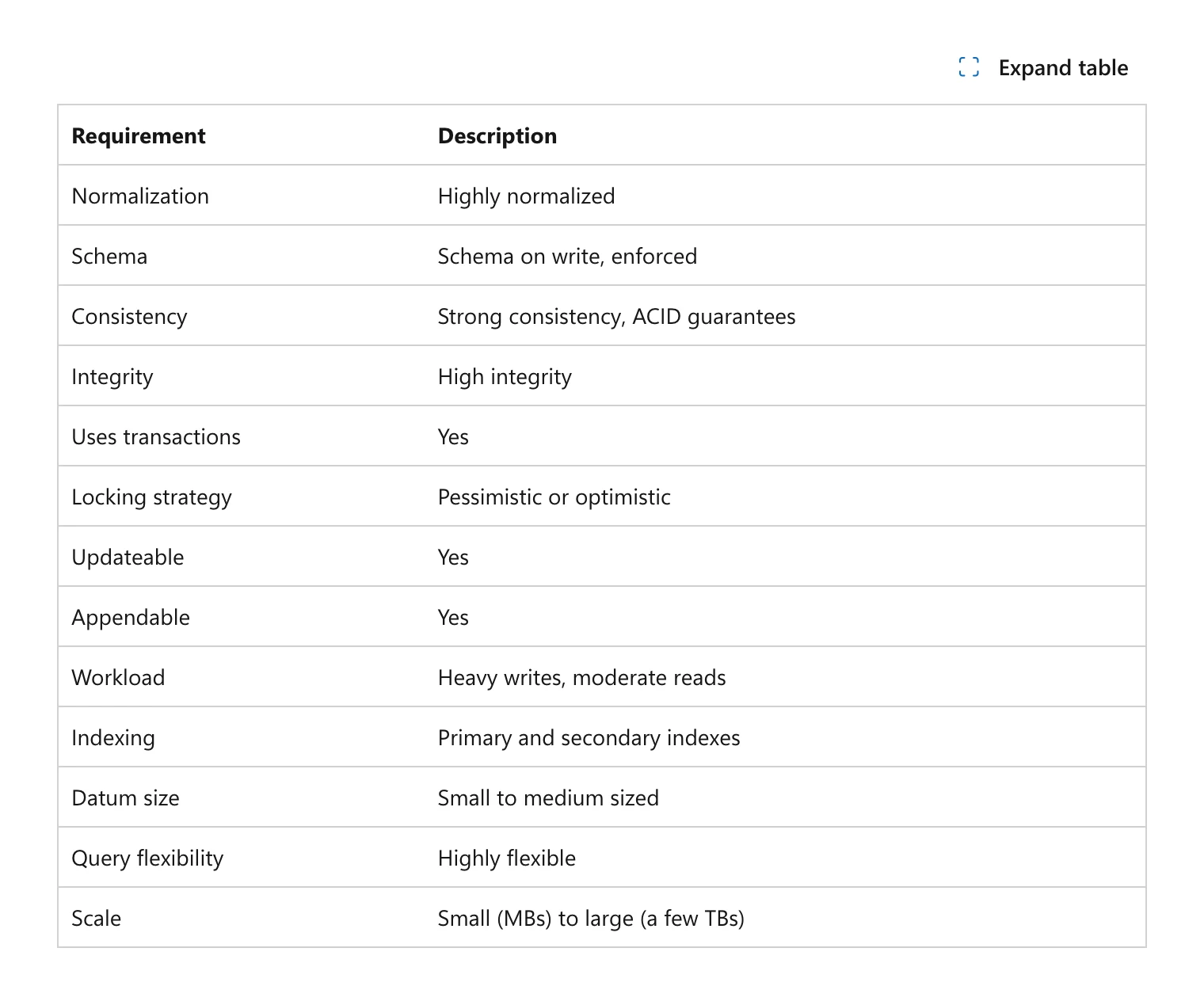
Microsoft Learn, Online Transaction Processing (OLTP), October 2026.
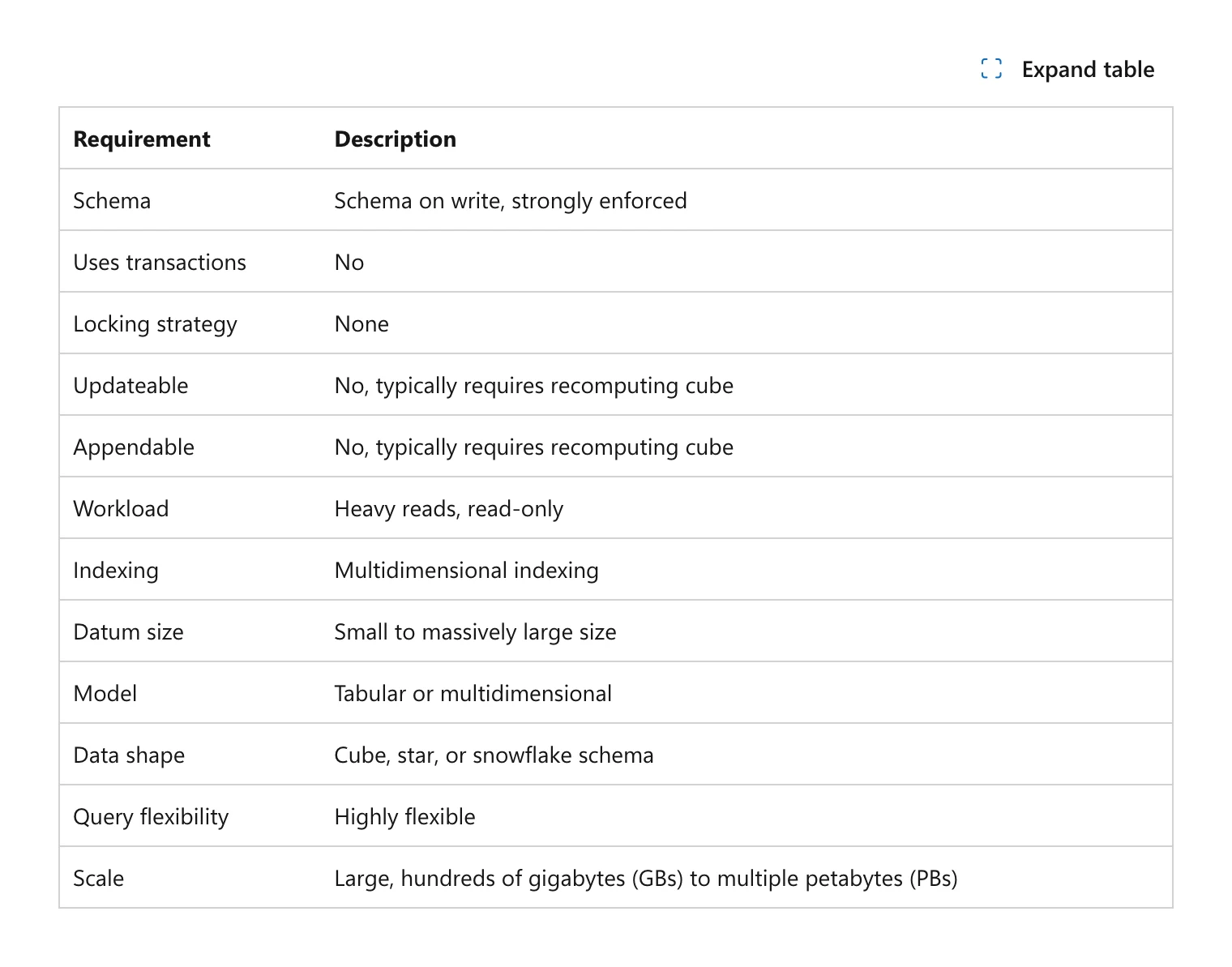
Microsoft Learn, Online Analytical Processing, October 2026.
Same question, two kinds of query
Let's see the difference in practice, using that made-up shop. These two queries were written for this page. They're not from a vendor.
-- OLTP: one order, a few rows, answer in milliseconds
SELECT * FROM orders WHERE order_id = 1042;

-- OLAP: a total over every order, only two columns needed
SELECT region, SUM(amount) FROM orders GROUP BY region;
The first touches one record. That second query reads every record but only cares about two fields from each. ClickHouse's docs draw the same line: transactional queries read and write just a few rows, while analytics queries routinely process billions or trillions of rows.
Example systems for each job
The job decides whether a system counts as OLTP or OLAP. Below is what the vendors themselves file under each job.
| Job | Examples the vendor names | Source |
|---|---|---|
| OLTP | Azure SQL Database, SQL Managed Instance, SQL Server on Azure VM, Azure Database for MySQL, Azure Database for PostgreSQL, Azure Cosmos DB | Microsoft OLTP page |
| OLAP | Microsoft Fabric, SQL Server with columnstore indexes, Azure Analysis Services, SQL Server Analysis Services | Microsoft OLAP page |
| OLAP | ClickHouse, described as a column-oriented database for OLAP | ClickHouse docs |
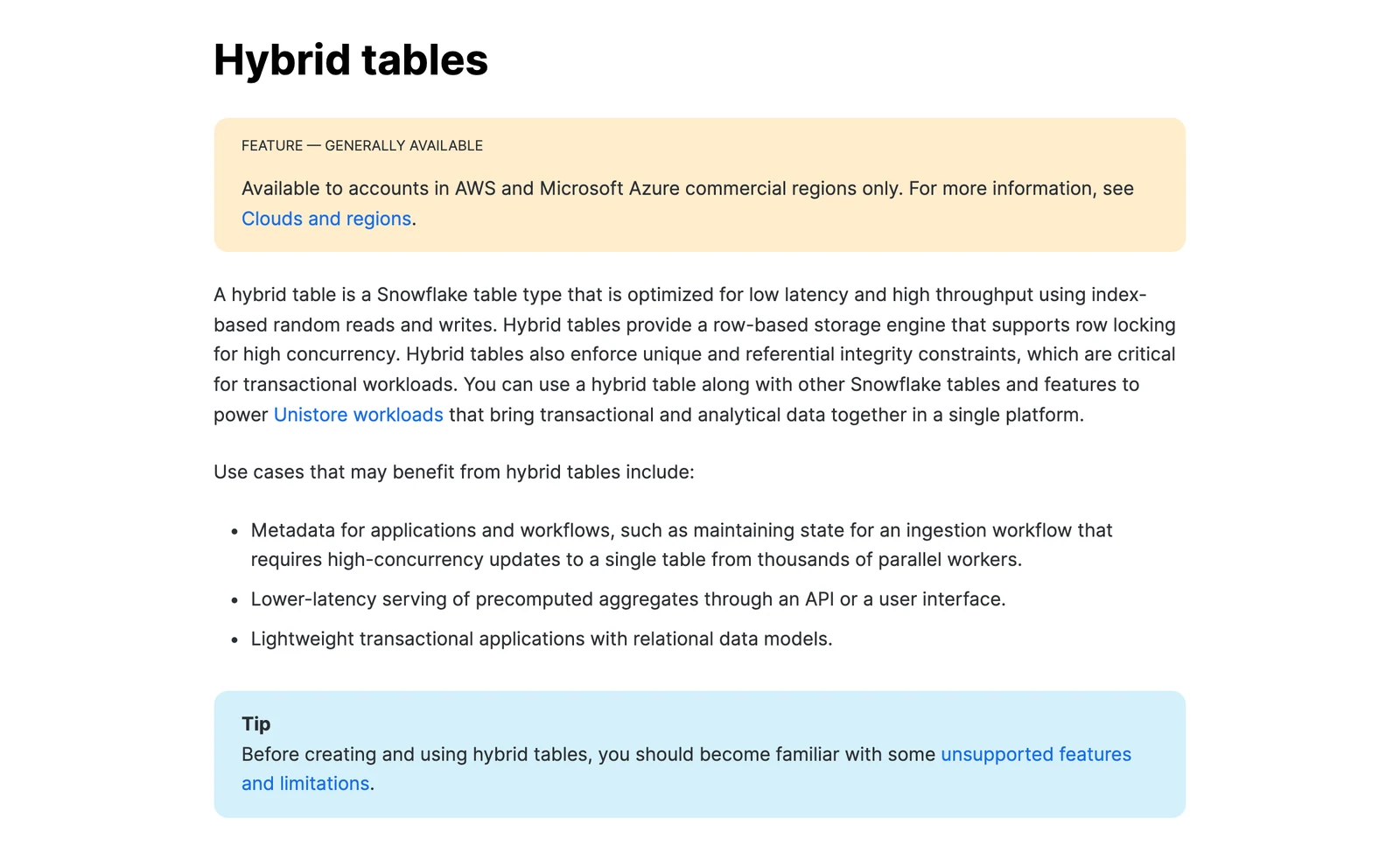
| OLAP and OLTP in one vendor | Snowflake standard tables for analytics, hybrid tables for short operational queries | Snowflake docs |
Snowflake says that standard tables should perform better on large analytical queries, while hybrid tables allow faster results on short-running operational queries. So even inside one product, the two jobs get two table types.
What is OLTP?
OLTP is the system that makes sure the shop really gets your online order. It sits behind an app and keeps a correct record, and AWS names payments, customer data management and order processing as typical jobs.
Its big promise is simple. A transaction either fully happens or doesn't happen at all.
Atomic means all or nothing, and consistent means always leaving the data valid, as Microsoft puts it. It points to four formal properties known as ACID (atomicity, consistency, isolation and durability). Skip that, and you could pay with no order saved.
Lots of people hit the system at once, so OLTP databases work hard to keep users out of each other's way. PostgreSQL's docs, for example, say that under its concurrency model reading never blocks writing and writing never blocks reading. That's how one customer can browse while another pays.
Microsoft lists Azure SQL Database, Azure Database for MySQL and Azure Database for PostgreSQL among its OLTP stores. It also lists Azure Cosmos DB, which it suggests for nonrelational data. So OLTP names a job that many kinds of product can do.
Where OLTP falls short
Microsoft is direct about the catch. Reports that add up millions of transactions are very resource-intensive for an OLTP system, can be slow and can block other transactions. It notes exceptions, such as a well-planned schema.
Highly normalized data also makes reporting queries messy, because they need many joins (steps that stitch tables back together). Piling all your history into one table slows queries too.
Microsoft's usual fix is simple. Keep a recent window, such as the current fiscal year, in the OLTP system, and send older history to a data mart or data warehouse.
What is OLAP?
OLAP is the part that looks back. It's built to answer questions about the past in bulk, and Microsoft says OLAP databases are optimized for heavy reads and low writes, are modeled and cleansed for analysis, and often keep historical data for time-series work.
The classic picture of OLAP is a data cube, where each side is a way of slicing the data, such as product, region and month. Wikipedia names three flavors: MOLAP (multidimensional arrays), ROLAP (relational databases) and HOLAP (a mix of both).
These days the cube is just one option. Microsoft says OLAP systems are moving to massively parallel processing, where many machines share the work of one query. AWS adds that OLAP can use relational databases too.
These systems are built for reading.
Microsoft also describes a semantic layer, which renames columns in friendlier terms and defines the business calculations. One option it describes is giving users direct access to the raw database, which it says typically leads to several people reporting the same metric with different results. A semantic model fed from a data warehouse, it says, gives all users a single source of truth.
Where OLAP falls short
Per Microsoft, OLAP stores typically refresh at much slower intervals than OLTP systems, so they suit strategic decisions. You also have to plan data cleansing and ongoing upkeep to keep them current.
And please don't record a sale in one. In Microsoft's semantic-model table, OLAP lists no transactions and no locking, and its cube-style stores typically need recomputing to take updates.
Why they are built differently: rows vs columns
This is the idea behind most of the table above. In a row store, each record is kept together, so finding one order is quick. A column store keeps each field together, so adding up one field across millions of records is quick.
ClickHouse's docs say that in its column-oriented design only the columns a query needs are read from disk. The same docs say transactional queries finish in milliseconds.
Here's a small illustration, made up for this page. Say your shop has 10 million orders with 20 fields each. "Show order 1042" wants one whole row, which a row store hands over in one piece.
"Total sales by month" wants just two fields from all 10 million rows. A column store can read those two without touching the other 18. That's the whole trick.
Column layouts have a cost too. Google's AlloyDB docs, for example, say that frequent updates to rows invalidate columnar data.
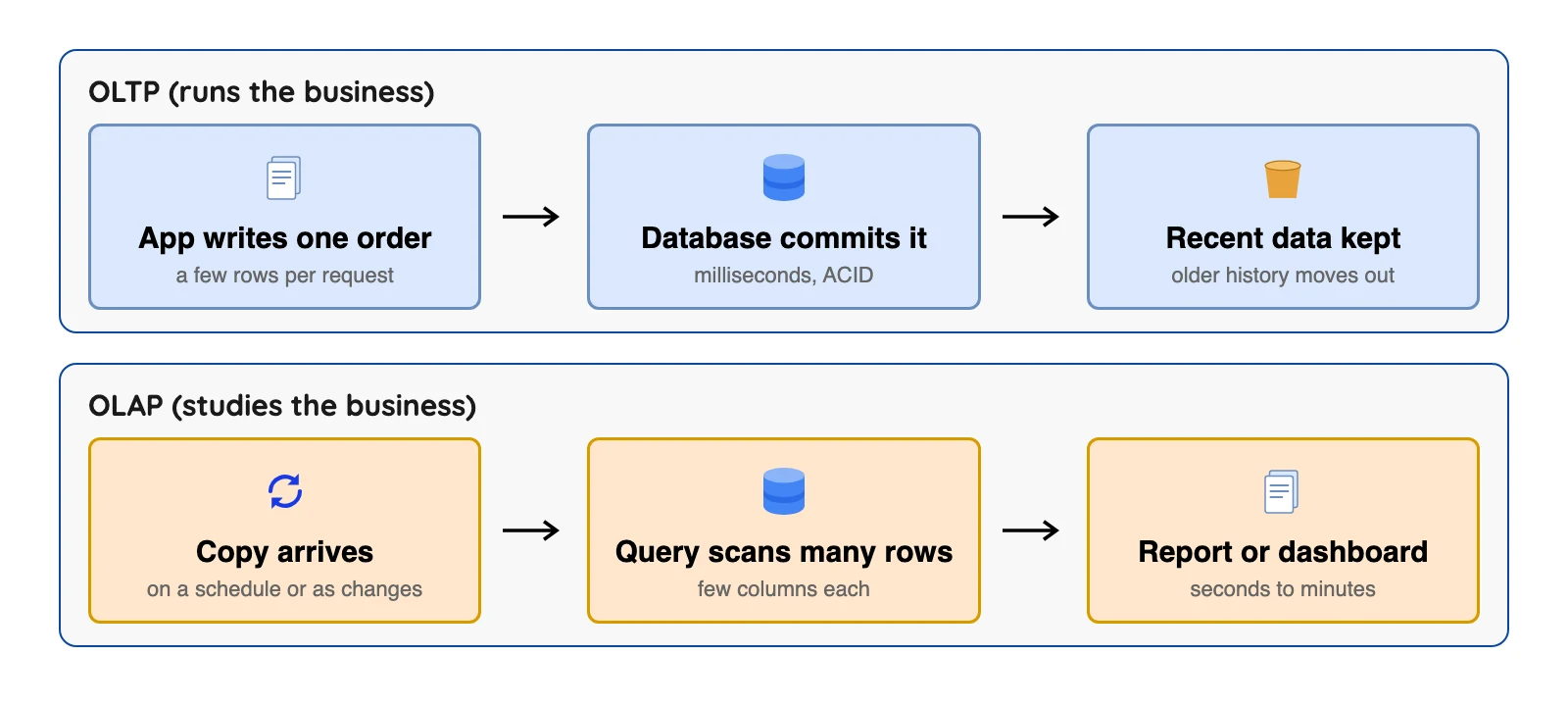
One order, from OLTP to OLAP
Let's walk through the made-up shop once more. A customer places order 1042. The app writes it to the OLTP database, which confirms in milliseconds that the payment and the stock change either both happened or neither did.
Overnight, a copy of that day's orders lands in the OLAP system. The next morning the finance team opens a dashboard and sees revenue by region for the month. Nothing the dashboard did touched the live database.
The catch is the gap. That dashboard is a day behind.
For a monthly report, that's fine. For "is this item in stock right now?", it's wrong, and that question has to go to the OLTP side.
How data moves from OLTP to OLAP
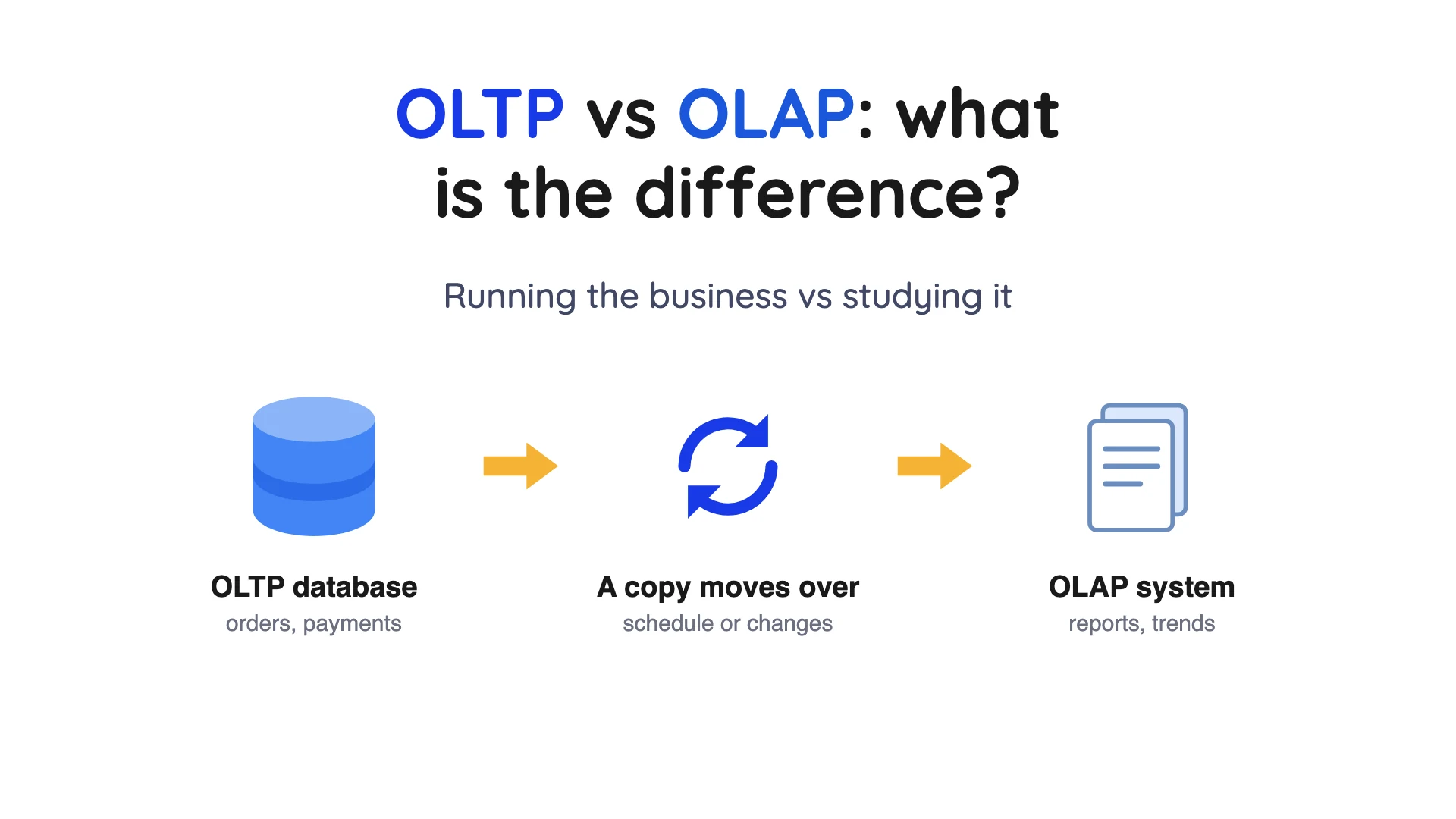
Usually it's a copy. In Azure, Microsoft says, data in OLTP systems such as Azure SQL Database is copied into OLAP systems such as Fabric or Analysis Services. AWS says OLTP databases can be one of several sources for an OLAP system.
AWS also notes that OLTP data may be cleared once it's loaded into a warehouse or lake. That lines up with Microsoft's advice to keep only a recent window in the live database.
There are two common ways to make the copy. One is a scheduled batch, such as nightly. The other is change data capture (CDC), which reads the database's own log of changes and sends only what changed, so your copy stays closer to current.
Our read: a nightly batch is often a perfectly fine start, because CDC takes extra setup.
What about HTAP, one system for both?
HTAP, short for hybrid transactional and analytical processing, is the pitch for one system that does both jobs. Microsoft says most workloads aren't entirely OLTP and often need real-time reporting, and it calls that HTAP.
Vendors build it in different ways, and two of the three below state limits on the pages we read.
| Product | How it mixes the two | Limit the vendor states |
|---|---|---|
| SQL Server columnstore | Updateable nonclustered columnstore indexes (since SQL Server 2016) allow OLTP and OLAP on one platform without separate data copies (Microsoft) | Not stated on the page we read, so check before relying on it for large, multi-source analytics |
| Snowflake hybrid tables | A row-based engine with row locking, joinable with standard tables (Snowflake) | Larger storage footprint than standard tables, and only AWS and Azure commercial regions |
| AlloyDB columnar engine | Adds a column store of selected columns to speed scans and aggregates (Google Cloud) | Frequent row updates invalidate columnar data, and only some data types work |
Snowflake documentation, Hybrid tables, October 2026.
AWS says Amazon Aurora can run both OLTP and complex OLAP workloads. Microsoft says SQL Server's updateable columnstore indexes remove the need for separate OLTP and OLAP systems. Both are vendor claims we did not test, and none of the vendors we read says one system suits every case.
Our read: HTAP may fit modest reporting on live data. Ask the vendor how much reporting the live side can take before the app slows, and test it on your own workload before you bet on it.
Common mix-ups
Myth: OLAP is always slow. Not quite. AWS puts OLAP at seconds or minutes, but ClickHouse's own docs describe real-time analytics as returning a result in under a second, a claim we did not test. The speed depends on the product and the question.
Myth: OLTP is always a SQL database. Nope. Microsoft lists Cosmos DB as an OLTP store, so the test is the job: fast, correct, small transactions.
Myth: OLAP means a cube. Cubes are just the classic form, as covered above.
Myth: A data warehouse and OLAP are the same thing. Close, but no. OLAP is the style of work, and a warehouse is a common place to do it.
What practitioners say about two OLAP systems
Vendor pages tell you what a system is built for. Public forum threads show how people feel after living with it. These are single comments, so treat them as individual views.
| System | Kind of comment | One comment |
|---|---|---|
| ClickHouse | Praise | A commenter on Hacker News, under "ClickHouse gets lazier and faster: Introducing lazy materialization" (April 2025), wrote: "We migrated some analytics workloads from postgres to clickhouse last year, it's crazy how fast it is." |
| Snowflake | Complaint | A commenter on Hacker News, under "Distributed DuckDB Instance" (April 2026), described a workplace where others have been "hounding everybody to reduce credit usage". |
We found no comparable public threads that speak for OLTP databases as a group, so we left that side out. We kept one praise and one complaint, and left out other comments we read.
When to use OLTP, OLAP, both, or neither
The first three rows follow the Microsoft pages above, and the last two are our own judgment calls, labeled as such.
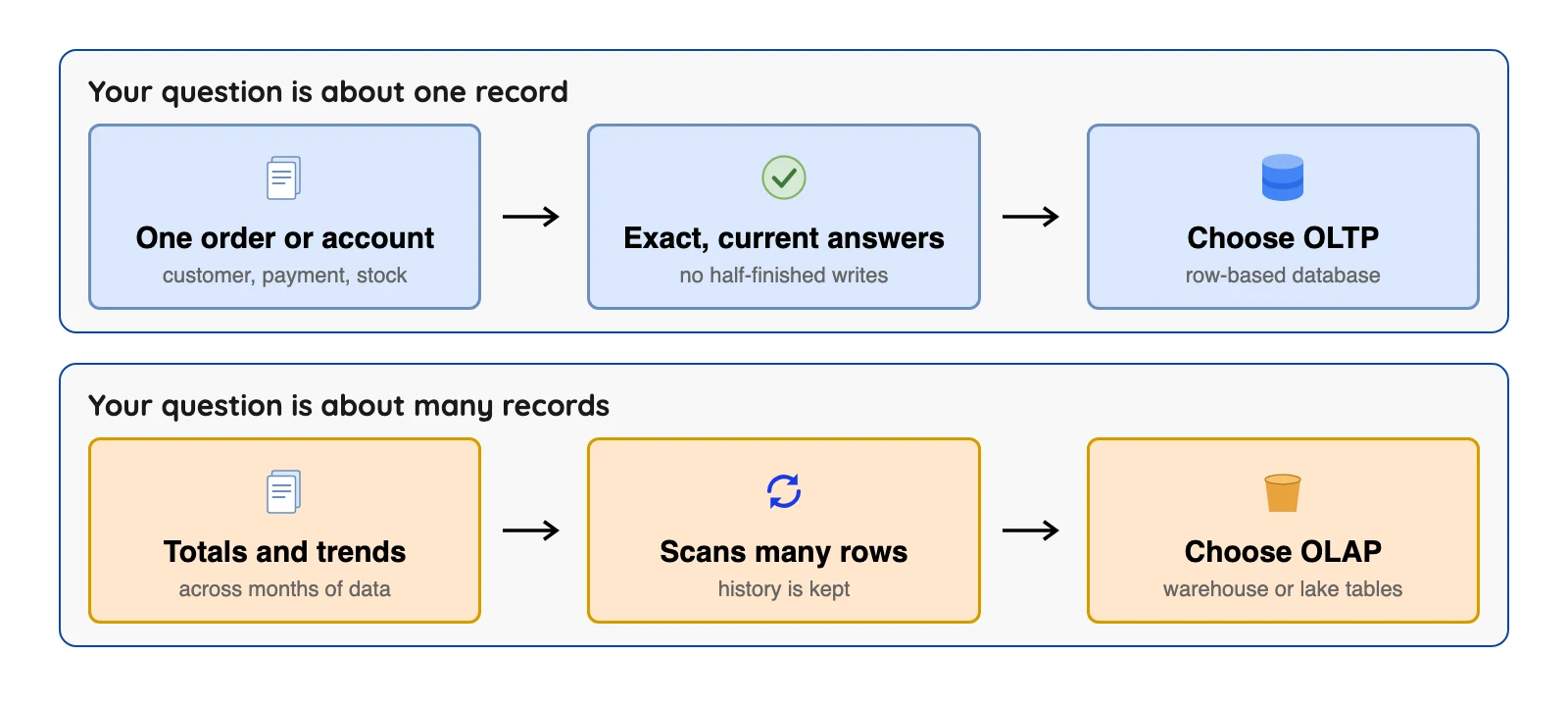
| Your situation | Choose | Why |
|---|---|---|
| An app records orders, payments or accounts, and delays hurt | OLTP | Built for fast, correct single transactions (Microsoft) |
| You need totals and trends across lots of history | OLAP | Built for heavy reads over large data (Microsoft) |
| You need reports without slowing the live app | OLTP plus a copy into OLAP | Microsoft says big reports can block transactions |
| You only need a few live reports on a small database | OLTP alone, or HTAP | Judgment call: fewer moving parts. Check the HTAP limits above |
| Your data is mostly files, logs or events with no transactions | Neither, to start | Judgment call: object storage and a query engine may be all you need |
Once you do pick an OLAP store, Microsoft lists five questions to narrow the field:
- Do you want a managed service?
- Do you need Microsoft Entra ID sign-in?
- Do you need data from several sources beyond your OLTP store?
- Do you want real-time analytics?
- Do you need pre-aggregated data, such as cubes or tabular models, so business users get consistent answers?
AWS says most companies use both together. So the better question is usually how to connect them. Neither replaces the other, because they do different jobs.
One line on OLake
If you want to copy Postgres, MySQL, MongoDB or SQL Server data into Apache Iceberg tables for the OLAP side, OLake Go is an open-source (Apache 2.0) option. It runs a full load and then reads the database log, and it writes Iceberg tables or Parquet files to object storage you control. OLake Go also reads Oracle and Db2 with full load and incremental sync, and from version 0.11.0 it can create Iceberg tables in Snowflake through the Horizon Catalog. Setup guides are in the OLake introduction.
Here is a quick check.
Test your OLTP vs OLAP basics
Question 1 of 5
A shop's till and website record each sale the moment it happens. Which job is that?
FAQs
Q1. What is the main difference between OLTP and OLAP?
Q2. Is a data warehouse OLTP or OLAP?
Q3. Is MySQL or PostgreSQL OLTP or OLAP?
Q4. Can one database do both OLTP and OLAP?
Q5. Why not run reports on the OLTP database?
Q6. How does data get from OLTP to OLAP?
Q7. Is OLAP always a data cube?
Q8. Is Snowflake OLTP or OLAP?
Q9. What are examples of OLTP and OLAP systems?
Q10. Does OLAP need real-time data?
Conclusion
OLTP and OLAP split one job into two: keep an accurate record now, and study it later. Fast, correct, current work goes to OLTP. Big questions over history go to OLAP.
Each is poor at the other's job, and a single product that does both comes with limits you should test.
For most teams, the practical answer is simple. Keep the OLTP database for your app and copy its data into an OLAP system. Then agree, out loud and with the people reading the reports, how fresh that copy needs to be.
Last reviewed October 2026.