What Is a Data Pipeline? A Plain Guide
17 min read
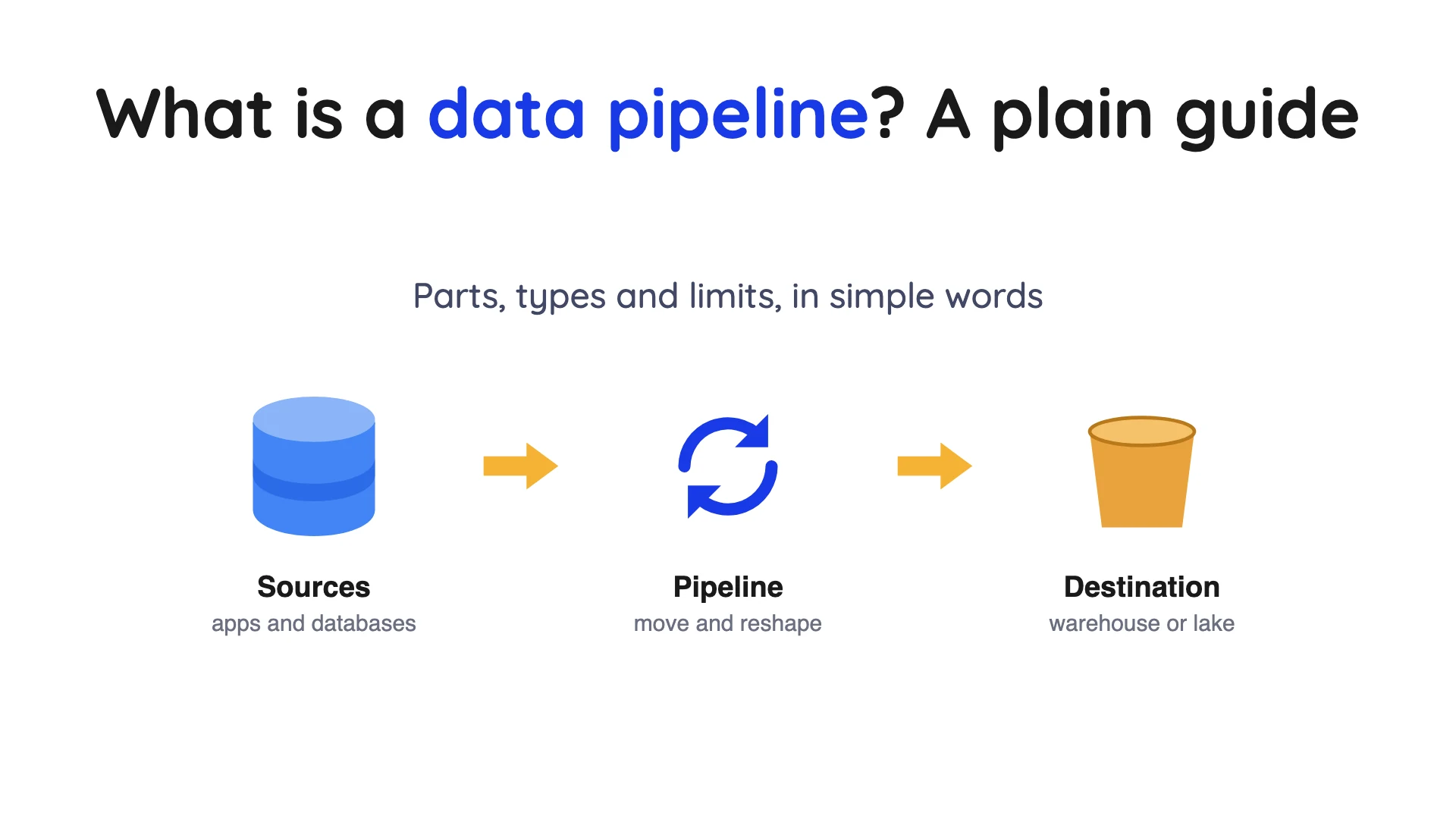
Key takeaways
A data pipeline is just automated steps that move your data from where it's created to where people actually use it, like a report or a model. Most of them copy data out of an app or database, tidy it up, and drop it into a warehouse. The big choice is how fresh the data needs to be: a nightly batch is the simplest, and streaming is the fastest but never stops running.
- A data pipeline moves data from a source to a destination. AWS's page defines it as a series of processing steps that prepare data for analysis. That is one vendor's definition, not a standard.
- A pipeline doesn't have to reshape data. IBM's page says one may simply move data from one system to another.
- The pipeline types answer four different questions. Batch and streaming are about timing, ETL and ELT about order, change data capture about finding changes, and reverse ETL about direction. Real designs combine them.
- Every type has a named cost. Batch is stale, streaming never stops running, and reading a database's change log needs setup on the source.
- A pipeline that runs is not yet production-ready. It also needs a scheduler, safe reruns and alerts, and loading, reshaping and scheduling are often three different tools.
We checked the facts and tool details here against each vendor's own pages on October 1, 2026. Definitions and feature claims below are the vendors' own wording, and we have not tested any of them. Tools change often, so confirm anything before you spend money on it.
So, what is a data pipeline?
Think of it as a delivery route for data. It starts in a source, such as a shop's database or a payment app. The end point is a destination, such as a warehouse (a database built for reports), a data lake (cheap file storage that many tools can read), or a lakehouse (a data lake organised so tools can query it like a warehouse).
AWS's page uses a plain picture: like water moving from a reservoir to your taps, a pipeline moves data from where it is collected to where it is stored. Its definition is a series of processing steps that prepare enterprise data for analysis. AWS sells data services, so read this as AWS's wording, not settled fact.
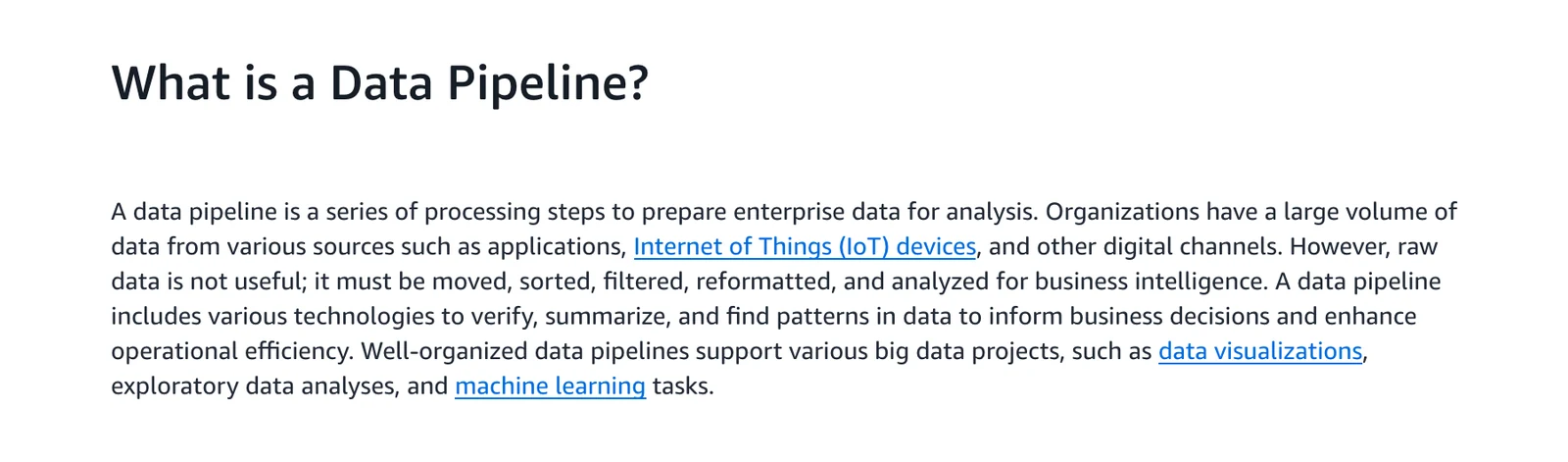
AWS's own definition, from its "What is a Data Pipeline?" page, October 2026.
Two words cause most of the confusion, so let's sort them out now. Pipeline is the whole path. ETL (extract, transform, load) is one way to build that path, where data gets reshaped before it lands.
International Business Machines (IBM) says ETL follows a fixed extract, transform, load order, while a data pipeline "may simply move data from one system to another" without transformations. That is IBM's definition, and other vendors draw the line differently. On IBM's reading, every ETL pipeline is a data pipeline, but not the other way round.
One more trap is product naming. In Azure Data Factory, Microsoft uses "pipeline" for a logical grouping of activities that together perform a task. That's one product's object, not the general idea.
The parts of a data pipeline
IBM says three core stages make up a pipeline: data ingestion, data transformation and data storage. Transformation is the optional one, since a pipeline may simply move data.
Ingestion means copying data out of its sources. Cleaning it and changing its shape is transformation, and storage means putting it where people can use it.
Here's the part people forget. A fourth piece sits beside those three.
Something has to decide when each step runs, retry it when it fails, and warn a person when it keeps failing. AWS's page says a well-designed pipeline keeps working even if individual components fail, and that you must protect data accuracy despite interruptions. That is a design goal, and no vendor page proves a given tool meets it.
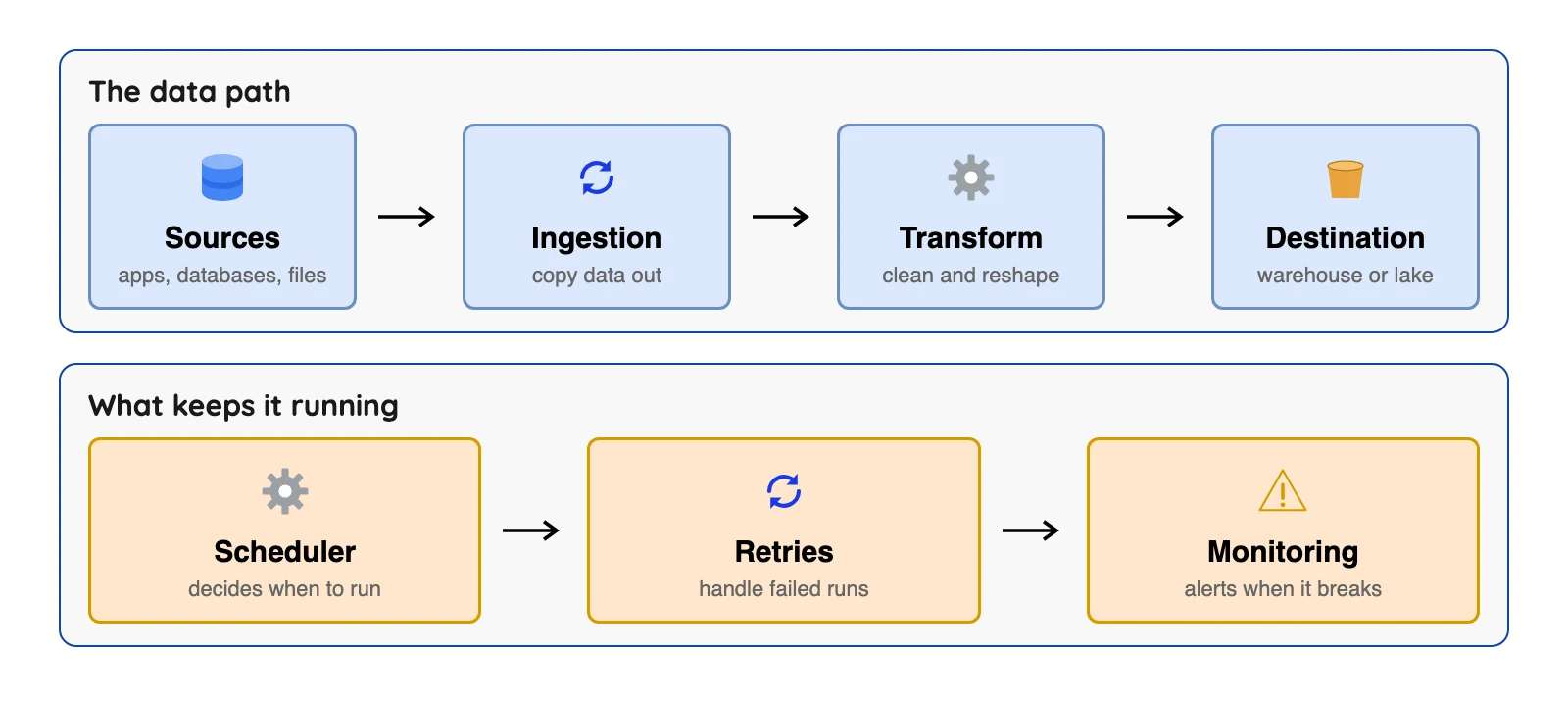
Most real problems live in the lower lane of that diagram. A one-off copy is easy, but a copy that runs every day for two years, through failed runs and changed columns, is the hard part.
What are data pipelines used for?
Common uses, per IBM, include fraud detection, exploratory analysis, dashboards, machine learning and data quality monitoring and more. The use decides the speed you need. Fraud checks need seconds, while a dashboard usually doesn't.
AWS adds that pipelines handle structured data (database rows), semi-structured data (such as JSON files) and unstructured data (such as images). Check that a tool reads the shape of data you have.
Data pipeline types, compared
Types aren't one tidy list, because they answer different questions. Batch and streaming answer "how often." ETL and ELT (extract, load, transform) answer "where does the reshaping happen."
Change data capture (CDC) answers "how do we find what changed," and reverse ETL answers "which way does the data flow."
Below are six common kinds, each with its limit.
| Type | What it does | Better when | Named limit |
|---|---|---|---|
| Batch | Loads data in groups at set times, often off-peak | Reports can be a few hours or a day old | Data is only as fresh as the last successful run |
| Streaming | Processes events continuously as they happen | You must react in seconds | Runs continuously instead of in short scheduled runs |
| Change data capture | Copies each insert, update and delete from a database | You need changes without re-copying whole tables | The source database needs setup, and in PostgreSQL a stalled reader can fill its disk |
| ETL | Reshapes data before loading | You must mask or filter data before it lands | Data must pass through the reshaping rules before it reaches the destination |
| ELT | Loads raw data first, reshapes it in the destination | The destination is a strong warehouse or lakehouse | Unpredictable data volumes can bring unexpected costs later |
| Reverse ETL | Sends modelled data from the warehouse back into business tools | Sales or support teams need warehouse numbers in their own tools | It is only as fresh as the warehouse data it reads |
According to IBM, batch loads batches of data at set intervals, typically off-peak. IBM says streaming pipelines, also called event-driven architectures, continuously process events from sources such as sensors or user interactions in an app. AWS adds that batch pipelines run infrequently while stream processing pipelines run continuously.
Change data capture deserves a longer note, because it's the type most people haven't met. Log-based CDC reads a log the database already writes instead of querying your tables again and again. In PostgreSQL, for example, logical decoding works by decoding the write-ahead log (the file where the database records its changes) into a stream that outside programs can read.
Confluent's page says log-based CDC "doesn't impose computational overhead on source databases". That is vendor wording that we have not tested, and the same page notes that log formats are not standardized.
It says the other common method, timestamp-based CDC, can only process soft deletes and requires changes to the existing database schema.
The source still has chores, though. In PostgreSQL, a replication slot (a bookmark that tracks a change reader's place) prevents removal of the log files it needs even when no connection is using it. The docs say this consumes storage and, in extreme cases, could shut the database down, so a slot that is no longer needed should be dropped.
The docs name a place to look: the pg_replication_slots view has a wal_status column. There, "extended" means the log has grown past max_wal_size but is still being kept. "Lost" means the slot is no longer usable.
ETL and ELT differ in where the reshaping happens. On the ELT side, IBM says it has a lower upfront cost, but unpredictable data volumes can cause unexpected costs later. IBM adds that masking personal data in transit before loading is an ETL strength, and it still calls ETL a popular choice.
Reverse ETL simply runs the other way. Fivetran's docs describe its Activations product as managed reverse ETL pipelines that deliver warehouse data into business tools. "Managed" is Fivetran's word, and Activations rows are billed on the same monthly-active-rows meter, per its usage-based pricing docs.
How to choose: four questions, not one
The six labels above answer different questions, so freshness alone can't pick a row. Split the choice into four parts instead.
- How old can the data be? Hours or a day, minutes, or seconds (batch or streaming).
- How do we find what changed? Copy whole tables, read timestamps, or read the database log (change data capture).
- Where does the reshaping happen? Before loading or after loading (ETL or ELT).
- Which way does the data flow? Into the warehouse, or back out to business tools (reverse ETL).
Real designs combine the answers. For example, change capture can copy database changes into storage as they happen, and a scheduled job can build the reports from that data afterward. That one design mixes a change-log method, the ELT order and a batch-style schedule.
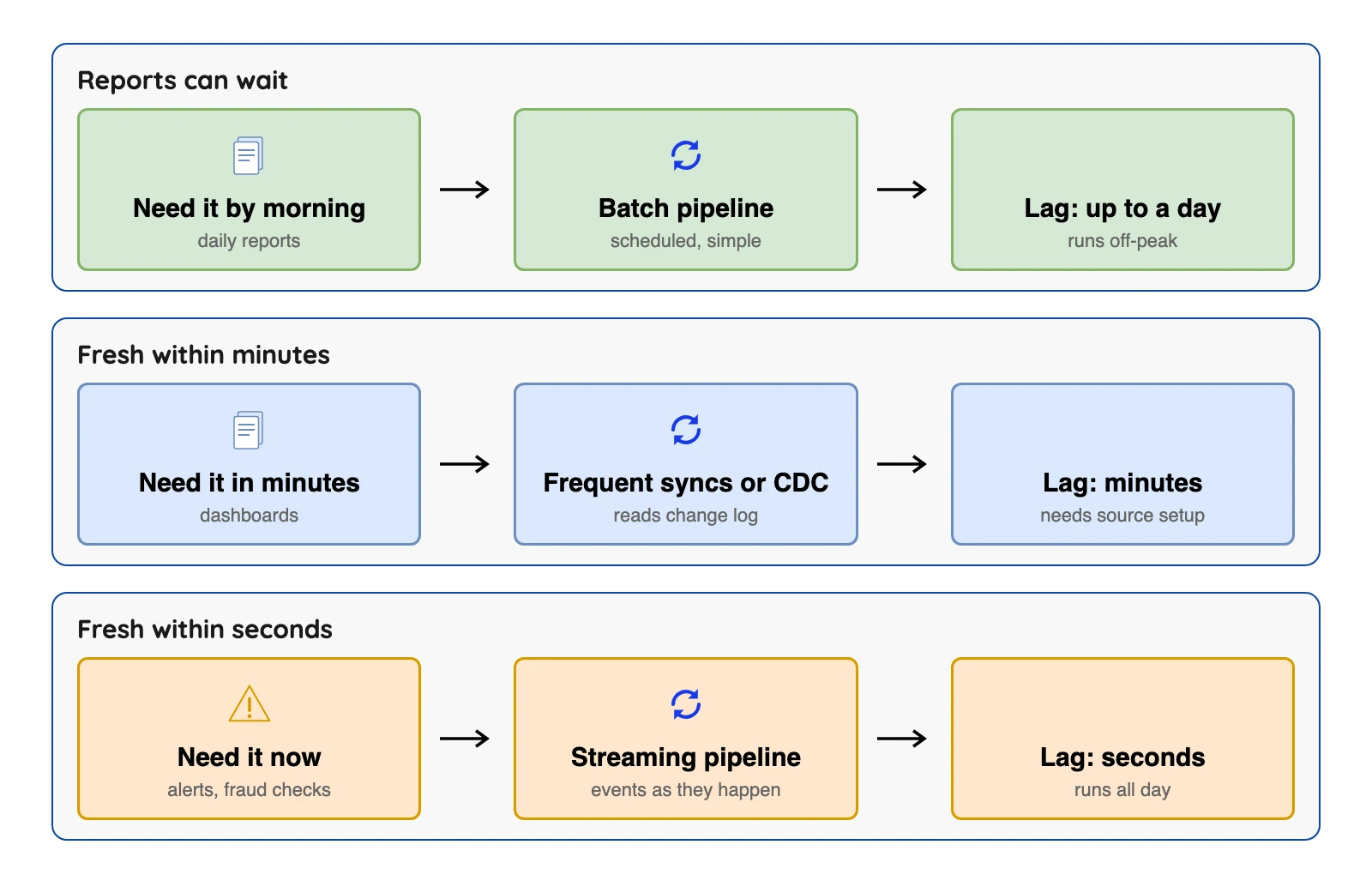
The diagram covers only the first question, timing. Start there, because you shouldn't pay for seconds when a report is read once a day.
A worked example: an online shop's orders
This example is an illustration with invented rows, not a real customer and not a test. Picture a small shop that keeps orders in a Postgres database, where the owner wants a daily sales report. Here's each stage, plus the one thing most likely to go wrong there.
| Stage | What happens | What can go wrong |
|---|---|---|
| Source | Orders sit in a Postgres table | Reading it too often slows the shop's own site |
| Ingestion | A tool copies new and changed orders every hour | A cancelled order is deleted at the source but never reaches the report |
| Transform (optional step) | A SQL query adds up sales per day and per product | A renamed column breaks the query overnight |
| Destination | A warehouse table feeds a dashboard | Two runs overlap and the same order is counted twice |
| Running it | A scheduler starts each step in order | A step fails at 3 a.m. and nobody is told |
The copy step ends when rows land in the warehouse, and the SQL query that adds up sales is the next step. Here are three invented orders to show the delete problem from the second row.
| Order | What happens in the shop at 10 a.m. | Copy that reads timestamps only | Copy that reads the database log |
|---|---|---|---|
| 1001 | Nothing | Unchanged | Unchanged |
| 1002 | Deleted after a cancellation | Still in the report | Removed from the report |
| 1003 | Status changes from Paid to Shipped | Updated, if the table keeps a reliable last-modified timestamp | Updated |
That gap is why the CDC type exists. A hard delete removes the row, and per Confluent, timestamp-based capture can only process soft deletes, so a scan has nothing to find.
A script with no alerts and no retries may still move data, but it isn't yet a production-ready pipeline.
Which tools do which job
A pipeline is a design, and tools are the parts you build it from. Each tool below does one slice, and most teams end up needing more than one.
| Job | Example tool | Fits when | Named limit |
|---|---|---|---|
| Schedule and order the steps | Apache Airflow | You want steps written as code, with retries and a clear start and end | Its docs call it a platform for orchestrating batch workflows, and you write Python |
| Reshape data in the warehouse | dbt | Your data is already in the warehouse and you work in SQL | Its docs say it works alongside your ingestion tools to transform data, so another tool must load the data |
| Carry streams of events | Apache Kafka | Many systems must read the same events as they happen | It is an event streaming platform that you run or rent. It moves events, and getting them in and out of databases takes connectors you set up |
| Copy data on a vendor-run schedule | Fivetran | You want a vendor to run the loading | Database connectors sync every 15 minutes by default. That schedule is Fivetran's default, not a freshness guarantee, because sync time, failures and later steps add delay |
| Copy data with self-run code | Airbyte (self-managed Core), Debezium | You want to run the software yourself and see the code | You run it yourself, so servers and fixing it are yours |
Fivetran and dbt are now one company, because Fivetran announced the completion of its merger with dbt Labs on June 1, 2026. Check each vendor's pages for any change to how they're sold.
Before you rely on any vendor's freshness or reliability claim, ask for the worst-case delay (not the default schedule), how failed syncs and deleted rows are handled, and what exactly the bill counts.
What goes wrong, and how to guard against it
Most failures are boring and predictable, and each one maps to a row of the example above.
- Stale data. A report is only as fresh as the last successful run plus the time the later steps take. Fivetran's docs say a failed sync is retried after the update interval or one hour, whichever is shorter, so a failure can add that wait.
- Missing deletes. Methods that look only for new or changed rows can miss rows that were removed. Reading the database log is one way around it, with the setup cost described above.
- Duplicates after a crash. PostgreSQL says that after a crash a slot might return to an earlier position, so recent changes are sent again. The receiving side must be able to handle the same message twice.
- Duplicates after a rerun. The Airflow docs say a retried task should produce the same outcome on every re-run. The word for that is idempotent, which just means safe to run twice.
- Changed columns. If the source renames or drops a column, the steps after it can fail, and nobody notices without an alert.
- Cost surprises. Billing meters count rows, events or gigabytes, and each rises differently.
Here is the rerun case with invented rows, as an illustration and not a test. Say a run that loads order 1003 (a 20-dollar sale) fails halfway and the scheduler runs it again.
| Write style | After the first run | After the retry |
|---|---|---|
| Blind insert | Order 1003 appears once | Order 1003 appears twice, so the day's sales are counted double |
| Upsert on the order number | Order 1003 appears once | Order 1003 still appears once |
The Airflow page says not to add rows blindly on a rerun, because that can create duplicates. Use an upsert (update the row if it exists, add it if not), which needs a column that identifies each row, here the order number.
That is one guard, not the whole answer, because a replayed old change must not overwrite a newer one. For scheduled batch tasks, the same page also says to read and write one named slice of data, such as one day, rather than "the latest data."
Build it yourself or buy a tool?
Match your situation to a path below, then check the limit before you commit.
| Your situation | Likely path | Why | Watch for |
|---|---|---|---|
| One source, one daily report | A short script plus a scheduler | Few moving parts | You own every failure |
| Many apps, few engineers | A hosted loader such as Fivetran | A vendor runs the loading | Fivetran's docs bill by monthly active rows per connection, and its pricing page does not print the per-row rates |
| Engineers who want control | Open-source loaders and a scheduler | You see and change the code | You run and fix it yourself |
| Changes needed within minutes | CDC from your database, such as Debezium | Reads the change log | Database setup and log retention |
| Reports can be a day old | Plain batch | Fewest moving parts | Stale by design |
Test your data pipeline basics
Question 1 of 5
Does a data pipeline have to reshape the data it moves?
Frequently asked questions
Q1. What is a data pipeline in simple words?
Q2. Is a data pipeline the same as ETL?
Q3. What are the main types of data pipeline?
Q4. What are the parts of a data pipeline?
Q5. What is the difference between a data pipeline and a workflow scheduler like Airflow?
Q6. Do I need real-time streaming?
Q7. What makes a data pipeline reliable?
Q8. Should I build a pipeline myself or use a tool?
Conclusion
Start with how old the data can be. Then add a scheduler, safe reruns and alerts, and check each vendor page before you spend money.