BigLake's Iceberg REST Catalog: What Changed and How OLake Go Writes Into It

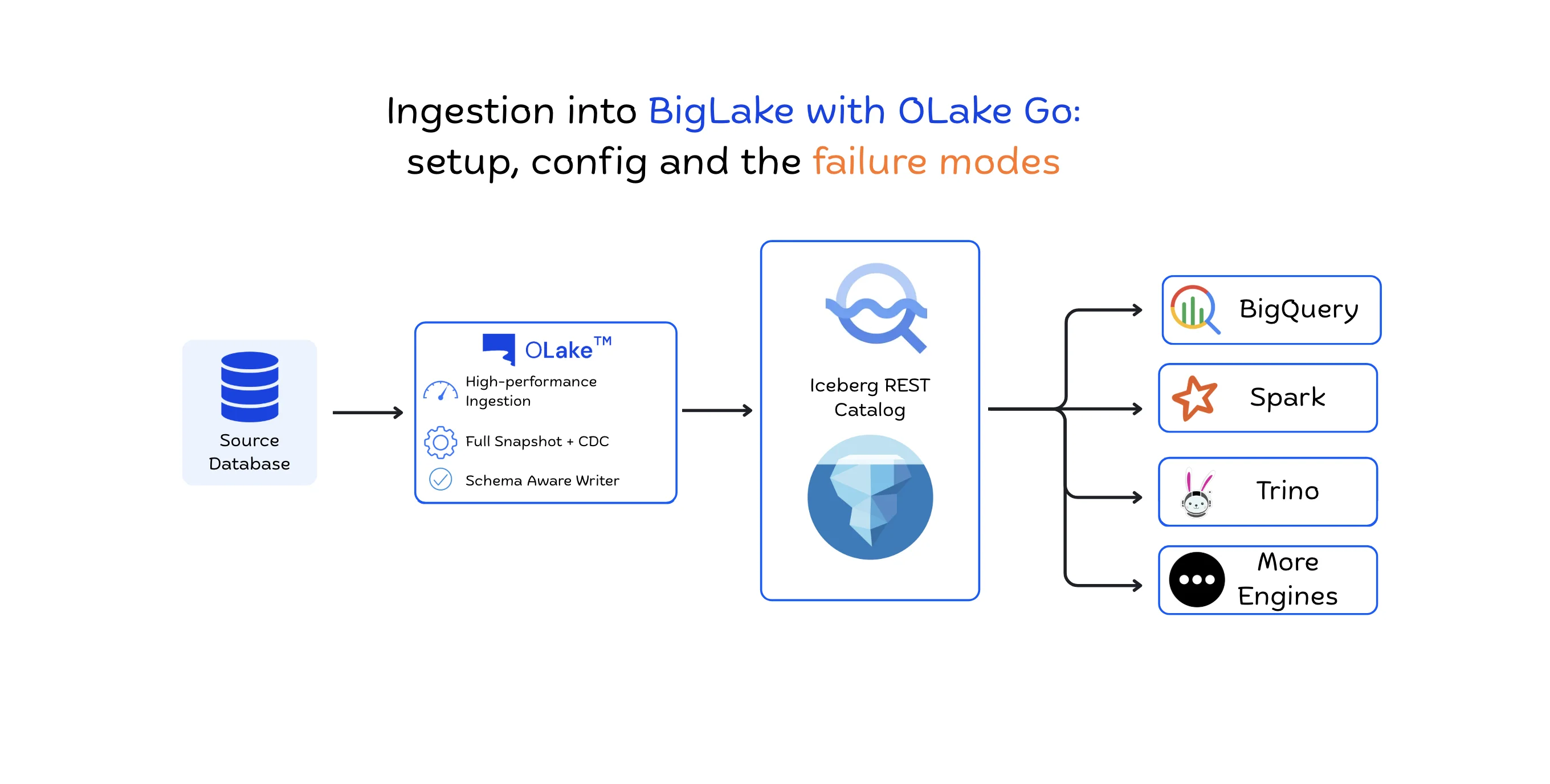
What is Changed and Why it Matters?
Apache Iceberg was built around one core idea: separate the data from the metadata. The data files sit in object storage, and a catalog keeps track of the tables and their current state. That separation is exactly what makes Iceberg portable across query engines in the first place. But it also raises a question that's easy to gloss over: how does an engine actually figure out the current state of a table?
Google has supported Iceberg in BigQuery for a while now, but how BigQuery discovers Iceberg tables has changed. Today, Google offers a managed Lakehouse Runtime Catalog (BigLake) with an Apache Iceberg REST Catalog endpoint, giving any Iceberg-compatible engine a standard way to discover and work with the same tables.
This post walks through what changed, why the REST Catalog actually matters, and how OLake uses it to write Iceberg tables that BigQuery and other Iceberg-compatible engines can read straight off the shelf.
How BigQuery worked with Iceberg Tables without a Shared Catalog
Before getting into the REST Catalog, it helps to look at how BigQuery worked with Iceberg tables in the first place.
1. Pointing BigQuery at a metadata file directly
One option was to just hand BigQuery the location of an Iceberg metadata file:
orders/
├── data/
│   ├── file-001.parquet
│   └── file-002.parquet
└── metadata/
    ├── 00001.metadata.json
    ├── 00002.metadata.json
    └── 00003.metadata.json
We had to point BigQuery at the latest one:
gs://bucket/orders/metadata/00003.metadata.json
The interesting part here is that BigQuery never had to talk to whatever catalog originally created the table. The table could've been created through a completely different Iceberg catalog and BigQuery didn't care, because it was just being handed a file path, not going through the catalog at all.
The problem is that Iceberg tables update by writing new metadata files, not by editing the old one. So the pointer you gave BigQuery gets stale the moment the table changes, and it has to be updated manually every time. If any query engine writes a new snapshot and adds 00004.metadata.json, BigQuery will still be pointing at 00003.metadata.json until the external table definition is updated to gs://bucket/orders/metadata/00004.metadata.json.
2. Catalog Based Access

A catalog fixes that specific problem. It's the thing that keeps track of a table's current state, so nobody has to manually chase down the latest metadata file. When the table changes, the catalog's record of it changes right along with it, so now the consumers don't have to maintain their own pointer.
BigQuery has actually supported catalog-based integrations for a while too. Google documents the AWS Glue Data Catalog as a supported way to create Iceberg external tables, right alongside the direct metadata-file approach mentioned above.
So here's the thing worth being precise about. It was never that BigQuery couldn't read Iceberg tables. It could, one way or another, for years. The real change that came with the REST Catalog endpoint is that now BigQuery and other engines can now talk to Google's own catalog directly through the standard Iceberg REST Catalog interface.
Lakehouse Runtime Catalog: One Shared Catalog
Google's Lakehouse Runtime Catalog (BigLake) is a managed metadata service for Iceberg tables. Its Apache Iceberg REST Catalog endpoint gives you a standardized interface, based on the open-source Iceberg REST Catalog API, and Google recommends it for any new workload that needs interoperability between open-source engines and BigQuery.
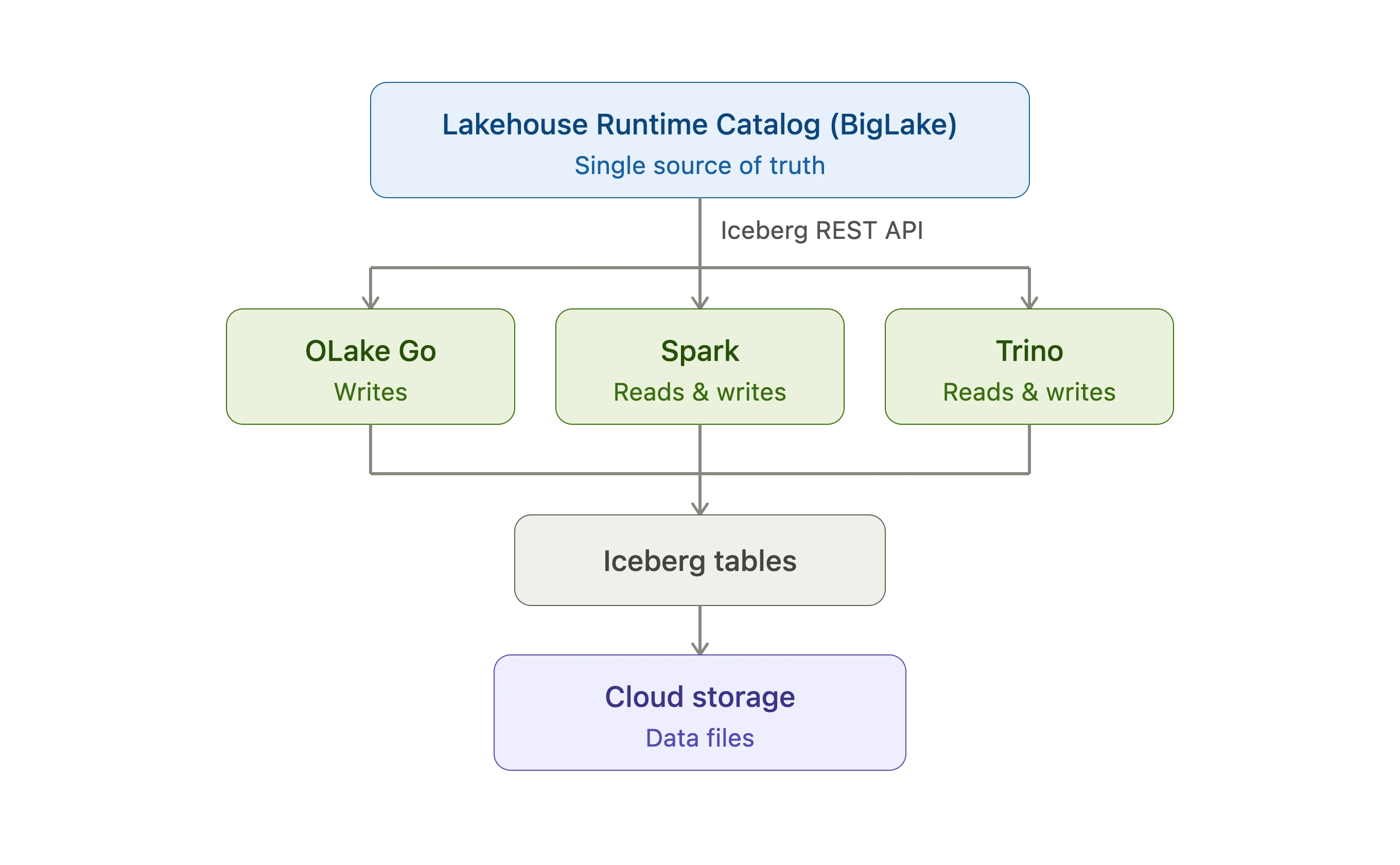
Instead of every engine needing its own custom integration with Google's catalog, any Iceberg-compatible engine can just speak the standard REST Catalog protocol to it. One interface, and everyone on the other end of it is understood the same way.
The easiest way to think about Lakehouse Runtime Catalog (BigLake) is as a managed metadata and governance layer. The actual data never moves. It stays in Cloud Storage, exactly where it was written. The catalog's job is just to keep track of the tables and their metadata, Google Cloud IAM controls who can touch what at the catalog level, and the REST endpoint is the standard door every compatible engine walks through to get to it.
What Iceberg 1.10 added
Apache Iceberg 1.10.0 shipped a native BigQueryMetastoreCatalog implementation, along with a BigQueryMetastoreClient. Together, these let standard Iceberg clients use Google's BigQuery Metastore as an Iceberg catalog, the same way they'd use any other catalog implementation.
The same release also added GoogleAuthManager, which handles Google credential based authentication inside Iceberg's REST authentication framework. It can pick up Application Default Credentials, or it can use a service account you've configured yourself.
Together, that means any standard Iceberg client can connect to Google's catalog and sign in with Google credentials on its own. No custom integration code required.
It's worth keeping these two concepts separate in your head, since they get conflated a lot:
- BigQueryMetastoreCatalog is an Iceberg catalog implementation built specifically for Google's BigQuery Metastore.
- The Iceberg REST Catalog endpoint is the standardized REST interface that Google's Lakehouse Runtime Catalog exposes.
Both paths reach the same underlying metadata. Google recommends the REST endpoint for new workloads where you care about interoperability across engines, which is the path OLake Go takes. The REST endpoint is the cleaner front door for anything that already knows how to speak the Iceberg REST protocol.
Getting BigLake Ready for OLake Go
OLake Go writes Iceberg tables straight into BigLake's catalog, so BigQuery and every other engine reading from it sees the data the moment it lands. Before any of that can happen though, the catalog itself needs to exist on the Google Cloud side.
Project and API: A Google Cloud project with billing enabled and the BigLake API turned on.
Cloud Storage bucket: A bucket to hold Iceberg table data and metadata.
Create the catalog: BigLake offers two catalog types, and OLake Go supports both. Which one you pick just depends on how you want the catalog scoped.
- Single bucket - The catalog is tied to one Cloud Storage bucket, and the catalog ID is just the bucket name. This is the simpler option if everything already lives in one place.
- Multi bucket - One catalog can span several buckets, and you choose the catalog name yourself instead of being locked to a bucket name. Google generally recommends this route, especially if your data is spread across buckets already or you expect it to be later.
Grant roles: The table below lists the roles Google recommends for service accounts working with the Lakehouse Runtime Catalog, as documented in their setup guide.
| Role | IAM ID | Scope | Purpose |
|---|---|---|---|
| BigLake Admin | roles/biglake.admin | Project | Catalog management and registering tables |
| BigLake Editor | roles/biglake.editor | Project | Writing table data |
| BigLake Viewer | roles/biglake.viewer | Project | Reading table data |
| Storage Object User | roles/storage.objectUser | Every bucket the catalog touches | Object-level read/write in Cloud Storage |
For a full walkthrough of each role, catalog creation, and everything else required on the BigLake side before you start syncing, see Google's Lakehouse documentation. Once the catalog exists and the roles are in place, the rest happens on the OLake Go side.
Configuring OLake Go To Write Into BigLake
Set up the source side the way you normally would, any of OLake Go's supported databases, Kafka, or S3 all work here. When you get to the destination, pick the Iceberg writer, then choose Big Lake from the Catalog Type dropdown. The form will switch over and show you the BigLake specific fields like REST Catalog URI, BigLake Catalog Path, GCP Service Account JSON, and a handful of others.
One thing worth flagging before you get into the fields: BigLake only supports one way in, Google OAuth through a service account. There's no token option or generic OAuth2 flow here, the way there is with some of the other REST catalogs OLake Go connects to.
Here's what each field actually does:
| Field | Example | What it does |
|---|---|---|
| REST Catalog URI | https://biglake.googleapis.com/iceberg/v1/restcatalog | This is the URL for Google's BigLake REST catalog. |
| BigLake Catalog Path | Single-bucket: gs://<BUCKET_NAME>Multi-bucket: bl://projects/<PROJECT_ID>/catalogs/<CATALOG_ID> | Tells OLake Go which BigLake catalog to write to. Use the gs:// path if your catalog is tied to one bucket. Use the bl:// path if you set up a multi-bucket catalog. |
| REST Auth Type | org.apache.iceberg.gcp.auth.GoogleAuthManager | How OLake Go signs in to Google. OLake Go only supports this auth type in BigLake. |
| GCP Service Account JSON | { "type": "service_account", ... } | This is the JSON key for the service account of user. OLake Go uses it to reach the catalog and write to Cloud Storage. |
| Catalog Name | olake_iceberg | The namespace OLake Go registers your tables under. |
| GCP Auth Scopes | https://www.googleapis.com/auth/cloud-platform | The permissions Google grants on the access token. The default scope is enough for most setups. |
| GCP Project ID | your-project-id | Only required for multi-bucket catalogs. Your GCP project ID, used for request routing and billing. |
| Enable Arrow Writes | false / true | Switches OLake Go to an Arrow-based writer for data and delete files. |
For a step-by-step walkthrough of each field, UI and CLI config examples, and the full BigLake setup in OLake Go, see the BigLake section in the OLake Go REST catalog docs.
What Happens When You Test The Connection
Connecting to the destination doesn't actually run a sync, it's checking two narrower things: that OLake Go can reach the BigLake REST endpoint at all, and that the service account credentials in GCP Service Account JSON are valid and scoped correctly for it.
A passing test tells you the network path is fine and the authentication checks out. It doesn't tell you the service account can actually write to the specific catalog mentioned in BigLake Catalog Path, that permission check only happens on the first real write, not at connection time. So if the test passes but your first sync fails, it's almost always a bucket-level permissions issue, not bad credentials, worth ruling that out first before you start second guessing the service account key itself.
From here, the rest of the flow looks like any other OLake Go destination that is configure the streams you want to sync, run discover, and kick off the job. Once a sync finishes, the tables are queryable straight from BigQuery, since OLake Go registered them against the same catalog BigQuery reads from. You can confirm it with a four-part identifier:
SELECT * FROM `PROJECT_ID.CATALOG_ID.NAMESPACE.TABLE_NAME` LIMIT 10;
Troubleshooting
Here are a few common things to check when something does not work on the first try.
Authentication and permission errors: The connection test passes, but a sync fails partway through, or write operations are rejected. This almost always means a missing storage role. Check Storage Object User on the buckets for the service account in GCP Service Account JSON, then rule out BigLake Editor on the project. Re-check the roles against the prerequisites rather than assuming the credentials themselves are wrong.
Connection test fails outright: Before assuming a credentials problem, confirm the BigLake API is enabled on the project, and that the service account key in GCP Service Account JSON is valid, complete JSON, not rotated or revoked since you pasted it. The REST endpoint is a public Google API, so reachability is rarely the issue. It usually turns out to be project configuration, not the network.
Wrap-up
The old way of getting Iceberg data into BigQuery often meant working around the catalog rather than through it, pointing at a metadata file by hand, or wiring up custom automation every time a new snapshot landed. BigLake's Iceberg REST Catalog endpoint, backed by Iceberg 1.10's GoogleAuthManager closes that gap. One catalog, one standard interface, and every engine that speaks the REST protocol sees the same tables without maintaining separate pointers.
Setting OLake Go up to write into BigLake is mostly the usual source configuration plus a REST catalog destination pointed at Google's endpoint. The part that has to come first is the GCP-side work that is setting up bucket, catalog, service account, and the IAM roles from Google's setup guide. Get that in place, fill in the BigLake fields in OLake Go, and the tables you sync are queryable from BigQuery as soon as the first job finishes.
OLake Go
Replicate databases, Kafka, and S3 into Apache Iceberg with OLake Go, an open source EL engine built for Iceberg from the ground up.